


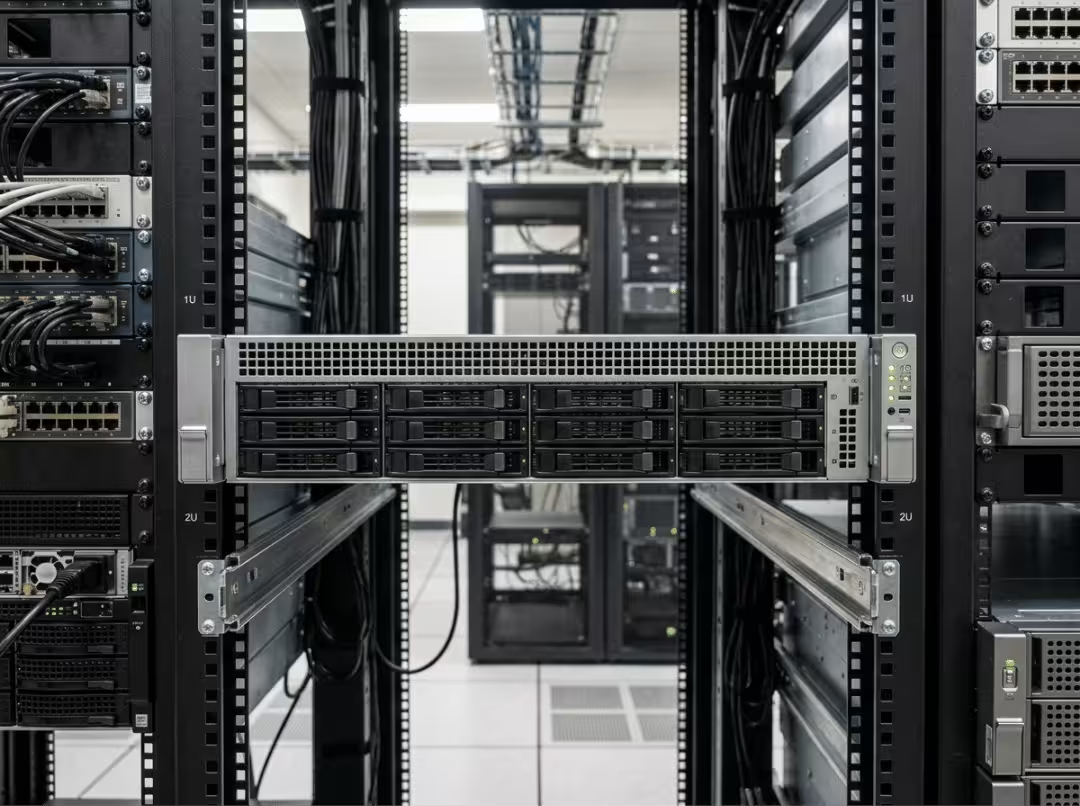
Quick answer: Rackmount server noise comes from small, high-RPM fans, forced airflow through tight heatsinks, and vibration from spinning drives — all optimized for data center cooling, not quiet offices. Reduce it in order: replace mechanical drives with SSDs, add vibration dampening, tune fan curves via IPMI/iDRAC/iLO, then replace fans or consolidate the PSU. Check temperatures after every change.
Power on a rackmount server in a home office or small server room for the first time, and the sound is almost never what you expected. Not a low hum — more like a turboprop spinning up. That experience is common enough to be a recurring thread across homelab forums and small-office IT communities, and the frustration behind it is usually the same: nobody warned them that the noise is a design feature, not a defect.
A companion article on this site, Understanding Server Noise: How Loud Are Rack Mount Servers Really?, covers baseline noise levels and what to expect across different server types. This article picks up where that one stops — focused entirely on what generates the noise, why servers are engineered that way, and which fixes actually work in which order.
Rackmount server noise is almost always reducible. But reducing it intelligently means understanding the cause before choosing the fix. That’s the structure here: root causes first, engineering context second, practical fixes in order of effort and risk.
What Actually Makes a Rackmount Server Loud
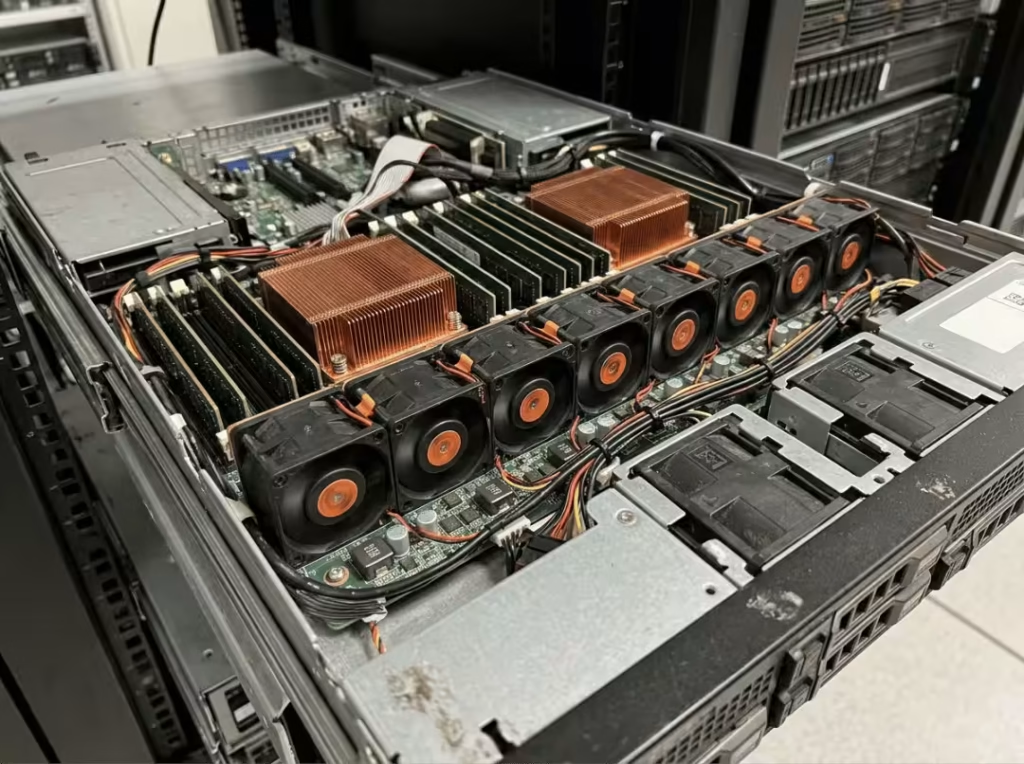
Server fan noise is the primary source of sound in nearly every rackmount unit, and the physics are straightforward. Most 1U servers rely on 40mm or 60mm fans spinning at 10,000 RPM or higher to push enough air through a chassis that leaves almost no room for anything larger. At that speed, small fans produce a high-frequency whine that travels further and registers as more intrusive than the lower-pitched hum of a bigger, slower fan doing the same cooling work.
The noise doesn’t end at the fan blade. High-velocity air forced through dense heatsink fins, drive cages, and narrow vents creates turbulence, and turbulence has its own sound — a friction-based rushing or hiss that layers on top of the fan’s baseline tone. A server can easily sound louder than its spec sheet implies because the airflow path itself is a noise source.
Vibration compounds the problem. Fan motors, spinning drives, and thin sheet-metal chassis panels all vibrate independently, and when multiple servers are stacked in a rack, those vibrations can couple and amplify. A full rack resonating in sync is noticeably louder than the individual servers would suggest on their own.
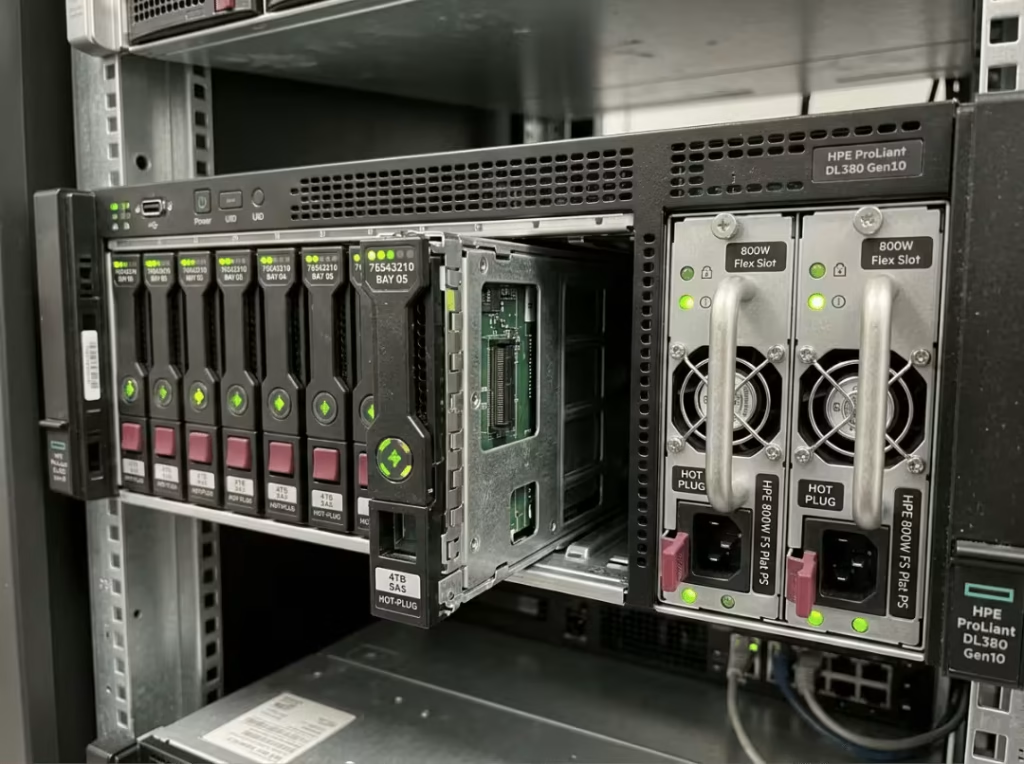
Storage adds another layer that’s often underestimated. Enterprise-grade 10K or 15K RPM hard drives generate continuous mechanical hum and intermittent seek noise that SSDs simply don’t produce. Redundant power supplies make things worse by adding their own small, high-speed fans — a dual-PSU server is running two additional fans at all times, regardless of load.
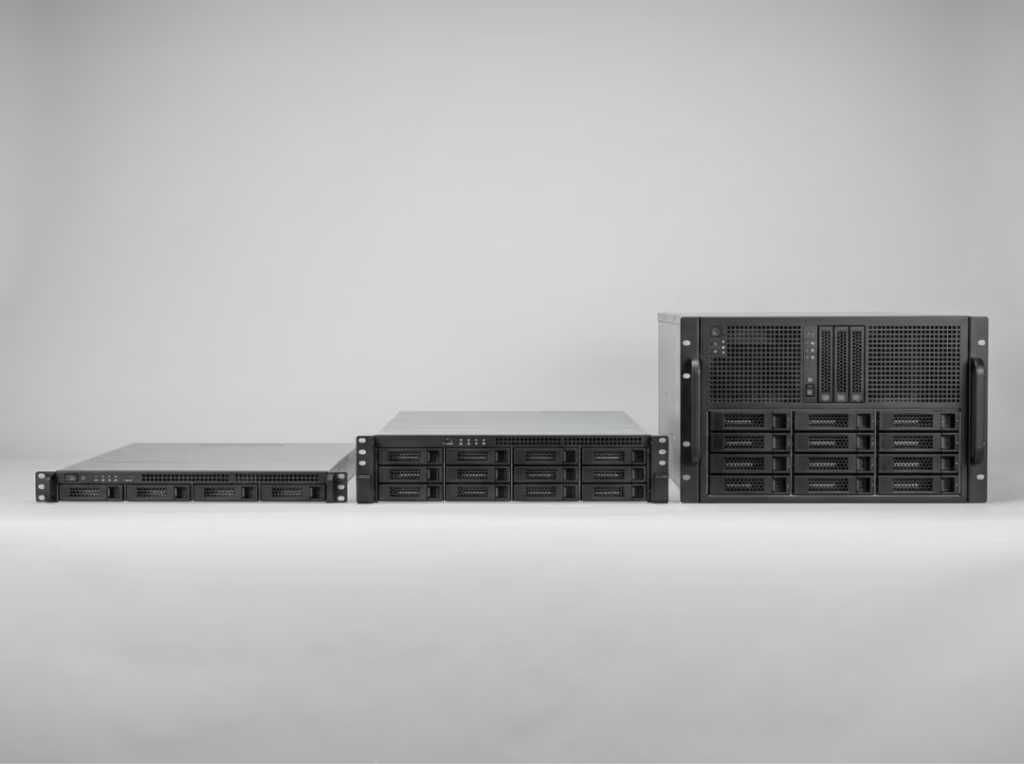
Form factor determines how severe all of this gets. A 1U rackmount case is physically constrained to fans under 40mm in height. There’s no room for anything larger, so manufacturers compensate with higher RPM — and there’s no way around that tradeoff within the chassis design. A 2U or 4U rackmount case has the internal clearance for fans with a larger diameter, which means they can move the same volume of air at meaningfully lower RPM. That’s the single biggest reason 2U and 4U units are noticeably quieter — not better engineering, just more physical room to work with.
Why Rackmount Servers Are Designed This Way
None of what’s described above is an oversight. Rackmount servers are built for hot, dense data centers, and every noise-generating design decision is a direct consequence of that environment.
Modern Xeon and EPYC processors generate significant heat under sustained workloads, and compute-heavy configurations with GPUs add even more thermal load to the same chassis. Aggressive cooling is not optional in that context — it’s the design constraint that everything else is built around.
N+1 redundancy is the other major factor. Enterprise servers typically run more fans simultaneously than the system needs at any given moment, so that if one fan fails, the others can absorb the cooling load without triggering a thermal shutdown. This is intentional, and it means the server is running louder than its actual thermal demands require under normal conditions.
Firmware defaults reflect the same conservative logic. Fan curves in IPMI, iDRAC, and iLO are calibrated for worst-case ambient conditions — a 35°C data center hot aisle, not a 20°C office. The firmware has no way to know how cool your room is, so it runs the fans as though the temperature were always at the high end of the design envelope.
Understanding this context matters before making any changes. The noise isn’t random — it’s the result of deliberate engineering margins. That means many of those margins can be safely adjusted in a cooler, lighter-load environment, but only if you understand which margin each fix is actually touching.
How to Reduce Rackmount Server Noise
Work through these fixes in sequence. The early steps cost almost nothing and carry minimal risk. The later steps involve real hardware changes that require more preparation. Skipping to a fan swap before trying the cheap fixes first wastes money and effort. More importantly: monitor temperatures after every single change. That’s not a general caution — it’s what separates a safe fix from one that causes a slow thermal problem you won’t notice until it becomes a throttling event.
Replace mechanical drives with SSDs. Start here. SSDs eliminate seek noise and vibration at the source, and because they run cooler than enterprise hard drives, they reduce the total heat the cooling system has to manage. That lower heat output often lets fan curves idle down on their own, without any other intervention. It’s the highest return on the least effort of anything on this list.
Add vibration dampening. A rubber or foam mat under the chassis breaks the vibration path before it reaches the desk or rack surface. Also check where the server contacts its rack rails — loose or bare metal-on-metal contact is a frequent, overlooked source of resonant buzz. Near-zero cost, meaningful reduction in the resonance problem described in the first section.
Reconsider placement. Keep the unit away from walls, avoid enclosed spaces without active airflow, and don’t place it on hard reflective surfaces that amplify sound. Poor placement traps heat, heat forces fans higher, and higher fan speeds mean more noise — a straightforward cycle that’s often fixed just by moving the server to a better spot before touching any settings.
Tune fan curves and CPU power limits. Use IPMI, iDRAC, iLO, or the Supermicro web UI to override the conservative default fan curve and reduce CPU power limits. Disabling unused components — a second CPU socket, unpopulated PCIe slots, idle memory channels — cuts heat generation at the source and gives the fan curve room to ease back. This is where the temperature monitoring discipline matters most. Firmware defaults are conservative for a reason, and overriding them without watching the result risks thermal stress that accumulates gradually rather than triggering an obvious alert.
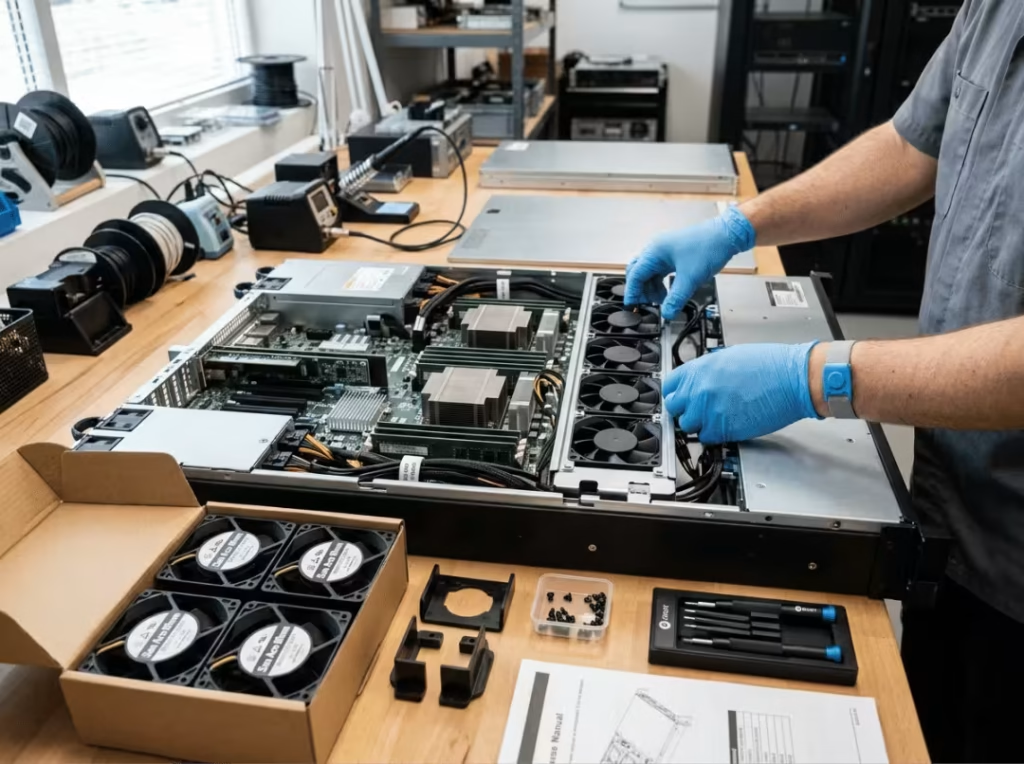
Replace the fans. Swapping stock fans for larger, lower-RPM alternatives — Noctua units with appropriate adapters are the most common choice — can produce a significant noise reduction. The mistake most people make here is optimizing for CFM. In a server chassis with dense heatsinks and restricted airflow paths, static pressure is the relevant spec: it measures a fan’s ability to push air through resistance, not just move volume in open space. A high-CFM, low-static-pressure fan can starve a dense heatsink while technically moving plenty of air. Confirm PWM support as well, so the new fan still responds to motherboard speed control rather than running at a fixed voltage. Budget $50–$150 depending on model and fan count, and watch temperatures for at least several days under realistic load before declaring the swap a success.
Consolidate or upgrade the power supply. A single high-efficiency Platinum or Titanium-rated PSU runs cooler than dual standard-efficiency units and eliminates one set of PSU fans entirely. Before ordering, verify that the server will actually boot with one PSU bay empty — some firmware requires both bays populated and will generate persistent alerts or refuse to start otherwise.
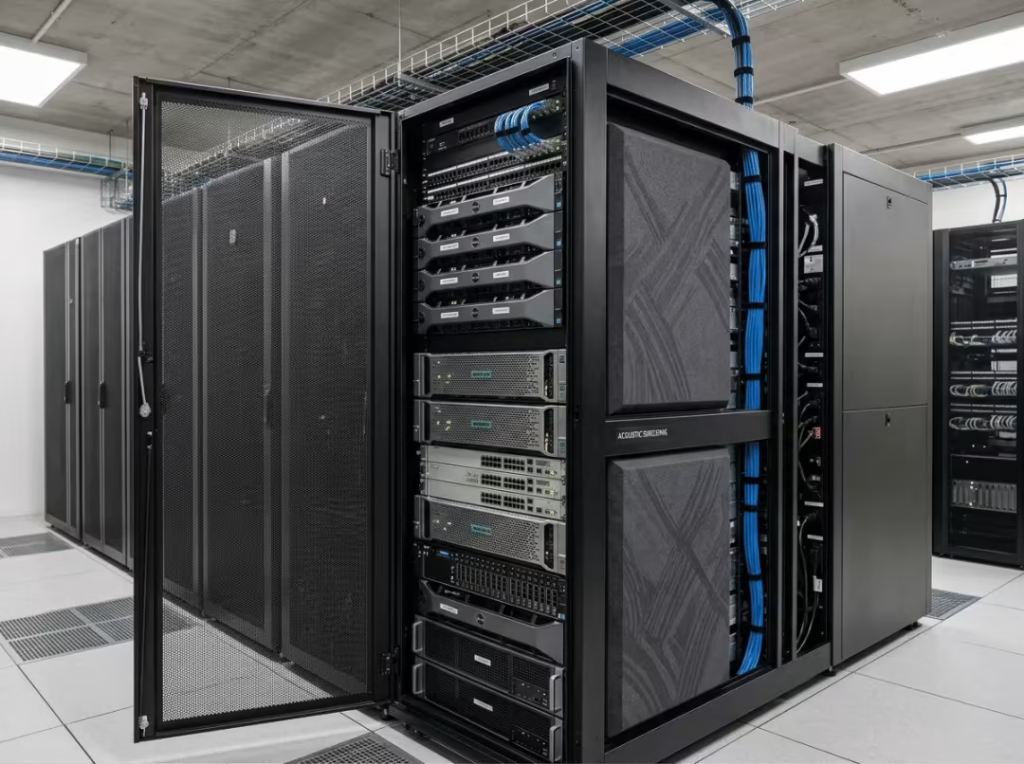
Address the acoustic environment. Acoustic foam panels mounted inside a rack cabinet absorb reflected sound without affecting the server itself, provided the front and rear of the cabinet stay clear for airflow. Redirecting exhaust away from workspaces helps considerably. Soundproof rack enclosures are a viable last step, but only after the cheaper measures have been worked through — they’re not a substitute for addressing the noise at its source.
Know when to change the hardware. This is the option people often resist most, but it’s sometimes the most honest answer. A 1U server running dual Xeons under sustained load is not going to become quiet. A tower server or ATX build with 120mm or 140mm fans will run dramatically quieter than any 1U unit — not because of better components, but because the chassis has room for fans that don’t need to spin at 10,000 RPM. Short-depth rackmount units built for AV or broadcast environments treat noise as a primary design constraint rather than an afterthought. Low-power mini systems can handle lighter workloads without needing aggressive thermal management at all. If you’re evaluating alternatives, the full rackmount case lineup covers options across 1U through 4U, with cooling capacity differences you can compare directly against your noise requirements.
What Not to Do
Don’t remove fan shrouds. Airflow routing inside a server chassis is engineered, not incidental. Shrouds direct air over specific components in a specific sequence. Removing them creates thermal dead zones that overheat quietly while fan speeds look normal.
Don’t swap fans based on CFM alone. A fan that performs well in open air can starve a dense heatsink if its static pressure is insufficient. The throttling this causes shows up gradually — not as an immediate alert.
Don’t place acoustic foam inside the chassis. Foam inside the server traps heat against components rather than absorbing sound. If you’re using foam, it belongs in the rack cabinet, not inside the enclosure, and temperatures still need monitoring for at least a week after the change.
Set a realistic ceiling. Fan swaps and firmware tuning will meaningfully reduce noise on most servers. They will not make a 1U server silent. Some hardware simply needs a dedicated space — a separate room, a closet, a basement rack. That’s a reasonable operational decision, not a defeat.
FAQs
Is it normal for a rackmount server to run at full fan speed all the time?
Yes. Firmware fan curves are calibrated for worst-case ambient temperatures, typically around 35°C, which is common in dense data center environments. In a cooler office, the server has no way to know the ambient conditions are better, so it keeps fans at conservative speeds by default. This is expected behavior, not a sign of a hardware problem.
How much quieter is a 2U server compared to a 1U?
Noticeably quieter — primarily because a 2U chassis fits fans with larger diameters that can move adequate airflow at lower RPM. The actual difference depends on model and workload, but the physics behind it are consistent: larger fans at lower RPM produce less high-frequency noise than small fans spinning at the edge of their rated speed.
Can I replace the fans in a Dell, HP, or Supermicro server without issues?
Usually yes, with the right preparation. Enterprise firmware on some models monitors fan tachometer signals and will throw persistent alerts or force full-speed fan mode if it doesn’t recognize the replacement fan’s signature. Research model-specific behavior and verify PWM compatibility before buying anything.
Will lower-RPM fans cause overheating?
They can, if static pressure is insufficient for the chassis airflow path. Moving lots of air in an open test doesn’t mean the fan can push that air through a dense heatsink under system load. Static pressure is the spec that matters in a restricted chassis, and it needs to match or exceed what the original fan provided at equivalent airflow.
Is a soundproof rack enclosure worth the cost?
After cheaper fixes have been applied and meaningful noise remains, yes. It’s not a first step — it doesn’t address the source of the noise — but as a final layer of acoustic treatment it can produce real results, provided the enclosure maintains adequate airflow through its intake and exhaust.
Are SSDs worth it just for noise reduction?
Yes, if the server is running enterprise mechanical drives. The elimination of seek noise and drive vibration is immediate, and the lower heat output produces secondary fan speed reductions over time. For servers with spinning drives, it’s the best return-per-dollar fix on this list.
Conclusion
The right sequence matters as much as the individual fixes. Start with SSDs and vibration dampening — both deliver real results at low cost and negligible risk. Move to fan curve tuning and CPU power limit adjustments, watch temperatures carefully, and only proceed to fan swaps or PSU changes if you still need more. Acoustic treatment belongs at the end of that process, not the beginning.
Temperature monitoring is not optional at any step. Each change shifts the thermal balance, and the problems that result from a poorly calibrated fan swap or an aggressive power limit don’t always announce themselves immediately.
If you’ve worked through the full sequence and the server is still incompatible with your workspace, that’s a hardware fit problem, not a fixable one. Some 1U platforms are built for data center aisles and belong there. Allocating a dedicated space for them is a pragmatic decision — one that costs less in the long run than trying to out-engineer a chassis that was never designed for quiet operation.
