

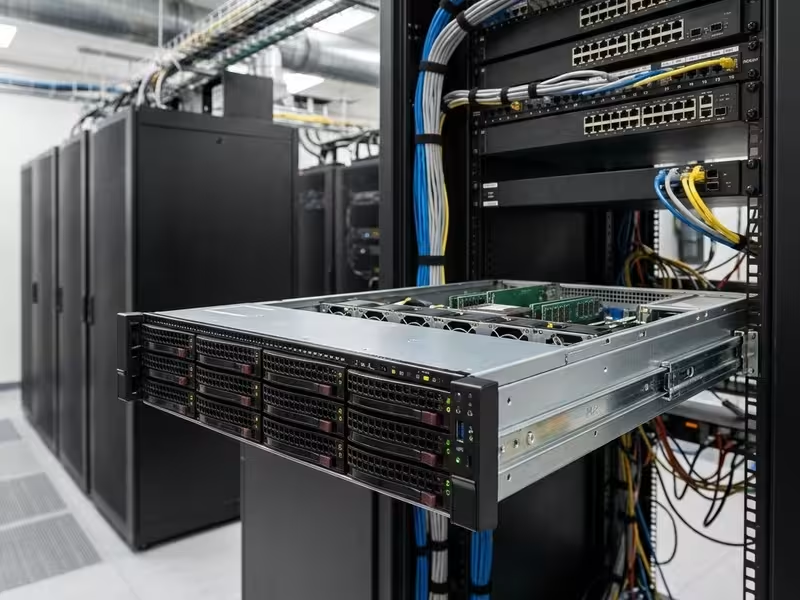
Picking a 2U server chassis feels straightforward until something goes wrong. The spec sheet looks right. The quote comes in. You place the order. Then the rails don’t reach the rear posts, the heatsink hits the lid, or the GPUs start throttling three weeks after deployment. Each of those problems costs weeks of rework and puts a project timeline at risk.
The order in which experienced buyers decide matters. Start with dimensions and form factor. Move to chassis type. Match the type to the workload. Then verify technical fit across board, backplane, power, cooling, and expansion before anything gets ordered. This guide follows that sequence. Work through it and you’ll know what to confirm before you send the purchase order.
What a 2U Server Chassis Is—and Why It’s the Default Rackmount Choice
A 2U server chassis is a rackmount enclosure occupying two rack units of vertical space. It holds the motherboard, drives, power supplies, fans, and expansion cards. The 2U height is fixed by standard. Almost everything else—depth, bay count, backplane type, PSU class, riser configuration—varies by design, and that variation is where most integration problems start.
Standard 2U Dimensions and Rack Fit
Height and width are fixed. One rack unit equals 1.75 in (44.45 mm), so 2U is 3.5 in (88.9 mm). Most chassis run slightly under that to leave clearance between units. Width follows the EIA-310 standard for 19-inch racks. The front panel with mounting ears spans 19 in, and the chassis body fits the roughly 17.75-inch (450 mm) opening between rack posts.
Depth is where projects go wrong. EIA-310 does not define chassis depth, so vendors build short-depth, mid-depth, and full-depth models. Short-depth units fit shallow network cabinets. Full-depth units need standard server racks with enough rear space for cabling and airflow. Before you compare any other spec, confirm three things:
- The chassis depth
- The rail’s adjustable length range
- The front-to-rear post spacing in your rack
|
Dimension |
Standard / range |
What to verify |
|---|---|---|
|
Height |
2U = 3.5 in (88.9 mm) |
Fixed by rack unit definition |
|
Width |
19-inch EIA-310 rack (body ~17 in) |
Ear and handle clearance at the front |
|
Depth |
Short, mid, or full depth (vendor-specific) |
Chassis depth vs. rack post spacing and rail range |
1U vs. 2U vs. 4U: Where 2U Fits
Rack height is a tradeoff between density and internal room. Moving from 1U to 2U doubles the vertical space inside the chassis. That extra height changes which cards fit, how heat exits, and how many drives you can put at the front.
|
Factor |
1U |
2U |
4U |
|---|---|---|---|
|
Rack density |
Highest |
Balanced |
Lowest |
|
PCIe expansion |
Mostly low-profile, few slots |
Full-height cards via risers |
Full-height, many slots, vertical cards |
|
Cooling headroom |
Small high-RPM fans, tight margins |
Larger fans and heatsinks |
Most airflow and quietest operation |
|
Typical front drive count |
4–12 (2.5″) |
8–12 (3.5″) or 24 (2.5″) |
24–36+ (3.5″) |
|
Typical use |
Web nodes, firewalls, dense compute |
Storage, virtualization, GPU inference, edge |
Bulk storage, multi-GPU training, workstation-class builds |
2U wins on balance, not on any single metric. It accommodates full-height cards through risers, accepts passive heatsinks large enough for mainstream server CPUs, and runs 60–80 mm fans that move real air without the noise of a 1U’s 40 mm fans. If the workload clearly needs maximum density, 1U is the right call. If it needs maximum expansion, go 4U. For everything in between, 2U is the right starting point.
Main Types of 2U Server Chassis
From the front, most 2U chassis look identical. Inside, each one is optimized around a single priority: drive count, GPU capacity, cabinet depth, or a custom layout. Name that priority before you evaluate specs. Every type gives something up to get what it’s good at.
Storage-Optimized 2U Chassis
Storage chassis pack the front panel with hot-swap bays. The standard layouts are 12× 3.5″ for capacity or 24× 2.5″ for SSD performance. The backplane determines the interface: SAS, SATA, NVMe, or a tri-mode combination. These chassis form the backbone of NAS and SAN nodes, backup targets, object storage clusters, and video surveillance archives. The tradeoff is fewer PCIe slots and reduced airflow behind a dense drive wall.
GPU and High-Performance Compute 2U Chassis
GPU chassis are designed around accelerators. Depending on the design, they fit two to four double-width cards, which means higher-wattage redundant PSUs, stronger front-to-back airflow, and dedicated GPU power cabling. Drive count drops sharply—often to a few NVMe bays—to free up space and thermal headroom. These chassis suit AI inference, video analytics, and dense virtualization. Large-scale training typically needs something bigger.
Short-Depth 2U Chassis for Edge and Telecom
Short-depth chassis are built for environments where a full-depth server won’t physically fit: shallow network cabinets, wall-mount racks, and telecom enclosures. Many offer front-access I/O for single-sided servicing and optional -48V DC input for telecom sites. The constraints are real—fewer drive bays, shorter card length, and tighter thermal margins. Size the CPU and any accelerators with that reduced airflow in mind.
Custom and OEM/ODM 2U Chassis
Custom chassis start from a standard design and change whatever the product requires: bay count, front-panel cutouts, I/O placement, backplane wiring, color, branding. They suit appliance builders and integrators who ship the same configuration in volume. If that describes your situation, it’s worth looking into a dedicated OEM/ODM service rather than trying to adapt a standard chassis. For one-off or pilot builds, a standard chassis almost always makes more practical sense.
|
Type |
Optimized for |
Main tradeoff |
Typical deployment |
|---|---|---|---|
|
Storage-optimized |
Drive density and hot-swap capacity |
Fewer PCIe slots, airflow behind drives |
NAS/SAN, backup, NVR archives |
|
GPU/HPC |
Accelerator count and power |
Fewer drives, higher power and heat |
AI inference, analytics, VDI |
|
Short-depth |
Shallow cabinets, front access |
Fewer bays, tighter thermals |
Edge sites, telecom, network closets |
|
Custom OEM/ODM |
Product-specific layout and branding |
MOQ, tooling, lead time |
Branded appliances, repeat rollouts |
Match the Chassis to Your Workload
Start with the workload, not the parts list. Teams that choose a motherboard and drives first, then search for a chassis to hold them, run into the same problems repeatedly: a backplane that doesn’t match the controller, a GPU that won’t fit the riser, or a chassis too deep for the cabinet it needs to live in. Once you know what the server must do, the chassis requirements follow clearly.
|
Workload |
Priority specs |
Typical chassis type |
|---|---|---|
|
Storage server |
Bay count, backplane interface (SAS/SATA/NVMe), expander vs. direct-attach, redundant PSU |
Storage-optimized, 12× 3.5″ or 24× 2.5″ |
|
Edge computing |
Depth, front I/O, noise level, ambient temperature range, DC input option |
Short-depth |
|
Industrial control |
Dust filtration, vibration resistance, wide-temperature parts, long lifecycle availability |
Short-depth or custom, reinforced |
|
AI inference |
Double-width GPU support, PSU wattage, airflow per GPU, PCIe lane mapping |
GPU/HPC |
|
Networking/firewall appliance |
NIC slots, OCP NIC support, front or rear I/O layout, branding |
Custom OEM/ODM or short-depth |
|
Security/NVR |
3.5″ bay count, sustained write performance, 24/7 cooling, hot-swap drives |
Storage-optimized |
Mixed workloads—storage with light inference, edge compute with local recording—are common. When they appear, size the chassis for the hardest constraint. That’s usually power or thermals, not drive count. Plan headroom for the next hardware refresh rather than optimizing tightly for today’s load. Unused rack units and underloaded PSUs still consume space and budget, so don’t oversize without a reason.
Key Technical Factors to Evaluate
Once you’ve settled on a type and workload, this is the verification layer. Each factor below explains why it matters, when it matters, what it trades off, and what to confirm before you sign off. Most failed integrations trace back to one of these seven areas.
Motherboard and CPU Compatibility
Form factor is the first check. Server chassis list supported board sizes—ATX, E-ATX, SSI-CEB, SSI-EEB, or a vendor’s proprietary layout. “E-ATX support” on a spec sheet doesn’t guarantee a fit. E-ATX dimensions vary across board vendors, and the standoff pattern must match your board’s mounting holes exactly. Misaligned standoffs either short a board or leave it flexing under heatsink load.
Height is the second constraint. A 2U chassis limits CPU cooler height, usually to passive heatsinks in the low-60 mm range, with dedicated fan walls moving air across them. Dual-socket boards double the thermal load and require air shrouds that match the socket layout precisely.
Verify before ordering:
- Supported board form factors and standoff positions
- Maximum CPU heatsink height
- Front-panel header pinout and BMC/IPMI LED and button support
Drive Bays and Backplane Options
Choose bays based on the media. 3.5″ bays maximize capacity per dollar for archival and surveillance workloads. 2.5″ bays accommodate SSDs and U.2/U.3 NVMe drives. EDSFF formats (E1.S, E3.S) show up in newer high-density NVMe designs. Hot-swap matters in any deployment where downtime is expensive—which covers almost every production environment.
The backplane is where buyers get caught out. A SAS/SATA backplane won’t run NVMe drives. A direct-attach backplane needs one dedicated controller port per drive. An expander backplane lets a single SAS HBA serve many bays but adds a component and can constrain total bandwidth. Tri-mode backplanes accept SAS, SATA, or NVMe through a compatible controller, giving you a migration path at a higher upfront cost. Connector matching matters too—SFF-8643, SlimSAS (SFF-8654), and MCIO are not interchangeable. Confirm connectors alongside the backplane type and cable set.
|
Backplane type |
Interface |
When to choose |
|---|---|---|
|
SAS/SATA direct-attach |
SAS/SATA, one port per drive |
Small bay counts, maximum per-drive bandwidth |
|
SAS/SATA expander |
SAS/SATA via expander chip |
High bay counts with one HBA |
|
NVMe |
PCIe (U.2/U.3) |
Low-latency, high-IOPS workloads |
|
Tri-mode |
SAS, SATA, or NVMe |
Mixed media or planned NVMe migration |
Power Supply Type and Redundancy
For any production system, 1+1 redundant hot-swap PSUs are non-negotiable. One unit fails, the server keeps running, and the failed unit gets swapped without a shutdown. Most 2U designs use the CRPS (Common Redundant Power Supply) form factor, which makes sourcing spares easier across vendors. For efficiency, 80 PLUS Platinum or Titanium ratings reduce heat generation and power cost across years of continuous operation. Telecom sites and many industrial deployments need -48V DC input rather than AC.
Budget wattage from the bottom up: CPU TDP, GPU board power, drive count multiplied by per-drive draw, plus fan and board overhead. Then add headroom for peak transients and planned upgrades. In a redundant pair, a single PSU must carry the full system load on its own. Two 800 W units do not give you a 1,600 W budget—they give you two 800 W budgets with failover.
Cooling and Airflow Design
Airflow must run front to back to match standard hot-aisle/cold-aisle containment. A chassis that exhausts sideways or pulls air from the rear works against the room’s cooling infrastructure, not with it. Look for hot-swap fan modules sized so the system stays within thermal limits after losing one fan, plus air shrouds that force airflow through the CPU heatsinks rather than around them. Confirm the chassis’s rated ambient temperature range, especially for deployments outside a controlled data center.
Dense drive walls and dual GPUs create the hardest thermal loads. A front panel full of 3.5″ drives restricts intake, and double-width GPUs push a lot of heat into a small enclosure. If the server will sit in a closet, a factory cabinet, or any space with inconsistent cooling, model the worst-case ambient temperature before finalizing component selection. In dusty environments, removable dust filters are necessary, not optional—plan a cleaning schedule alongside them.
PCIe Expansion and GPU Support
In 2U, expansion happens through risers. Riser cards rotate slots so full-height cards lie flat within the chassis height. The riser configuration determines how many full-height and low-profile slots you have, and which CPU PCIe lanes feed each one. A chassis can advertise slots that the motherboard can’t wire at full bandwidth, so map the lane topology before counting slots. Also check for an OCP NIC 3.0 slot—it keeps a dedicated network interface out of a standard PCIe slot, freeing that slot for an accelerator or HBA.
GPU fit fails on small details more often than on card length alone. Before ordering, check these four dimensions:
- Maximum card length and height (full-height vs. low-profile)
- Slot width: single-wide vs. double-wide
- Auxiliary GPU power connectors and cable routing clearance
- Riser lane width (x8 vs. x16) matched to the motherboard topology
Rails, Rack Compatibility, and Serviceability
Tool-less slide rails let one technician pull a server forward for service without removing it from the rack. Fixed brackets are cheaper but turn most repairs into a two-person job. Match the rail’s adjustable length range to your rack’s post-to-post depth. If you’re adding cable management arms, confirm compatibility with the specific rail set—not all arms fit all rails.
Serviceability has a direct impact on mean time to repair. A tool-less top cover, front-accessible hot-swap drives, and rear-accessible PSUs and fan modules let a trained technician resolve most failures in minutes. Across a fleet of a hundred or more nodes, that speed difference adds up to real labor hours and measurable uptime.
Build Quality, Front I/O, and Physical Security
Quality server chassis use SGCC galvanized steel for corrosion resistance and grounding. Sheet thickness matters and belongs on the datasheet—thin steel flexes under load. A fully populated storage chassis places real mechanical stress on the frame. Panels should stay flat, drive trays should seat cleanly, and nothing should require force to close. EMI shielding, including door gaskets and tight seams, matters for certifications and for deployments near EMI-sensitive equipment.
On the front panel, USB ports, drive activity LEDs, and a system ID LED let technicians work quickly without opening the server. For physical security, a lockable front bezel protects hot-swap drives from removal. A chassis intrusion switch that logs cover openings matters in shared facilities, unmanned sites, and any deployment with compliance requirements.
Deployment Environment: Data Center, Edge, and Industrial Sites
Data center. Conditions are known and controlled: consistent temperatures, hot/cold aisle containment, standard-depth racks. The focus shifts to density per rack, airflow that aligns with containment architecture, and serviceability at scale. Standardize on one or two chassis models across the fleet so spares, rails, and service procedures stay consistent. BMC-based remote management matters more than front-panel features—most interventions happen remotely.
Edge sites and network closets. Conditions are inconsistent. Cabinets are shallow, cooling may come from a building HVAC vent, and equipment sits a few feet from staff. Short-depth chassis with front-access I/O and realistic ambient temperature ratings are the right fit. Expect higher intake temperatures than a data center, and derate CPU and accelerator choices accordingly. Because site visits can take hours, remote management isn’t a convenience here—it’s essential.
Factory floors and harsh sites. Dust, vibration, and temperature swings are ongoing. The term “industrial-grade” only means something when it names the specific condition the hardware handles. Look for filtered intakes, wide-temperature-rated components, reinforced drive retention, conformal-coated boards in high-humidity environments, and a vendor lifecycle commitment measured in years. Ask which environmental tests the chassis has actually passed—not which tests it was designed around.
Common Mistakes When Selecting a 2U Chassis
Most chassis problems come from things nobody confirmed, not from hardware failures. These five mistakes show up consistently across integration projects.
- Ignoring rack depth and rail range. The chassis arrives, the rails don’t reach the rear posts, and nothing closes. Fix: measure post-to-post depth and rear clearance before filtering chassis options by any other criteria.
- Mismatching backplane and controller. NVMe drives in a SAS-only backplane, or the wrong connector on the HBA, leaves bays dead on arrival. Fix: confirm interface type, connector family, and cable set as a system—not as individual line items.
- Underbudgeting PSU wattage on GPU builds. GPU power spikes trip PSUs or force sustained throttling under load. Fix: calculate peak draw from the bottom up, then confirm one PSU in the redundant pair can carry the full load alone.
- Overlooking heatsink height limits. A heatsink that fits the board doesn’t necessarily fit the chassis. Fix: confirm maximum cooler height on the datasheet and order the validated heatsink before the chassis arrives.
- Not planning for future expansion. A chassis optimized for today’s config may block the NVMe migration or GPU upgrade on the roadmap for next year. Fix: choose tri-mode backplanes or leave riser capacity available when the hardware plan calls for it.
Cost, Sourcing, and Total Cost of Ownership
Chassis price is driven by a short list of factors: steel quality, backplane type (NVMe and tri-mode cost more than SAS/SATA), PSU wattage and efficiency class, rail design, fan module count, and customization. Two chassis with identical bay counts can differ substantially in price because of these choices. Compare quotes component by component, not by the bottom line.
The sourcing decision mirrors a classic make-vs-buy question. Off-the-shelf chassis ship faster, require no MOQ, and come with pre-validated component combinations—the right call for pilots, small deployments, and mixed fleets. Custom OEM/ODM chassis make sense when the same configuration ships in volume and needs specific I/O, branding, or layout. Account for sample validation, potential tooling charges, MOQ commitments, and longer lead times from day one. Those factors affect the project schedule as much as unit price.
Purchase price is the smallest element of real cost. Over a typical server service life, power efficiency, mean time to repair, and parts availability carry more financial weight than the original chassis quote. Ask vendors how long the model stays in production, whether PSUs, rails, and fan modules will be stocked throughout the lifecycle, and how design revisions are communicated. A chassis discontinued in eighteen months forces a requalification cycle that wasn’t in the budget.
Pre-Purchase Checklist for 2U Server Chassis
Run through this list with the vendor’s datasheet open before approving a sample or placing a volume order.
- Chassis depth fits rack post spacing and rear clearance
- Motherboard form factor and standoff pattern confirmed
- CPU heatsink height within chassis limit
- Bay count, size, and hot-swap support match the workload
- Backplane interface and connectors match the HBA/RAID card and cable set
- PSU wattage covers peak load on a single unit; redundancy confirmed
- Airflow direction matches the room or cabinet layout
- GPU and PCIe card length, width, power, and riser lanes verified
- Rail type and adjustable range compatible with your racks
- Ambient temperature, dust, and vibration ratings fit the site
- Required certifications (safety, EMC, NEBS for telecom) confirmed with the vendor
- Sample unit tested, lead time quoted, and lifecycle commitment in writing
Frequently Asked Questions
Do I need a redundant power supply in a 2U server?
For any production deployment, yes. Redundant 1+1 hot-swap PSUs keep the system running when one unit fails and allow hot replacement without a shutdown. Size each PSU so a single unit can carry the full system load, including GPU and drive peak draw.
What is the difference between a SAS/SATA and an NVMe backplane?
A SAS/SATA backplane connects drives through a SAS HBA or RAID controller, often via an expander. An NVMe backplane connects drives directly to PCIe lanes for lower latency and higher throughput. Tri-mode backplanes support SAS, SATA, and NVMe through a tri-mode controller—useful for mixed media environments or planned NVMe migrations.
Is a short-depth 2U chassis suitable for edge deployments?
Yes, and in many cases it’s the only practical option. Short-depth chassis fit shallow network and telecom cabinets, support front-access I/O, and often include DC power inputs. Plan for fewer drive bays and tighter thermal margins, and confirm the chassis’s ambient temperature rating against the actual worst-case conditions at the site.
What motherboard form factors fit a 2U chassis?
Common supported form factors include ATX, E-ATX, SSI-CEB, and SSI-EEB, as well as proprietary vendor boards. Support varies by chassis. Verify the standoff pattern, I/O shield cutout, and maximum heatsink height independently—not just the form factor name. E-ATX dimensions differ across board vendors, and that variation has caused more integration failures than most buyers expect.
Should I choose a standard or custom OEM 2U chassis?
Standard chassis are the right call for pilots, low volumes, and fast delivery. Custom OEM/ODM chassis make sense when you’re deploying the same configuration repeatedly and need specific I/O, bay layouts, or branding. Custom designs carry an MOQ, potential tooling costs, and longer lead times. The economics work at scale, not for one-off builds.
Conclusion
Choosing a 2U server chassis comes down to working through the right sequence: define the workload, select the chassis type that fits its priority, verify technical compatibility across board, backplane, power, cooling, and expansion, then account for the deployment environment and lifecycle cost. Compatibility comes before price. A lower quote is irrelevant if the chassis fails integration.
The practical next step is straightforward. Put your workload requirements on one page—CPU, GPU, drive count and interface, rack depth, site conditions, and any certification requirements. Take that to the vendor’s engineering team, request full datasheets, and test a sample unit before committing to volume. A chassis decision made on a spec sheet alone is a risk that tends to show up at the worst possible time.
