


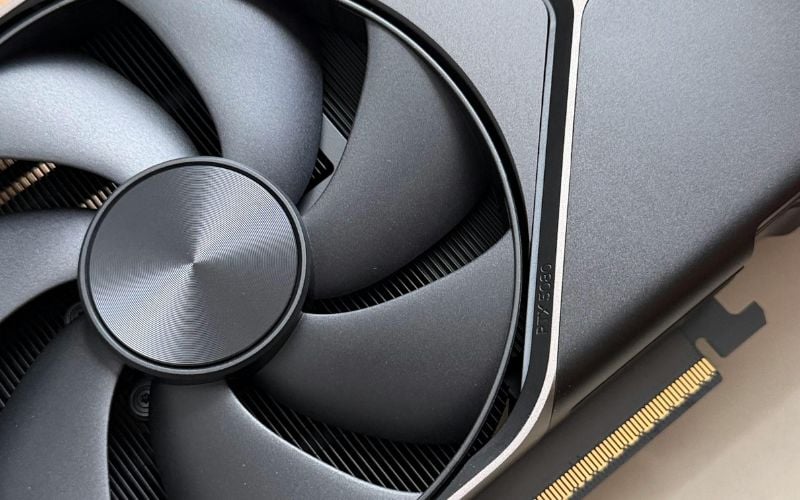
A low-profile GPU is the difference between a compact PC that closes up cleanly and one that fights you at the last step. I’ve watched plenty of builds stall right at the finish line because the card was an inch too tall, or one slot thicker than the case allowed.
Compact cases, slim office PCs, HTPCs, and rack-style chassis all share the same headache: limited height, limited slots, limited power. Pick the wrong card, and it simply won’t go in. Pick the right one, and you get full functionality in a tiny footprint.
After years of working around GPU chassis and tight slot spacing, I’ve learned the same lesson over and over—fit comes first, performance comes second. A card that doesn’t physically fit your case is worthless, no matter how fast it benchmarks.
In this guide, you’ll learn what “low-profile” actually means, which verifiable cards work best by use case, and how to confirm fit, power, and cooling before you buy. Let’s keep your build from stalling at the wall.
Low-Profile GPU Comparison: Top Picks at a Glance
| GPU Model | Category | VRAM | Power Draw | Slot Thickness | Best For |
|---|---|---|---|---|---|
| NVIDIA RTX 4000 SFF Ada | Workstation | 20GB GDDR6 | 70W | Slim dual-slot | 3D, AI, large datasets |
| NVIDIA RTX 2000 Ada | Workstation | 16GB GDDR6 | 70W | Single / slim dual | Video editing, VMs, OEM upgrades |
| NVIDIA RTX A2000 | Workstation | 6GB / 12GB GDDR6 | 70W | Dual-slot | AutoCAD, SolidWorks, OEM systems |
| AMD Radeon PRO W7500 | Workstation | 8GB GDDR6 | 75W (slot-powered) | Single-slot | 3D modeling, multi-monitor pro work |
| ASUS GeForce RTX 4060 LP | Gaming | 8GB GDDR6 | 115W (needs 8-pin) | Dual-slot | 1080p gaming with DLSS 3 |
| RTX 3050 Low Profile | Gaming | 6GB GDDR6 | 70W (slot-powered) | Single / dual | Entry 1080p gaming, no cable needed |
| AMD Radeon RX 6400 LP | Gaming / Office | 4GB GDDR6 | 53W (slot-powered) | Single-slot | Esports, older AAA, OEM upgrades |
| Intel Arc A310 | Budget / Media | 4GB GDDR6 | 50W (slot-powered) | Single-slot | AV1 encoding, HTPC, 4K playback |
| Intel Arc A380 | Budget / Media | 6GB GDDR6 | 50W (slot-powered) | Single-slot | AV1 encoding, light gaming, streaming |
| NVIDIA T1000 / T400 | Office | 4GB–8GB GDDR6 | 50W (slot-powered) | Single-slot | Multi-display output, light office work |
What “Low-Profile” Really Means (and What It Doesn’t)
Before we talk cards, let’s lock the definition. This is where most fitness failures start.
Height vs. Slot Thickness
“Low-profile” refers to a card built to a half-height bracket—roughly 2.7 inches (68mm) tall, versus a standard full-height card. That’s the height spec.
Slot thickness is a completely separate measurement. A card can be single-slot (occupies one expansion slot) or dual-slot (occupies two). Don’t assume low-profile means single-slot. Many low-profile cards are dual-slot, and that’s perfectly fine—you just have to measure both numbers.
Why Both Numbers Matter
Height decides whether the card clears the case lid. Thickness decides whether it blocks the adjacent PCIe slot, which is critical in 1U/2U systems and dense layouts where you need that next slot for a NIC or HBA.
One detail people miss: cooler shroud overhang counts too, not just the PCB. I’ve seen “single-slot” cards whose plastic shroud quietly creeps into the next slot. Measure the whole card, fans and all.
Where Low-Profile Cards Get Used
- Slim desktops and small form factor (SFF) builds
- HTPCs tucked into living-room cabinets
- Office PCs that need extra display outputs
- Rack and industrial chassis with tight slot spacing
Quick takeaway: Low-profile is a height spec. Always check the thickness, length, and bracket separately to ensure the card fits your exact chassis.
Best Low-Profile Workstation GPUs
These cards target CAD, 3D modeling, video editing, and other certified professional work in a slim footprint. For pro workloads, you care about VRAM, certified drivers, and a low-power envelope that fits in compact systems.
NVIDIA RTX 4000 SFF Ada Generation
This is the heavy hitter for compact workstations. It packs 20GB of GDDR6 VRAM into a 70W power envelope, which is remarkable for the size. It handles complex 3D models, large datasets, and AI workflows without breaking a sweat.
Be honest about one thing: it’s a slim dual-slot card, not a true single-slot. It fits where many high-end cards can’t, but if you need the adjacent slot free, measure carefully first.
NVIDIA RTX 2000 Ada Generation
A steep price step down, with most of the capability intact. You get 16GB of VRAM and the same 70W draw, which suits video editing, rendering, and running virtual machines. It’s an easy upgrade for prebuilt workstations from Dell, HP, or Lenovo.
NVIDIA RTX A2000
The dependable workhorse. It comes in 6GB and 12GB versions, offers certified drivers, and supports 70W power delivery. Its low-profile design drops into countless OEM systems as a clean upgrade over integrated graphics. For AutoCAD, SolidWorks, and similar tools, it’s a safe pick.
AMD Radeon PRO W7500
AMD’s entry here is solid for 3D modeling and multi-monitor professional setups. It runs without an external power connector and delivers reliable performance for design and engineering work, with the multiple display outputs pros expect.
What makes them pro-grade: certified drivers for major creative and engineering software, tuning for sustained 24/7 operation, and high display-output counts for multi-monitor work.
Quick takeaway: For pro tasks, prioritize VRAM and certified drivers, and lean on the 70W envelope that fits low-wattage compact systems.
Best Low-Profile GPUs for Gaming and Home Media
These cards handle modern 1080p gaming and clean 4K media playback. Set realistic expectations here—1080p is the sweet spot, and 1440p is a stretch even with upscaling.
ASUS GeForce RTX 4060 LP
One of the most capable low-profile gaming cards you can buy. It pushes strong 1080p frame rates with 8GB of VRAM and DLSS 3 Frame Generation support. Two things to flag: it’s a dual-slot card, and it needs an external power connector. Confirm your PSU and slot spacing before you commit.
RTX 3050 Low Profile
A reasonable entry-level gaming option from partners like Yeston. With 6GB of VRAM and DLSS support, it handles modern titles at 1080p at playable frame rates. It draws power straight from the PCIe slot, so no extra cable is needed—nice for tight builds.
AMD Radeon RX 6400 LP
A true single-slot, slot-powered card. It’s not a powerhouse, but it’s plenty for esports titles like Valorant and League of Legends, as well as older AAA games at medium settings. The single-slot design makes it one of the easiest cards to fit in cramped or older systems.
Intel Arc A310 and A380
These are the budget media champions, thanks to AV1 hardware encoding and decoding. That feature is a big deal for streamers and anyone doing 4K playback. Both run at low power, the A310 around 50W, and slot into the smallest cases. The A380 adds 6GB of VRAM and a bit more headroom for light gaming.
Quick takeaway: Match VRAM and power needs to your case. For streaming and 4K media, the AV1-capable Arc cards punch above their price.
Best Office and Entry-Level Low-Profile GPUs
This tier is about display output, light editing, and silent operation—not raw speed. Here, stay under the 75W PCIe slot limit so you don’t need an external cable.
NVIDIA T1000 and T400
These deliver clean multi-display output and enough muscle for light photo work. They’re slot-powered and built for reliability, making them a smart choice for office PCs that need to drive multiple monitors.
AMD Radeon RX 6400
It earns a second mention here because it’s such an easy drop-in upgrade for older office machines. Slot-powered and compact, it revives a tired prebuilt without a PSU swap.
Passive and Near-Passive Options
For an HTPC where noise matters, look at passive or near-passive cards. Fanless designs run silent, but they lean hard on case airflow to stay cool. Make sure your enclosure moves at least some air across the heatsink.
Quick takeaway: For office and entry use, pick a slot-powered card with the right outputs and skip the gaming-grade power draw.
Key Factors to Check Before You Buy
This is the checklist that prevents returns. Run through it before you click buy.
Physical Fit
- Case clearance: Confirm the max GPU length and height your case supports.
- Slot thickness: Decide whether you need a single slot or can accept a dual slot, and watch for shroud overhang into the next slot.
- Bracket: Verify a low-profile bracket is included in the box—most ship with one, but confirm it.
Power and Thermals
Stay under the 75W PCIe slot maximum for a cable-free install. If the card needs more, confirm your PSU has the right 6-pin or 8-pin connector.
Watch thermal throttling risk. Small coolers in low-airflow cases heat up fast. From a chassis standpoint, the card is only half the equation—your case ventilation is the other half. A great GPU in a stuffy box still throttles.
Connectivity and Support
- Display outputs: Check the type and count—Mini-DisplayPort versus standard HDMI and DisplayPort.
- Driver support: Confirm OS compatibility and how long the vendor backs the card.
Quick takeaway: Verify length, thickness, bracket, power, cooling, and outputs against your real case—every single time.
Installation and Thermal Management Tips
A clean install does more for a small card than people realize. Here’s how to get the most out of one.
Getting It Mounted
Most low-profile cards ship with a full-height bracket attached and a low-profile bracket in the box. Swap them by removing the two bracket screws, switching brackets, and re-seating the screws. Double-check that the card sits flush and the slot latch clicks home.
Keeping It Cool and Quiet
- Cable management: Route cables clear of the small GPU fan. A blocked intake is a common, avoidable cause of throttling.
- Undervolting: Trim a little voltage to cut heat and noise with minimal performance loss.
- Fan curve software: Tune the fan profile for quiet rooms and HTPC setups to keep the card as quiet as possible.
Quick takeaway: A clean install, a mild undervolt, and a smart fan curve keep a small card cool, quiet, and stable.
Frequently Asked Questions
Will a low-profile GPU fit in any slim PC case?
Usually, the height fits, but the length and slot thickness still vary from case to case. Always measure your case’s max GPU length and confirm slot clearance before buying.
Do I need a new power supply for a low-profile card?
Often no. Most low-profile cards draw all their power from the PCIe slot, up to 75W, so no extra cable is needed. More powerful models like the RTX 4060 LP require a 6-pin or 8-pin connector, so check your PSU first.
Can low-profile cards handle 4K video editing or rendering?
The VRAM-heavy workstation cards can. The RTX 4000 SFF Ada and RTX 2000 Ada, with their large VRAM and certified drivers, handle serious creative work. Budget and entry-level cards aren’t built for it.
Does a single-slot card run hotter than a dual-slot card?
Often, yes. Single-slot coolers have less heatsink surface area and smaller fans, so the fans spin faster to shed the same amount of heat. That can also raise temperatures of nearby components, making good case airflow essential.
Which low-profile GPUs support AV1 hardware encoding?
Intel Arc cards like the A310 and A380 are standout picks for AV1 encode and decode. Current-generation NVIDIA and AMD cards also support AV1, but Arc delivers it at the lowest price.
Are workstation cards better than gaming cards for small builds?
It depends on the job. Workstation cards bring certified drivers and reliability for pro software. Gaming cards bring higher frame rates per dollar. Match the card to your actual workload.
Pre-Purchase Checklist
Run this quick gate before you order anything.
- Measure your case’s max GPU length and height.
- Confirm the slot thickness you need (single vs. dual) and check for shroud overhang.
- Verify a low-profile bracket is included.
- Add up your system’s power and confirm the PSU’s wattage and connectors.
- Match the card’s display outputs to your monitors.
- Check driver support for your OS and applications.
- Plan case airflow so the card doesn’t throttle.
Quick takeaway: Five minutes with this list beats a return and a second order.
Conclusion: Choosing the Right Low-Profile GPU
Keep the priority order straight, and the rest falls into place. Fit comes first—height, thickness, and length. Then power, then cooling, then performance, and outputs.
The “best” low-profile card isn’t the fastest one on paper. It’s the one that fits your exact case and workload. Reach for a workstation card like the RTX 4000 SFF Ada or RTX A2000 for certified pro work. Pick the RTX 4060 LP or an Intel Arc card for gaming and media. Choose a T-series card or the RX 6400 for office and silent builds.
Your next step is simple: measure your case, confirm your PSU, and check the bracket and outputs before you buy. Get those right, and your compact build comes together without a single surprise.
