


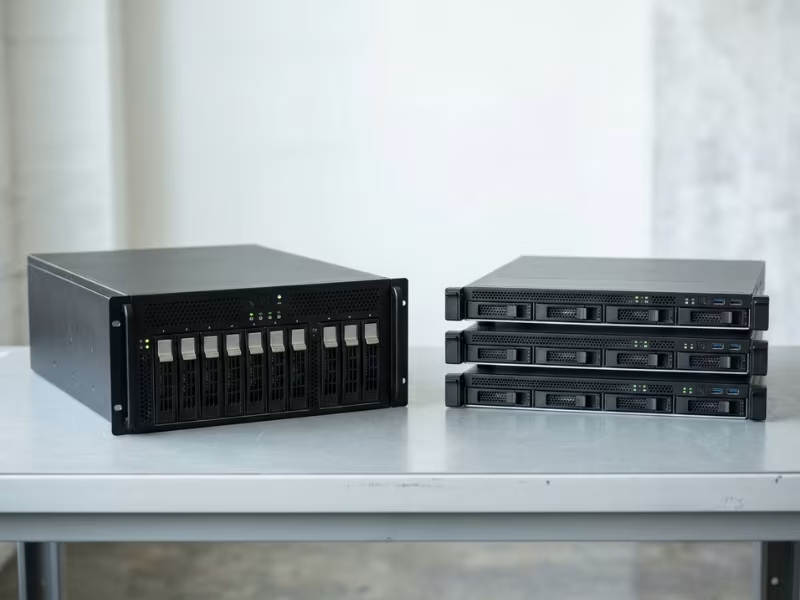
Running everything on one server or spreading it across several shapes three things. It sets your monthly bill. It decides your uptime. It also decides how many hours your team spends on operations.
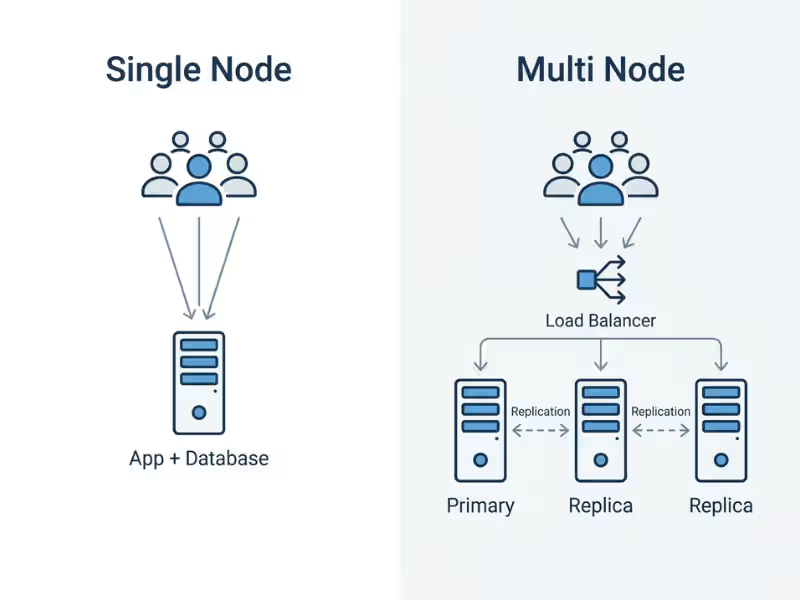
A single node setup runs the whole workload on one machine. A multi node setup uses two or more machines that work together as one system.
Many teams pick a setup out of habit, not because the workload needs it. In this guide, I explain the real trade-offs and show where each setup fits. I also give you a checklist to help you decide.
Single Node and Multi Node in Plain Terms
Both setups can run the same application. The difference is where the work happens and what breaks when something fails. Let’s look at each one in practice.
What a Single Node Setup Looks Like
A single node is one machine doing every job. Its CPU, memory, disk, and network card handle every request, every query, and every write.
Nothing travels between servers, so requests stay fast. Debugging stays simple too. When something goes wrong, you check one set of logs on one box.
The trade-off is simple: that machine is a single point of failure. If it goes down, your service goes down with it.
You see this setup everywhere. One PostgreSQL server behind a company’s internal app is a classic example. So is a home app running on one small server in a closet.
What a Multi Node Setup Looks Like
A multi node setup links several machines over a network. They share data, share work, or both. Three ideas do most of the heavy lifting:
- Replication keeps copies of the same data on several nodes.
- Load balancing spreads incoming requests across nodes.
- Sharding splits the data so each node holds only part of it.
Nodes usually take on roles. A leader accepts writes, workers process jobs, and replicas hold copies for reads and backup.
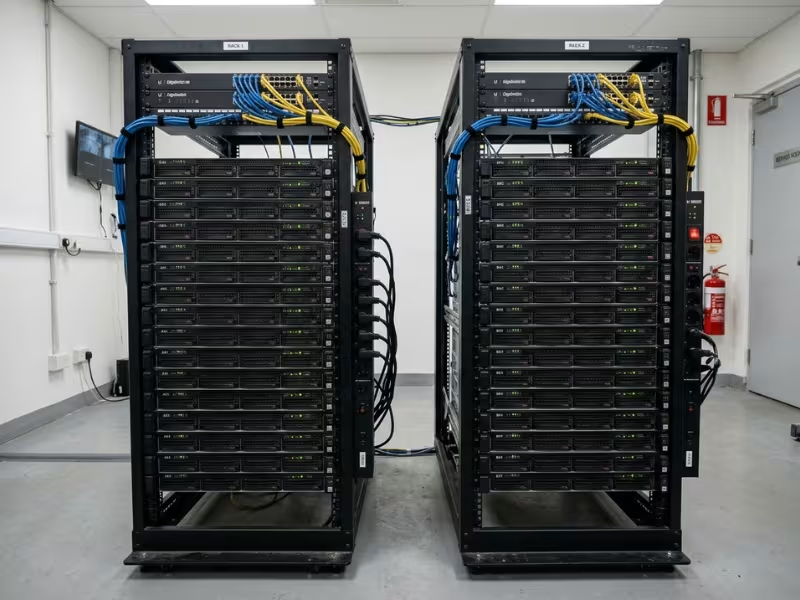
Many teams miss one point: “multi node” can serve two different goals. Replicas mainly protect availability and add read capacity. Sharding and worker pools add total capacity. A three-node replica set survives a failure, but it doesn’t triple your write speed. Every write still flows through one primary.
So three nodes rarely means three times the speed. Coordination, network hops, and replication all slow things down.
You’ll find this pattern in Kubernetes clusters, three-node Elasticsearch clusters, and MongoDB replica sets.
Single Node vs. Multi Node: How They Compare
Neither setup is better in general; the right choice depends on which of these factors matters most to you. I’ve grouped them in pairs because they affect each other in real deployments. A cheap setup is rarely the simplest, and a fast one is not always the safest.
Performance and Scalability
A single node often answers each request faster. Data sits in local memory, and nothing crosses a network. On a cluster, one request may hop between three machines before it returns.
Multi node wins on total throughput. Ten workers can process ten jobs at once, and that parallel capacity matters at scale. Watch for synchronous replication, though. Every write waits for at least one other node to confirm, so each write gets a little slower.
Vertical scaling goes further than most teams expect. A modern two-socket server can hold hundreds of CPU cores and several terabytes of memory. Many workloads that “need a cluster” fit on one well-specced box.
Horizontal scaling only works if your application supports it. An app that stores sessions locally or writes to one database won’t speed up when you add servers. You have to design for scale-out before you can use it.
Reliability and Maintenance
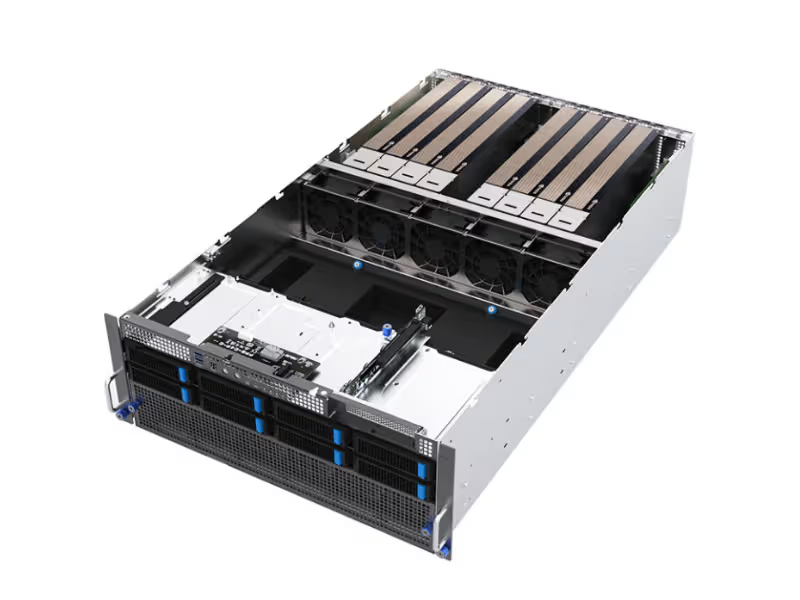
On a single node, one failure means downtime. A dead disk, a bad power supply, or a kernel panic takes the whole service offline.
A multi node setup can survive a failure, but only if you configure failover and test it. I’ve seen clusters go down because the backup node had never actually taken over. Most clusters use three nodes so that a majority can still agree on the current state after one node fails.
Maintenance shows the same gap. On a single node, every patch, kernel update, or database upgrade needs a downtime window, often late at night. A multi node setup allows rolling upgrades. You update one node at a time while the others keep serving traffic, so users notice nothing.
Cost and Operational Complexity
A three-node cluster costs far more than three times the hardware. Here’s an example with typical figures:
- One server: about $400 a month in hardware, plus around 2 hours of admin time
- Three-node cluster: about $1,200 in hardware, $100–200 for load balancing and networking, $50–100 for monitoring, and per-node software licenses. Add 8–12 hours of engineer time each month.
At $100 an hour for engineering, the single server costs about $600 a month. The cluster lands around $2,300 or more, close to four times as much.
Complexity rises just as fast. Distributed failures are harder to diagnose. Clusters bring problems that a single server never has:
- Network partitions: nodes can’t reach each other
- Split-brain: two nodes both think they’re the leader
- Partial outages: some requests fail while others succeed
Your team needs the skills to find and fix these problems, often under pressure.
Data Consistency
A single node keeps transactions simple. A write either succeeds or fails, and every reader sees the same data right away.
Multi node changes that. Replicas can lag behind the primary by milliseconds or seconds. Some systems use eventual consistency, so a user might update their profile and still see the old version for a moment.
The CAP theorem sums up the trade-off. When the network splits, a distributed system must choose between staying available and staying consistent. You decide which one your users can live without.
Side-by-Side Comparison
|
Factor |
Single Node |
Multi Node |
What It Means for You |
|---|---|---|---|
|
Performance |
Faster per request |
Higher total throughput |
Choose by latency vs. volume needs |
|
Reliability |
One failure means downtime |
Survives failures if failover works |
Test failover before trusting it |
|
Scalability |
Vertical, limited by one box |
Horizontal, needs app support |
Max out one server first |
|
Cost |
Lower hardware and labor |
3–4× higher, including ops time |
Count engineer hours, not just hardware |
|
Complexity |
One box, simple debugging |
Partitions, split-brain, partial outages |
Match the setup to team skills |
|
Data consistency |
Always consistent |
Replication lag possible |
Check if users tolerate stale reads |
|
Maintenance |
Needs downtime windows |
Rolling upgrades, no downtime |
Weigh patching frequency against uptime goals |
When a Single Node Is the Right Call
A single server is not a shortcut or a compromise. For many workloads, it’s the smartest setup you can run, and I recommend it far more often than people expect.
It fits best when:
- Traffic stays low or predictable, with no sudden spikes
- You’re building an MVP or prototype and still testing the idea
- You run internal tools that a few dozen people use
- Your workload stays well under one machine’s limits at peak, such as below 50% CPU and memory
- You need dev and test environments that mirror production cheaply
Here’s a case I see often. A SaaS startup serves its first 1,000 users from one managed database. The provider runs automated backups and point-in-time recovery, so the team can roll back to any minute in the past week. Its customers can live with a few minutes of downtime per quarter. A cluster would add cost and on-call stress, and those users would never notice the difference.
Still, “single node” should never mean “unprotected.” Four habits make one server safe enough for production:
- Restore your backups. Don’t just take them. Once a month, restore to a spare machine and open the data. Until you restore a backup, you can’t count on it.
- Know two numbers. How long can you stay down while you rebuild? How many minutes of recent data can you afford to lose? If the answers are “one hour” and “five minutes,” set your backup schedule to match.
- Set up monitoring and alerts. Track CPU, memory, disk space, and backup success. Send an alert when the disk reaches 80%, so a full volume never surprises you at 2 a.m.
- Write down the rebuild process. List every step, from provisioning a new server to switching DNS. Then ask someone other than the author to follow it.
Now look at the money. Using the earlier figures, one server costs about $600 a month, including admin time. A three-node cluster runs around $2,300. That’s a gap of roughly $1,700 a month, or more than $20,000 a year.
That budget covers off-site backups, a bigger server with room to grow, and better monitoring. You’ll still have plenty left for product work. For an early team, those features usually matter more to customers than a second and third node.
When You Need Multi Node
At some point, one server stops being the smart choice. The signs are usually clear if you know where to look. These four come up again and again:
- You promise uptime in a contract. A 99.9% SLA allows about 43 minutes of downtime a month. At 99.99%, you get about 4.3 minutes. A single reboot or disk swap can use up that whole budget.
- Traffic spikes hard and fast. A launch, a viral post, or a flash sale can bring ten times your normal load in minutes.
- Your data outgrows one machine. When storage or memory needs climb past what one box can hold, you have to spread the load.
- Compliance or disaster recovery requires it. Some customers and industries require live copies of data in a second location.
Take an online store getting ready for a holiday sale. Last year, traffic tripled in the first hour, and checkout slowed to a crawl. This year, the team works in three steps:
- Scale out the stateless app tier first. Web servers hold no data, so adding more behind a load balancer is quick and low-risk.
- Add database read replicas. Product pages and searches read from replicas, while orders still write to the primary.
- Load-test weeks ahead, not days. Early tests leave time to fix the bottleneck they uncover. They almost always uncover one.
You don’t need a crisis to start planning. Watch your peak numbers, not your averages. When CPU, RAM, or disk use stays around 70% during peak hours, start planning. This is a planning signal, not an emergency. You still have room, just not forever.
Track how fast your disk fills, too. If usage grows 5% a month, a disk at 60% hits its limit in about eight months. Then add the lead time. A move to multi node can take weeks of design, testing, and data migration, so start well before you run out of room.
Moving to multi node doesn’t mean clustering everything at once. Most teams I work with land somewhere in between.
The Middle Ground Most Teams Actually Use
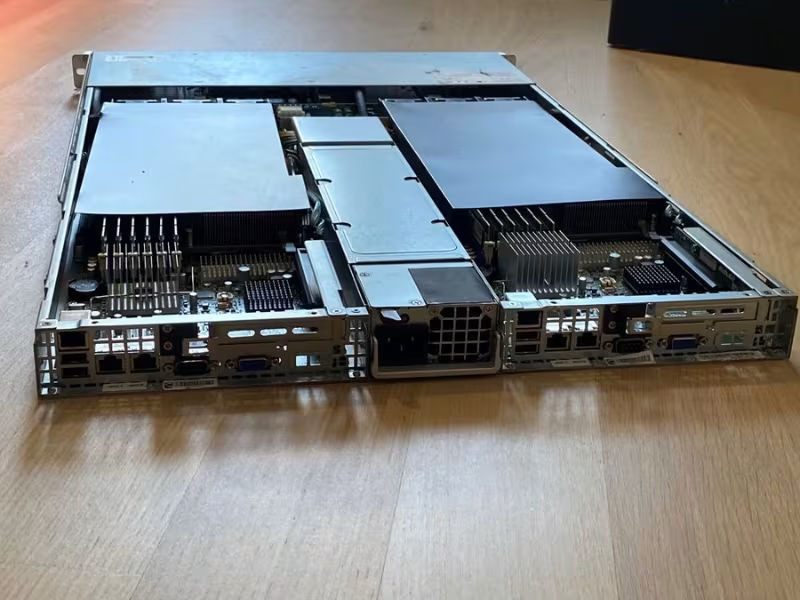
The choice is rarely all-or-nothing. A very common setup looks like this: several app servers behind a load balancer, plus one primary database with a standby replica ready to take over.
This setup puts protection where failures hurt most. App servers are cheap to duplicate and easy to replace. The database gets a safety net without the complexity of sharding.
From there, add redundancy one layer at a time. Duplicate the cache when it becomes critical. Add read replicas when queries pile up. Each step should solve a real problem you can measure.
Common Misconceptions About Single Node and Multi Node
Most bad architecture choices start with a belief that sounds reasonable. I hear the same five in almost every planning meeting. Each one pushes teams toward a setup that costs more, or protects less, than they expect.
“Multi Node Is Always Better”
More machines sound safer and more professional. So many teams treat a cluster as the grown-up choice. It isn’t, by default.
A cluster adds hardware, networking, monitoring, and on-call work. Using the earlier figures, that adds up to roughly $1,700 more each month. If your traffic fits on one server and your users accept short outages, you pay that premium for protection you never use.
“Better” means a fit for your workload, not more boxes in the rack.
“Single Node Can’t Run Production”
Plenty of small businesses run one server for years without a serious incident. Accounting systems, booking apps, and internal portals often live on a single machine and do just fine.
A second node isn’t what keeps them safe. Tested backups, alerts that fire before the disk fills, and a written rebuild plan do that job. I’ve seen a well-maintained single server outlast clusters that nobody on the team fully understood.
How well you recover matters more than how many machines you run.
“Adding Nodes Fixes a Slow App”
This belief gets expensive fast. A slow app usually has a specific cause: a query that scans a whole table, a missing index, or a page that calls the database fifty times.
Add three nodes, and you now run that same bad query on three machines. You pay more, and users still wait.
Profile first. Find your slowest queries and fix them. A one-line index change often does more than a new cluster, and it costs nothing.
“More Nodes Means No Downtime”
Extra nodes protect you from one kind of failure: a single machine dying. They do little against the rest.
Failover that nobody tested may stall when you need it. Three nodes in one rack can share one power strip or one switch. A bad deployment pushes the same broken config to every node at once.
Spread nodes across racks, power feeds, or zones. Then run a failover drill on a quiet afternoon, so a real outage isn’t your first test.
“Managed Services Make the Decision for You”
Managed databases and Kubernetes services handle patching, backups, and failover. That’s real value. But they don’t remove the trade-off. They move it.
You pay a premium on every node, often two to three times the cost of raw compute. You also tie your setup to one provider’s APIs, limits, and pricing.
You still have to pick a single-instance or high-availability tier. You still have to judge whether your workload justifies the extra spend.
Every one of these myths skips the same step: measuring what your workload actually needs.
How to Decide: A Practical Checklist
You now know the trade-offs. The next step is to apply them to your own workload. Work through the questions below with real numbers from your monitoring and billing, not gut feeling.
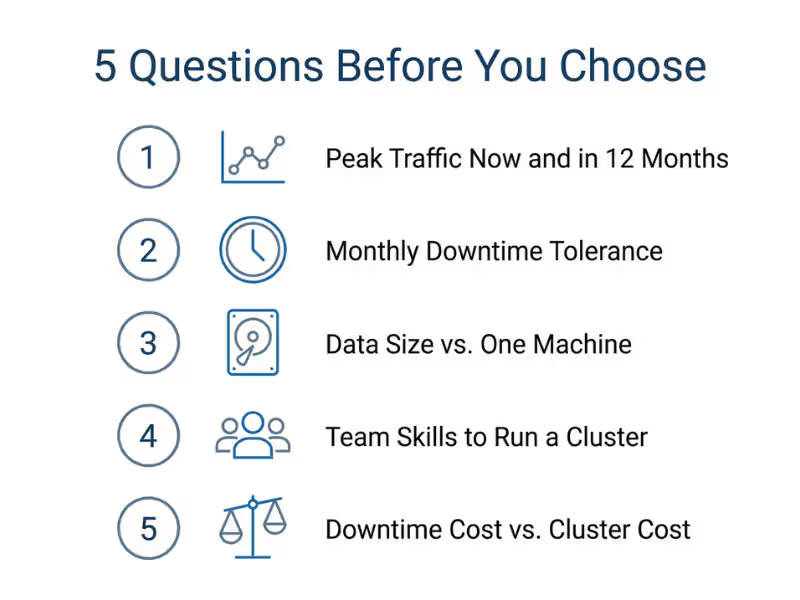
Five Questions to Answer First
I ask every team these five questions before we touch a diagram. Write the answers down, because they settle most debates fast.
- How much traffic do you handle now, and what will it look like in 12 months? Use peak requests per second, not daily averages. Then base the 12-month figure on your growth rate or sales plan, not on hope.
- How much downtime can your users tolerate each month? Ten minutes may suit an internal tool. For a checkout page, it could mean lost revenue and angry emails.
- Does your data fit on one machine today? Will it fit in a year? Compare current storage and memory use against the largest server you can realistically buy or rent.
- Can your team run a cluster? If nobody has handled failover or split-brain before, you need training time or a managed service budget.
- What does one hour of downtime cost you, compared with a year of running a cluster? This question usually decides the matter. Say an outage costs you $500 an hour, and you expect about four hours of downtime a year. That’s $2,000, against roughly $20,000 in extra cluster costs. One server wins easily. If that hour costs $10,000, the cluster pays for itself after two outages.
Decision Guide
Once you have your answers, the choice usually becomes clear.
Choose a single node if your users can tolerate short outages, your workload fits with room to spare, and your growth stays predictable.
Choose multi node if a contract guarantees uptime, your data grows faster than one machine can keep up with, or your traffic spikes without warning.
Choose the middle ground if only one layer is critical. Often that layer is the database, and the rest can stay simple.
|
If your situation is… |
Start with… |
|---|---|
|
MVP, internal tool, or steady low traffic |
One server with tested backups |
|
Downtime costs little, but growth is coming |
One larger server, designed to scale out later |
|
Busy app tier, data fits on one database |
Several app servers plus a primary and standby database |
|
Contractual SLA of 99.9% or higher |
Multi node across separate racks or zones |
|
Data growing past one machine within a year |
Replicas now, sharding plan ready |
Migration Path: Start Single, Plan for Multi
Starting on one server doesn’t lock you in. Make a few design choices early, and the move later becomes routine instead of a rewrite.
Build these habits from day one:
- Keep the app stateless. Any app server should be able to handle any request, with no files or user data stored locally.
- Store sessions outside the app server. Put them in Redis, a database, or signed cookies, so a new server can pick up any user.
- Connect through a DNS name or endpoint, not a hard-coded IP. When you add a standby or move the database, you change one record instead of redeploying everything.
When it’s time to grow, follow this order:
- Add a replica or standby first. It protects your most valuable layer, the data, and it barely changes your code.
- Scale the app tier horizontally next. Stateless servers behind a load balancer are cheap and low-risk.
- Shard only when you have to. Sharding changes how your app queries data, so wait until one primary truly can’t keep up.
Timing matters as much as order. Start when your peak metrics approach the 70% threshold, not after an outage forces your hand. A planned migration takes weeks. A forced one usually takes a weekend and costs you sleep and customer trust.
FAQs
These questions come up in almost every planning call I join. Here are the short, practical answers.
Is a single node enough for production?
Yes, for many workloads. If your users accept short outages and your peak load stays well under the machine’s limits, one server works fine. Make it safe with tested restores, disk and backup alerts, and a written rebuild plan. Add a second node only when downtime starts costing real money.
What does a 3-node cluster mean, and why three?
A 3-node cluster runs the same service on three machines that agree on shared state, such as which node is the leader. Three is the smallest number that safely survives one failure. The two remaining nodes still form a majority, so they keep working. With two nodes, neither side holds a majority after a split.
How many nodes does my application need?
Start with the fewest nodes that meet your uptime target. For many apps, that means one server, or two app servers plus a primary and standby database. Clusters that rely on voting need an odd number, usually three or five. If each node sits near 70% at peak, plan the next one.
Can I migrate from a single node to multi node later?
Yes, and most teams do. The move goes smoothly if you prepare early. Keep the app stateless, store sessions outside the app server, and use a DNS name instead of a hard-coded IP. Add a standby database first, then scale the app tier. Start when peak usage nears 70%, not after an outage.
Does multi node improve performance for every workload?
No. Multi node raises total throughput for work that splits well, such as web requests or batch jobs. It often makes single requests slower, because data crosses the network and synchronous writes wait for replicas. A write-heavy app with one primary database gains little from extra nodes. Fix slow queries first.
Is a multi node setup the same as a distributed system?
Close, but not quite. Every multi node setup runs across machines, so it inherits distributed problems like network delays and partial failures. But “distributed system” usually means software built to split work or data across nodes, such as Cassandra or Kafka. Two web servers behind a load balancer count as multi node, yet barely feel distributed.
Let Your Numbers Pick the Setup
Start with a single node. Move away from it only when downtime tolerance, data growth, or traffic patterns already rule it out. Add nodes when your peak metrics and uptime needs justify the cost.
You can make this call this week:
- Pull 30 days of peak data for CPU, RAM, and disk.
- Write down your acceptable monthly downtime in minutes.
- Run through the five checklist questions with those numbers in hand.
Then choose the architecture your workload needs, not the one that sounds more impressive.
