


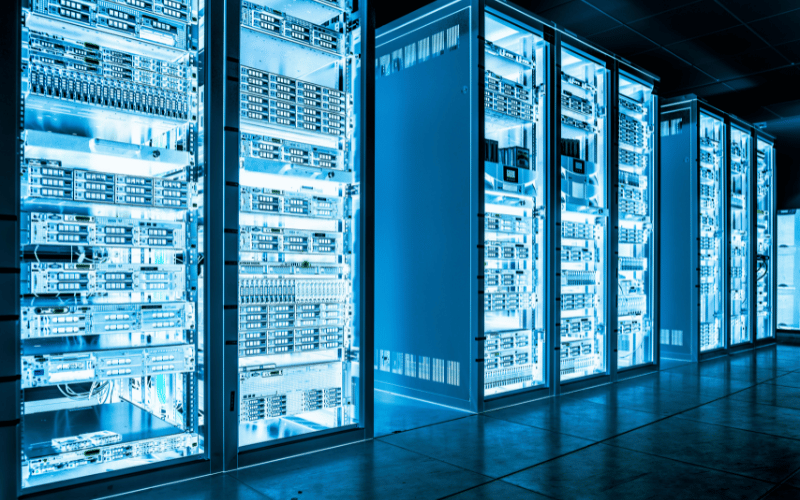
The rapid evolution of artificial intelligence is driving unprecedented demands on server infrastructure, making AI server racks a cornerstone of modern data centers. These specialized enclosures are designed to support high-performance hardware like GPUs and TPUs, enabling businesses to handle complex AI workloads such as machine learning, deep learning, and generative AI. From healthcare to finance and autonomous vehicles, industries are leveraging AI server racks to process massive datasets, optimize operations, and drive innovation. This article explores the critical role of AI server racks, the importance of robust AI infrastructure, and the emerging trends shaping the future of AI server technologies.
A Deep Dive into AI Server Racks & Infrastructure
AI workloads are pushing the boundaries of traditional data center infrastructure. The immense computational power required for machine learning and deep learning models demands specialized hardware and a new approach to rack design. This is where AI server racks come in, providing the foundation for scalable, high-performance AI environments.
This guide will move beyond the basics to offer a technical examination of AI server rack solutions. We will explore specific design considerations, core component integrations, and the emerging trends shaping the future of AI infrastructure. You will gain a deeper understanding of how to build and optimize a system that can handle the most demanding AI tasks.
Beyond Standard Racks: Designing for AI Workloads
AI server racks are not simply standard enclosures with more powerful servers. They are purpose-built systems designed to manage the unique challenges of high-density computing. While a standard rack might prioritize space efficiency, an AI rack prioritizes thermal management, power density, and high-bandwidth interconnectivity.
Key design differentiators include higher rack density metrics, optimized airflow paths to prevent hot spots, and structural support for heavier components like GPU-dense servers. Unlike traditional racks, which might house a variety of general-purpose servers, AI racks are engineered specifically to support clusters of accelerators working in parallel.
The Critical Role of AI Infrastructure
A robust AI infrastructure is the engine that drives innovation and competitive advantage. Without it, organizations face significant performance bottlenecks, limited scalability, and an inability to deploy complex models efficiently. For example, training a large language model (LLM) like GPT-3 requires coordinating hundreds or even thousands of GPUs, a task impossible without a highly optimized infrastructure.
A well-designed AI infrastructure allows for rapid experimentation and iteration. It enables data scientists and engineers to test new algorithms and scale their operations seamlessly as datasets grow. This agility is crucial for staying ahead in fields like autonomous driving, where models must be constantly retrained with new data, or in finance, where real-time fraud detection systems from companies like Visa analyze millions of transactions per second.
Core Components: A Technical Breakdown
The performance of an AI server rack is determined by the synergy of its components. Each piece of hardware must be carefully selected to support the specific demands of the intended AI workloads.
1. Accelerators: GPUs and TPUs
The heart of any AI server is its accelerator. These are the specialized processors that handle the massive parallel computations required for AI.
- Graphics Processing Units (GPUs): The dominant accelerator for AI, with NVIDIA’s hardware leading the market. Models like the NVIDIA A100 and H100 Tensor Core GPUs are designed for AI, offering features like high-bandwidth memory (HBM) and technologies like NVLink, which provides a high-speed, direct interconnect between GPUs. This allows multiple GPUs to function as a single, massive accelerator, which is essential for training large models.
- Tensor Processing Units (TPUs): Google’s custom-developed ASICs are optimized specifically for neural network workloads using the TensorFlow framework. Google’s TPU v4, for example, is used to power its own AI services. TPUs excel at large-scale matrix operations, often providing superior performance-per-watt for specific deep learning training tasks.
2. High-Speed Networking
Distributed AI training involves splitting a model across multiple servers, requiring constant communication between them. Low-latency, high-bandwidth networking is non-negotiable.
- InfiniBand: This is the preferred networking standard for high-performance computing (HPC) and large-scale AI clusters. Technologies like RDMA (Remote Direct Memory Access) allow one server to access the memory of another directly, bypassing the CPU and operating system. This dramatically reduces latency and is critical for efficient data exchange during model training.
- Ethernet: While traditionally slower, high-speed Ethernet (200/400 GbE) is becoming a viable alternative, especially with protocols like RoCE (RDMA over Converged Ethernet). It offers a more familiar and often more cost-effective solution for smaller to mid-sized AI clusters.
3. Advanced Cooling Systems
High-density AI servers, packed with powerful GPUs, can generate immense heat—often exceeding 50kW or even 100kW per rack. Traditional air cooling is often insufficient.
- Direct-to-Chip Liquid Cooling: This method involves circulating a liquid coolant through cold plates that sit directly on top of hot components like CPUs and GPUs. It is far more efficient than air at transferring heat away from the source.
- Immersion Cooling: This is an emerging and highly effective solution where entire servers are submerged in a non-conductive dielectric fluid. This approach provides uniform cooling, eliminates the need for fans, and can significantly lower a data center’s Power Usage Effectiveness (PUE) metric.
4. High-Performance Storage
AI models consume and generate massive datasets. Storage solutions must provide both high capacity and rapid access to prevent I/O bottlenecks.
- NVMe SSDs: Non-Volatile Memory Express Solid-State Drives offer the lowest latency and highest throughput for local storage, making them ideal for caching training data or for use as a “scratch space” during computation.
- Distributed File Systems: For large-scale storage, solutions like BeeGFS or Lustre create a single, high-performance namespace across multiple storage servers. This allows all compute nodes in a cluster to access the entire dataset at very high speeds.
Overcoming Key Infrastructure Challenges
Building a powerful AI infrastructure involves navigating several technical and financial hurdles. Proactive planning is essential for long-term success.
- Managing High Energy Demands: AI racks are power-hungry. A key metric is PUE (Power Usage Effectiveness), which measures data center energy efficiency. A PUE of 1.0 is the ideal. While traditional data centers might have a PUE of 1.5 or higher, modern AI facilities using advanced liquid cooling can achieve PUE values approaching 1.1 or even lower, drastically reducing operational costs.
- Ensuring Hardware and Software Compatibility: Integrating components from different vendors can be complex. Ensuring that GPUs, networking cards, and storage systems work seamlessly requires careful validation. Using pre-configured, converged infrastructure solutions from a single vendor can mitigate this risk. Furthermore, software layers like Kubernetes with GPU operators are needed to orchestrate and schedule AI workloads across the hardware.
- Calculating Total Cost of Ownership (TCO): The initial capital expenditure for AI hardware is significant. However, a TCO analysis must also include operational costs like power, cooling, and maintenance. Investing in more efficient cooling or power distribution upfront can lead to substantial long-term savings. Calculating the ROI involves factoring in faster model training times and the business value of the insights generated.
Actionable Tips for Selecting Components
When designing your AI server rack, your decisions should be guided by your specific workloads and future goals.
- Match Accelerators to Your Workloads: For versatile research and development across various frameworks, GPUs like the NVIDIA H100 are a strong choice. If your organization is heavily invested in the TensorFlow ecosystem and focused on large-scale deep learning, Google’s TPUs could offer better performance and efficiency.
- Plan for Scalable Interconnects: Don’t just focus on the servers; invest in a networking fabric that can grow with you. A modular spine-and-leaf network architecture using InfiniBand or high-speed Ethernet allows you to add more racks and compute nodes without creating bottlenecks.
- Prioritize a Future-Proof Cooling Strategy: If you are starting with a lower-density rack that can be air-cooled, ensure your data center has the facility infrastructure (like plumbing for chilled water) to support a future transition to liquid cooling as your compute density increases.
By taking a detailed, technical approach to designing AI server racks, organizations can build a robust, scalable, and efficient infrastructure. This foundation is what enables the development and deployment of next-generation AI applications that can solve complex problems and create new opportunities.
Key Features of AI-Ready Server Racks
-
Heavy-Duty Design for High Performance
AI-ready server racks are engineered to meet the rigorous demands of high-density compute environments. These racks are specifically designed to support advanced hardware, such as GPUs and TPUs, which are essential for AI workloads. Given the significant heat generated by these components, the infrastructure must be robust enough to maintain optimal performance under heavy computational loads.- Thermal Management: Effective cooling is a cornerstone of AI server rack design. Advanced cooling technologies, such as liquid cooling, direct-to-chip cooling, and rear-door heat exchangers, are employed to efficiently dissipate heat. These systems ensure that hardware operates within safe temperature thresholds, preventing thermal throttling, performance degradation, and potential hardware failures.
- Structural Durability: AI-ready racks are built with reinforced materials to support the weight of high-performance hardware and ensure stability in high-density configurations.
-
Power Efficiency
AI workloads are notoriously energy-intensive, making power efficiency a critical consideration for server racks.- Intelligent Power Distribution Units (PDUs): These are integrated into AI-ready racks to monitor, manage, and optimize energy consumption. Features like real-time power usage analytics and automated load balancing help reduce operational costs while maintaining consistent performance.
- Redundant Power Supplies: To ensure uninterrupted operation, AI server racks often include redundant power systems that provide failover capabilities in case of power disruptions.
-
Scalability for AI Workloads
AI workloads evolve rapidly, requiring server racks that can scale seamlessly to accommodate growing demands.- Modular Design: AI-ready racks are designed with modularity in mind, allowing businesses to easily add or upgrade components such as GPUs, storage drives, or networking equipment. This future-proof approach ensures that the infrastructure can adapt to emerging AI technologies and larger datasets without requiring a complete overhaul.
- Real-World Applications: For example, companies deploying AI for autonomous vehicles or large-scale natural language processing often start with a single rack and expand incrementally as their computational needs grow. This scalability minimizes upfront costs while enabling long-term growth.
-
Integration with NVIDIA Technologies
NVIDIA technologies are integral to many AI infrastructures, offering cutting-edge GPUs and software solutions tailored for AI workloads. Seamlessly integrating these technologies into server racks provides significant performance and efficiency advantages.- Hardware Compatibility: AI-ready racks are designed to accommodate NVIDIA GPUs, such as the A100 or H100, ensuring proper spacing, cooling, and power delivery for high-density configurations.
- Software Ecosystem: NVIDIA’s software stack, including CUDA, TensorRT, and the NVIDIA AI Enterprise suite, enhances compatibility and performance for deep learning and machine learning tasks.
- Networking Optimization: High-speed networking solutions, such as InfiniBand or NVIDIA Spectrum switches, are essential for supporting the data transfer demands of NVIDIA-powered AI workloads.
- Testing and Validation: Comprehensive performance testing ensures that the integrated system operates efficiently and meets the specific requirements of AI workloads.
By focusing on heavy-duty design, power efficiency, scalability, and seamless integration with leading technologies like NVIDIA, businesses can build AI-ready server racks that deliver exceptional performance and adaptability. These features enable organizations to stay ahead in the rapidly evolving AI landscape while optimizing costs and ensuring long-term infrastructure reliability.
Deploying AI Solutions in Data Centers
Best Practices for Rack-Scale Deployments
Deploying AI server racks at scale requires careful planning to ensure efficiency and long-term success. Following best practices can help streamline the process and avoid costly mistakes.
Actionable Tips for Deployment:
- Assess Workload Requirements: Identify the specific AI workloads your data center will handle, such as deep learning or natural language processing, to determine the hardware and cooling needs.
- Plan for Scalability: Use modular rack designs that allow for easy expansion as AI demands grow. This ensures your infrastructure remains flexible and future-proof.
- Prioritize Cooling Solutions: Implement advanced cooling systems, such as liquid cooling or rear-door heat exchangers, to manage the heat generated by high-density AI workloads.
- Optimize Rack Layout: Arrange components to minimize cable clutter and improve airflow, which enhances cooling efficiency and simplifies maintenance.
Common Pitfalls to Avoid:
- Underestimating Power Needs: Ensure your power distribution units (PDUs) can handle the energy demands of AI hardware, especially GPUs and TPUs.
- Neglecting Compatibility: Verify that all components, including GPUs, networking equipment, and cooling systems, are compatible with your chosen rack design.
- Skipping Testing: Conduct thorough testing after installation to identify and resolve performance bottlenecks before full-scale deployment.
Managing Artificial Intelligence Workloads
Effectively managing AI workloads is essential for balancing performance, cost, and resource allocation. A strategic approach ensures that your data center operates efficiently while meeting the demands of AI applications.
Strategies for Balancing Performance and Cost:
- Dynamic Resource Allocation: Use AI-driven tools to allocate resources based on workload priority and demand. For example, allocate more GPUs to time-sensitive tasks while reserving others for less critical processes.
- Cost Optimization: Monitor energy consumption and adjust cooling systems dynamically to reduce operational costs without compromising performance.
Tools and Techniques for Workload Management:
- AI-Oriented Platforms: Leverage platforms like Kubernetes or NVIDIA’s AI Enterprise Suite to manage and orchestrate AI workloads across multiple servers.
- Predictive Analytics: Use predictive tools to forecast workload spikes and adjust resources proactively, ensuring smooth operations during peak demand.
- Automation: Automate routine tasks, such as server provisioning and workload scheduling, to reduce manual intervention and improve efficiency.
Optimizing Compute Resources
Maximizing the utilization of compute resources is critical for achieving peak performance and cost efficiency in AI data centers. Practical methods and monitoring tools can help you get the most out of your infrastructure.
Practical Methods for Resource Optimization:
- Consolidate Workloads: Run multiple AI tasks on the same hardware when possible to maximize GPU and CPU usage. Use virtualization or containerization to isolate workloads and prevent conflicts.
- Implement Load Balancing: Distribute workloads evenly across servers to avoid overloading specific components and ensure consistent performance.
- Use Energy-Efficient Hardware: Invest in GPUs and TPUs designed for high performance with lower energy consumption, reducing operational costs.
Insights into Monitoring and Maintenance:
- Real-Time Monitoring: Use tools like NVIDIA’s System Management Interface (nvidia-smi) or third-party monitoring software to track GPU utilization, temperature, and power consumption.
- Regular Maintenance: Schedule routine hardware checks to clean components, update firmware, and replace aging parts to maintain optimal performance.
- Performance Benchmarks: Regularly benchmark your AI workloads to identify inefficiencies and fine-tune your system for better results.
By following these strategies, data centers can deploy AI solutions effectively, manage workloads efficiently, and optimize compute resources for long-term success.
Future Trends in AI Server Technologies
The Role of Generative AI in Server Solutions
Generative AI is revolutionizing server infrastructure by driving the need for more powerful, efficient, and scalable systems. These AI models, such as large language models (LLMs) and generative adversarial networks (GANs), require immense computational power, which is reshaping how servers are designed and deployed.
Shaping the Future of Infrastructure:
Generative AI demands high-density server configurations equipped with GPUs or TPUs capable of handling parallel processing. These servers must also support advanced cooling systems to manage the heat generated by continuous training and inference tasks.
Practical Applications and Opportunities:
- Content Creation: Businesses use generative AI for tasks like automated video editing, image generation, and personalized marketing content.
- Product Design: Generative AI accelerates prototyping by simulating designs and testing them virtually, reducing time-to-market.
- Healthcare: AI models assist in drug discovery and medical imaging by generating simulations and identifying patterns in complex datasets.
Advancements in NVIDIA Blackwell Architecture
NVIDIA’s Blackwell architecture represents the next leap in AI server technologies, offering groundbreaking innovations that enhance performance and efficiency. This architecture is designed to meet the growing demands of AI workloads, from training massive models to real-time inference.
Key Innovations:
- Enhanced GPU Performance: Blackwell GPUs deliver higher processing power and energy efficiency, enabling faster training times for AI models.
- Memory Advancements: Increased memory bandwidth supports larger datasets and more complex models, reducing bottlenecks during computation.
- AI-Specific Features: Integrated AI accelerators optimize tasks like matrix multiplication, which is critical for deep learning.
Preparing for Next-Gen Technologies:
- Upgrade Infrastructure: Ensure your server racks can accommodate the power and cooling requirements of Blackwell GPUs.
- Train IT Teams: Provide training on new tools and software optimized for Blackwell architecture, such as updated CUDA libraries.
- Plan for Scalability: Adopt modular designs that allow for seamless integration of next-gen GPUs as they become available.
Emerging Trends in High-Performance Computing
High-performance computing (HPC) is evolving rapidly to support the increasing demands of AI workloads. These advancements are enabling businesses to process larger datasets, train more complex models, and achieve faster results.
Latest Trends in HPC:
- Exascale Computing: The rise of exascale systems, capable of performing a billion billion calculations per second, is transforming AI research and applications.
- AI-Optimized Hardware: Specialized processors, such as NVIDIA’s GPUs and AMD’s AI accelerators, are becoming standard in HPC environments.
- Hybrid Cloud Solutions: Businesses are combining on-premises HPC systems with cloud-based resources to scale AI workloads dynamically.
What Businesses Need to Know:
- Adopt AI-Ready Systems: Invest in servers designed for HPC, with features like high-speed networking and advanced cooling.
- Leverage AI Frameworks: Use frameworks like TensorFlow and PyTorch, which are optimized for HPC environments, to maximize performance.
- Monitor Industry Developments: Stay informed about emerging technologies, such as quantum computing, which could further revolutionize HPC for AI.
By understanding these trends, businesses can position themselves to leverage the full potential of AI server technologies and maintain a competitive edge in the rapidly evolving AI landscape.
Frequently Asked Questions
Q: What are AI Server Racks?
A: AI server racks are specialized infrastructure designed to support high-performance computing tasks for artificial intelligence. These racks optimize configurations with powerful GPUs, CPUs, and advanced cooling systems to handle the heat generated by AI workloads. They ensure maximum performance for AI applications and efficient data transfer.
Q: How do AI Server Racks support GPU Acceleration?
A: AI server racks support GPU acceleration by accommodating multiple GPUs in a high-density layout. This setup enables parallel processing, boosting performance for demanding AI training tasks. The racks also optimize airflow and thermal management, ensuring GPUs operate efficiently under heavy workloads.
Q: What cooling solutions are available for AI Server Racks?
A: AI server racks use advanced cooling solutions like liquid cooling and air cooling. Liquid cooling effectively manages the heat and power demands of AI workloads, while enhanced air cooling systems, combined with intelligent power distribution units (PDUs) and airflow management, ensure optimal thermal control.
Q: Why is power management critical in AI Server Racks?
A: Power management is essential in AI server racks because AI hardware components require significant power. Efficient power distribution ensures GPUs and CPUs receive the energy needed for peak performance while minimizing energy waste. This is crucial for maintaining large-scale AI operations efficiently.
Q: How does scalability affect the design of AI Server Racks?
A: Scalability plays a vital role in AI server rack design, allowing them to grow with increasing compute demands. Scalable racks can easily integrate additional GPUs, CPUs, and other hardware, enabling organizations to expand their AI capabilities without replacing the entire infrastructure.
Q: What role do modular components play in AI Server Racks?
A: Modular components in AI server racks provide flexibility for custom configurations tailored to specific workloads. They allow quick upgrades or replacements of parts like AI accelerators or processors, enabling faster results for complex AI models and machine learning tasks.
Q: What are the benefits of using AI-ready Server Technologies?
A: AI-ready server technologies offer a robust foundation for deploying AI applications efficiently. These technologies include features like PCIe 4.0 support, enhanced bandwidth, and powerful GPUs optimized for AI workloads. By leveraging these capabilities, organizations can achieve faster data processing and exceptional performance for AI initiatives.
Q: How do AI Server Racks improve cable management?
A: AI server racks enhance cable management with horizontal cable managers and side panels that organize and route cables efficiently. This improves airflow, reduces overheating risks, and maintains optimal performance in high-density AI environments while keeping the data center organized and visually clean.
Concluding Summary
AI server racks are transforming the way businesses deploy and manage artificial intelligence solutions, offering unparalleled scalability, efficiency, and performance. By integrating advanced cooling systems, high-speed networking, and cutting-edge hardware like NVIDIA GPUs, these racks enable organizations to meet the growing demands of AI workloads. As trends like generative AI, NVIDIA’s Blackwell architecture, and high-performance computing continue to evolve, businesses must adopt modular, future-proof designs and leverage innovative technologies to stay competitive. Understanding and implementing these advancements will position organizations as leaders in the rapidly advancing AI landscape.
