


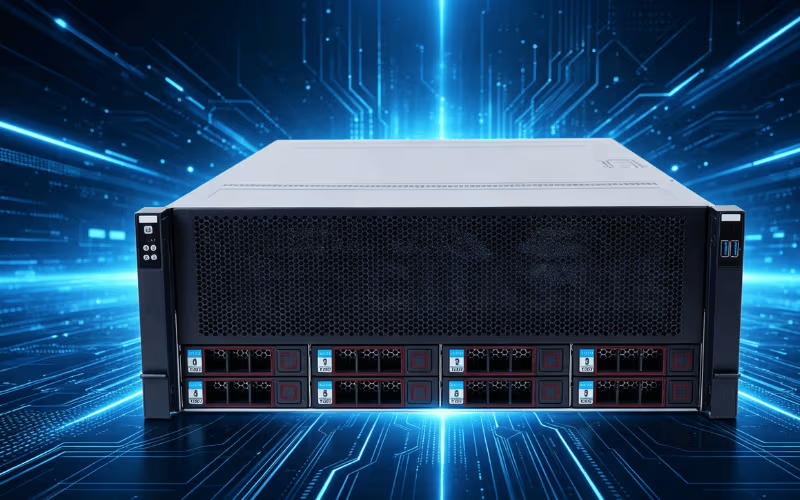
Building a reliable IT infrastructure requires much more than selecting powerful processors and massive storage drives. It demands a secure, highly functional foundation to protect those critical digital assets. Server cases play an absolutely fundamental role in housing your most valuable hardware components. They ensure optimal performance, facilitate necessary cooling, and provide the physical scalability required to grow your network. A well-designed server case acts as the first line of defense against environmental hazards, thermal throttling, and physical damage.
As technology advances, the demand for high-performance server cases continues to surge across multiple industries. Data centers, artificial intelligence research facilities, and cloud computing providers all rely on robust enclosures to keep their operations running smoothly around the clock. Choosing the wrong chassis can lead to catastrophic hardware failure, while selecting the right one guarantees long-term stability.
In this comprehensive guide, we will explore everything you need to know about server cases. You will learn about the different types of enclosures available, the critical importance of advanced cooling systems, and the materials that dictate build quality. We will also cover essential features like cable management, scalability, and noise reduction, equipping you with the knowledge to make an informed purchasing decision.
1. What Is a Server Case?
A server case, often referred to as a server chassis or enclosure, is a specialized physical frame designed to house, organize, and protect critical server components. Unlike standard consumer computer cases, server enclosures are engineered specifically for enterprise environments. They securely hold delicate hardware such as enterprise-grade motherboards, multiple high-performance graphics processing units (GPUs), massive arrays of storage drives, and heavy-duty power supplies.
The importance of a server case extends far beyond simple physical protection. These enclosures are absolutely essential for maintaining strict hardware stability. Servers operate continuously, often processing massive amounts of data under heavy computational loads. The chassis ensures that all internal components remain firmly anchored, protecting them from physical shocks and vibrations that could disrupt data transmission or damage sensitive mechanical drives.
Furthermore, server cases dictate the internal organization and thermal management of the entire system. They provide designated airflow pathways and structured compartments for cable routing, which prevent thermal buildup. Without a purpose-built enclosure, high-end server components would quickly overheat and fail.
To accommodate diverse physical environments and computing requirements, manufacturers offer these cases in several different sizes and structural configurations. The two most prominent form factors are rack-mounted cases, which slide into standardized metal cabinets used in large data centers, and tower cases, which stand upright like traditional desktop computers. Understanding these fundamental configurations is the first step in building a resilient, high-performance server infrastructure.
2. Types of Server Cases
Selecting the correct type of server case is critical for maximizing floor space and meeting your specific operational requirements. Manufacturers design different chassis styles to accommodate everything from massive corporate data centers to small office networks.
Rack-Mount Cases
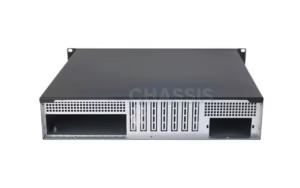
Rack-mount cases represent the industry standard for enterprise environments, colocation facilities, and large-scale data centers. Engineers design these cases to slide seamlessly into standardized metal server racks, allowing administrators to stack multiple servers vertically. This vertical stacking drastically maximizes the use of available floor space. Rack-mount cases are categorized by “Rack Units” or “U,” which denote their height. Common sizes include 1U, 2U, 3U, and 4U configurations. A 1U case is incredibly thin and ideal for basic web hosting, while a massive 4U case provides the necessary internal clearance for large enterprise GPUs, extensive storage arrays, and dual power supplies.
Tower Cases
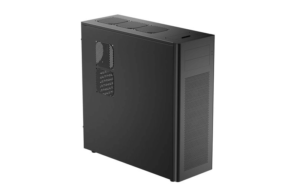
Tower cases are perfectly suited for smaller business setups, creative studios, or individual engineering workstations. Structurally similar to traditional desktop computers, tower servers stand upright and do not require specialized rack infrastructure. This makes them highly accessible and incredibly flexible for standard office environments. Tower cases typically offer generous internal volumes, giving system builders easier physical access for routine maintenance, hardware troubleshooting, and future component upgrades.
Blade Cases
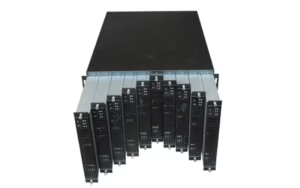
Blade cases are engineered specifically for extreme high-density server setups. A blade chassis is a large, specialized enclosure that houses multiple ultra-thin, modular server boards known as “blades.” The primary chassis consolidates the power delivery, cooling fans, and networking ports, sharing these resources across all the installed blades. While this design is incredibly compact and operationally efficient, it requires highly specialized, expensive infrastructure. Blade setups are generally reserved for massive corporate networks where maximizing raw processing power per square inch is the absolute highest priority.
Custom Cases
For highly specialized industries, standard off-the-shelf enclosures may not suffice. Custom server cases are explicitly tailored for unique hardware configurations or extreme environmental conditions. Military operations, telecommunications providers, and industrial manufacturing plants often require custom chassis that offer enhanced dust filtering, extreme water resistance, or heavy electromagnetic shielding to ensure reliable operation in harsh locations.
3. Cooling Systems in Server Cases
Thermal management is arguably the most critical operational factor for any enterprise server. High-performance processors, memory modules, and enterprise GPUs draw massive amounts of electrical power, converting it directly into heat. A server case must facilitate exceptional cooling to prevent thermal throttling and hardware degradation.
Air Cooling
Air cooling remains the most widespread and cost-effective method for managing server temperatures. In an air-cooled setup, the server case relies heavily on optimized internal airflow and strategic fan placement. High-quality enclosures feature heavy-duty, high-RPM fans that create a forceful wind tunnel effect. These fans pull fresh, cold air through the front intake panel, force it directly over the hottest components, and rapidly expel the heated exhaust out the rear. The physical design of the case itself dictates how efficiently this air moves, making unobstructed internal layouts absolutely vital for maintaining safe hardware temperatures.
Liquid Cooling
As computational workloads become heavier, particularly in artificial intelligence and deep learning, liquid cooling offers unparalleled heat dissipation. Liquid cooling systems use a closed-loop of thermally conductive fluid to absorb heat directly from processors and GPUs, then transport it to a large radiator for rapid dissipation. This method keeps high-performance hardware significantly cooler than traditional air setups. Advanced server cases designed for extreme workloads often feature built-in structural support for thick liquid-cooling radiators, fluid reservoirs, and custom tubing pathways, ensuring a secure, leak-free installation.
Hybrid Cooling
Hybrid cooling systems combine the distinct advantages of both air and liquid cooling to achieve maximum thermal efficiency. In a hybrid configuration, the primary heat-generating components—such as the CPUs and multiple GPUs—use dedicated liquid-cooling loops, while high-airflow case fans manage the ambient temperature for the motherboard, memory, and storage drives. This approach is highly suitable for dense server setups with extreme heat output, preventing ambient thermal buildup from affecting secondary internal hardware.
4. Material and Build Quality
The durability and structural integrity of your server case directly impact the lifespan of your internal hardware. A fully loaded server can easily weigh close to a hundred pounds, requiring an exceptionally strong chassis to support the load safely.
Manufacturers typically construct premium server cases from heavy-duty materials such as industrial-grade steel and extruded aluminum. Steel provides unmatched structural rigidity, ensuring the chassis resists bending, warping, or physical deformation when mounted in a rack. Aluminum, while lighter, offers excellent natural heat dissipation properties, acting almost like a secondary heatsink for the entire system. Choosing a case made from these robust materials ensures your expensive hardware remains perfectly protected in demanding, high-traffic data center environments.
Additionally, you must prioritize server cases that incorporate advanced anti-vibration features. High-speed cooling fans and arrays of mechanical hard drives generate continuous micro-vibrations. Over time, these vibrations can loosen mounting screws, degrade electrical connections, and severely damage the delicate read/write heads inside hard disk drives. Quality server cases use rubber isolation grommets, shock-absorbing drive sleds, and thick mounting brackets to absorb mechanical vibrations, ensuring stable, reliable operation.
Finally, the chassis must feature a heavily reinforced internal frame. The frame must physically support the extreme weight of massive enterprise GPUs and heavy redundant power supplies without flexing. A weak frame can cause the motherboard to warp under stress, potentially snapping critical circuit traces and completely ruining the system.
5. Scalability and Expansion Options
When investing in server infrastructure, you must prioritize future-proofing your setup. Technology advances rapidly, and your computational or storage requirements will inevitably grow. Therefore, selecting a highly scalable server case is absolutely vital for long-term success.
Highlight cases that feature motherboards and rear panels with multiple PCIe expansion slots. These slots allow you to seamlessly install additional enterprise GPUs, high-speed network interface cards, or specialized hardware accelerators as your processing needs expand. A spacious case with ample expansion room ensures you will not need to purchase a new chassis when it is time to upgrade your cluster.
Beyond PCIe expansion, a scalable server case should provide ample flexibility for data storage. Look closely for a chassis that supports hot-swappable drive bays. Hot-swappable bays allow server administrators to quickly add, remove, or replace high-capacity hard drives and fast solid-state drives without powering down the entire system. This uninterrupted, continuous operation is crucial for enterprise environments that manage massive databases or run critical web applications.
Furthermore, discuss modular designs that allow for easy reconfigurations. Advanced server cases often feature removable drive cages, adjustable fan brackets, and interchangeable rear panels. This modularity allows you to physically customize the case’s internal layout to meet your immediate needs, leaving room to add supplementary cooling fans or step up to a secondary, redundant power supply as your system scales.
6. Cable Management and Accessibility
Organized cable management is not merely about maintaining visual aesthetics; it is a highly critical component of system performance and thermal regulation. In a fully populated server packed with thick power lines, dense SAS cables, and networking cords, internal clutter quickly becomes a massive operational hazard.
You must prioritize cases that feature built-in, strategically placed cable-routing channels and secure tie-down points. These dedicated pathways allow system builders to firmly anchor cables flush against the chassis walls, keeping them safely away from spinning fan blades and sensitive motherboard components. Properly managed cables prevent accidental disconnections and ensure the system looks clean and professional.
The impact of cable management on airflow and cooling efficiency is immense. A tangled nest of wires acts exactly like a physical wall, blocking cold intake air from reaching the hottest components and trapping hot exhaust air inside the chassis. By using a case with superior routing features, you ensure an unobstructed wind-tunnel effect, maximizing cooling performance.
Additionally, emphasize the benefits of removable panels and tool-less structural designs for routine maintenance. Cases designed with accessibility in mind allow administrators to effortlessly remove side panels, hot-swap cooling fans, or slide out drive cages without having to hunt for a screwdriver. This easy access drastically reduces the time required for system assembly, hardware troubleshooting, and emergency part replacements, keeping downtime to an absolute minimum.
7. Noise Reduction Features
While large data centers expect a certain level of ambient noise, excessive acoustic output in office environments, creative studios, or home labs is highly disruptive. Addressing the need for quiet operation is an essential consideration when selecting a server case for localized workspaces.
When evaluating a chassis, look specifically for cases lined with high-density sound-dampening materials. These specialized acoustic foam panels line the side doors and front panels to absorb the high-frequency whine of spinning fans and the low-frequency hum of mechanical hard drives, significantly reducing the system’s overall noise footprint. Furthermore, cases designed with optimized fan placement and unobstructed ventilation grilles prevent loud acoustic turbulence caused by air forcing its way through restrictive metal mesh.
Highlight the acoustic benefits of liquid cooling for quieter operation. Because liquid coolers use large radiators with slow-spinning fans to dissipate heat, they operate significantly more quietly than traditional high-RPM air-cooled heatsinks.
Finally, mention the importance of vibration-reducing mounts. Rubber mounting grommets for both case fans and mechanical storage drives isolate moving parts from the metal chassis. This prevents the metal frame from acting like a speaker, stopping mechanical vibrations from amplifying and broadcasting noise throughout the room.
8. Choosing the Right Server Case for Your Needs
Selecting the ideal server case requires careful planning and a thorough evaluation of your specific operational requirements. Follow this step-by-step approach to make an informed decision.
Assess Your Hardware Requirements
Begin by taking a comprehensive inventory of your hardware. Consider the physical size of your motherboard (such as ATX, E-ATX, or EEB) and calculate the total number of components you plan to install. If you are building an AI workstation, you must ensure the case has sufficient depth to accommodate multiple long enterprise GPUs. Additionally, count the exact number of storage drives you need and ensure the case offers enough corresponding drive bays.
Evaluate Cooling Needs
Determine whether air, liquid, or hybrid cooling is the best fit for your specific thermal load. If your server will run standard web hosting tasks, optimized air cooling is perfectly sufficient. However, if you are running complex 3D rendering or machine learning algorithms that push your processors to their absolute limits, you must select a case that explicitly supports thick liquid cooling radiators and large reservoirs.
Plan for Scalability
Never buy a case that only fits your hardware today. Choose a chassis that actively allows for future upgrades and expansions. Ensure there are empty PCIe slots, unoccupied drive bays, and physical room to install a larger power supply when your computational needs inevitably increase.
Consider Your Environment
Select a case that matches its physical destination. If the server will be in an open office, prioritize a tower case with heavy noise-reduction features and sound-damping foam. If you are renting space in a colocation facility, you absolutely need a standardized rack-mount case to fit the data center’s infrastructure.
Check Brand Reputation
Finally, prioritize reliability by choosing a trusted manufacturer. Highlight the established reputation and superior build quality of Onechassis server cases. Renowned for their durable materials, exceptional thermal designs, and enterprise-grade scalability, Onechassis provides enclosures that meet the absolute highest standards of the server industry.
Conclusion
Choosing the right server case is a critical foundational step in building a reliable, high-performance IT infrastructure. As we have covered in this guide, the perfect enclosure does much more than simply hold your parts. It dictates your system’s thermal efficiency, protects delicate hardware from physical damage, and provides the necessary scalability to grow alongside your business. By carefully evaluating case types, cooling compatibility, build materials, and cable management features, you ensure your hardware operates flawlessly under the heaviest computational workloads.
Investing in a premium enclosure ultimately protects your expensive internal components and maximizes overall network uptime. We highly recommend exploring the extensive lineup of Onechassis server cases. Renowned for their exceptional build quality and innovative designs, Onechassis offers tailored solutions that meet the diverse needs of modern data centers and private workstations alike. Take the next step in securing your hardware and build your infrastructure on a foundation of absolute reliability.
