


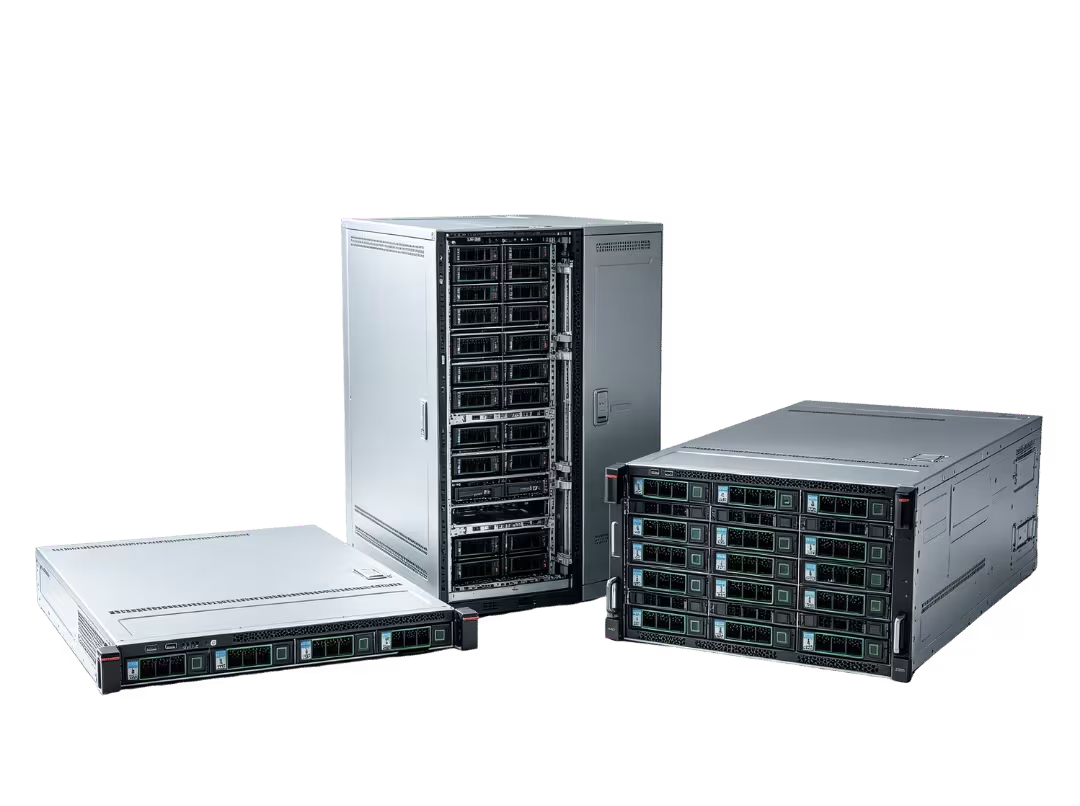
The right server chassis depends on four factors, in this order: deployment environment, workload, cooling and power requirements, and room to grow. Rackmount chassis (1U, 2U, 4U) suit data centers and colocation; tower chassis work in offices and labs without rack infrastructure; blade chassis serve large-scale enterprise density; specialized chassis handle edge, GPU, and high-density storage use cases. Cost should only break a tie once the other four factors are settled.
Choosing a server chassis isn’t a cosmetic decision. It locks in your airflow limits, expansion ceiling, and serviceability constraints for the life of the deployment. Pick the wrong chassis type and you’ll find out the hard way — usually when you’re trying to add a GPU, swap a failed drive at 2 a.m., or explain to finance why the “temporary” rack now needs a second rack next to it.
This article focuses on something more useful than a general overview: comparing the main chassis types side-by-side and giving you a practical framework for choosing the right one for your specific deployment.
What a Server Chassis Really Determines
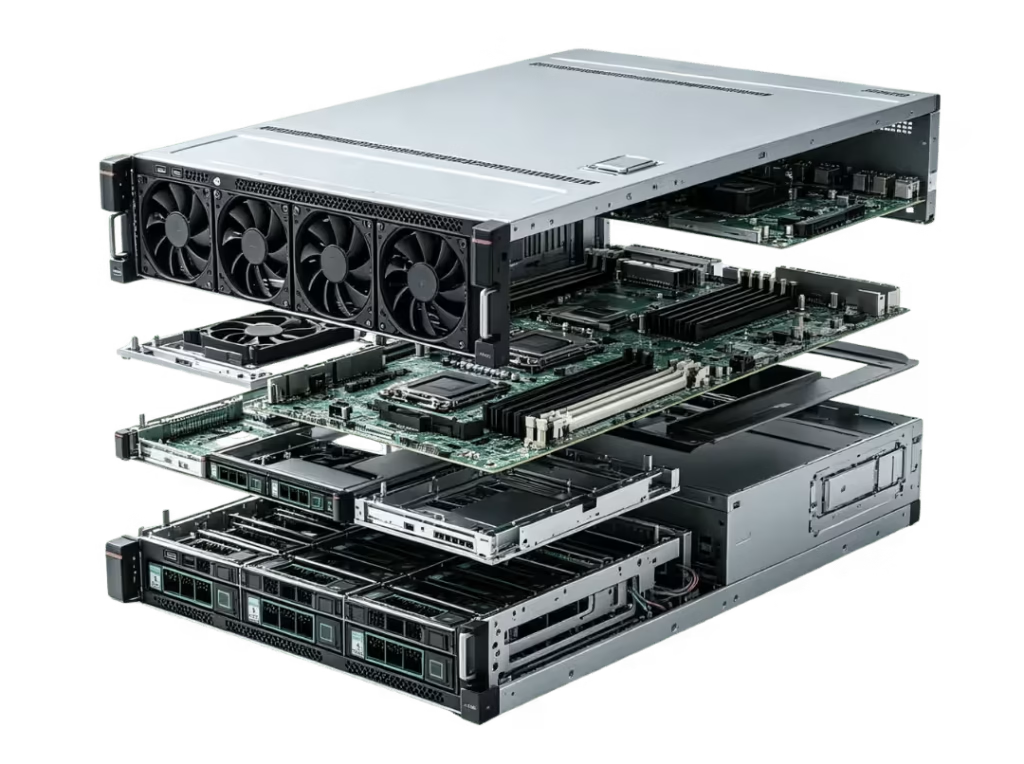
Calling a server chassis “just an enclosure” undersells what it actually controls. The chassis you choose determines motherboard and PSU compatibility, drive bay layout, the number and size of PCIe expansion slots, the airflow path through the unit, noise levels, and serviceability — including whether drives are hot-swappable, whether tools are required for maintenance, and how cleanly cables route through the interior.
None of this is abstract. A chassis with no spare drive bays can’t absorb a storage expansion without a rebuild. One with poor front-to-back airflow can’t handle a high-TDP GPU without thermal throttling. A fixed PSU bay means power redundancy can never be added, no matter how badly the workload eventually demands it.
Chassis choice determines how much runway a deployment has — not just whether today’s components fit inside it. That runway question is exactly why the comparison and decision framework below matter more than a straightforward feature list.
The Main Server Chassis Types
Before comparing chassis types head-to-head, it helps to understand what each one is actually built to do.
Rackmount Chassis
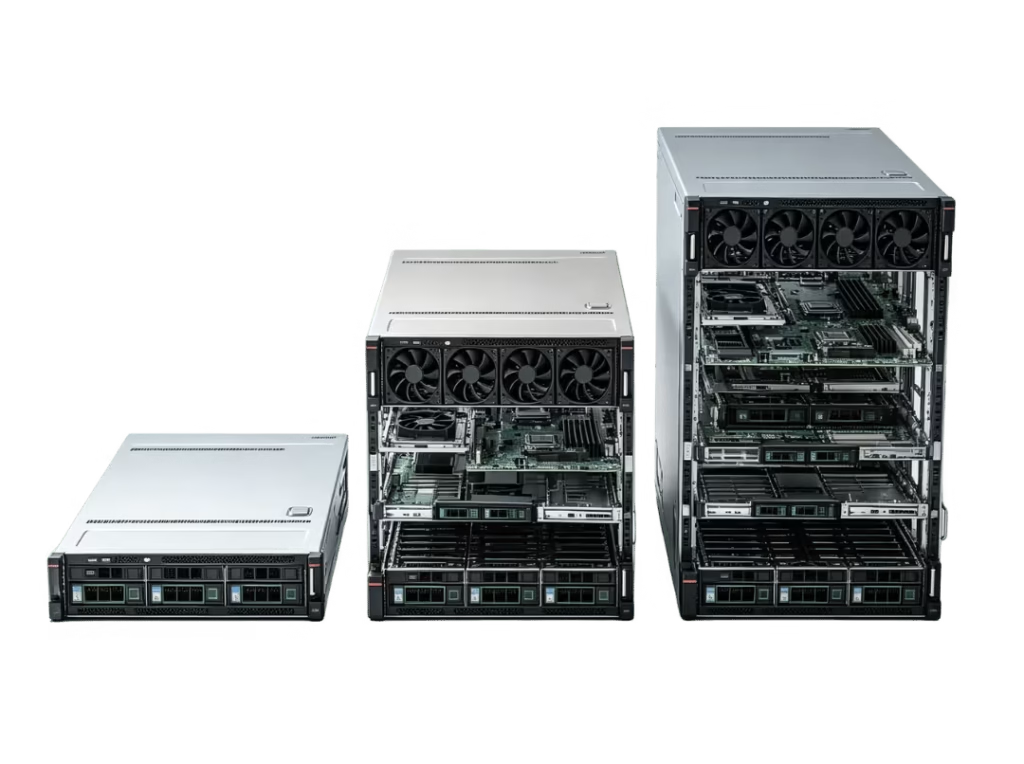
Rackmount chassis are the standard choice for data center and colocation deployments, sized in rack units (U). 1U, 2U, and 4U are the most common classes. A 1U chassis maximizes density but limits internal expansion and cooling headroom — fine for lightweight compute or network appliances, but tight for anything with heavy storage or GPU requirements. A 2U chassis trades a bit of density for meaningfully more room: more drive bays, better airflow, and often full-height PCIe slots. A 4U chassis sacrifices density in exchange for maximum internal volume, making it the typical choice for multi-GPU builds or high-capacity storage nodes.
Every rackmount chassis shares one requirement that tower and desktop builds don’t: it needs rack infrastructure, the right rail kit, and an airflow layout that actually moves air through the unit rather than around it.
Tower Chassis
Tower chassis look and function much like a desktop PC case, standing alone rather than mounting into a rack. That makes them the natural fit for offices, labs, branch locations, and homelabs — anywhere rack infrastructure doesn’t exist or isn’t worth the investment for one or two servers. They run quieter than rackmount units since they don’t force high-static-pressure fans into a 1.75-inch slice of height, and they’re simpler to service without rails or a dedicated server room. The trade-off is a scalability ceiling: once a team outgrows a handful of tower servers, managing them individually becomes inefficient compared to a rack.
Blade and High-Density Chassis
Blade chassis house multiple server blades in a shared enclosure, with power, cooling, and networking consolidated into a common backplane rather than duplicated per server. That shared infrastructure is what makes blade systems space- and power-efficient at scale — it’s also the source of their main trade-off. Blade chassis cost more upfront and lock buyers into a specific vendor’s ecosystem, since blades from one manufacturer generally won’t fit another’s chassis. They make the most sense for enterprises scaling well past what individual rackmount servers can efficiently manage.
Edge, Micro, and Specialized Chassis
Not every deployment fits a standard rack or office setup. Edge chassis are ruggedized for dust, vibration, and temperature swings outside a controlled data center. GPU-specific chassis include dedicated bays and airflow paths built around accelerator density rather than general compute. Storage-dense chassis prioritize drive bay count above all else. These purpose-built types exist because a general-purpose rackmount or tower chassis simply can’t meet certain environmental or hardware requirements.
Rackmount vs. Tower vs. Blade: What Actually Changes
Once you understand what each chassis type is built for, the real decision comes down to how they behave across a few practical dimensions. Different levels of server chassis density carry real trade-offs in cost, noise, and serviceability — so it’s worth working through each dimension with a concrete scenario rather than an abstract comparison.
Space and density. A five-person dev shop running two or three servers out of a supply closet gains almost nothing from rack density — a tower chassis fits their footprint and their budget. A colocation deployment scaling past 20 nodes is the opposite: rack unit efficiency becomes the whole game, and blade consolidation becomes attractive once node count climbs high enough to justify the upfront cost.
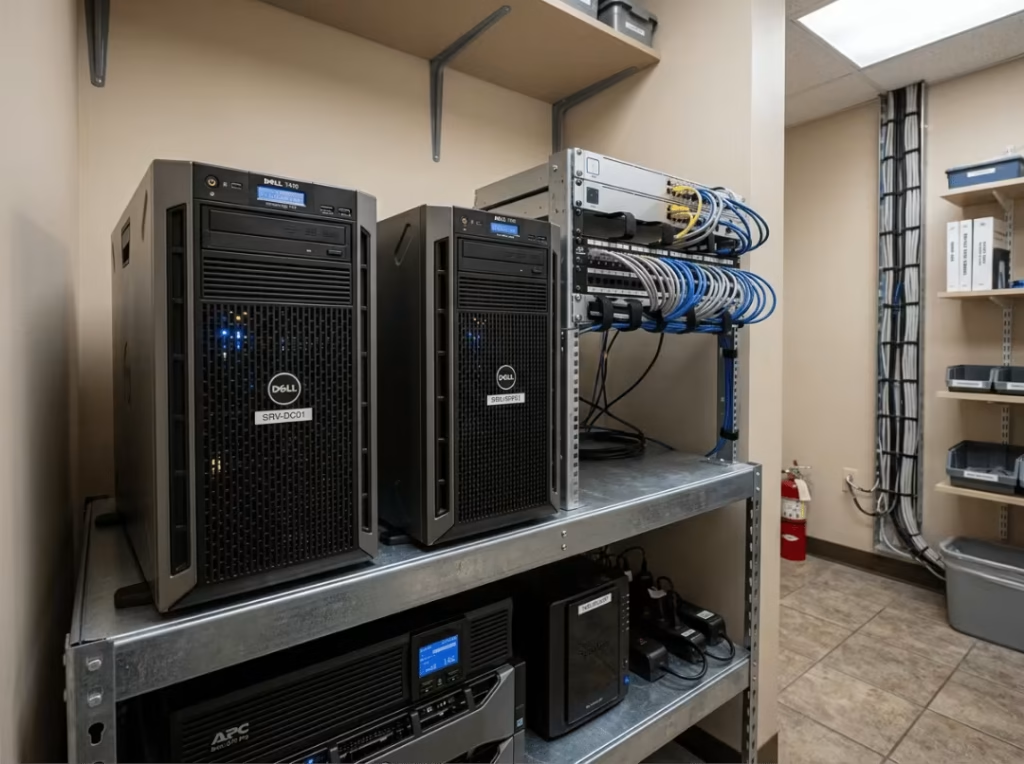
Serviceability and maintenance. Rackmount chassis are typically designed for tool-less access and hot-swap drive bays, so a failed disk can be pulled and replaced without taking the server offline. Tower chassis are simpler to service by design — no rails, no rack, just open the case. Blade systems centralize management through the chassis itself, which is efficient at scale but means a single coordination point for updates and maintenance across every blade inside.
Cooling, power, and noise. Blade chassis share power and cooling across all blades, which is efficient in aggregate but creates a shared point of thermal and electrical dependency. Rackmount chassis typically support redundant PSUs, keeping the server running if one power supply fails. Tower chassis usually run a single PSU, which keeps noise down and simplifies design, but offers no built-in power redundancy.
Cost and vendor flexibility. Blade chassis often lock buyers into a specific vendor’s ecosystem, trading component freedom for density and centralized management. Rackmount and tower chassis allow far more flexibility — motherboards, PSUs, and drives can typically be mixed across brands, as long as form factor compatibility is confirmed.
|
Dimension |
Rackmount |
Tower |
Blade |
|---|---|---|---|
|
Space & density |
High density per rack unit |
Low density, larger footprint |
Highest density at scale |
|
Serviceability |
Hot-swap bays, tool-less access |
Simplest to service, no rack needed |
Centralized, chassis-level management |
|
Cooling & power |
Often redundant PSUs |
Single PSU, quieter |
Shared power/cooling backplane |
|
Cost & flexibility |
Component-level flexibility |
Most flexible, lowest cost |
Higher cost, vendor lock-in |
How to Choose the Right Server Chassis
With the trade-offs mapped out, choosing a chassis type comes down to working through a clear sequence — not just checking boxes in any order.
Start with the deployment environment. Confirm what physical space the server will actually live in before looking at any specs. Is there rack availability, or is this going into an office, branch location, edge site, or lab with no rack infrastructure? A data center with proper cold-aisle containment can handle the noise and airflow demands of a dense rackmount build. A shared office environment can’t — and forcing a loud 1U server into a quiet workspace creates problems that no amount of software optimization can fix. Noise tolerance and cooling capacity in the physical space should eliminate entire chassis categories before specs even enter the conversation.
Match the chassis to the workload. General compute, storage-heavy, GPU/AI/rendering, and network appliance workloads each require a different internal layout — not just a different external form factor. A storage-heavy workload needs drive bay count above almost everything else, pointing toward a storage-dense chassis or a 4U rackmount unit. A GPU or AI rendering workload requires airflow pathways and slot spacing built around accelerator cards, which rules out compact 1U builds in most cases. A network appliance workload often needs very little internal volume, making a compact 1U the efficient choice.
Check cooling and power before you commit. Fan layout and airflow direction determine whether heat actually exits the chassis or just gets shuffled around without clearing the hottest components. PSU form factor determines what power supplies are compatible and whether redundancy is even physically possible. At high TDP — particularly with multiple GPUs — a chassis that can’t move enough air or support redundant power essentially caps performance before you write a single line of code.
Leave room for growth. Spare drive bays and open PCIe slots matter more than they seem at the time of purchase, because today’s fit becomes tomorrow’s rework the moment a workload grows. A 2U server chassis often strikes the right balance for mid-size deployments: it leaves meaningful headroom that a 1U chassis can’t offer, without the excess volume of a 4U unit.
Count the hidden costs. Rails, drive caddies, cabling, PDUs, and proprietary parts all add to the real cost of a chassis beyond its sticker price. Blade systems are particularly prone to this — proprietary components tied to a specific vendor can make even small additions expensive down the line.
When a Specialized Chassis Makes More Sense
Standard rackmount and tower chassis cover most deployments, but a few scenarios call for something purpose-built.
Environmental extremes are the clearest trigger. A factory floor, outdoor cabinet, or telecom site exposes hardware to dust, vibration, and temperature swings that a standard chassis isn’t rated to handle — that’s where a ruggedized edge chassis belongs.
Accelerator density is the second trigger. When a workload needs more GPUs than a general-purpose rackmount chassis can physically fit or adequately cool, a dedicated GPU chassis with purpose-built bays and airflow design is the only practical path forward.
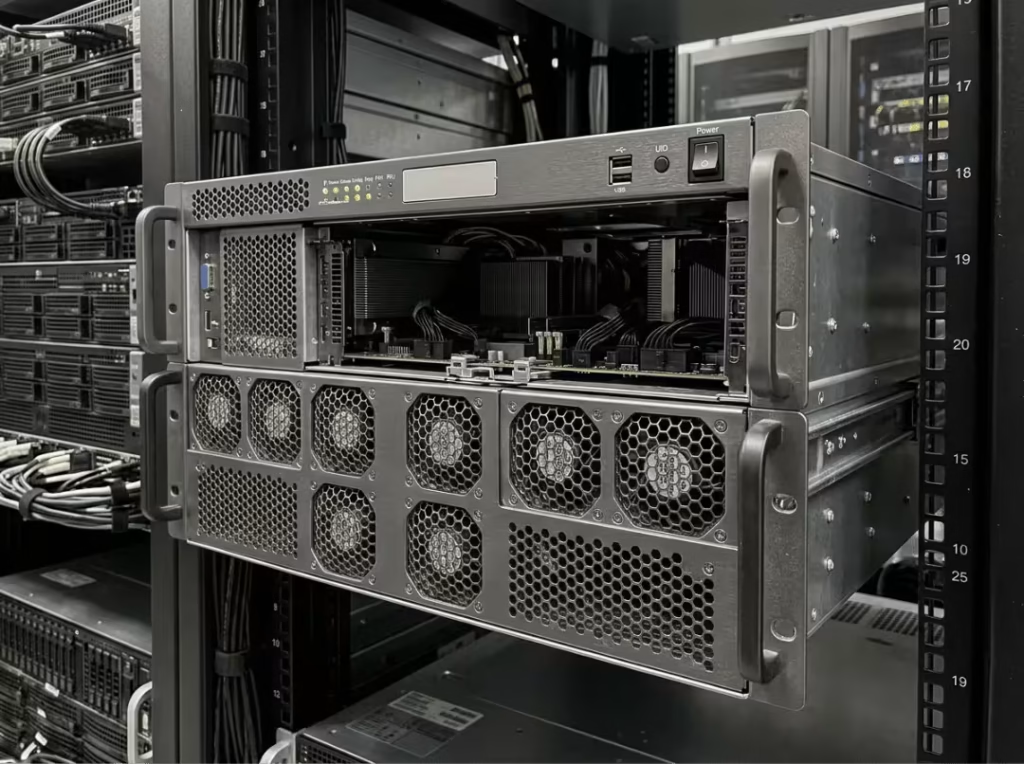
Drive-bay-count requirements make the third case. Workloads built around large-scale storage — NAS, SAN, or backup targets — often need more bays than even a 4U general-purpose chassis provides, which is where a storage-dense chassis earns its place.
There’s a fourth, less obvious case worth naming: space-constrained racks. Some facilities have shallower rack depth than standard equipment expects, and a short-depth rackmount chassis solves a fit problem that no amount of workload or cooling optimization can resolve on its own.
FAQs
What is the difference between 1U and 2U server chassis?
A 1U chassis stands 1.75 inches tall and maximizes rack density, but offers limited internal volume for drives, expansion cards, and airflow. A 2U chassis doubles that height, trading some density for more drive bays, better cooling headroom, and often full-height PCIe slot support.
When is a tower chassis better than a rackmount chassis?
A tower chassis makes more sense when there’s no rack infrastructure in place — offices, small branch sites, and labs are the typical cases. It’s also the quieter, easier-to-service option when you’re running one or two standalone servers.
How do I know whether a chassis fits my motherboard?
Check the motherboard’s form factor (ATX, Micro-ATX, ITX, EEB, and so on) against the chassis specification sheet, and confirm that mounting hole patterns and rear I/O shield dimensions match. Rackmount chassis often support only specific board sizes based on their internal width and depth.
Are hot-swap drive bays worth the extra cost?
For any deployment where uptime matters, yes. Hot-swap bays let a failed drive be replaced without powering down the server, avoiding downtime during maintenance. Less critical for a lab or testing environment, but a meaningful advantage in production.
What does rack depth mean when choosing a server chassis?
Rack depth is the front-to-back distance a chassis occupies once mounted. It needs to match the depth available in your target rack. Some facilities use shallow racks that can’t fit standard-depth servers — that’s exactly the scenario a short-depth rackmount chassis is designed to solve.
Choosing With a Clear Order of Priorities
The chassis types compared here aren’t ranked by which is best — each one solves a different problem. The decision order that actually works is: environment first, workload second, cooling and power third, expansion headroom fourth, and cost last as a tiebreaker once everything else checks out.
The right server chassis isn’t the one with the most impressive spec sheet. It’s the one that fits today’s server build and still has room for tomorrow’s growth. If you’ve worked through the framework above and landed on a rackmount build, the 1U, 2U, and 4U product pages are the natural next step for selecting specific hardware.
