


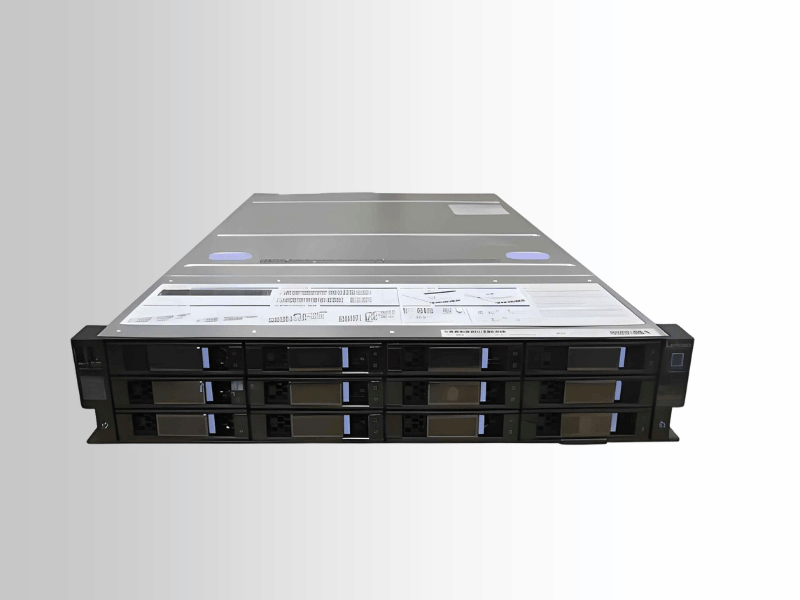
A white box server is an unbranded server built from standard, off-the-shelf components—CPU, motherboard, memory, storage, chassis, and power supplies—assembled by an integrator, ODM, or an in-house IT team, rather than purchased from a major brand like Dell, HPE, or Lenovo. It runs the same operating systems, hypervisors, and workloads as branded gear. The difference is the buying model, not the capability.
I’ve spent years on the chassis side of GPU servers—designing for airflow, solving thermal problems, and making sure high-wattage accelerators fit and stay cool under real load. This guide covers what a white box server is, how it compares to OEM gear, what goes inside one, where it fits, and what to verify before you buy.
What Is a White Box Server?
A white box server gets its name from the plain, unbranded box it ships in—no logo, no brand tax. The hardware inside is often identical to what you’d find in a Dell or HPE system: the same CPUs, memory modules, and storage. What changes is who assembles it, who supports it, and how it’s configured.
With a branded server, you get a fixed configuration, a unified warranty, and a vendor support line. With a white box server, you choose every component for your specific workload and take ownership of integration, validation, and maintenance.
Why White Box Server Demand Is Growing
Three forces are driving adoption:
- Cost pressure. Brand premiums multiply fast at scale. White box eliminates them.
- Workload-specific hardware. AI, HPC, and GPU-dense deployments need precise tuning—the right power headroom, the right PCIe configuration, and the right cooling. OEM bundles rarely deliver that.
- ODM maturity. Manufacturers that once built servers behind the scenes for major brands now sell directly. Quality is strong, and options extend well beyond hyperscalers.
White Box Server vs. Branded OEM Server
White box servers offer lower cost, greater flexibility, and no vendor lock-in. Branded OEM servers offer unified support, certified configurations, and predictable reliability. Neither is universally better—they fit different teams and different risk profiles.
| Factor | White Box Server | Branded OEM Server |
|---|---|---|
| Branding | Unbranded | Major brand (Dell, HPE, Lenovo) |
| Customization | Highly flexible | Limited to vendor options |
| Upfront cost | Lower | Higher, includes brand premium |
| Total cost of ownership | Depends on your team | More predictable |
| Warranty | Often parts-only, per component | Unified, system-wide |
| Support | Self-managed or integrator-based | Dedicated vendor support |
| Management tools | Varies | Polished, integrated |
| Certification | May be limited | Broad hardware/software validation |
| Best fit | Skilled teams, high-volume builds | Lean teams, turnkey support needs |
Choose the white box if your team has strong hardware and firmware expertise and you’re buying at volume or need workload-optimized builds.
Choose branded if your team is lean, downtime is costly, or you need certified configurations for compliance. The support pays for itself the first time something breaks at 2 a.m.
Key Components of a White Box Server
Building a white box server means choosing each component yourself. Here’s what the build requires—and where chassis and thermal design become critical.
Core Hardware
- Motherboard. Server boards from Supermicro, Tyan, and Quanta support multiple CPUs, large memory configurations, and high PCIe lane counts. For GPU builds, slot count and physical spacing are non-negotiable.
- CPU. Intel Xeon and AMD EPYC are the standard options—the same processors used in branded servers. EPYC has gained ground for GPU and HPC workloads because of its high core counts and generous PCIe lane allocation.
- Memory. ECC memory is essential for any production deployment. It detects and corrects errors before they cause failures.
- Storage. NVMe SSDs for low-latency needs; SATA or SAS for capacity-heavy workloads. Most builds use both.
- Network cards. AI clusters often require 100GbE or faster. Size your NICs to your bandwidth requirements.
- Power supplies. Use redundant PSUs for any production-critical system. GPUs draw serious wattage—undersized PSUs cause crashes and early hardware failure.
- Chassis and cooling. This is where GPU server builds succeed or fail.
Why Chassis and Airflow Determine GPU Server Performance
A white box GPU server is only as good as its thermal design. I’ve seen builds where someone packed four high-wattage accelerators into a chassis that couldn’t move enough air. The cards hit thermal limits, clocked down, and performance dropped by half. The customer couldn’t figure out why.
Front-to-back airflow is standard for a reason: cool air enters the front, hot air exits the rear, and there is no recirculation. Chassis fans, GPU placement, and internal shrouds must work together as a system.
Physical GPU fit matters equally. Card length, slot spacing, and power connector clearance all affect whether the build actually works. A motherboard that “supports” eight GPUs is useless if the cards block each other’s airflow or physically collide.
Standardized rails, PSU form factors, and chassis dimensions simplify rack deployment and speed up maintenance at scale.
ODMs and Open Hardware Standards
ODMs—original design manufacturers—build a significant share of the world’s data center hardware. Many white-box buyers work directly with ODMs or integrators that source from them.
The Open Compute Project (OCP) standardizes open server and rack designs with a focus on efficiency, serviceability, and thermal management. OCP-aligned hardware is a natural fit for dense GPU and AI deployments where power and airflow performance are critical.
Why Data Centers Choose White Box Servers
Large operators moved to white-box because both economics and engineering supported it.
- Cost at scale. Brand premiums multiply across thousands of units. Eliminating them frees significant budget for more computing. Standardized, repeatable builds also reduce operational complexity—one proven configuration deployed consistently is easier to manage than a mixed fleet.
- Workload-specific tuning. White box lets you optimize hardware for your exact workload instead of working around a vendor’s preset configuration. You choose the GPU count, the power budget, and the thermal design based on what you’re actually running. For AI training and HPC, the control directly affects performance.
- Hyperscale adoption. Google, Amazon, and Meta run on custom hardware. At their scale, small efficiency gains in power and cooling compound into massive savings. These organizations have the engineering depth to design, validate, and operate their own systems—exactly what white box requires.
Benefits of White Box Servers
- Lower upfront cost. You pay closer to the actual hardware cost, without the brand premium.
- Precise customization. Configure for your workload—nothing more, nothing less.
- No vendor lock-in. Source from multiple suppliers, negotiate better terms, and upgrade on your own timeline.
- Better workload fit. Especially valuable for GPU-intensive and HPC environments where hardware tuning directly affects performance and thermal behavior.
White Box Server Challenges and Trade-Offs
Fragmented Support
There’s no single vendor responsible for the full system. When a problem crosses multiple components, your team owns the diagnosis and the fix. That’s a real operational burden without strong in-house expertise.
Compatibility Risk
Mixing components from different suppliers introduces firmware, driver, and BIOS compatibility risks that branded systems pre-solve. GPU builds require especially careful validation—cards, boards, and firmware all need to be tested together before production.
Higher Operational Complexity
Assembly, configuration, testing, and ongoing maintenance all land on your team. Without strong hardware skills, the cost savings erode quickly.
Total Cost of Ownership Is Easy to Underestimate
Purchase price is the starting point, not the full picture. Real TCO includes integration time, compatibility testing, spare parts inventory, support overhead, and downtime risk. Model the full lifecycle cost before committing.
Security and Reliability Considerations
Firmware Security and BMC Management
With branded servers, the vendor handles much of the firmware validation and update process. With the white box, that responsibility is yours. Verify firmware sources, maintain update discipline, and treat the BMC—the baseboard management controller used for remote access—as a security-sensitive component. Lock it down and never expose it to untrusted networks.
Supply Chain Integrity
Component quality and provenance matter. Poorly sourced parts introduce reliability problems and potential security exposure. Buy from reputable manufacturers and integrators with a documented track record. The savings on a substandard board vanish the first time it fails in production.
Reliability for Production Workloads
White box servers can achieve production-grade reliability. ECC memory, redundant power supplies, validated configurations, and sound thermal design are the baseline requirements. That said, organizations with strict SLAs, compliance mandates, or severe downtime risk often prefer branded systems for their certified support structures. Know your risk tolerance before you commit.
White Box Server Use Cases: Where They Work and Where They Don’t
- Cloud providers and large data centers. High-volume, standardized, cost-sensitive deployments. This is the strongest use case for the white box.
- AI, HPC, and GPU-dense compute. When hardware must be tuned precisely for accelerator performance, white box gives you the control to get it right—provided the thermal design is solid.
- Development and testing. When uptime isn’t critical, a white box is a cost-effective way to build flexible lab environments.
- Technically capable SMBs and enterprises. Teams with strong in-house hardware expertise can capture significant savings with minimal downside.
When white box is the wrong choice:
- Your team lacks hardware and firmware expertise
- You need certified configurations for regulatory compliance
- Downtime carries severe business consequences
- You need a finished, supported solution rather than a platform to build and maintain
What to Check Before Buying a White Box Server
- Supplier and integrator reputation. Ask about quality control, support responsiveness, and how they handle component failures.
- Warranty and support model. Know exactly what’s covered—parts-only or system-level—and how replacements work before you sign anything.
- Compatibility and validation. Confirm compatibility of the OS, hypervisor, BIOS, and firmware. For GPU builds, validate your specific cards against your board and chassis before deploying at scale.
- Remote management. Ensure you have robust BMC access, alerting, and monitoring. Visibility is essential when something breaks.
- Spare parts and supply continuity. Confirm replacement components will remain available. Unexpected part changes can disrupt a standardized fleet.
- Thermal design and rack power. Validate airflow and power capacity under real workloads, not under idle conditions. Thermal problems don’t surface until the system is fully loaded.
- Run a pilot first. Deploy a small batch, run your actual workloads, monitor temperatures, track failure rates, and measure real TCO before scaling.
Frequently Asked Questions
What is a white box server?
A white box server is an unbranded server assembled from standard, off-the-shelf components—CPU, motherboard, memory, storage, and chassis—rather than purchased as a finished product from a major brand like Dell, HPE, or Lenovo. It runs the same workloads as branded hardware; the difference is the buying model and support structure.
What is the difference between a white-box server and a bare-metal server?
A white-box server describes the hardware—unbranded and built from standard parts. Bare metal refers to the deployment model—a physical server dedicated to a single tenant with no virtualization layer. A white box server can be deployed as bare metal, but the terms are not interchangeable. One describes how hardware is sourced; the other describes how it’s used.
Are white box servers as reliable as Dell, HPE, or Lenovo servers?
Yes, when built correctly. ECC memory, redundant power, quality components, and proper thermal design produce reliable production systems. The key difference is accountability: with branded gear, the vendor stands behind system reliability. With a white box, your team’s build quality and expertise determine the outcome.
Do white box servers support Windows Server, Linux, and VMware?
Yes. White box servers use standard hardware and run the same operating systems and hypervisors as branded systems. One caveat: certified hardware compatibility lists may be less comprehensive. Always validate your specific OS and hypervisor versions against your chosen components before deployment.
How does the warranty work for white-box server hardware?
Each component typically carries its own warranty rather than a unified system-level warranty, which means managing replacements part by part. Some integrators offer broader support packages. Ask for specifics before purchasing.
Can white box servers handle enterprise or mission-critical workloads?
Yes, with the right design. Redundancy, ECC memory, validated configurations, and strong monitoring support serious workloads reliably. For the most stringent SLAs or compliance requirements, some enterprises still prefer branded systems for their certified support structures.
Conclusion: Is a White Box Server Right for Your Organization?
A white box server trades OEM brand assurance and bundled support for lower hardware costs, precise customization, and full infrastructure control.
That trade-off rewards teams with strong hardware expertise—particularly those building for GPU, AI, or HPC workloads where tuning the chassis, airflow, and power configuration directly affects performance. For lean teams, strict compliance needs, or deployments where turnkey support is non-negotiable, branded servers are typically the better choice.
From years of working with GPU server chassis, the hardware is only as good as the thermal design and the team behind it. Plan your airflow carefully, validate GPU fit before deploying at scale, test under real load, and model the full cost. Done right, a white box can be one of the most cost-effective infrastructure decisions your organization makes.
