


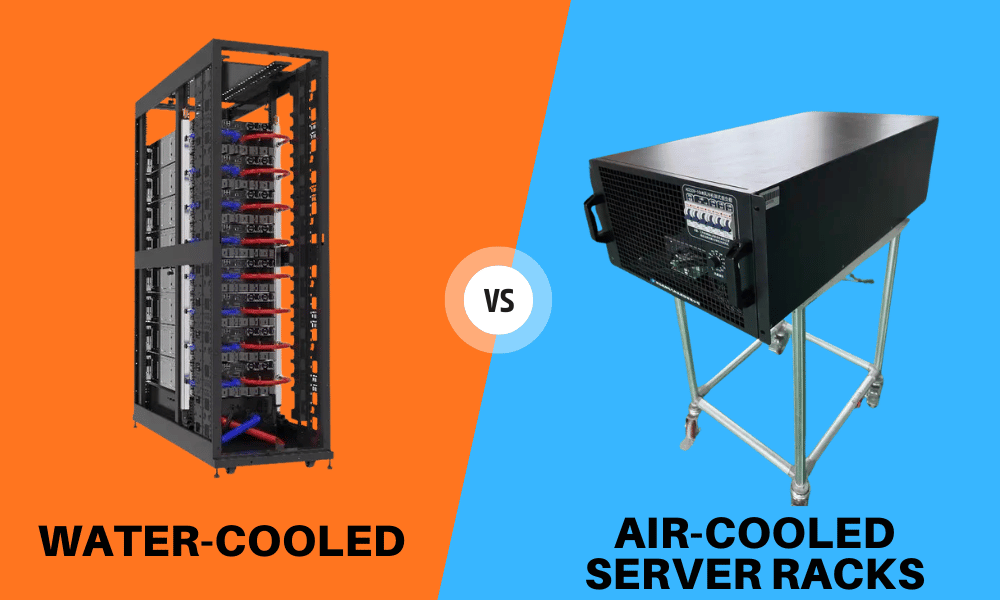
I’ve spent years working with GPU server chassis, watching rack densities climb from comfortable to downright punishing. The shift hit hard once AI and HPC workloads showed up. A rack that used to sip 8 kW now demands 40, 60, sometimes more. Air alone can’t keep up everywhere anymore.
That’s the real story behind the air-versus-liquid debate. It’s not just about temperature. It’s about cost, density ceilings, floor space, and whether your setup can grow with your workload.
This guide walks you through both cooling approaches from a practical, hands-on view. You’ll learn how each method actually works, where each one shines, what they cost over time, and when it makes sense to switch. By the end, you’ll have a clear way to match a cooling strategy to your real needs—not just today’s peak, but the next five years.
If you’re a system integrator, data center operator, or technical buyer sizing up GPU server racks, this is for you.
The Current State of Data Center Cooling
Hardware density is climbing fast, and heat output rides right along with it. Modern GPUs and CPUs pack more compute into smaller footprints, which means more watts per rack and more heat to move.
Air-based cooling is hitting hard limits. The simple truth is that today’s chips can generate more heat than air can physically carry away at high density. You can add fans and tighten containment, but airflow has a ceiling.
Your cooling choice shapes more than thermals. It drives long-term operating costs, maintenance routines, and how much usable floor space you actually get.
That’s why so many modern facilities run a mix of both systems. Air handles the lighter loads. Liquid takes the heavy computing. The blend balances performance against budget, and for many operators it’s the most realistic path right now.
How Air-Cooled Server Racks Work
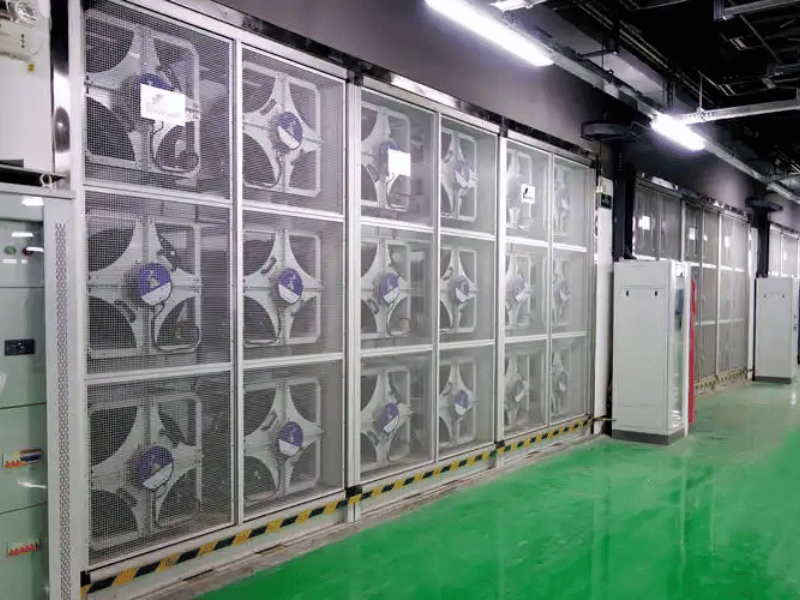
Air cooling is the method most people already know. Fans pull cold air through the front of the server, push it across the components, and exhaust hot air out the back into a hot aisle.
Containment keeps the cold and hot air separated so they don’t mix and waste energy. CRAC and CRAH units handle the room side, holding steady ambient temperatures and feeding chilled air back into the loop.
The whole approach leans on two things: high airflow volume and precise pressure management. Get either wrong and you create hotspots fast.
Here’s the practical ceiling. Most standard racks stay efficient up to roughly 15–20 kW. Push past that with dense GPU nodes, and you start fighting the laws of physics. Fans spin faster, noise climbs, and cooling efficiency drops.
Where Air Cooling Still Performs Well
Air cooling is still the right call in plenty of cases:
- Lower-density racks running web servers, storage, and general enterprise workloads
- Mixed environments where most gear sits well under the density threshold
- Cooler climates that benefit from free cooling and reduce chiller runtime
If your racks live comfortably in the single-digit to low-teens kilowatts, air is simple, proven, and cheap to run.
How Water-Cooled Server Racks Work
Liquid wins on heat for one core reason: water moves heat roughly 24 times more effectively than air. That’s not a marketing number—it’s basic thermodynamics, and it changes what’s possible per rack.
The idea is straightforward. Instead of blowing air across hot components, a liquid carries heat to a heat exchanger, where it is rejected outside the rack or building. Less air movement, more direct heat transfer.
There’s more than one way to do this, and the differences matter for deployment.
Types of Liquid Cooling Systems
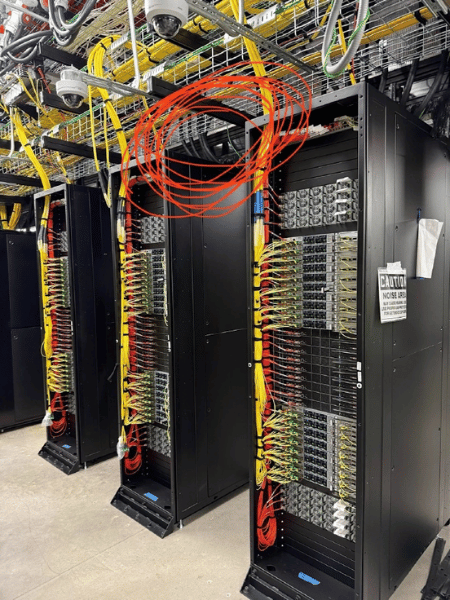
- Direct-to-chip (cold plate): Cold plates sit right on the CPUs and GPUs, pulling heat straight off the silicon. The rest of the server can still use some airflow. This is the most common entry point for GPU-heavy racks.
- Rear-door heat exchangers: A chilled-water loop sits in the rack door and cools the air before it leaves the rack. It’s a clean retrofit option because the servers themselves stay air-cooled.
- Immersion cooling: Entire servers get submerged in non-conductive dielectric fluid. It handles extreme density but demands the biggest change to how you build and service hardware.
- Hybrid cooling: Air for low-density gear, liquid for high-density compute. You balance risk and performance without converting the whole room.
Each approach fits a different density and workload. Direct-to-chip and rear-door work well for facilities scaling up in place. Immersion suits are purpose-built, very high-density sites.
Air Cooling vs. Liquid Cooling: The Key Differences
When you put them side by side, a few differences drive almost every decision:
- Heat removal efficiency: Liquid carries far more heat per unit, which directly raises your density ceiling.
- Rack power density: Air tops out around 15–20 kW. Liquid keeps scaling well past 50 kW per rack.
- Infrastructure needs: Air relies on ductwork, raised floors, and big air handlers. Liquid needs plumbing, manifolds, and chillers.
- Maintenance model: Air uses familiar fans and HVAC. Liquid adds pumps, fluid chemistry, and leak detection.
- Noise and footprint: Liquid runs more quietly and uses smaller pipes instead of bulky ducts, freeing up floor space.
Direct-to-Chip Liquid Cooling vs. Air Cooling: What Actually Changes
The biggest shift is the heat removal path. With direct-to-chip cooling, heat leaves the silicon through a cold plate rather than riding airflow across the whole chassis.
That reduces your airflow dependency. You can pack components more tightly and rethink the rack layout without choking on hot air.
It does change your service model, though. You’re now managing coolant loops and connections inside the rack, so your team needs the right training and procedures before day one.
Advantages of Sticking with Air Cooling
Air cooling earns its place for good reasons:
- Lower upfront cost: The infrastructure is simple and widely available, so installation is cheaper.
- Familiar maintenance: Your techs already know fans and standard HVAC. No new skill set required.
- Easy moves and swaps: No plumbing to disconnect, so racks shift around without drama.
- No leak risk: There’s no liquid near sensitive electronics, which removes a whole category of worry.
For standard-density deployments, air is hard to beat in terms of simplicity and cost. Don’t fix what isn’t broken.
Why Liquid Cooling Is Gaining Ground
Liquid cooling isn’t a trend—it’s a response to workloads air can’t handle. Here’s what’s driving adoption:
- High-density compute: It handles AI and HPC racks that push past 50 kW, where air simply gives up.
- Floor space savings: Small pipes replace bulky air ducts, freeing valuable square footage.
- Quieter operation: No banks of high-speed fans screaming all day.
- Better PUE: Lower transport energy improves Power Usage Effectiveness and cuts your power bill.
- Cooler chips under load: Steady, lower temperatures help prevent thermal throttling, so your GPUs run at full speed.
- Heat reuse: Concentrated heat in water loops is far easier to repurpose for heating nearby buildings.
If you’re running GPU-dense racks, these benefits stop being nice-to-haves and start being requirements.
The Main Drawbacks of Each Method
No method is perfect. Here’s where each one stumbles.
Air cooling limits:
- Hotspots in dense racks that fans can’t reach
- Large air-handling infrastructure that eats space
- Falling efficiency once you cross the density threshold
Liquid cooling trade-offs:
- Higher complexity and a steeper learning curve
- Leak management and detection requirements
- Higher upfront infrastructure cost
- Retrofit challenges in facilities built for air
A hybrid setup can soften both sides. You keep air where it works and add liquid only where density demands it, spreading out cost and risk.
Reliability and Safety Considerations
Reliability worries are usually the first thing buyers raise with liquid cooling. They’re fair questions.
On the liquid side, you’re managing leak detection, coolant compatibility with components, and the upkeep of pumps and heat exchangers. The good news: closed-loop and direct-to-chip designs limit how much liquid ever comes into contact with live electronics.
Air has its own risks, and people forget this. Hotspots and inadequate cooling in dense racks can quietly cook hardware over time.
Both approaches come down to the same fundamentals. Solid design, real-time monitoring, and built-in redundancy address the risk. A well-engineered liquid loop is often more predictable than an air setup pushed past its limits.
Cost Comparison: CapEx vs. OpEx
Cost is where the air-versus-liquid decision gets real. You need to look at both ends—what you spend now and what you spend over years.
Upfront capital (CapEx):
- Pumps, piping, manifolds, and chillers
- Heat exchangers
- Possible retrofitting of an existing facility
Long-term operating costs (OpEx):
- Less power spent on air conditioning
- Higher overall cooling efficiency
- A smaller physical footprint
Air wins on day one almost every time. Liquid usually wins in total cost of ownership in high-density deployments, where energy savings and density gains add up quickly.
One factor people overlook: local water availability and utility costs. Some systems lose water through evaporation, so run that number for your region before you commit.
When It Makes Sense to Switch to Liquid Cooling
You don’t switch to liquid because it’s new. You switch when the math and the workload force your hand. Watch for these triggers:
- Density thresholds: When racks consistently exceed the 15–20 kW range, air starts to be lost.
- GPU-heavy workloads: Sustained AI and HPC loads that run hot all day, not just in bursts.
- Airflow is maxed out: You’ve tuned containment and pressure, and still fight hotspots.
- PUE, space, or sustainability targets: When efficiency and footprint become deciding metrics.
- Growth planning: You’re sizing for the next few years, not just today’s peak power.
If two or more of these describe your situation, it’s time to seriously evaluate liquid.
Key Decision Factors Before You Choose
Before you commit either way, work through this checklist:
- TDP of your chips: Check the Thermal Design Power of the CPUs and GPUs you plan to deploy.
- Total rack density: Add it up and see if it crosses the air-cooling threshold.
- Retrofit difficulty: How hard is it to add liquid loops to your current facility?
- Water availability and cost: Factor in utility rates and evaporative loss.
- Structural load: Heavier racks, piping, and cooling towers require a floor capable of supporting them.
- Sustainability goals: Energy and carbon targets may tip the decision toward liquid.
Run these honestly. The answers usually point you to a clear choice—or to a hybrid.
Common Myths About Liquid Cooling
A lot of hesitation comes from outdated assumptions. Let’s clear up the big three.
“Every liquid system eventually leaks and ruins the hardware.” Modern connectors, quick-disconnects, and manifolds are engineered to seal reliably. Closed-loop designs and leak detection catch problems early. Leaks are rare and manageable, not inevitable.
“Water-cooled racks always require a full facility overhaul.” Not true. Rear-door heat exchangers and direct-to-chip setups can be installed in existing rooms with minimal changes. You can scale the liquid gradually.
“Liquid cooling is too unreliable for production.” This was a fair concern a decade ago. Today’s components are mature, proven, and running in some of the largest AI facilities on the planet.
Future Trends in Data Center Cooling
The direction is clear, even if the pace varies. AI workloads keep pushing rack densities higher, and that pressure isn’t slowing down.
Hybrid deployments will stay common. Most facilities run mixed gear, so a blended approach makes sense for years to come.
Liquid cooling adoption will grow, but unevenly—faster in dense AI builds, slower in general enterprise rooms. And retrofit-friendly solutions will draw more attention as operators upgrade in place rather than build new.
Plan with this trajectory in mind. The density curve only points one way.
How to Choose: Matching the Solution to Your Needs
Here’s the practical bottom line for picking a strategy:
- Air cooling remains the standard for general-purpose computing and small server rooms.
- Liquid cooling is becoming a necessity for large-scale AI and heavy data processing.
- A hybrid approach—air for storage, liquid for compute—works well for many organizations.
- Plan around a five-year growth cycle, not just your current peak power.
- Consult a mechanical engineer before committing to a liquid transition, especially for structural and plumbing work.
Match the cooling to the workload and the growth plan. That’s the whole game.
Frequently Asked Questions
Is liquid cooling more expensive than air cooling?
Upfront, yes—pumps, piping, and chillers cost more. Over time, liquid often wins on the total cost of ownership in high-density setups through lower energy use and a smaller footprint.
Can I mix air-cooled and water-cooled racks in the same room?
Absolutely. Hybrid layouts are common and practical. Use air for low-density gear and liquid for dense compute.
At what kilowatt density should I switch to liquid cooling?
Once racks consistently exceed the 15–20 kW range, air starts struggling. By the time you’re approaching 50 kW or more, liquid is usually the only sensible option.
What is the risk of a leak in a direct-to-chip system?
Low with modern designs. Closed loops, quality connectors, and leak detection keep liquid away from live electronics and catch issues early.
Does liquid cooling require special server hardware?
Direct-to-chip needs servers with cold-plate-ready mounting and compatible loops. Rear-door heat exchangers work with standard air-cooled servers, which makes them easy to adopt.
How does liquid cooling affect the lifespan of a server?
Steadier, lower temperatures reduce thermal stress and throttling. That consistency tends to help component longevity compared to hardware that runs hot under heavy air cooling.
Conclusion
The air-versus-liquid choice comes down to density, cost, and where your workloads are headed. Air cooling remains practical, cost-effective, and reliable for standard deployments up to the 15–20 kW range. Liquid cooling is increasingly essential once you’re running dense GPU compute past 50 kW, where it delivers better efficiency, quieter operation, and a smaller footprint.
For most operators, a hybrid strategy is the realistic middle path. Use air where it works and add liquid where density demands it.
Your next step: map your current rack densities, check the TDP of your planned GPUs, and project your needs over a five-year window. If two or more of the switch triggers apply to you, bring in a mechanical engineer and start scoping a liquid pilot. Plan around growth, not just today’s peak—your future racks will thank you.
