


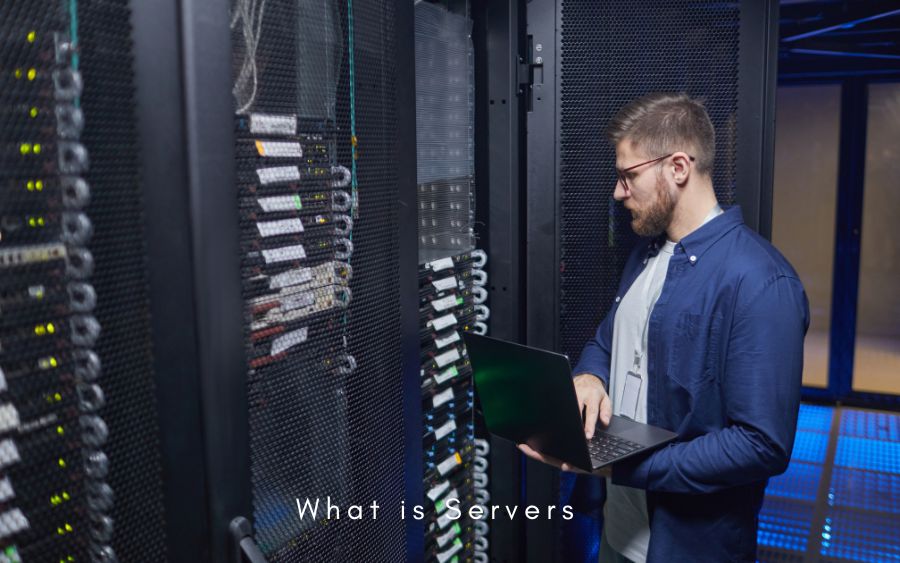
Every time you stream a movie, send an email, or check your bank balance on your phone, a complex sequence of digital events takes place behind the scenes. At the very core of these interactions sits a powerful piece of technology: the server. Servers form the invisible backbone of modern computing infrastructure, quietly powering the digital experiences we rely on every single day. They act as the central nervous system for businesses, governments, and everyday consumers, managing massive flows of data with incredible speed and precision.
Understanding servers is essential for anyone looking to build, manage, or scale IT infrastructure. Whether you run a small local business or manage a sprawling enterprise data center, the right server setup dictates how efficiently your operations run. A poorly configured server can lead to disastrous downtime, while an optimized system drives growth, security, and innovation. As technology evolves, servers have transformed from massive, room-filling mainframes into highly efficient, scalable systems that can live on-premises or entirely in the cloud.
This comprehensive guide will explore everything you need to know about server technology. We will dive deep into what servers actually are, the various functions they serve, and the underlying architecture that makes them tick. You will learn about the different types of servers available on the market, how they manage memory, and how to identify common performance bottlenecks. By the end of this article, you will possess a clear understanding of server infrastructure and how to leverage it to meet your specific computing needs.
What is a Server? The Foundation of IT Infrastructure
A server is a specialized computer system designed to provide resources, data, services, or programs to other computers, known as clients, over a network. Whenever a client computer needs to access a website, download a file, or retrieve an email, it sends a request to the server. The server processes this request, gathers the necessary information, and sends it back to the client. This continuous exchange of data forms the basic client-server model that underpins the entire Internet and most private corporate networks.
The concept of the server has evolved dramatically over the past few decades. In the early days of computing, servers were massive, highly expensive mainframes that took up entire rooms and required teams of engineers to maintain. Today, servers come in various shapes and sizes, from compact rack-mounted units to vast networks of interconnected cloud servers distributed across the globe. Despite these physical changes, their foundational purpose remains exactly the same: to serve data and manage network resources reliably.
Servers play an absolutely critical role in hosting applications, managing vast databases, and supporting complex network architectures. They are built to run continuously without interruption, ensuring that critical business services remain accessible at all hours of the day and night. To achieve this high level of reliability, servers utilize specialized, enterprise-grade hardware components that can withstand the rigors of heavy, 24/7 workloads without experiencing hardware failure.
What is a Server Used For?
Servers handle an incredibly diverse array of tasks, making them essential tools for almost every industry on the planet. One of the most common server use cases is web hosting. Whenever you type a URL into your browser, a web server receives that request, locates the website’s files, and delivers them to your screen. Without web servers, the internet as we know it simply would not exist. Similarly, email servers manage the routing, delivery, and storage of electronic messages, ensuring your communications reach the right inbox securely.
Another primary use for servers is managing databases. Database servers store, retrieve, and organize vast amounts of structured data for businesses. For example, when an e-commerce site processes a customer transaction, it relies on a database server to verify inventory levels, securely store payment details, and update customer records in real time. Enterprise applications, such as Customer Relationship Management (CRM) software and Enterprise Resource Planning (ERP) systems, also rely heavily on dedicated application servers to function smoothly across multiple departments.
Beyond these traditional roles, servers now power highly advanced computational applications. Cloud computing platforms use massive server clusters to provide on-demand processing power and storage to users worldwide. Artificial intelligence and machine learning workloads require specialized, high-performance servers equipped with advanced processors to analyze massive datasets and train complex algorithms. Furthermore, virtualization technology allows a single physical server to act as multiple independent virtual servers, maximizing hardware efficiency and significantly reducing IT infrastructure costs for businesses.
How Does a Server Work?
To understand how a server operates, you must look at its underlying architecture. Like any computer, a server relies on processors (CPUs), memory (RAM), and storage drives to function. However, server architecture is specifically optimized to handle heavy, continuous workloads. The server’s processor acts as the brain, executing instructions and processing data at lightning speeds. Server CPUs generally feature a higher core count than consumer processors, allowing them to juggle thousands of independent tasks simultaneously without slowing down.
When a server receives multiple requests from different clients, it must manage them efficiently. The server uses its memory (RAM) as a high-speed workspace to temporarily store the data needed to process incoming requests. The more RAM a server has, the more requests it can handle concurrently without forcing clients to wait. Meanwhile, the server’s storage system, which typically consists of high-capacity hard drives or lightning-fast solid-state drives (SSDs), holds the permanent files, databases, and operating systems required to run the server’s applications.
Network connectivity is another crucial component of how a server works. Servers utilize high-bandwidth network interface cards (NICs) to communicate with clients and other servers across local networks and the broader internet. When a surge of traffic hits the server, advanced software algorithms and hardware load balancers distribute these tasks evenly across the server’s processing cores. This intelligent task distribution prevents any single component from becoming overwhelmed, ensuring a smooth, uninterrupted flow of data between the server and its connected clients.
Is a Server a Computer?
A common question is whether a server is simply a regular computer. The short answer is yes, a server is technically a computer. It contains the exact same fundamental components as the desktop tower or laptop sitting on your desk: a motherboard, a central processing unit, memory, and storage. In fact, you can configure a standard desktop PC to function as a basic server for a small home network. However, comparing a consumer PC to an enterprise server is like comparing a standard family car to a heavy-duty commercial freight truck.
Servers differ significantly from personal computers in both physical design and internal functionality. Personal computers are designed for human interaction, featuring components such as high-end graphics cards, sound cards, and user-friendly operating systems. Servers, on the other hand, prioritize relentless reliability, immense processing power, and uninterrupted data throughput. They often lack a monitor or keyboard entirely, as IT administrators typically manage them remotely through a command-line interface or specialized management software.
Furthermore, servers utilize highly specialized hardware designed for continuous operation. They feature Error-Correcting Code (ECC) memory, which automatically detects and corrects data corruption to prevent system crashes. Servers also include redundant components, such as dual power supplies and hot-swappable hard drives. If one part fails, the backup component instantly takes over, allowing the system to keep running while technicians replace the broken part. This specialized architecture ensures that servers deliver maximum uptime for critical applications.
The Data Storage Bottleneck in Servers
Even with the fastest processors and the highest-capacity memory, a server can still suffer from severe performance issues if it encounters a data storage bottleneck. A storage bottleneck occurs when the server’s storage drives cannot read or write data fast enough to keep up with the CPU’s processing demands. When this happens, the processor is forced to idle while the storage system catches up. This phenomenon, known as an I/O (Input/Output) wait state, severely degrades overall server performance and ruins the user experience.
Storage bottlenecks frequently plague servers that rely on outdated technology, such as traditional mechanical hard disk drives (HDDs). While HDDs offer massive storage capacity at a low cost, their physical moving parts severely limit their data transfer speeds. In data-intensive environments, such as high-transaction databases or AI training workloads, slow storage drives quickly become the weak link in the infrastructure chain. When the server struggles to access necessary data promptly, applications slow to a crawl, and client requests begin to time out.
To overcome the data storage bottleneck, IT professionals implement advanced storage solutions. Upgrading to high-speed Solid State Drives (SSDs) or Non-Volatile Memory Express (NVMe) drives dramatically increases data transfer rates by eliminating moving mechanical parts. For massive enterprise environments, engineers deploy parallel data platforms and advanced RAID (Redundant Array of Independent Disks) configurations. These technologies distribute data across multiple high-speed drives simultaneously, drastically reducing latency and ensuring that the server’s processors remain fully saturated with data at all times.
Server Types
Because servers handle so many different roles, the technology industry has developed various server types optimized for specific tasks. A web server, for example, strictly manages HTTP requests, serving web pages, images, and stylesheets to users navigating the internet. Database servers, conversely, run specialized database management software like SQL or Oracle, focusing entirely on securely storing, organizing, and retrieving massive datasets for other applications to use.
Application servers sit between the database and the web server, running the complex business logic and dynamic content that powers modern web applications. File servers act as central storage repositories, allowing multiple users within an organization to store, share, and manage internal documents securely over a local network. Mail servers handle the constant routing, filtering, and delivery of email communications. Each of these server types uses tailored software and hardware configurations designed to excel at its designated function.
In addition to task-specific servers, the industry categorizes servers by their hosting environment. Cloud servers are virtualized computing resources hosted by third-party providers such as Amazon Web Services or Microsoft Azure, accessible over the internet. Virtual servers are multiple independent software-based servers running on a single piece of physical hardware. Finally, dedicated servers provide an entire physical machine’s resources to a single user or organization, offering maximum performance, security, and control over the hardware infrastructure.
Integrated vs Dedicated Servers
Integrated servers typically refer to environments where multiple services or organizations share the same physical hardware resources. In this setup, the processing power, memory, and storage are distributed among various users, making it a highly cost-effective solution for small businesses or low-traffic applications. However, sharing resources means your performance can suffer if another user experiences a sudden spike in traffic.
Dedicated servers, on the other hand, provide exclusive access to the hardware’s resources. An organization that rents or owns a dedicated server does not share processing power or bandwidth with anyone else. This exclusive access guarantees high performance, enhanced security, and the flexibility to configure the hardware and software exactly to the organization’s unique requirements.
Physical vs Virtual Servers
A physical server, often called a bare-metal server, is a standalone piece of hardware housed in a data center or server room. It consists of tangible components like the motherboard, CPU, and physical storage drives. Physical servers offer raw, uncompromised performance for highly demanding applications that require direct access to the underlying hardware.
A virtual server is a software-based instance that runs on top of a physical server. Using specialized software called a hypervisor, IT administrators can carve a single physical machine into multiple virtual servers, each running its own operating system and applications. This approach maximizes hardware utilization, reduces physical space requirements, and allows for rapid scalability.
What is an External Server?
An external server is a server infrastructure that resides off-site, away from an organization’s primary physical location or corporate office. Instead of maintaining an expensive, noisy, and power-hungry server room down the hall, businesses rent or lease server space from third-party data centers or cloud service providers. The organization connects to these external servers via a secure internet connection or a dedicated private network line, accessing their data and applications as if the hardware were in the next room.
The primary reason organizations use external servers is the incredible flexibility and scalability they offer. When a business experiences rapid growth, upgrading an internal, on-premises server requires purchasing new hardware, waiting for delivery, and dedicating IT staff to install it. With an external server, particularly a cloud-based solution, you can instantly scale your processing power, memory, and storage up or down with a few clicks on a dashboard. This agility allows businesses to respond to market demands quickly without overcommitting to expensive physical hardware.
Additionally, external servers provide significant cost-effectiveness and reliability. By outsourcing the physical infrastructure, companies avoid the massive upfront capital expenditures required to purchase enterprise-grade hardware. The external data center assumes the responsibility for providing redundant power supplies, advanced cooling systems, and physical security. This arrangement ensures higher uptime and disaster recovery capabilities, as external data centers are specifically engineered to keep servers running perfectly through power outages, natural disasters, and hardware failures.
Server Memory
Server memory, commonly known as Random Access Memory (RAM), is one of the most critical components determining overall system performance. When a server boots up and runs applications, it pulls data from the slow, permanent storage drives and places it into the RAM. The memory acts as an ultra-fast, temporary workspace for the server’s processor. Because RAM reads and writes data exponentially faster than standard storage drives, it allows the processor to execute tasks, serve web pages, and run complex database queries without waiting.
The amount and quality of memory directly impact a server’s ability to handle concurrent tasks. If a server lacks sufficient RAM, it will struggle to manage multiple users simultaneously. When the RAM fills up, the server is forced to swap data back and forth with the slow storage drives—a process known as paging. Paging severely degrades server performance, causing high latency and frustrating delays for connected clients. Therefore, outfitting a server with ample memory is crucial for maintaining fast response times during peak traffic periods.
Server memory differs from standard consumer RAM in that it incorporates advanced reliability features. The most prominent feature is Error Correcting Code (ECC). In high-capacity environments, random electrical interference or cosmic rays can occasionally flip a bit in memory, causing data corruption or a complete system crash. ECC memory actively scans for these single-bit errors and corrects them on the fly, ensuring absolute data integrity and preventing catastrophic downtime for mission-critical enterprise applications.
Dedicated vs Shared Server Memory
In server environments, memory allocation methods play a huge role in performance. Dedicated memory means that a specific amount of RAM is strictly reserved for a single application, virtual machine, or tenant. Because this memory is ring-fenced, the application always has guaranteed access to those resources, ensuring highly consistent and predictable performance, even under heavy loads.
Shared memory involves pooling RAM resources across multiple virtual machines or services running on the same physical hardware. The server’s hypervisor dynamically allocates memory to applications as they need it. While shared memory is highly efficient and cost-effective—allowing servers to support more virtual instances—it can lead to performance dips when multiple applications simultaneously demand large amounts of memory.
Server vs Workstation
While servers and workstations often look similar and use high-end hardware, they are fundamentally designed for different purposes. A workstation is a high-performance computer designed for a single user to perform demanding, specialized tasks. Professionals such as video editors, 3D animators, engineers, and data scientists use workstations to render high-resolution graphics, run complex CAD software, and process large, localized datasets. Workstations prioritize powerful graphics cards, high-resolution audio, and user-friendly interfaces to provide an exceptional individual computing experience.
Conversely, a server is designed to manage and distribute data to dozens, hundreds, or even thousands of users simultaneously. While a workstation focuses on processing a single heavy task for a single user, a server excels at processing thousands of smaller requests in parallel. Consequently, server architecture emphasizes high-core-count CPUs, massive amounts of ECC RAM, and extreme network bandwidth rather than high-end graphics processing power. Servers run specialized operating systems, such as Windows Server or enterprise Linux distributions, which strip away unnecessary graphical interfaces to maximize background performance.
Another major difference lies in their form factor and operational environment. Workstations usually take the form of large desktop towers designed to sit quietly under a desk in an office environment. Servers are typically housed in standardized, slim rack-mount chassis. These rack-mounted servers slide into large metal cabinets in climate-controlled data centers, where they generate significant fan noise and require specialized cooling infrastructure. A server is designed for remote, headless operation, whereas a workstation requires physical interaction with a human operator.
Server Bottlenecks
A server bottleneck occurs when a specific hardware component or software limitation restricts the overall performance of the entire system. Common hardware bottlenecks involve the CPU maxing out at 100% utilization, running out of available RAM, or saturating the network bandwidth. When a bottleneck happens, client requests begin to queue up, resulting in severe slowdowns or timeouts.
To resolve server bottlenecks, IT administrators must carefully monitor system performance using diagnostic tools. Solutions often include upgrading the limiting hardware, such as installing more RAM or upgrading the network interface card. Additionally, software-level solutions such as load balancing—distributing incoming network traffic across multiple servers—can effectively relieve pressure on a single bottlenecked machine.
Server Benchmarks
Server benchmarks are standardized tests and rigorous objective measurements used to evaluate a server’s performance under specific conditions. IT administrators and hardware buyers use these benchmarks to compare different server configurations, ensuring they select the right equipment for their specific workloads. Unlike consumer benchmarks that focus heavily on gaming frame rates or video rendering speeds, server benchmarks prioritize metrics such as transactional throughput, data transfer latency, and parallel processing capabilities.
Evaluating server speed and reliability involves running specialized software that simulates real-world enterprise environments. For example, a database benchmark might simulate thousands of users simultaneously reading and writing to a SQL database, measuring exactly how many operations the server can handle per second (IOPS). Web server benchmarks simulate massive spikes in web traffic to determine how many concurrent HTTP requests the server can process before response times begin to degrade. These stress tests verify the server’s stability under extreme operational pressure.
Industry-standard organizations provide widely recognized benchmarking tools for server hardware. SPEC (Standard Performance Evaluation Corporation) offers highly respected benchmarks that measure computing-intensive workloads and power efficiency across server clusters. Other tools, such as PassMark or Geekbench, test individual component performance, such as CPU multi-threading and memory bandwidth. By analyzing these benchmark scores, engineers can accurately predict how a server will behave in production, identify potential hardware bottlenecks, and ensure highly scalable performance.
Advantages and Disadvantages of Servers
Implementing dedicated server infrastructure provides numerous critical advantages for growing businesses. The most significant benefit is centralized data management. By storing all company files, databases, and applications on a central server, organizations can implement rigorous security protocols, automate data backups, and tightly control user access permissions. Servers also offer incredible scalability; as a company expands, IT administrators can easily add more storage drives, upgrade memory, or deploy additional virtual servers to accommodate the increased workload without disrupting existing operations.
Furthermore, enterprise servers deliver unmatched reliability. Built with redundant power supplies, RAID storage arrays, and ECC memory, these machines are specifically engineered to prevent hardware failures from causing system-wide outages. This resilience ensures that your team remains productive and your customer-facing applications stay online around the clock. In a business landscape where network downtime translates directly into lost revenue and damaged reputation, the continuous availability provided by a robust server environment is invaluable.
However, owning and operating physical servers does present some notable disadvantages. The primary drawback is the substantial financial cost. Enterprise-grade server hardware is expensive to purchase, and the ongoing costs for electricity, specialized cooling, and software licensing quickly add up. Additionally, managing server infrastructure introduces significant complexity into a business. Organizations must employ highly skilled IT professionals to configure the network, perform regular maintenance, apply security patches, and troubleshoot hardware issues, adding another layer of operational overhead.
Frequently Asked Questions (FAQ)
What is the main difference between a server and a desktop computer?
While they share similar internal components, a desktop computer is designed for a single user to perform localized tasks, emphasizing graphics and user interface. A server is built to run 24/7, providing data, services, and applications to multiple users simultaneously across a network, emphasizing high reliability, redundant hardware, and massive data throughput.
Do I need a server for my small business?
It depends on your specific needs. If your team needs to securely share large files, collaborate on centralized databases, or run enterprise software, a server is highly beneficial. However, many small businesses today opt for cloud-based servers rather than purchasing physical hardware, as cloud solutions offer the same benefits without the upfront hardware costs and maintenance requirements.
How long does a physical server typically last?
A well-maintained enterprise server generally has a lifespan of about three to five years before its hardware becomes obsolete or its performance degrades relative to modern software demands. Most companies cycle out their physical servers every five years to ensure optimal performance, maintain security compliance, and avoid the increased risk of hardware failure in aging equipment.
What happens if a server goes down?
If a server goes down, the services, websites, or data it hosts become inaccessible to clients. To prevent this, IT engineers use redundancy and high-availability setups. This involves running parallel backup servers that instantly take over the workload if the primary server fails, ensuring users experience minimal or no service interruption.
Unlock Your Server Potential with onechassis
Building a powerful, reliable IT infrastructure requires more than just high-end processors and memory; it demands the right structural foundation to keep those components safe, organized, and running cool. Onechassis provides industry-leading server enclosure solutions designed to maximize the potential of your hardware. Whether you are outfitting a massive corporate data center, building a specialized AI workstation, or assembling a compact home lab, onechassis offers the precision-engineered physical architecture required to optimize your server’s performance.
Managing heat and physical space is a constant challenge in high-density computing environments. onechassis server cases are specifically engineered to eliminate these bottlenecks. With advanced thermal dynamics, optimized airflow pathways, and support for high-velocity cooling fans, our enclosures ensure that your CPUs and GPUs maintain peak performance without thermal throttling. Furthermore, our intelligent structural designs offer exceptional scalability, featuring modular drive bays and tool-less access panels that make hardware upgrades and routine maintenance faster and more efficient than ever before.
By integrating onechassis solutions into your infrastructure, you ensure your hardware operates in an ideal environment. Our durable, heavy-duty rack-mount cases protect your sensitive data storage arrays from physical damage and harmful vibrations. When you build your network on the solid foundation of a onechassis enclosure, you guarantee maximum uptime, superior hardware longevity, and a streamlined, professional data center environment that is perfectly equipped to handle the computational demands of the future.
