


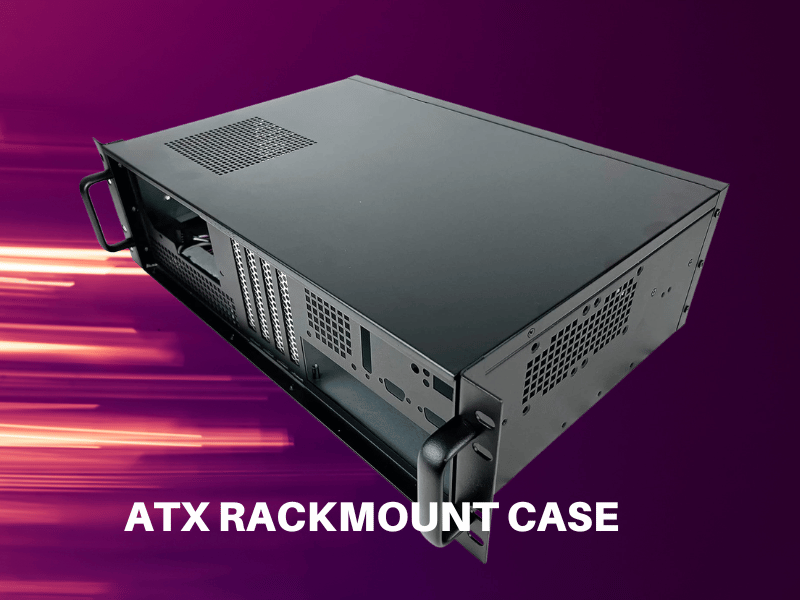
An ATX rackmount case is a horizontal chassis designed to be mounted inside a standard 19-inch equipment rack and to support full ATX or E-ATX motherboards. It slots into rack units (U) of vertical space, making it the go-to solution for deploying desktop-class hardware inside server rooms, industrial cabinets, and edge computing enclosures. If you need to manage multiple systems in one structured environment, an ATX rackmount case is the foundation that makes it possible.
This guide covers everything you need to know — definitions, key features, common challenges, buying criteria, and real-world use cases.
What Is an ATX Rackmount Case?
A standard ATX motherboard measures 305mm × 244mm. An ATX rackmount case is built to house that board — along with compatible PSUs, GPUs, storage drives, and cooling hardware — inside a chassis that slots into a 19-inch rack.
Rackmount cases are measured in rack units (U), where 1U equals 44.45mm (about 1.75 inches) of vertical rack space. Most ATX-compatible rackmount cases fall between 2U and 4U:
- 2U — compact footprint, suited to builds with modest storage and cooling requirements
- 3U — a practical middle ground for workstations and light server builds
- 4U — the most room for full-length GPUs, large air coolers, and high drive counts
These cases are designed to coexist with switches, patch panels, UPS units, and other rack equipment — all housed in one organized, manageable environment.
ATX Rackmount Case vs. Tower Case: Key Differences
Many builders default to tower cases simply out of habit. The table below makes the trade-offs clear.
| Feature | ATX Rackmount Case | ATX Tower Case |
|---|---|---|
| Orientation | Horizontal | Vertical |
| Mounting | 19-inch rack standard | Freestanding |
| Space efficiency | High in rack environments | Requires desk or floor space |
| Airflow pattern | Front-to-rear linear | Varies widely |
| Expansion headroom | Limited by U height | Generally more flexible |
| Best for | Servers, workstations, industrial | Desktops, gaming, individual users |
Tower cases work well for single-user desktop builds where desk space is available. Rackmount cases make more sense when you need centralized deployment, structured cable runs, and the ability to manage multiple systems in a single rack.
Key Features to Look for in an ATX Rackmount Case
Rack Unit Height and Internal Depth
The U rating affects everything from cooling headroom to GPU clearance. Before choosing, confirm how many U slots your rack has available and whether you need the extra vertical room of a 3U or 4U chassis.
Depth is equally critical. Most ATX rackmount cases run between 400mm and 650mm deep. Shallow open-frame racks or wall-mount enclosures may not accommodate a 650mm chassis — always measure before you order.
Motherboard Form Factor Support
Most ATX rackmount cases accommodate standard ATX boards (305mm × 244mm) and many also support E-ATX. That said, don’t assume compatibility — verify the mounting hole pattern, I/O shield cutout dimensions, and any riser card positions against your specific board.
GPU and PCIe Expansion Clearance
Full-length PCIe cards are one of the trickiest fit challenges in rackmount builds.
- 2U cases typically support only low-profile or single-slot cards
- 3U and 4U cases usually accommodate full-height, full-length cards
Some cases use a riser card or an angled PCIe bracket to fit cards horizontally. If your build depends on a discrete GPU for compute, visualization, or AI inference, confirm the case’s maximum card length and riser PCIe generation (Gen 3, Gen 4, or Gen 5) before purchasing.
Drive Bay Layout
Storage flexibility varies widely across ATX rackmount cases. Check for:
- 3.5-inch bays for high-capacity HDDs
- 2.5-inch bays for SSDs or SAS drives
- Front-accessible hot-swap bays for environments where drives need to be swapped without powering down
For NAS builds or storage servers, hot-swap bays at the front of the chassis are a practical necessity rather than a nice-to-have.
Power Supply Compatibility
Most ATX rackmount cases accept standard ATX power supplies, but mounting orientation, depth clearance, and cable routing space vary. High-availability deployments should look for cases that support redundant PSU modules, which allow one supply to fail without taking the system offline.
Cooling and Airflow Design
Rackmount cases are engineered for front-to-rear linear airflow — cool air enters the front, passes over components, and exits through the rear. This predictable pattern is one of the main advantages of rackmount chassis over towers in dense environments.
Key cooling specs to check:
- Number and size of fan positions (80mm, 92mm, or 120mm)
- Hot-swap fan module support
- Radiator mounting support for liquid cooling (more common in 4U cases)
- Low-profile cooler compatibility for 2U builds
Remember: in a populated rack, heat from one unit directly affects the systems above and below it. Efficient airflow inside your chassis is a rack-wide concern.
Common Challenges When Building in an ATX Rackmount Case
Space vs. Expandability Trade-offs
Choosing a smaller U height saves rack space but limits what you can install. A 2U chassis may not support the GPU length, drive count, or CPU cooler height your build requires. Map out your full component list — including future upgrades — before committing to a U size.
Cable Management in Tight Quarters
Rackmount cases give you less room for cable runs than full-size towers. To keep airflow unobstructed and maintenance manageable:
- Use right-angle SATA and power connectors
- Choose a modular PSU so unused cables don’t clutter the interior
- Use velcro straps or cable ties to bundle and route cables along the chassis walls
Maintenance Access After Racking
Once a case is mounted in a populated rack, access becomes more limited. Look for cases that:
- Include or support sliding rail kits so the chassis can be pulled forward
- Use tool-less side panels or thumbscrew fasteners
- Offer front-panel access to drives, USB ports, and status LEDs
How to Choose the Right ATX Rackmount Case
Use this checklist before finalizing any purchase:
- Measure your rack — available U slots, internal depth, and width clearance
- Confirm motherboard compatibility — ATX vs. E-ATX, mounting hole pattern
- Assess GPU requirements — card length, riser card support, PCIe generation
- Plan your storage layout — drive count, form factors, hot-swap requirement
- Model your cooling needs — CPU TDP, number of drives, ambient rack temperature
- Choose your PSU configuration — single ATX or redundant module
- Check front-panel I/O — USB ports, power/reset buttons, drive activity LEDs
- Factor in maintenance workflow — rail kit availability, panel access, cable routing
If you’re deploying multiple identical units, standardizing on a single chassis model reduces spare parts complexity and cuts service time during hardware swaps.
Who Should Use an ATX Rackmount Case?
ATX rackmount cases serve a wide range of professional and industrial applications:
- Rack workstations — engineers, data scientists, and video editors who need desktop-class CPU and GPU performance in a rack-mounted form factor
- Edge computing deployments — systems placed at remote sites, retail locations, or factory floors where hardware must live in a structured, protected enclosure
- Industrial PCs and automation systems — builds requiring filtered intakes for dusty environments, front-panel operator interfaces, and certified chassis designs
- Storage servers and NAS systems — 4U cases with multiple hot-swap bays and HBA card slots handle on-premises storage infrastructure reliably
- Virtualization hosts — teams running hypervisors on standard ATX hardware benefit from the organized, scalable structure of rack-mounted deployment
Frequently Asked Questions About ATX Rackmount Cases
What is an ATX rackmount case?
An ATX rackmount case is a chassis that mounts horizontally inside a standard 19-inch equipment rack and supports full ATX or E-ATX motherboards. It’s measured in rack units (U) and is designed for server rooms, industrial cabinets, and any environment where multiple systems need to be managed in one structured space.
What sizes do ATX rackmount cases come in?
Most ATX rackmount cases are available in 2U, 3U, or 4U heights. A 2U case is compact but limits GPU clearance and the number of drive bays. A 3U case strikes a balance between space and expandability. A 4U case provides the most room for large coolers, full-length GPUs, and multiple storage drives.
Can an ATX rackmount case support a dedicated GPU?
Yes, but it depends on the chassis size. Most 2U cases only support low-profile graphics cards. 3U and 4U cases typically accommodate full-height, full-length cards and often use a riser card to reorient the GPU horizontally. Always verify the maximum card length and the PCIe generation of the riser before purchasing.
How is an ATX rackmount case different from a tower case?
A tower case stands vertically and is designed for individual desktop or workstation use. An ATX rackmount case mounts horizontally in a 19-inch rack alongside other equipment. Rackmount cases are better suited to centralized deployments, data centers, and industrial environments where multiple systems need to be managed together.
What should I look for when choosing an ATX rackmount case?
Start with rack dimensions — available U slots and internal depth. Then confirm motherboard compatibility, GPU clearance, drive bay count, PSU type, and cooling configuration. Also, check whether the case includes or supports sliding rails for easier maintenance access once it’s installed in a populated rack.
Conclusion
An ATX rackmount case bridges the gap between desktop-class hardware flexibility and the structured, scalable world of rack-based infrastructure. Whether you’re building a rack workstation, a storage server, an edge computing node, or an industrial PC, the right chassis keeps your hardware organized, thermally sound, and physically protected.
Getting the selection right comes down to matching your rack’s physical constraints to your component requirements — U height, depth, GPU clearance, drive bays, and cooling capacity all need to align before you commit. Nail those details upfront, and an ATX rackmount case becomes one of the most reliable building blocks for professional, maintainable infrastructure.
