


Did you know that the world generates over 2.5 quintillion bytes of data every day? Whether you’re managing family photos, running a small business, or overseeing a growing enterprise, finding the proper storage solution has never been more critical. With so much data to store, organize, and access, the choice between a NAS (Network Attached Storage) and a server can feel overwhelming.
NAS and servers both play vital roles in data storage, but they serve different purposes. NAS offers a user-friendly, centralized storage solution ideal for homes and small businesses. Servers, on the other hand, offer robust and customizable options for companies with more complex needs. Understanding their differences is key to making the right choice.
This article will guide you through the decision-making process, helping you select the best storage solution tailored to your specific needs. We’ll explore the key factors that matter most—cost, complexity, and performance—so you can make an informed decision without the guesswork. Whether you’re looking for simplicity or scalability, this guide will help you find the perfect fit for your data storage needs.
Defining NAS and Servers
When it comes to data storage, understanding the tools at your disposal is the first step toward making the right choice. NAS and servers may seem similar at first glance, but their capabilities, use cases, and complexities distinguish them. Let’s break them down so you can see which one aligns with your needs.
What is a NAS?
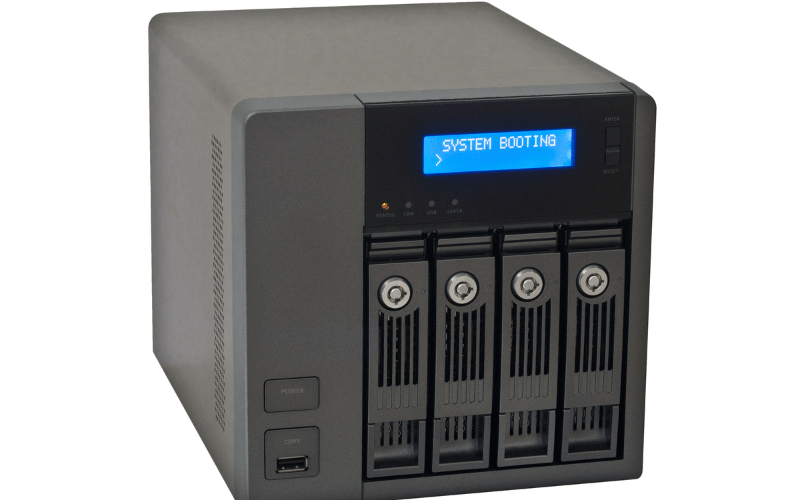
Think of a NAS (Network Attached Storage) as the friendly librarian of your digital world. It organizes your files, keeps them safe, and makes them accessible to everyone in your network—all without requiring you to be a tech wizard. A NAS is essentially a centralized storage device connected to your network, designed for file sharing, backups, and even media streaming.
NAS systems shine in their simplicity. Setting one up is as straightforward as plugging it into your network, configuring a few settings, and letting it do its job. For homes and small businesses, NAS devices act as personal clouds, allowing you to access your files from anywhere without relying on third-party services. They’re perfect for tasks like streaming movies to your TV, backing up family photos, or sharing documents across a small team.
However, NAS devices have their limits. They’re less powerful than servers and offer limited expandability. If your storage needs grow significantly or you require advanced features like heavy-duty virtualization, a NAS might start to feel like a small fish in a big pond. It’s a great starting point, but it’s not built to handle the demands of larger, more complex operations.
What is a Server?
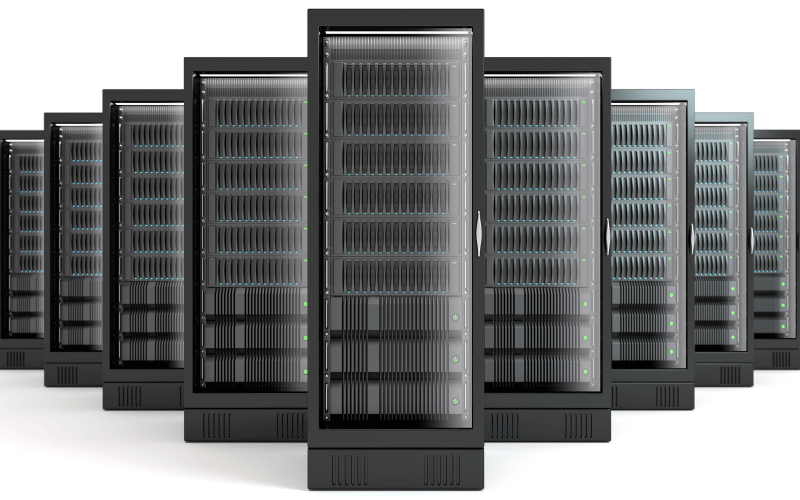
Now, imagine a server as the powerhouse of your digital infrastructure—a multitasking genius that doesn’t just store data but also runs applications, hosts websites, and manages complex tasks like virtualization. A server is essentially a high-performance computer system designed to provide resources and services to other devices on a network.
Servers excel in environments where flexibility and scalability are non-negotiable. Need to host a website? A server has you covered. Running resource-intensive applications or managing virtual machines? That’s where servers truly shine. They’re built to handle heavy workloads and adapt to the evolving needs of businesses, making them indispensable for medium to large enterprises.
But with great power comes greater complexity. Servers demand a higher upfront investment and require technical expertise to set up and maintain. They’re not plug-and-play like NAS devices; instead, they’re customizable workhorses that need careful planning and management. If you’re ready to invest in a solution that grows with your business and offers unparalleled control, a server is the way to go.
Understanding the core differences between NAS and servers is crucial for making an informed decision. While NAS offers simplicity and ease of use, servers provide the power and flexibility needed for more demanding applications. In the next section, we’ll dive deeper into the key factors—cost, complexity, and performance—that will help you determine which option is the best fit for your needs.
Key Differences Between NAS and Servers
Choosing between a NAS and a server isn’t just about picking a storage solution—it’s about aligning your technology with your goals. To make the right choice, you need to understand how these systems differ in their focus, capabilities, and performance. Let’s break it down into four critical areas that will help you see where each shines.
Storage-Focused vs. Application and Service-Focused
NAS is like a dedicated librarian, laser-focused on organizing and sharing files. Its primary role is to provide centralized storage for your network, making it ideal for tasks like file backups, media streaming, and personal cloud access. If your needs revolve around storing and sharing data, a NAS is purpose-built for the job.
Servers, on the other hand, are the multitaskers of the tech world. They don’t just store data—they run applications, host websites, and manage services for your network. Think of a server as the backbone of a business’s IT infrastructure, capable of handling everything from email hosting to advanced virtualization. If you need a system that can juggle multiple roles, a server is the clear choice.
Operating System
NAS devices typically run on simple, proprietary operating systems designed for ease of use and management. These OS platforms, like Synology’s DSM or QNAP’s QTS, are user-friendly and come with pre-configured tools for file sharing, backups, and media management. They’re perfect for users who want a plug-and-play experience without needing to dive into complex configurations.
Servers, however, operate on full-featured operating systems, such as Windows Server, Linux, or custom-built OS environments. These systems offer unparalleled flexibility, allowing you to install and run a wide range of applications. However, with this flexibility comes complexity—managing a server OS requires technical knowledge and a willingness to delve into the technical details.
Scalability
When it comes to scalability, NAS devices are like a starter home—great for small-scale needs but limited in how much you can expand. Most NAS systems allow you to add a few extra drives or upgrade to a larger model, but they’re not designed for significant growth. If your storage needs outpace the device’s capacity, you’ll likely need to replace it entirely.
Servers, by contrast, are built for growth. They’re like modular buildings, allowing you to add more storage, memory, or processing power as your needs evolve. Whether you’re scaling up to support a growing business or integrating new technologies, servers provide the flexibility to expand without starting from scratch.
Performance
NAS devices prioritize energy efficiency and simplicity, often running on lower-power processors. While this makes them cost-effective and quiet, it also limits their ability to handle resource-intensive tasks. For basic file storage and sharing, a NAS performs admirably, but it struggles with heavy multitasking or demanding applications.
Servers, however, are designed for performance. Equipped with powerful CPUs, ample RAM, and high-speed networking capabilities, servers excel at multitasking and handling complex workloads. Whether you’re running virtual machines, hosting databases, or processing large datasets, a server delivers the horsepower you need to keep everything running smoothly.
Understanding these key differences will help you align your choice with your specific needs. While NAS devices offer simplicity and efficiency for storage-focused tasks, servers provide the power, flexibility, and scalability required for more demanding applications. In the next section, we’ll explore how to evaluate your unique requirements to make the best decision for your setup.
Decision Factors
Choosing between a NAS and a server isn’t just about the technology—it’s about what fits your budget, technical expertise, and long-term goals. To make an informed decision, you need to weigh the costs, ease of use, and flexibility of each option. Let’s explore these critical factors to help you find the ideal fit for your needs.
Cost Considerations
When it comes to cost, NAS and servers sit on opposite ends of the spectrum. A NAS is the budget-friendly option, with lower upfront hardware expenses. Most NAS devices come pre-configured with everything you need, from the chassis to the operating system, making them an all-in-one solution. For small businesses or home users, this affordability is a major draw.
Servers, however, require a more significant investment. The hardware alone—ranging from high-performance CPUs to enterprise-grade storage—can quickly add up. And that’s just the beginning. Servers often come with additional costs for software licensing, especially if you’re running operating systems like Windows Server or enterprise applications.
Energy consumption is another factor to consider. NAS devices are designed to sip power, making them more energy-efficient and cost-effective to run. Servers, on the other hand, are power-hungry machines designed for performance, which can result in higher electricity bills over time. If you’re running a server 24/7, you’ll need to factor in these ongoing operational costs.
Ease of Use
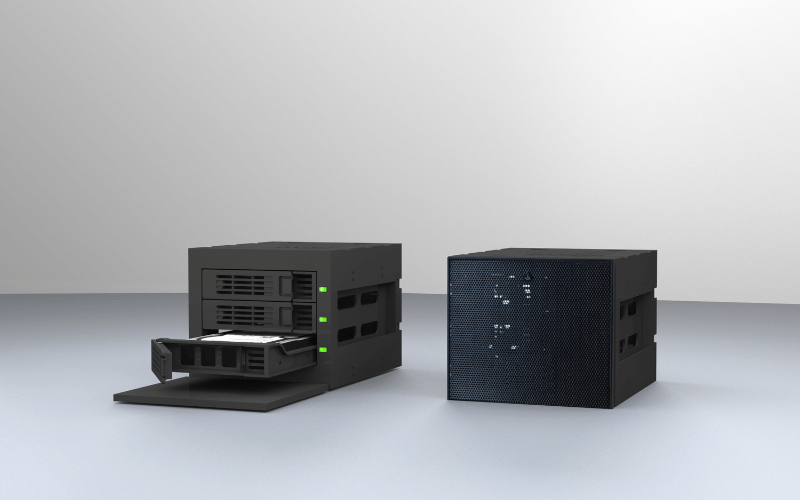
NAS devices epitomize simplicity. They’re designed for plug-and-play operation, meaning you can have one up and running in minutes without needing a degree in IT. Most NAS systems come with intuitive web interfaces that make tasks like setting up file shares or scheduling backups a breeze. If you’re a small business owner or a home user looking for a hassle-free solution, a NAS is your best friend.
Servers, by contrast, demand a hands-on approach. Setting up a server involves configuring hardware, installing an operating system, and managing software updates. It’s not a task for the faint of heart—or the inexperienced. Running a server requires IT expertise, whether it’s in-house or outsourced. If you’re comfortable rolling up your sleeves and diving into the technical details, a server offers unparalleled control and customization.
Flexibility and Customization
NAS devices are like pre-assembled furniture: convenient and functional, but not easily modified. They come with fixed components and limited options for upgrades. While you can add more storage drives or install a few apps, you’re largely confined to the capabilities of the device. For users with straightforward needs, this simplicity is a feature, not a bug.
Servers, on the other hand, are the ultimate blank canvas. They’re built for modular upgrades, allowing you to add more RAM, swap out CPUs, or expand storage as your needs grow. Servers also support a comprehensive software ecosystem, ranging from virtualization platforms like VMware to enterprise applications such as SQL databases. This flexibility makes them ideal for businesses with evolving requirements or complex workloads.
By evaluating these decision factors—cost, ease of use, and flexibility—you can align your choice with your specific needs and resources. NAS devices offer simplicity and affordability, while servers provide the power and customization required for more demanding environments. In the next section, we’ll explore real-world scenarios to help you see how these options perform in action.
Matching the Solution to Your Needs
The choice between a NAS and a server ultimately comes down to what you need your system to do. Each solution has its strengths, and understanding how they align with your specific requirements is key. Let’s explore when a NAS or a server is the better fit for your setup.
When to Choose a NAS
A NAS is like the reliable assistant who keeps everything organized and running smoothly without requiring constant supervision. It’s the go-to solution for straightforward storage and sharing needs, especially in smaller environments.
- File Sharing for Small Teams: If you’re managing a small office or a remote team, a NAS provides a centralized location for sharing files. It’s perfect for collaborative projects where everyone needs access to the same documents, spreadsheets, or presentations.
- Quick, Hassle-Free Data Backup: NAS devices excel at automating backups. Whether you’re safeguarding family photos or critical business data, a NAS can schedule regular backups with minimal setup and maintenance. Many models even offer cloud integration for an extra layer of protection.
- Media Storage and Streaming: For home users, a NAS can double as a personal media server. Store your movies, music, and photos in one place, and stream them directly to your TV, smartphone, or tablet. Platforms like Plex integrate seamlessly with most NAS devices, making media management a breeze.
- Low Budget and Limited Technical Expertise: If you’re working with a tight budget or lack IT expertise, a NAS is the ideal choice. It’s affordable, energy-efficient, and designed for plug-and-play simplicity, so you can get started without hiring a tech specialist.
When to Choose a Server
A server is the backbone of IT infrastructure, designed for businesses and users who require more than just storage. It’s the solution for those who demand flexibility, scalability, and the ability to handle complex workloads.
- Running Specialized Applications: If your business relies on applications like ERP systems, databases, or custom software, a server is essential. It provides the processing power and stability needed to run these resource-intensive programs without any issues.
- Complex Network Services: Servers are designed to manage advanced network services like Active Directory, VPNs, and centralized user authentication. If you need to control access across multiple devices or locations, a server offers the tools to do it securely and efficiently.
- High-Performance Computing or Virtualization: For tasks such as virtualization, where multiple virtual machines run on a single physical system, a server is a non-negotiable requirement. Its robust hardware and support for platforms like VMware or Hyper-V make it the clear choice for high-performance computing.
- Future Scalability for Storage and Processing Power: If you anticipate growth—whether in storage needs, user base, or application demands—a server provides the flexibility to scale. You can add more storage, upgrade hardware, or expand services without needing to replace the entire system.
By matching your needs to the strengths of each solution, you can make a choice that not only meets your current requirements but also positions you for future success. In the next section, we’ll explore real-world examples to illustrate how NAS and servers perform in different scenarios, helping you visualize their impact in action.
Hybrid Solutions
Sometimes, the best solution isn’t choosing between a NAS and a server—it’s combining their strengths. Hybrid setups allow you to leverage the simplicity of a NAS alongside the power and flexibility of a server, creating a system tailored to your unique needs. Let’s explore how these two technologies can work together and the advantages of blending them.
Using a NAS for Cold Storage and a Server for Compute-Intensive Tasks
Think of a NAS as the dependable archivist, quietly storing your data for long-term access, while the server acts as the dynamic problem-solver, handling complex tasks and heavy workloads. In a hybrid setup, you can use a NAS for cold storage—data that doesn’t require frequent access, such as backups, archives, or media libraries.
Meanwhile, the server undertakes compute-intensive tasks, such as running virtual machines, hosting applications, or managing databases. For example, a business might store years of customer records on a NAS while using a server to process real-time analytics or run an ERP system. This division of labor ensures that each system operates within its strengths, thereby optimizing performance and cost efficiency.
Implementing Server Software on High-End NAS Devices
High-end NAS devices are blurring the lines between traditional NAS and servers. Many models now support server-grade software, enabling you to run applications such as Docker containers, virtual machines, or even lightweight web hosting.
For instance, a Synology NAS with sufficient processing power and RAM can host virtual machines or run server software like Plex for media streaming or Nextcloud for private cloud storage. While these devices won’t match the raw power of a dedicated server, they offer a middle ground for users who need more functionality without the complexity of managing a full server.
This approach works particularly well for small businesses or advanced home users who want to consolidate their infrastructure. By running server software on a high-end NAS, you can reduce hardware costs and simplify management while still accessing advanced features.
Advantages of Combining Both Systems for Specific Needs
A hybrid setup offers the best of both worlds, allowing you to tailor your infrastructure to your specific requirements. Here are some key advantages:
- Cost Optimization: By offloading storage tasks to a NAS, you can reserve your server’s resources for compute-heavy operations, reducing the need for overpowered hardware.
- Scalability: A hybrid system grows with your needs. Add more NAS devices for additional storage or upgrade your server for increased processing power without disrupting your existing setup.
- Redundancy and Reliability: Using separate systems for storage and compute tasks creates a natural layer of redundancy. If one system experiences downtime, the other can continue operating, minimizing disruptions.
- Simplified Management: A NAS handles straightforward storage tasks with minimal maintenance, while the server focuses on more complex operations. This division of responsibilities makes it easier to manage your infrastructure.
Hybrid solutions are ideal for users who want to strike a balance between simplicity and power, creating a system that adapts to both current and future needs. In the next section, we’ll explore practical examples of hybrid setups in action, showing how businesses and individuals can benefit from this versatile approach.
Future Trends in Storage Solutions
The storage landscape is evolving rapidly, driven by technological advancements and a growing emphasis on sustainability. As someone deeply entrenched in the GPU server chassis industry, I’ve seen firsthand how these trends are reshaping the way we think about data storage. Let’s explore the emerging technologies and sustainable practices that are defining the future of storage solutions.
Emerging Technologies
The future of storage isn’t just about capacity—it’s about intelligence and adaptability. Emerging technologies are transforming how we manage and optimize data storage, making systems more innovative and more efficient.
AI-Driven Storage Management
Artificial intelligence is poised to revolutionize the storage industry. AI-driven storage management systems analyze usage patterns, predict future storage needs, and optimize resource allocation in real time. Imagine a system that automatically shifts infrequently accessed data to cold storage or adjusts performance settings based on workload demands.
For example, AI can monitor GPU server workloads and dynamically allocate storage bandwidth to ensure that high-priority tasks, such as rendering or machine learning, receive the necessary resources. This level of automation not only improves efficiency but also reduces the need for constant manual intervention, freeing up IT teams to focus on strategic initiatives.
Hybrid Solutions Combining NAS and Server Capabilities
The line between NAS and servers continues to blur as hybrid solutions gain traction. High-end NAS devices are incorporating server-like features, such as virtualization and containerized applications, while servers are becoming more storage-efficient.
For instance, businesses are increasingly adopting setups where NAS handles long-term storage and backups, while servers manage compute-intensive tasks such as AI training or database hosting. This hybrid approach offers the flexibility to scale and adapt as needs evolve, making it a future-proof solution for many organizations.
Sustainability in Storage
As data demands grow, so does the need for sustainable storage solutions. The industry is shifting toward designs and practices that minimize environmental impact without compromising performance.
Energy-Efficient Designs for NAS and Servers
Energy efficiency is no longer a nice-to-have—it’s a necessity. Modern NAS and server designs prioritize low-power components, advanced cooling systems, and intelligent power management. For example, GPU server chassis are now being engineered with optimized airflow and liquid cooling options to reduce energy consumption while maintaining peak performance.
Additionally, manufacturers are exploring materials and designs that reduce the carbon footprint of production. From recyclable chassis materials to modular designs that extend hardware lifespans, sustainability is becoming a core focus in the development of storage hardware.
Cloud Integration to Reduce Hardware Needs
The rise of hybrid cloud solutions is another step toward sustainability. By integrating on-premises storage with cloud services, businesses can reduce their reliance on physical hardware. For example, a company might use a NAS for local file sharing and backups while leveraging cloud storage for archival data or disaster recovery.
This approach not only reduces the need for additional hardware but also allows businesses to scale storage capacity on demand, eliminating the risk of overprovisioning. Cloud integration also supports remote work environments, enabling seamless access to data from anywhere while reducing the energy footprint of maintaining large on-site systems.
The future of storage solutions is bright, driven by intelligent technologies and a commitment to sustainability. By embracing these trends, businesses and individuals can build systems that are not only efficient and scalable but also environmentally responsible. In the next section, we’ll explore how to prepare for these changes and implement forward-thinking storage strategies in your organization.
FAQs: Common Questions About NAS and Servers
Q: Can a NAS run applications like a server?
A: Yes, but with limitations. High-end NAS devices can run lightweight applications such as media servers (e.g., Plex), file synchronization tools (e.g., Nextcloud), or even virtual machines in some cases. However, they lack the processing power and flexibility of a dedicated server. If you need to run resource-intensive applications, such as databases or enterprise software, a server is the better choice.
Q: How much storage space do I actually need?
A: Start by assessing your current data usage and future growth. For personal use, 2-4TB often suffices for media libraries and backups. Small businesses might need 8-16TB or more, depending on the volume of files and the frequency of backups. Always plan for at least 20-30% more storage than your current needs to accommodate growth and avoid running out of space prematurely.
Q: Is it possible to convert old computer hardware into a NAS?
A: Absolutely! You can repurpose old hardware by installing NAS-focused operating systems, such as FreeNAS (now TrueNAS) or OpenMediaVault. Ensure the hardware has enough storage bays, a reliable power supply, and a stable network connection. While this DIY approach saves money, it may lack the energy efficiency and user-friendly features of purpose-built NAS devices.
Q: What are the best brands for NAS devices currently?
A: Synology and QNAP lead the market with their feature-rich, user-friendly devices. Synology excels in software simplicity and a robust ecosystem, while QNAP offers more hardware customization and advanced features. Other notable brands include Western Digital (WD) for entry-level options and Asustor for budget-friendly alternatives. Select a brand that meets your specific needs, such as ease of use, performance, or expandability.
Q: Does using a server require a static IP address?
A: While not mandatory, a static IP address simplifies server management. It ensures consistent access to your server for hosting websites, running applications, or managing remote connections. Without a static IP, you’ll need to rely on dynamic DNS services to map your changing IP address, which can add complexity. For business environments, a static IP is highly recommended.
Conclusion: Making the Right Choice
NAS and servers each bring unique strengths to the table. NAS offers simplicity, affordability, and ease of use, making it ideal for straightforward storage and sharing needs. Servers, on the other hand, provide unmatched power, flexibility, and scalability for handling complex tasks and meeting growing demands.
To make the right choice, evaluate your current requirements and anticipate future growth. Consider factors like budget, technical expertise, and the complexity of your workloads. Starting simple with a NAS can address immediate needs, while leaving room to scale up to a server or hybrid solution as your demands evolve. By aligning your decision with your goals, you can build a storage solution that grows with you.
