
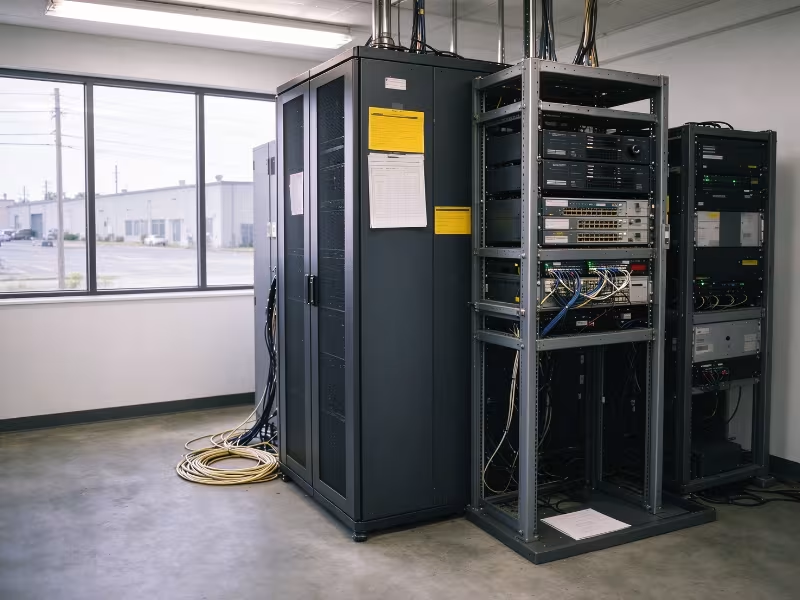
For a small business, one server often carries the entire operation. It runs ERP, file shares, user authentication, and nightly backups simultaneously. When that machine is undersized or fails, work stops: orders stall, production lines wait, and staff sit idle.
The right server is not the most powerful one on the quote. It’s the one sized to your actual workloads, suited to your physical site, and supported well enough to run reliably for three to five years without costly surprises.
This guide follows the method experienced integrators use. Start with workloads, not specs. Choose a form factor that matches your site. Buy redundancy in proportion to what downtime actually costs you. And judge every quote on five-year total cost, not just the purchase price.
What Does Your Business Actually Need the Server to Do?
Every sizing decision traces back to this question. Each workload stresses different server resources. Databases are sensitive to memory capacity and storage latency. Virtualization is CPU- and RAM-heavy. Surveillance and backup require raw capacity and consistent write throughput. Skip this step and you’re guessing at specs.
Map Your Workloads to Resource Demands
|
Workload |
Primary pressure point |
What to prioritize |
|---|---|---|
|
File/print services, Active Directory |
Light CPU, moderate storage |
Reliable RAID, modest RAM |
|
ERP or accounting database (SQL-based) |
RAM, storage latency |
More RAM, NVMe or SAS SSDs |
|
Virtualization (3–10 VMs) |
Cores, RAM |
Higher core count, 64–256 GB RAM |
|
Video surveillance / NVR |
Write throughput, capacity |
High-capacity HDDs, RAID 6 |
|
Plant-floor data (MES, SCADA historian) |
Uptime, steady I/O |
Redundancy, wide-temp hardware if on-site |
Count Users, Then Plan for Growth
Total headcount matters less than concurrent users. Forty employees logging into ERP at 8 a.m. create very different demand from forty people who check a shared folder twice a day.
Size for the load you expect in year three, then add 20–30% headroom on top of that. The most common mistake we see is buying for today’s headcount and finding the server undersized within 18 months.
Tower, Rack, or Edge: Which Form Factor Fits Your Site?
Form factor follows the site, not personal preference. Answer three questions first: Do you have a rack? Where will the server physically live? Will you need to add a second server within three years?
|
Factor |
Tower |
Rack (1U/2U) |
Edge / rugged |
|---|---|---|---|
|
Best for |
Offices without a rack |
Comms rooms, growing sites |
Plant floors, remote sites |
|
Noise |
Low to moderate |
High |
Varies; some are fanless |
|
Expansion |
Good internal bays |
Scales by adding units |
Limited |
|
Space |
Floor or desk |
Needs rack, cooling, cabling |
Compact, short-depth, wall/DIN options |
|
Environment |
Office conditions |
Controlled room |
Wider temp range, dust resistance |
The decisions are usually straightforward. A single office without a rack should buy a tower. A site with an existing comms room, or plans to run two or more servers, should go rack-mounted — a 1U or 2U server chassis fits neatly into standard 19-inch rack infrastructure and leaves room to scale. A factory floor, warehouse, or unmanned remote site needs an edge or rugged server with appropriate environmental ratings.
One important warning: placing a standard rack server in an unconditioned back room because it physically fits is a hardware failure on a timer.
How Much CPU, RAM, and Storage Do You Really Need?
Size each component against your workload map, not the top line of a vendor’s spec sheet.
CPU: Cores vs. Clock Speed
More cores suit virtualization and high user concurrency. Higher clock speeds suit single-threaded applications and software licensed per core.
That licensing point catches many buyers off guard. Windows Server and SQL Server are licensed per core, and Windows Server requires a minimum of 16 core licenses per physical server. Extra cores you don’t need can quietly drive up software costs at every renewal. A single-socket server covers most small-business workloads. Move to dual-socket only when VM density or memory capacity genuinely demands it.
Memory: Size for Headroom and Require ECC
ECC memory is standard on proper server platforms for good reason: it corrects single-bit errors that would otherwise corrupt data or crash services. Never accept a machine marketed as a “server” that is built on non-ECC desktop memory.
For virtualization, add up the RAM each VM requires, include the host OS allocation, then add 20–30% on top. Leave DIMM slots open for future upgrades. Filling every slot with small modules forces you to discard working memory when you eventually expand.
Storage and RAID: Match Media and Protection to the Workload
Use NVMe or SAS SSDs for databases and virtual machines. Use high-capacity SATA or SAS HDDs for surveillance recordings, archival storage, and backup targets. Then choose your RAID level by job:
- RAID 1: OS boot volumes and small file servers
- RAID 10: Databases and VMs — best write performance and fastest rebuild times
- RAID 6: Large HDD arrays where long rebuild times significantly raise the risk of a second drive failure
For write-heavy workloads, use a hardware RAID controller with battery-backed or flash-backed write cache.
RAID is not a backup. It protects against drive failure, not accidental deletion, ransomware, or a site-level event. Separate, preferably offsite, backups are still essential.
Size cores to concurrency and licensing, memory to workloads plus headroom, and storage to I/O type — then protect it with the right RAID level.
How Do You Keep the Server Running When Something Fails?
Start with a simple calculation. Estimate what one hour of downtime costs you in lost production, idle staff, and missed orders. If that number exceeds the price of a redundant power supply, the decision is straightforward.
Redundancy features, ranked by practical value:
- Redundant hot-swap power supplies (1+1): Covers one of the most common hardware failure modes. Connect each PSU to a separate circuit or UPS feed.
- Hot-swap drive bays: Replace a failed drive without taking the server offline.
- RAID with a hot spare: Automatic rebuild begins before most teams even notice the failure.
- Redundant fans: Especially important in warm or dusty environments.
- UPS with graceful shutdown: Prevents data corruption during power interruptions.
Where uptime is critical — production lines, 24/7 operations, remote sites without on-call staff — a bigger single server is not the answer. Two smaller hosts in a failover pair deliver real resilience that one machine cannot.
How Will You Manage, Monitor, and Support It?
Lean IT teams and integrator-managed sites depend heavily on remote manageability.
Remote Management Is Non-Negotiable
Out-of-band management uses a dedicated hardware controller to power-cycle the server, access the console, update firmware, and check hardware health — even when the operating system is completely unresponsive. Common implementations include IPMI (open standard), Dell iDRAC, HPE iLO, and Lenovo XClarity Controller.
Check licensing before you commit. Features such as remote console access and virtual media mounting often require a higher license tier. Keep the management interface on an isolated network segment, never exposed to the public internet.
Choose the Right Support Level
Match the support tier directly to your downtime cost calculation. Next-business-day onsite support is adequate for most office environments. A 4-hour response SLA is worth the premium for production or revenue-critical operations.
Standard warranties typically cover three years. If you plan a five-year lifecycle — which is common in industrial and commercial deployments — extend the warranty at purchase when pricing is most favorable. For remote or industrial sites, also confirm firmware update commitments and local spare parts availability before signing.
Can Your Environment Support the Server?
Standard servers are rated for controlled spaces, roughly 10–35°C with clean, filtered air. Warehouses, workshops, and production floors routinely exceed those limits and add dust, oil mist, vibration, and humidity into the picture.
Run this site check before you finalize the hardware:
- Ambient temperature range, including summer peak and winter low
- Dust, oil mist, or conductive particulate presence
- Vibration from nearby machinery or HVAC equipment
- Available circuit capacity and UPS coverage
- Noise limits if equipment is located near staff workspaces
- Physical security — a lockable rack or cabinet
If two or more items raise concerns, standard rack hardware is not the right fit. Consider an edge or rugged server with a wider operating temperature rating, filtered intake design, or a fanless thermal solution. Alternatively, house standard equipment in a purpose-built ventilated, lockable enclosure. For sites that need a compact wall-mounted solution, wall-mount chassis options are worth evaluating — they are purpose-built for tight, non-standard spaces where a rack cabinet is impractical.
What Will the Server Really Cost Over Five Years?
Hardware purchase price is often the smaller part of five-year cost. Licensing, support contracts, power consumption, and unplanned downtime can easily exceed the original equipment cost.
|
Cost component |
What to evaluate |
|---|---|
|
Hardware |
Base configuration plus planned RAM and drive upgrades |
|
Software licensing |
OS and database per-core costs, virtualization platform, backup software |
|
Support and warranty |
Contract length, response time tier, extension pricing |
|
Power and cooling |
Idle and peak wattage, PSU efficiency rating |
|
Administration |
Internal staff hours or ongoing integrator fees |
|
Downtime risk |
Hourly cost of outage × realistically expected downtime hours |
|
End of life |
Data sanitization, hardware disposal, migration effort |
Here is how this plays out in practice. A cheaper quote with a basic warranty and a single PSU looks attractive at purchase. Factor in one multi-day outage waiting for replacement parts, and it often proves more expensive over five years than a mid-range configuration with redundant power and 4-hour onsite support from day one.
Server Selection Checklist and Final Recommendation
- List your workloads and concurrent user counts.
- Size for year-three load, plus 20–30% headroom.
- Choose a form factor based on physical site and growth plans.
- Size CPU, RAM, and storage; select the right RAID level for each workload.
- Match redundancy features to your calculated downtime cost.
- Confirm out-of-band remote management capability and support tier.
- Assess the operating environment against standard server ratings.
- Compare all shortlisted quotes on five-year total cost of ownership.
For most small businesses, the right choice falls into one of three profiles:
- Office-based business running file services, Active Directory, and accounting: a single-socket tower, RAID 1 or 10, and next-business-day onsite support.
- Growing multi-workload site: a 2U rack server chassis configured for virtualization, with redundant PSUs and hot-swap drives.
- Production floor or remote site: an edge or rugged server with a wide operating temperature rating, filtered cooling, and full out-of-band remote management.
If you have a workload list and site conditions ready, share them with us and we can recommend a chassis configuration sized for your next five years — not just what ships this week.
Frequently Asked Questions
What should I check before buying a server for a harsh or non-office environment? Start with the site’s ambient temperature range, including summer peaks — standard servers are typically rated for 10–35°C, and many industrial spaces exceed that. Then assess dust, oil mist, or conductive particulate levels, since standard filtered intakes are not designed for heavy particulate environments. Check for vibration from nearby machinery, which can shorten drive and fan lifespan significantly. Confirm available circuit capacity and whether a UPS is in place for graceful shutdown. If two or more of these factors are a concern, standard rack or tower hardware is likely the wrong choice. Look instead at edge servers with wider temperature ratings, fanless or filtered-intake designs, and shock-rated storage — or place standard equipment in a purpose-built ventilated enclosure with proper sealing and physical security.
How do I choose between a tower server and a rack server for a small industrial site? The honest answer is that your physical site makes the decision for you. If you have no rack, no controlled comms room, and no plans to add a second server, a tower is simpler and quieter. If you already have rack infrastructure, plan to colocate networking gear, or expect to add servers within three years, go rack-mounted from the start — retrofitting a rack environment later costs more than building it right the first time. For plant floors, warehouses, or remote sites with no climate control, neither standard tower nor standard rack hardware is the right answer. Look at short-depth or rugged edge servers rated for wider temperature ranges, or house standard equipment in a ventilated, lockable enclosure designed for industrial deployment.
How many drives do I need, and which RAID level is right for my workload? The number of drives depends on capacity, performance, and protection requirements together — not any one factor alone. For a small office file server or AD host, two drives in RAID 1 is often sufficient. For a SQL database or VM host, four drives in RAID 10 gives you better write performance and faster rebuild times if a drive fails. For surveillance or archive storage where capacity matters more than speed, six or more HDDs in RAID 6 offers dual-drive fault tolerance — important when rebuild times stretch to hours or days on large arrays. Whatever the level, add a hot spare if the chassis supports it, and use a hardware RAID controller with write-cache protection rather than relying on software RAID for production workloads.
Do I need a server, or will a NAS or workstation do the job? It depends on what you’re running. A NAS works well for file storage and basic backup, but it won’t handle Active Directory, run VMs reliably, or support ERP without significant compromise. A workstation-class machine lacks ECC memory, hot-swap drives, redundant PSUs, and out-of-band management — all of which matter when the machine runs continuously and downtime has a real cost. If your business depends on the hardware staying up during working hours, a proper server platform is the right starting point.
