


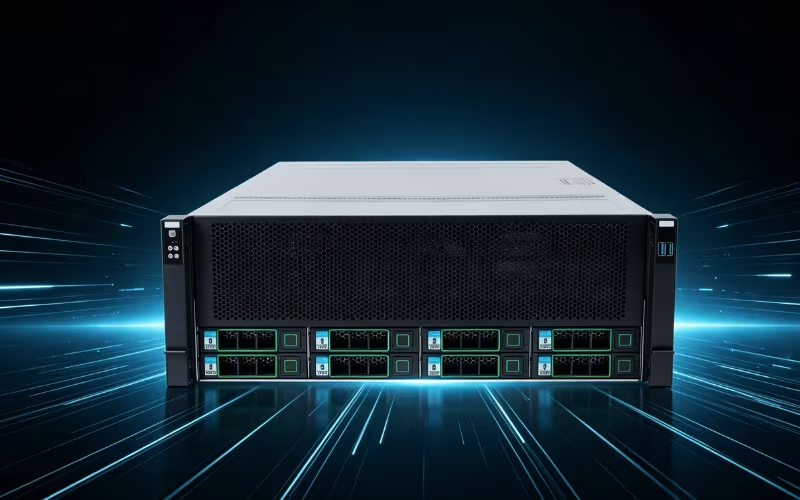
Look, choosing a server case shouldn’t give you a headache. But when you look at a dozen different sizes, form factors, and specifications, it is easy to feel entirely lost. You might be an IT administrator tired of dealing with cramped, overheating racks. Or perhaps you are a business owner who just ran out of physical space for a growing digital inventory. Or maybe you are mid-upgrade with your entire network infrastructure sitting completely exposed on a workbench.
Here is the thing: once you understand server case dimensions and what type works for different operational situations, the decision gets pretty straightforward. Choosing the right server case remains absolutely essential for protecting your expensive hardware, ensuring highly efficient cooling, and supporting future network scalability. Without the proper enclosure, your critical components face severe risks from thermal throttling, dust accumulation, and physical damage.
Let us break down everything you actually need to know about server case sizes and types. This guide will walk you through standard dimensions, specialized form factors, cooling requirements, build materials, and key features. By the end, you will know exactly how to select the perfect chassis for your specific networking needs.
1. Standard Server Case Sizes
Server cases utilize standard measurements to ensure they fit seamlessly into the global IT infrastructure. The primary differences are the overall height and internal volume. You will typically see 1U, 2U, 3U, and 4U lengths, as well as large full-tower cases.
These are not random measurements. They come directly from industry-standard rack unit (U) measurements. One rack unit equals 1.75 inches in height. This standardization means these boxes are built to slide perfectly into standard 19-inch wide server racks. That same structured sizing works great when you need to calculate exactly how much hardware you can fit into a specific server room.
A standard 1U case gives you a slim, efficient profile for basic networking gear. It sounds modest until you start packing it efficiently—you would be shocked at how much actually fits inside. However, internal height becomes a limiting factor for larger components.
If you plan on installing enterprise GPUs, massive cooling heatsinks, or dual-socket motherboards, you need more vertical clearance. This is where 2U and 4U cases shine. A 4U case provides massive internal space, allowing you to install full-height PCIe cards and large power supplies. High-capacity cases offer extra room that becomes incredibly valuable. Network crews especially love 4U and full-tower cases when storing large GPU arrays and complex liquid-cooling reservoirs.
2. Types of Server Cases
Not every server case does the same job. Understanding the different types helps you match the enclosure to your specific environment and workflow.
Rack-Mount Cases
Rack-mount cases represent the industry standard for data centers and large enterprise environments. Engineers design these cases specifically for efficient vertical stacking and extreme space-saving. They slide smoothly into metal racks, allowing facilities to house dozens of servers in a remarkably small footprint. If you operate a dedicated server room or rent colocation space, rack-mount cases are the undisputed go-to option.
Tower Cases
Tower cases are entirely different animals. They look very similar to traditional desktop computer towers and sit independently on a floor or desk. Tower cases are well-suited for small business setups, remote branch offices, or individual engineering workstations. They offer exceptional flexibility because they do not require an expensive server rack to operate. Furthermore, tower cases generally provide much easier physical access for routine upgrades, making them a favorite for local IT administrators.
Blade Cases
Then there are blade cases. These are compact, highly efficient enclosures designed for extremely high-density server setups. A blade chassis houses multiple ultra-thin server modules (blades) that share power, cooling, and networking resources. Enterprise data centers use these to maximize processing power per square foot. However, blade cases require highly specialized infrastructure and represent a significant financial investment.
Custom Cases
Finally, custom cases cater to highly specific industries or unique hardware configurations. Military contractors, industrial manufacturing plants, and specialized telecommunications providers often require tailored enclosures that offer extreme durability, heavy weatherproofing, or unusual internal layouts to meet strict regulatory demands.
3. Server Cases for Specialized Applications
Beyond standard enclosures, specialized options exist to tackle unique, high-demand computing challenges.
GPU-Optimized Cases
GPU-optimized cases are heavily engineered to support multiple graphics processing units simultaneously. Artificial intelligence, machine learning, and complex 3D rendering tasks require massive computational power. These cases feature reinforced PCIe slots, extra clearance for lengthy cards, and specialized airflow channels to keep hot-running GPUs from thermal throttling during intense workloads.
Storage-Focused Cases
Storage-focused cases prioritize data capacity above all else. They offer multiple high-density drive bays for data-intensive applications like cloud storage, backup servers, and media archives. Some models can hold twenty or thirty hard drives in a single chassis, utilizing custom backplanes to manage the massive amount of data routing seamlessly.
High-Density Cases
High-density cases maximize space efficiency in large-scale data centers. Every square inch matters when you pay for colocation space. These cases pack the maximum amount of processing power and memory into the smallest possible footprint, often utilizing custom motherboards and specialized, low-profile power supplies to achieve their compact size.
Customizable Cases
Customizable cases provide the ultimate flexibility. They include high-end features like hot-swappable drive bays, modular internal designs, and integrated support for advanced cooling systems. You can physically move drive cages, swap out fan brackets, or install specialized I/O panels. If your business scales rapidly and your hardware needs change constantly, a customizable chassis adapts right alongside you.
4. Material and Build Quality
Steel construction is not optional when it comes to server security and long-term durability. Quality server cases utilize heavy-duty, corrosion-resistant steel or premium extruded aluminum that lasts for decades.
Steel provides incredible structural strength, ensuring the chassis does not warp or bend when fully loaded with heavy components. Aluminum, on the other hand, offers a lighter overall weight and provides excellent natural heat dissipation. High-end manufacturers often combine both materials, using a rigid steel frame wrapped in lightweight aluminum panels.
The structural integrity of the frame plays a massive role in supporting heavy components like massive enterprise GPUs, thick copper cooling radiators, and heavy redundant power supplies. A weak frame will eventually sag, which can warp your expensive motherboard and break critical electrical connections.
Furthermore, you must highlight the importance of anti-vibration features for stable operation. High-speed server fans and mechanical hard drives generate constant micro-vibrations. Over time, these vibrations damage delicate drive heads and loosen mounting screws. Quality server cases include rubber isolation grommets, shock-absorbing drive sleds, and reinforced fan brackets. These features actively absorb mechanical tremors, ensuring your hardware remains perfectly stable and operational during heavy, continuous workloads.
5. Cooling Systems in Server Cases
Thermal management is arguably the most critical operational factor for any enterprise server setup. If you fail to properly cool your hardware, your system will crash.
Air Cooling
Air cooling remains the most common and cost-effective method for regulating hardware temperatures. In these setups, you must discuss the critical role of fans and airflow optimization. High-quality server cases utilize powerful, high-RPM fans to create a strong, unidirectional wind tunnel effect. These fans pull fresh air across the hard drives, force it directly over the CPU heatsinks, and rapidly expel the hot exhaust out the rear. The case design must offer unobstructed internal pathways to maintain this vital airflow.
Liquid Cooling
Liquid cooling offers unparalleled thermal management for high-performance servers handling extreme workloads. Water transfers heat far more efficiently than air. Liquid cooling systems absorb heat directly from the processors and transport it to a large radiator for rapid dissipation. When choosing a case for high-end AI or rendering servers, you must prioritize models with built-in physical support for liquid cooling. Look for chassis that provide mounting brackets for thick radiators, dedicated space for fluid reservoirs, and safe routing paths for coolant tubing.
Hybrid Cooling
Hybrid cooling systems combine the best of both air and liquid cooling for maximum thermal efficiency. In a hybrid setup, the primary CPUs or GPUs use dedicated liquid cooling loops, while high-airflow case fans manage ambient temperatures for the motherboard, memory modules, and storage drives. This method is highly suitable for dense setups with multiple GPUs or incredibly high heat output, ensuring that every single component operates well within its safe thermal limits.
6. Choosing the Right Server Case Size
List everything you are planning to install inside your server. Walk through your hardware inventory—CPUs, massive enterprise GPUs, specialized networking cards, and every single storage drive. Be highly honest about your volume. Most people underestimate how much hardware they actually have, then panic when the server case shows up and cannot fit a dual-slot graphics card.
Measure the exact physical space where you want to place the server case. A 4U rack-mount chassis requires 4U of clear vertical space on your server rack, plus sufficient rear clearance for heavy power cables. If you have limited rack space, moving to a standalone tower case might be better than trying to squeeze a massive chassis into a cramped network closet.
Always consider your future scalability and expansion needs. Will you add more storage drives next quarter? Will you upgrade to a dual-GPU setup for machine learning tasks next year? If you plan to scale, you need a case that offers empty drive bays and unoccupied PCIe expansion slots.
Furthermore, highlight the importance of ensuring strict compatibility with your existing environment. If you rent data center space, you must use a rack-mounted configuration. If you run a small creative agency from a converted office, a quiet tower configuration makes far more sense. When in doubt about internal capacity, size up. Nobody ever complains about having too much airflow or extra room for cable routing.
7. Key Features to Look for in a Server Case
Beyond basic dimensions and cooling, several critical features separate a mediocre server case from a professional-grade enclosure.
Security Features
Server cases hold your most valuable proprietary data. Security features are paramount. Look for cases that offer lockable front bezels, secure side panels, and tamper-proof structural designs. Physical security prevents unauthorized personnel from removing hard drives or tampering with power supplies.
Cable Management
Proper cable management dictates both visual organization and thermal efficiency. You must look for cases with built-in routing channels, hidden rear compartments, and strategic tie-down points. Organized cables ensure an unobstructed airflow path, preventing hot air from getting trapped behind a wall of tangled wires.
Accessibility
Maintenance should never be a nightmare. Highlight cases that prioritize accessibility. Tool-less designs, hot-swappable drive sleds, and easily removable side panels drastically reduce the time required for routine maintenance. When a hard drive fails at 2 AM, you want a case that lets you swap the drive in seconds without having to hunt for a screwdriver.
Noise Reduction
Finally, noise reduction is crucial for servers located near human workers. High-RPM server fans sound like jet engines. Look for cases lined with thick sound-dampening materials and optimized fan placement. These acoustic treatments absorb high-frequency fan whine and mechanical vibrations, keeping your workspace reasonably quiet.
8. Cost Considerations for Server Cases
Budgeting for a server case requires looking past the initial purchase price and understanding the long-term total cost of ownership.
Standard 1U or 2U rack-mount cases for basic networking usually start around $100 to $300. However, massive 4U GPU-optimized cases or high-end tower enclosures built from premium materials can easily run from $500 to well over $1,500.
You must highlight the cost-benefit analysis of investing in high-quality cases. A cheap, flimsy case might save you two hundred dollars today, but if poor airflow causes your $3,000 enterprise GPU to overheat and fail, that initial savings vanishes instantly. Premium cases protect your expensive hardware, extend component lifespans, and drastically reduce costly system downtime.
Additionally, factor in the additional costs for premium features. Cases equipped with advanced hot-swappable drive backplanes, integrated liquid-cooling distribution plates, and heavy-duty sliding rack rails will drive prices higher. If you need specialized customizations for unique hardware layouts, expect to pay a premium. Do the math on your total investment. Protecting $ 30,000 worth of server hardware with a high-quality, reliable enclosure always makes the most financial sense.
9. Maintenance and Longevity
Even the best server case requires basic maintenance to ensure it protects your hardware for years to come. Routine upkeep prevents minor issues from turning into major hardware failures.
You must regularly inspect the chassis for internal dust buildup. Dust acts as a thermal blanket, trapping heat against your sensitive components. Clean the intake fans, wash the removable air filters, and use compressed air to clear out the internal drive cages every few months.
Check for rust or corrosion on metal components, especially if your server operates in a humid industrial environment or an outdoor telecommunications shed. Treat any exposed metal promptly to prevent structural degradation.
Ensure continuous proper airflow by organizing internal cables and avoiding physical obstructions. If you add new hardware, take the time to route the new cables neatly rather than shoving them into the airflow path. Finally, proactively replace worn-out parts, such as grinding cooling fans or cracked rubber isolation seals. Maintaining the case ensures it continues to deliver peak performance and thermal efficiency throughout the entire lifespan of your server network.
10. Why Onechassis Server Cases Stand Out
When selecting the foundation for your IT infrastructure, brand reputation matters immensely. Onechassis server cases consistently stand out in a crowded market due to their unwavering commitment to premium quality, rugged durability, and continuous engineering innovation.
Onechassis builds enclosures specifically designed to handle the most demanding enterprise environments. Their cases feature heavy-duty steel and aluminum construction, ensuring your hardware remains perfectly secure and stable under massive weight loads.
You must highlight their key features, including highly modular internal designs, advanced liquid and air-cooling options, and incredible scalability. Whether you need a compact 1U chassis for web hosting or a massive 4U GPU-optimized enclosure for artificial intelligence research, Onechassis provides a tailored solution. Their tool-less drive bays, exceptional cable routing channels, and superior anti-vibration mounts make system assembly and routine maintenance completely effortless for IT administrators.
Furthermore, Onechassis backs their engineering with outstanding customer support and reliable warranty options, giving you absolute peace of mind. If you want an enclosure that maximizes thermal efficiency and protects your valuable hardware investments, explore the extensive lineup of Onechassis server cases today for reliable, enterprise-grade, and highly efficient housing solutions.
Conclusion
Choosing the right server case does not require overthinking, but it does require careful evaluation of your specific operational needs. Starting with an honest assessment of your hardware volume and available physical space makes it relatively simple to match your components to standard case sizes. We cannot emphasize enough the importance of choosing the right server case for long-term hardware performance, optimal cooling, and future network scalability. A premium enclosure protects your digital infrastructure far better than budget alternatives, saving you from catastrophic downtime. Onechassis plays an essential role in providing high-quality server cases explicitly tailored to diverse, high-demand enterprise needs. Do not leave your critical hardware vulnerable. Explore Onechassis server cases today to find the reliable, highly efficient enclosure your network deserves.
