


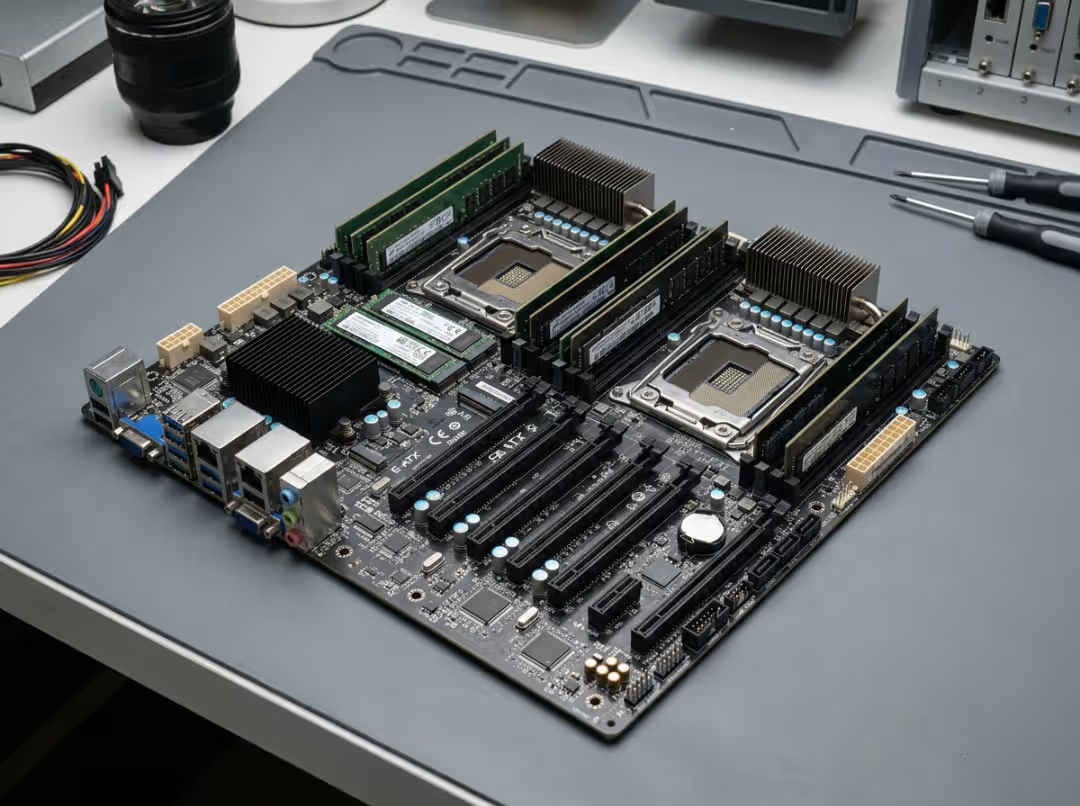
The best server motherboard isn’t the one with the fastest chipset or the most heatsinks — it’s the one that fits your case, runs your CPU, catches memory errors before they corrupt your data, and lets you fix problems without standing in front of the machine. Shop for a server mobo the way you’d shop for a desktop board and you’ll end up with hardware that won’t mount, won’t boot your CPU, or won’t respond when it hangs at 3 a.m. The two look similar. They aren’t. This guide shows you what actually makes a server board worth buying, and how to match one to the job it has to do.
Why a Server Motherboard Isn’t Just a Bigger Desktop Board
A high-end desktop board can cost less than an entry server board and still post huge benchmark numbers. For a machine that runs a few hours a day, that math works. For a machine that runs nonstop, it breaks down fast.
Three things separate a real server board from a beefy desktop one. First is ECC memory support, which corrects the small memory errors that accumulate over months of uptime. Second is out-of-band management, the ability to control the machine remotely even when the operating system is dead. Third is a build made for 24/7 duty cycles — sturdier VRMs, real sustained thermal headroom, and firmware tuned for uptime instead of overclocking.
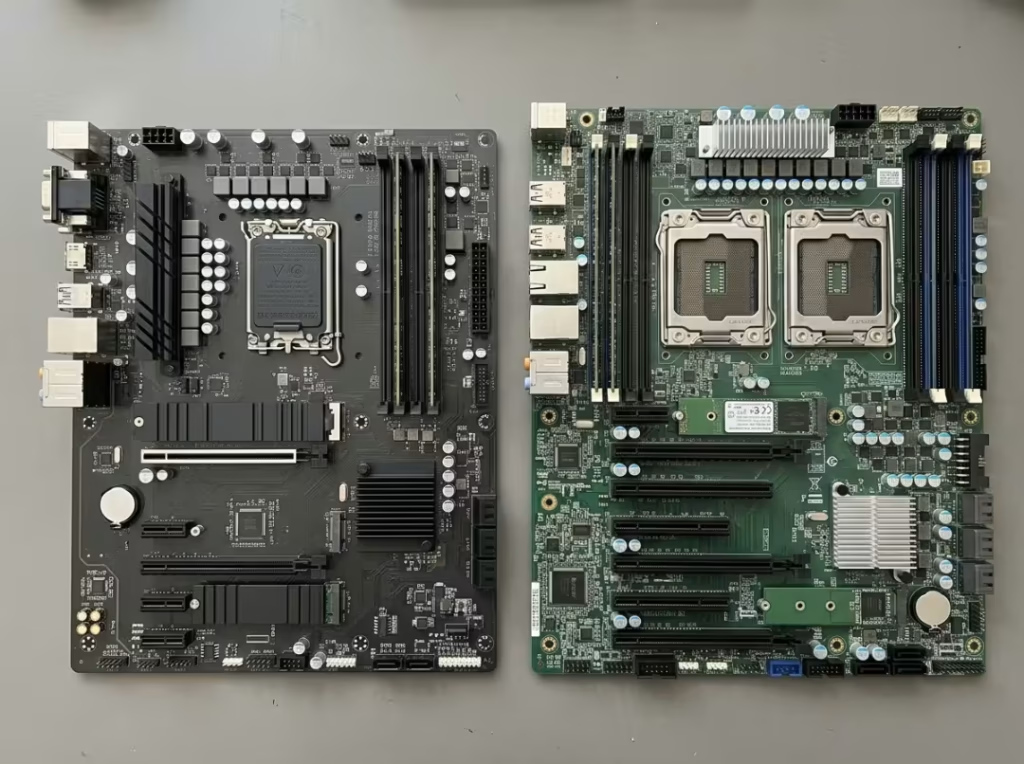
Raw specs only tell half the story. Core count and clock speed matter, but a board that crashes under sustained load is worthless no matter how well it benchmarks in a five-minute test. Servers are judged across thousands of hours, not peak numbers.
|
Feature |
Desktop Board |
Server Board |
|---|---|---|
|
ECC memory |
Rarely supported, often ignored even when present |
Native support — the whole point of the platform |
|
Out-of-band management |
None |
IPMI / BMC for full remote control |
|
Duty cycle & build |
Tuned for bursts and overclocking |
Built for continuous 24/7 operation |
Read the rest of this as a buying framework, not a spec catalog. Every dimension below only matters relative to what your machine will actually do. You buy reliability and manageability first, throughput second.
The Three Features That Separate Good Server Boards
Three features do most of the real work in a server, and they’re the ones desktop boards skip. Get them right and the rest of the build is just fitting parts to a workload. Get them wrong and you’ve spent server money on a fancy desktop.
ECC Memory Support
This is the most important server feature, and it’s the first thing buyers cut to save money. That’s a mistake.
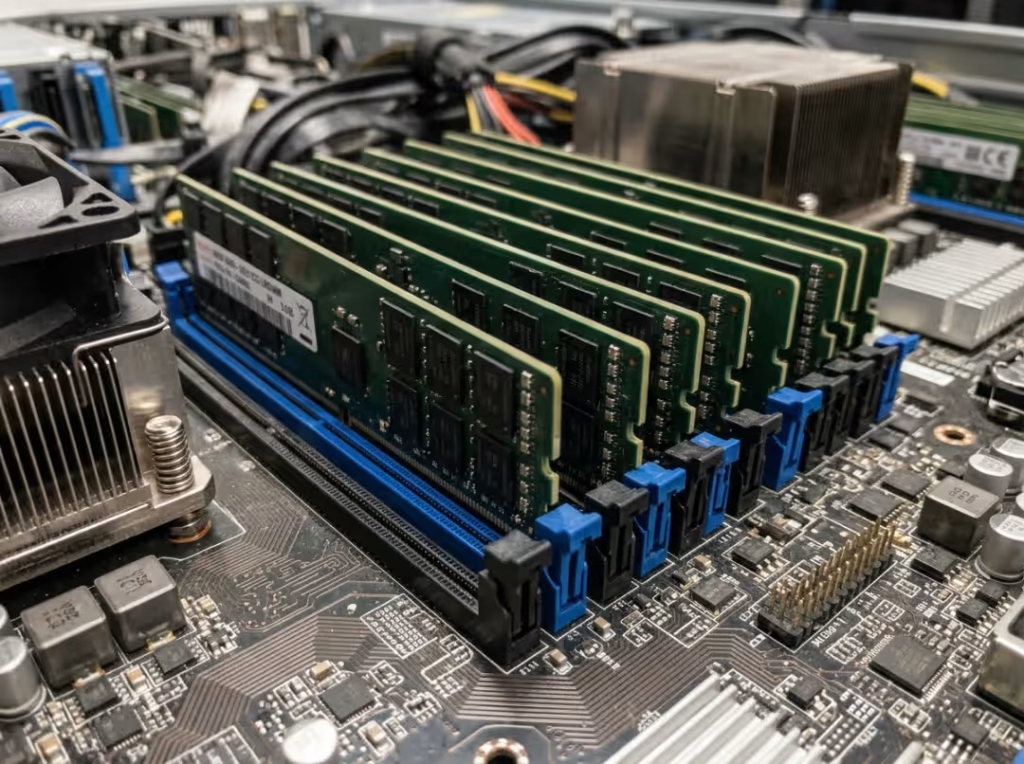
ECC memory — error-correcting code memory — catches and corrects single-bit errors in RAM before they reach your data. Those errors are real and constant, triggered by everything from cosmic rays to voltage swings. On a desktop, a flipped bit might crash a game you relaunch in thirty seconds. On a storage server running for months, silent corruption seeps into files, databases, and backups, and you won’t know until something important is already broken.
The DIMM types trip people up. Unbuffered ECC (UDIMM) works on entry-level platforms and looks close to desktop memory. Registered memory (RDIMM and LRDIMM) adds a register between the memory and the controller for stability at high capacities, and it’s what most serious server boards expect. The board — not just the CPU — dictates which type you can run. A board built for RDIMM will not boot UDIMM, and the reverse holds too.
The trap: mixing registered and unbuffered sticks, or trusting memory sold as “ECC-compatible” that your board won’t actually run in ECC mode. Confirm the exact supported memory type in the board’s manual before you buy a single stick.
Out-of-Band Management (IPMI / BMC)
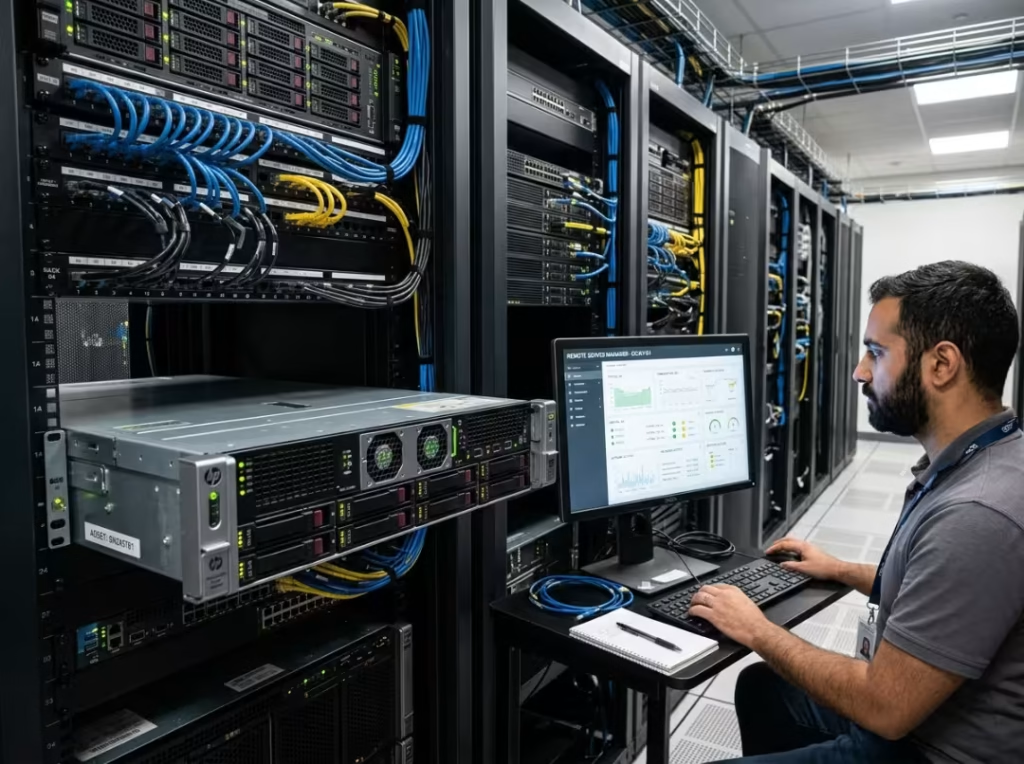
The first time a server locks up while you’re in another building — or another city — you understand why this feature exists. It’s the difference between a five-minute remote fix and a two-hour drive.
Out-of-band management runs on a small dedicated chip called the BMC (baseboard management controller), and it works whether or not the main system is alive. IPMI is the standard interface, and vendors layer their own versions on top: HPE calls theirs iLO, Dell calls it iDRAC. Whatever the name, they let you power cycle the machine remotely, reach the BIOS over the network, watch temperatures and voltages, and take full KVM-over-IP control as if you were at the keyboard. When the OS won’t boot, you can still see the screen and fix it.
One detail buyers miss: whether the board has a dedicated management NIC or shares one with the operating system. A shared port undercuts the whole point — if the OS network stack goes down, so does your access. Look for a separate management port.
Check this carefully on used boards. Some vendors gate KVM-over-IP behind a paid license key, and a locked management interface can cripple an otherwise excellent deal. If the machine will ever sit in a rack or a remote location, treat management as non-negotiable, not a bonus.
Form Factor and Physical Fit
This is the mistake that arrives in a box — a board that physically won’t mount in the case you already bought.
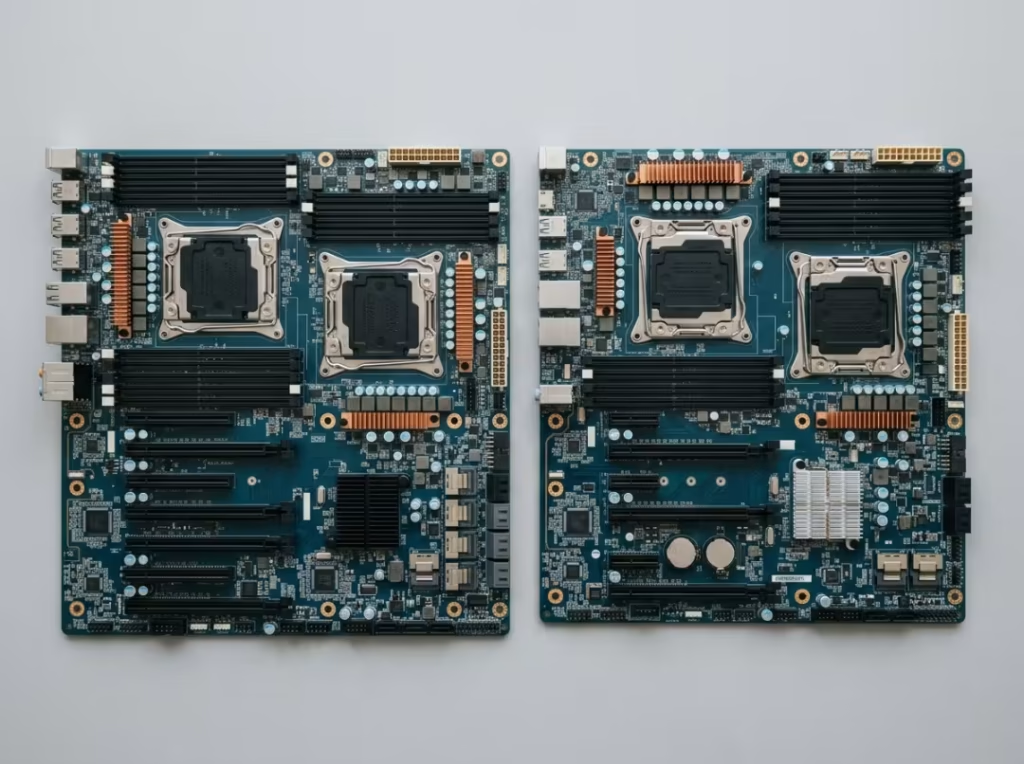
The real-world options are narrower than the spec sheets suggest. ATX and E-ATX boards are the easiest to source and fit most towers and many rack chassis. SSI-EEB and SSI-CEB are the enterprise standards you’ll see on Supermicro and vendor boards, and they need compatible cases with the right standoffs. Mini-ITX shows up in compact NAS boxes and cramped homelab racks where space is tight.
Here’s what catches people: SSI-EEB and E-ATX have nearly identical footprints but different mounting hole patterns. A board that looks like it fits often doesn’t line up with the standoffs, leaving you with unsupported corners and a flexing PCB. “It looks about right” is not good enough — the holes have to match.
Physical fit is only half the job. Airflow direction and front I/O placement are the other half. Most rack chassis pull air front-to-back; most towers pull bottom-to-top or front-to-back. A board that mounts fine but fights the chassis airflow will run hot and throttle. Match the board’s exact form factor and mounting pattern to the case spec sheet, not to a rough size guess.
Choosing the CPU Platform
The socket you pick locks in everything downstream — memory type, PCIe lane count, and how far you can expand later. Choose it around the workload, not the other way around.
At a practical level, the choice comes down to two camps. Intel Xeon offers a mature ecosystem with strong single-socket entry options, and it’s a safe pick for virtualization and general-purpose servers. AMD EPYC brings higher core counts, far more PCIe lanes, and more memory bandwidth, which makes it the better fit for dense compute, big storage arrays, and GPU-heavy builds.
Single-socket versus dual-socket deserves an honest answer: dual-socket roughly doubles cost and complexity, and most homelab and small-business workloads never come close to needing it. Buy the second socket only when you have a real reason.
One verification step buyers skip constantly: a board supporting a socket does not mean it supports your exact CPU. Newer chips often need a specific BIOS version, and a board shipped with old firmware may not even POST with a current processor. Check the board’s official CPU support list against the exact model you plan to run.
Watch the downstream cost too. High-TDP CPUs demand stronger VRMs, better cooling, and enough 8-pin CPU power connectors. The board has to be sized for the chip, or it’ll throttle or refuse to run at full clocks. For a full checklist of the individual specs to verify before you buy, see our guide to what makes a good server motherboard.
Storage, Expansion, and Power: Getting the Rest Right
You already have desktop intuition here, so this section covers the server-specific gotchas and nothing you already know.
On storage, the main split is SATA versus SAS. The onboard controller handles a handful of SATA drives fine, but once you’re stacking eight or more drives, you’ll want an HBA (host bus adapter) card. Running ZFS or TrueNAS? Skip onboard hardware RAID entirely and use an HBA in passthrough mode — ZFS wants direct access to the disks. For boot drives, a dedicated M.2 slot or a SATA DOM keeps your OS off the main array.
On expansion, watch the PCIe lanes. GPUs, 10GbE and 25GbE NICs, and HBAs all consume lanes, and lanes are finite. The common trap: a slot that’s physically x16 but electrically wired for x8 or x4, which quietly caps your throughput. A GPU or a fast NIC in a starved slot won’t hit its rated speed. This is where EPYC’s lane advantage earns its price.
On power and cooling, enterprise boards play by their own rules. Many use proprietary or bare-wire power connectors and require multiple 8-pin CPU leads — a standard PSU may not plug in without breakout cables or adapters. Fan headers and airflow direction decide whether the board stays cool in a dense chassis. Count your real expansion needs first, then confirm the board has the lanes, connectors, and headers to serve them, plus a little headroom.
Matching the Board to the Job
Specs mean nothing in the abstract. Buyers stop overpaying — and stop underbuying — the moment they anchor the decision to what the machine actually does. Three common workloads pull the choice in three directions.
For virtualization and homelab builds, RAM ceiling and core count lead. You want enough memory to run several VMs comfortably and enough cores to keep them responsive. A single EPYC or Xeon board running Proxmox or ESXi, paired with ECC memory and IPMI for remote access, handles this without a second socket.
For a NAS or storage server, drive bays, HBA compatibility, and sustained throughput lead. The board needs to feed a lot of disks and keep the array healthy. A TrueNAS build with ECC memory, a 10GbE NIC, and eight or more drive bays is the standard shape here.
For compute, rendering, and AI, PCIe lanes and PSU capacity lead. Power-hungry GPUs need full-speed slots and clean, plentiful power. An EPYC board with a high lane count and room for two GPUs fits parallel workloads far better than a lane-starved alternative.
|
Workload |
What Matters Most |
Example Board Type |
|---|---|---|
|
Virtualization / homelab |
RAM ceiling, core count, IPMI |
Single EPYC or Xeon, ECC, remote management |
|
NAS / storage server |
Drive bays, HBA support, throughput |
ECC board with 10GbE and 8+ bays |
|
Compute / rendering / AI |
PCIe lanes, PSU capacity |
High-lane EPYC with dual-GPU room |
Define the workload before you look at a single spec, then let the workload rank the features for you.
New vs. Used and the Traps That Cost You
Server boards get bought used all the time to stretch a budget, and used server hardware is a minefield the “top 10 boards” lists never warn you about.
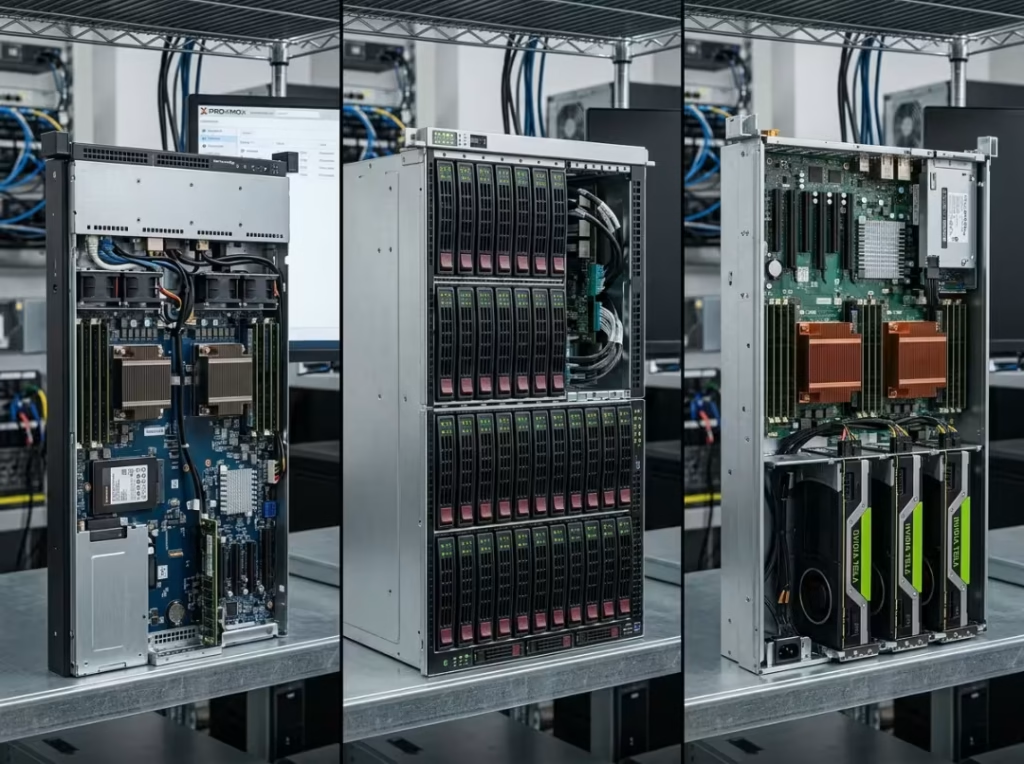
For new retail, Supermicro, ASUS, Gigabyte, and ASRock all make solid boards you can spec against a manual with confidence. For used and refurbished, resellers and eBay can save real money — but be honest about the risk. Dell and HPE boards are built for their own chassis and rarely play well in a standard case, so a cheap iDRAC-equipped board can turn into a project you didn’t sign up for.
The traps that quietly cost you:
- Proprietary form factors that won’t fit a standard case even with adapter plates.
- Firmware and BIOS locks — boards that only accept a vendor’s CPUs or memory.
- Fake ECC — memory sold as “ECC-compatible” that the board won’t actually run in ECC mode.
- Hidden costs — mini-SAS cables, bracket kits, socket-specific coolers, and management licenses that inflate the real price after checkout.
|
Buy New If… |
Buy Used If… |
|---|---|
|
You want warranty coverage and support |
You’re comfortable checking CPU support lists |
|
You need a guaranteed BIOS path for current CPUs |
You can verify the management interface isn’t license-locked |
|
You want a board that drops into a standard case without surprises |
You’ll price in the cables and brackets a bare board won’t include |
Price the whole platform, not the board in isolation. The cheap board with three add-ons you forgot to budget for was never cheap.
Frequently Asked Questions
What is the difference between E-ATX and SSI-EEB?
They share a nearly identical footprint but use different mounting hole patterns. A case that supports one may not properly support the other, so always check the standoff layout against the case spec sheet before buying.
Do I need ECC memory for a home server?
For anything storing data you care about — a NAS, a backup target, a database — yes. ECC catches silent memory errors that corrupt files over long uptime. For a throwaway test box, you can skip it.
Can I use a desktop CPU in a server motherboard?
Usually not. Server boards are built around server sockets and chipsets, and desktop CPUs won’t fit or won’t be supported. Entry-level platforms blur the line, so check the board’s exact CPU support list.
What does IPMI do and why does it matter?
IPMI lets you manage a server remotely — power cycling, BIOS access, and KVM-over-IP — even when the OS is down. It matters most for any machine you can’t physically reach quickly.
How many PCIe lanes do I need for a GPU or a 10GbE card?
A GPU wants a full x16 slot for best performance, though x8 works for many uses. A 10GbE NIC typically needs x4 or x8. Confirm the slot runs at that speed electrically, not just physically.
Are used server motherboards a safe buy?
They can be, if you verify CPU support, confirm the management interface isn’t license-locked, and budget for missing cables and brackets. The risk is hidden costs and vendor lock-in, not the boards themselves.
Can I run a standard ATX power supply with a server board?
Sometimes. Many server boards use proprietary or bare-wire connectors and need multiple 8-pin CPU leads. Check the power requirements first — you may need breakout cables or a server-grade PSU.
Conclusion
Buying the best server motherboard comes down to a clean sequence: define the workload first, lock the form factor and socket, confirm ECC memory support, plan your storage and expansion, then check power and management last. Work it in that order and you rarely get burned.
The bigger truth is that a server mobo isn’t a standalone purchase — it’s buying into a platform. The cables, coolers, chassis, and PSU around it matter as much as the board itself, and the “cheap” board that forces three unplanned add-ons was never the cheap option. Verify every part against the board’s manual, and lean toward boards with out-of-band management if the machine will ever live in a rack or a room you rarely visit. Get the fundamentals right and the board disappears into the background, doing its job for years without asking for your attention.
