


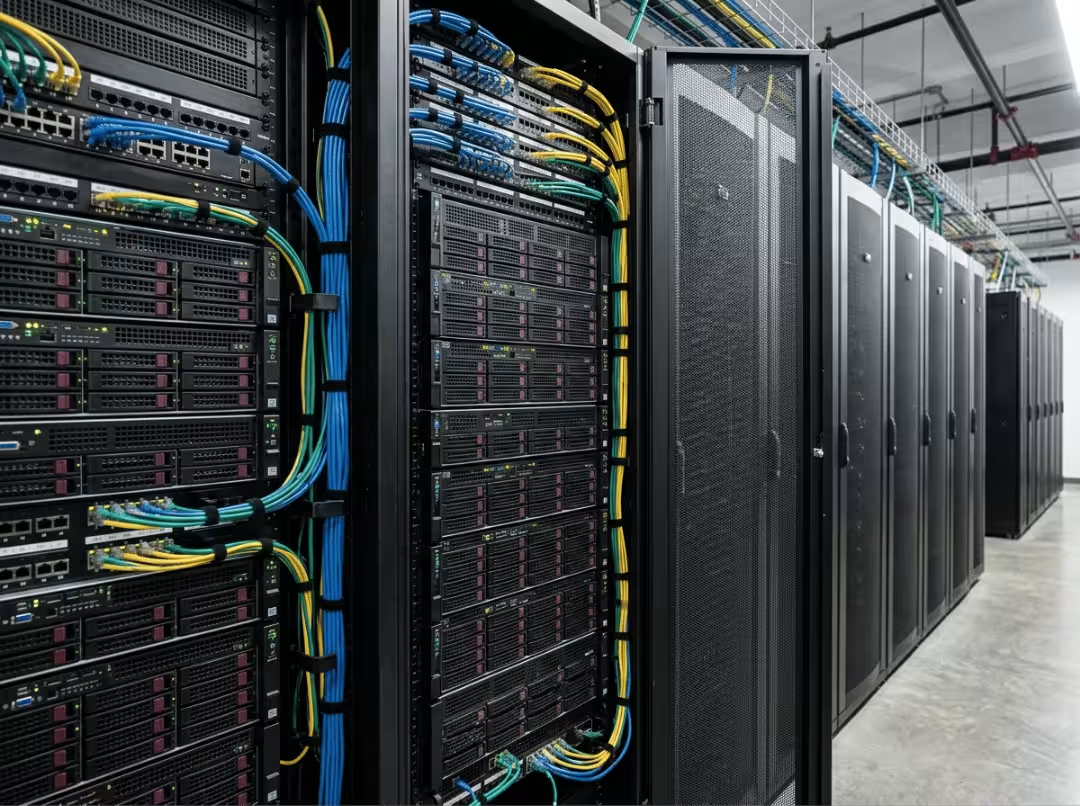
“Server” is too broad a term once you’re actually speccing infrastructure. The same word covers a 1U web host and an 8-node GPU chassis — machines with nothing in common except the label. Data center servers are purpose-built for continuous uptime, redundancy, and remote management. Getting the type and role right from the start determines how well the deployment scales; getting them wrong means re-architecting six months in.
This guide covers what separates a data center server from ordinary hardware, the main physical types, the roles they perform, how they function in production, and how to make the right call when choosing one. For how many servers a facility typically needs by size and density, see our companion post, How Many Servers Are in a Data Center?
What Makes a Data Center Server Different?
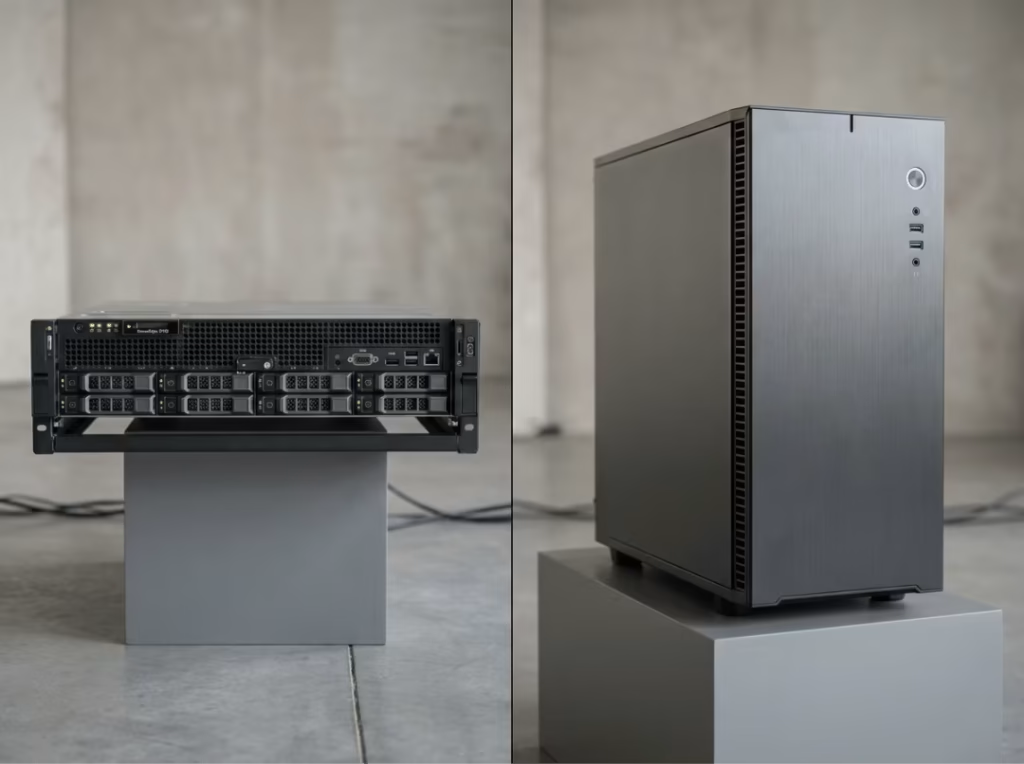
A data center server and a high-end desktop can share similar CPUs and still operate in entirely different categories. The gap comes down to how each machine is built to survive sustained, unattended operation.
Built for Continuous Uptime
Data center servers run 24/7, often for years without a full shutdown. Components are selected and tested for sustained load, not burst performance. Firmware supports live patching and scheduled maintenance without interrupting service. A desktop CPU throttling under load is an inconvenience. A data center server doing the same is an outage.
Designed With Redundancy and Remote Management
Redundancy keeps a single component failure from becoming a service disruption. Dual PSUs mean one power supply can fail without taking the machine offline. ECC memory catches and corrects data corruption before it causes a crash. RAID protects against drive failure. Remote management interfaces — IPMI, iDRAC — let administrators monitor, reboot, or reconfigure a server without physical access, which matters a great deal when the machine is in a facility hundreds of miles away.
Optimized for Rack Density and Serviceability
Every data center server is designed around a rack, not a desk. That means standardized U-height dimensions, front-to-back airflow that matches hot-aisle/cold-aisle cooling, and tool-less drive bays or sliding rails for fast service. Rack density and serviceability trade off against each other, and form factor choices made early in a deployment determine how much flexibility you have later.
Main Types of Data Center Servers
Form factor is the physical chassis a server comes in. It’s the first decision that shapes everything downstream — power draw, cooling requirements, and how many units fit per rack.
Rack Servers
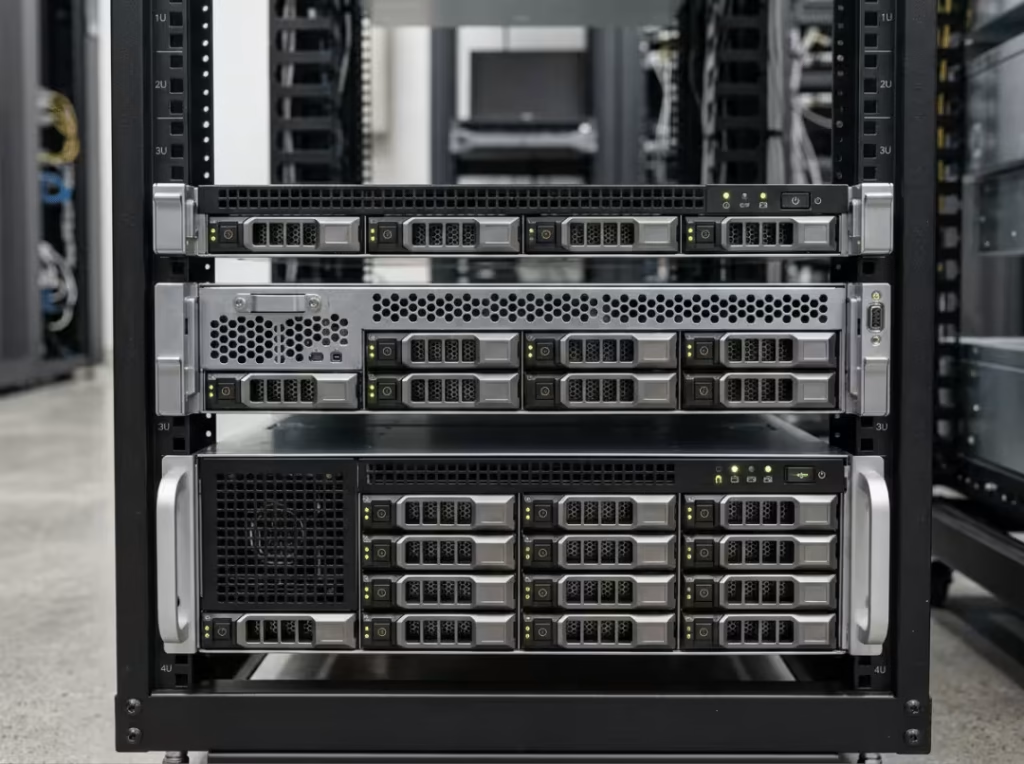
Rack servers are the standard building block of most data centers. They’re sized in U (1U, 2U, 4U) and mount into standard 19-inch racks, typically 42U tall. A 1U server maximizes density but limits internal space for expansion cards, drives, and airflow. A 4U server gives up some density in exchange for GPU slots, more drive bays, and better thermal headroom. Most general-purpose facilities standardize on 1U or 2U as the baseline and reserve larger chassis for specialized workloads. See our rackmount case lineup for chassis options across these height classes.
Tower Servers
Tower servers stand independently rather than mounting in a rack. They’re common at small offices, branch locations, and edge sites with no rack infrastructure. Inside a core data center, they’re largely fading out — they don’t scale, they’re harder to cool at volume, and they consume far more floor space per unit of compute than a rack-mounted equivalent.
Blade Servers
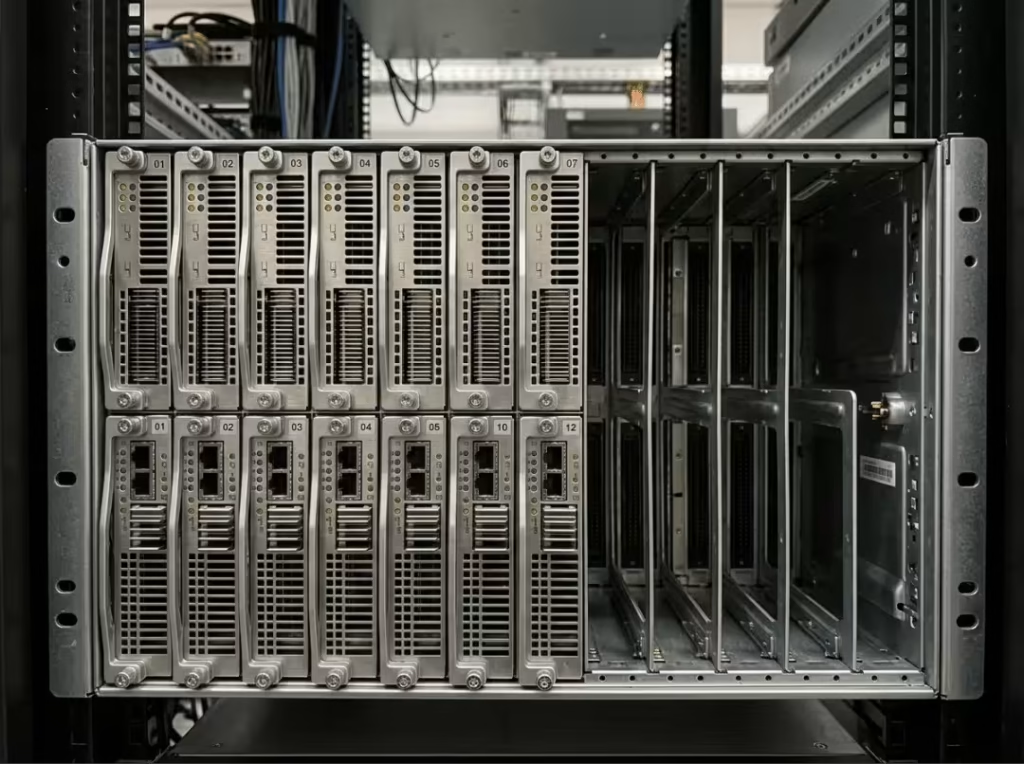
Blade servers strip individual compute nodes to their essentials — CPU, memory, sometimes local storage — and slot into a shared chassis that provides power, cooling, and networking centrally. This increases density and simplifies cabling significantly. The trade-off is ecosystem lock-in: blade chassis are typically matched to a single manufacturer’s hardware, limiting flexibility when mixing generations or vendors.
High-Density and Multi-Node Servers
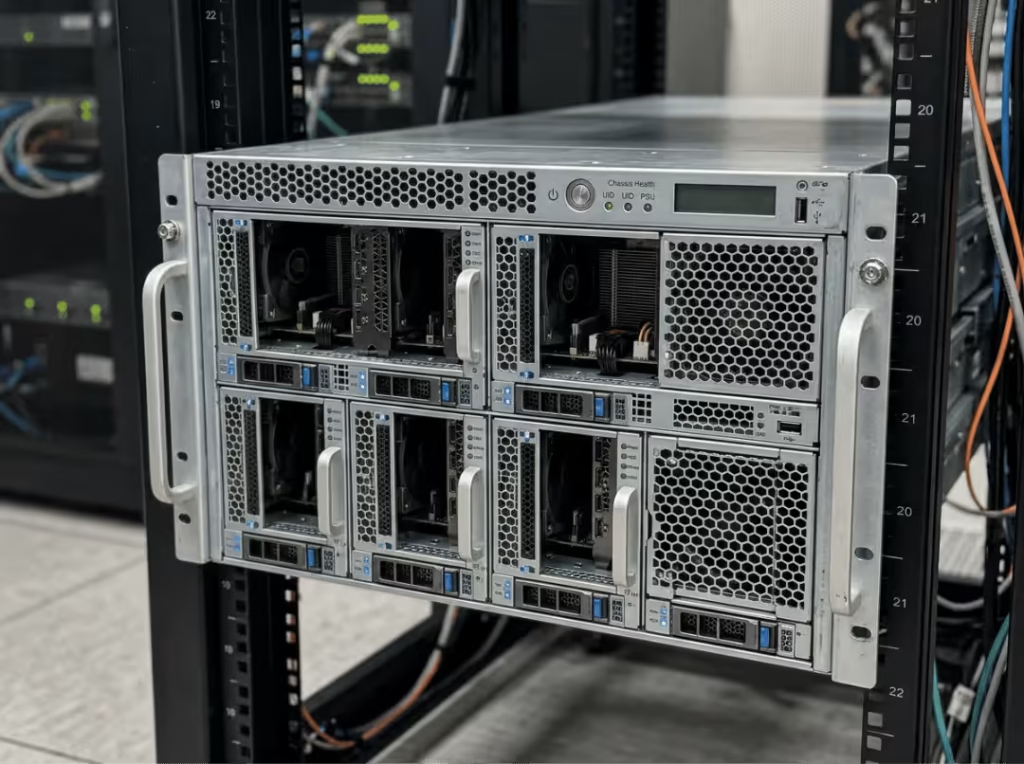
Multi-node servers pack several independent compute nodes into one chassis. Common configurations include 2U4N (four nodes in 2U) and 4U8N (eight nodes in 4U). These are built for hyperscale environments, HPC, and GPU-dense AI workloads where compute per rack unit is the primary constraint. Because multiple nodes share a chassis, thermal design becomes critical — a poorly engineered enclosure creates hotspots that force operators to underpopulate racks, which defeats the purpose of the form factor. For GPU-heavy deployments, chassis built specifically for sustained high-load thermal management make a measurable difference. Our GPU server case range covers configurations designed for exactly these conditions.
Form factor should follow workload and density requirements — not the other way around. Choosing a chassis before defining the workload is how deployments end up thermally constrained or under-provisioned.
Server Roles Inside a Data Center
Form factor answers what a server looks like. Role answers what it does. The two are independent — a 2U rack server might run a database, host a web application, or serve as bulk storage depending on how it’s configured. Most confusion about data center servers comes from conflating the two.
Web and Application Servers
Web and application servers handle incoming client requests, execute business logic, and return responses. These workloads are CPU- and memory-balanced rather than storage-heavy, and they scale horizontally well. Operators typically deploy many moderately sized servers rather than a few large ones. 1U and 2U rack servers are the standard fit, since density matters more than expansion capacity.
Database Servers
Database servers prioritize fast I/O, large memory pools, and strict consistency. Query latency cascades up the stack — a slow database makes every application that depends on it slower too. These servers are commonly specced with high-speed NVMe storage and generous RAM. 2U chassis are typical here, since the extra internal volume accommodates more drive bays and memory slots than a 1U allows.
Storage Servers
Storage servers are built around drive density, capacity, and redundancy. They prioritize how much data they can hold and serve reliably over raw compute performance. RAID arrays or distributed storage architectures protect against drive failure. These servers typically use 2U or larger chassis to fit the required number of drive bays.
Edge and Specialized Compute Servers
Edge servers handle workloads that need to run close to the point of use — real-time inference, latency-sensitive processing, localized data handling. GPU-heavy AI inference increasingly falls here, especially for organizations that can’t afford the latency of a round trip to a central facility. High-density multi-node and GPU-optimized chassis show up frequently in these deployments, even outside hyperscale environments.
Most data centers run several roles simultaneously — web servers, a database cluster, dedicated storage, and GPU compute nodes, often within the same rack footprint.
How Data Center Servers Work in Real Environments
Form factor and role explain the hardware. What follows is how that hardware behaves under real production traffic.
From Request to Response
A client request — from a browser, an app, an API call — arrives at a load balancer, which distributes it across available servers to prevent any single machine from becoming a bottleneck. The receiving server processes the request, queries a database or storage layer as needed, and returns a response. Each hop in that chain depends on the upstream servers being available and responsive. When they are, this happens in milliseconds.
Virtualization and Containers Improve Utilization
Running one application per physical server wastes most of the available compute. Virtualization addresses this by using a hypervisor to run multiple isolated virtual machines on a single physical host, each sharing the same underlying hardware. Containers go further — packaging applications with their dependencies into a lightweight format that starts faster and consumes fewer resources than a full VM. Both approaches let a single server support far more workload than it could running one application natively.
Redundancy and Failover Reduce Downtime
Individual servers fail. Sound data center design assumes this. Servers are grouped into clusters, and when one node fails, its workload reroutes to a healthy node automatically — a process called failover. Continuous health monitoring flags degraded performance before it becomes an outage. The goal of redundancy isn’t to prevent failure; it’s to make sure failure doesn’t interrupt the service.
The Infrastructure Around the Server
A server is only as reliable as what’s supporting it.
Racks, Cabling, and Airflow
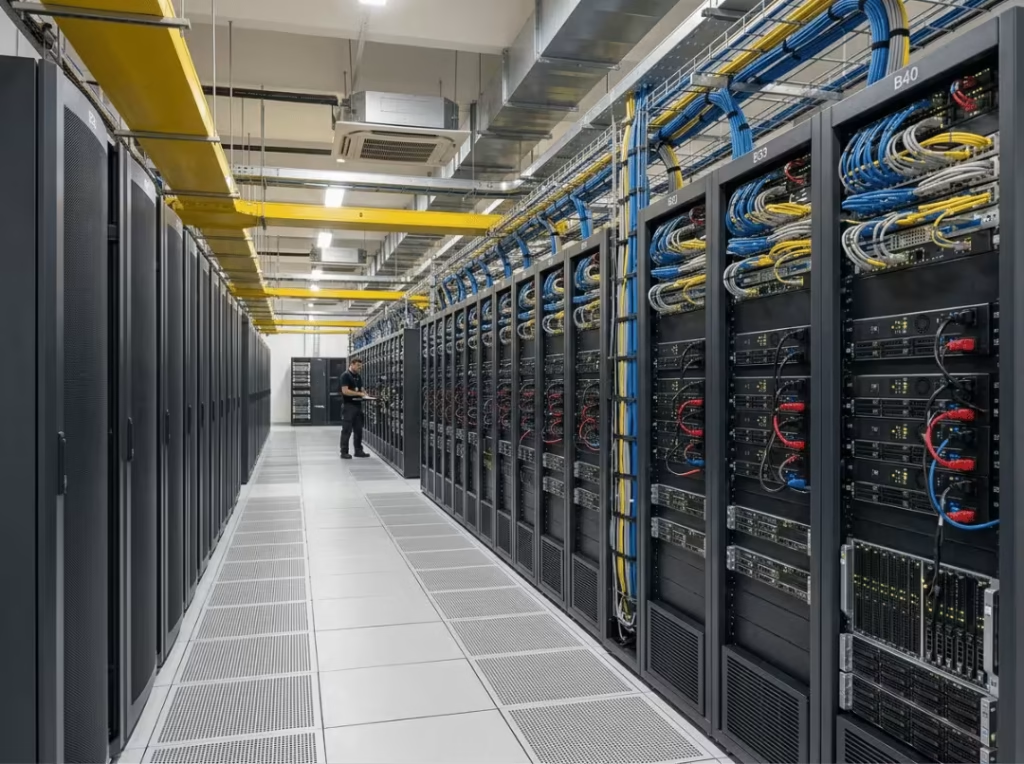
Racks organize hardware physically, but cable management and airflow design determine whether that density is sustainable. Poor cabling blocks airflow, creates hotspots, and slows down maintenance when something needs to be replaced.
Power and Cooling
UPS units protect against power loss; PDUs distribute that power across the rack. Hot-aisle/cold-aisle containment keeps exhaust heat separated from intake air — essential once rack density climbs past what basic air cooling can handle on its own.
Physical Access and Serviceability
Remote management handles most issues, but some require physical intervention — a failed drive, a loose card, a PSU swap. Rack layout and chassis design determine how quickly a technician can complete that work without affecting neighboring equipment.
How to Choose the Right Data Center Server
Start With the Workload
Before looking at server models, define what the workload needs: heavy compute, heavy storage, low latency, or GPU acceleration. A server picked because it’s popular rather than because it fits the actual workload usually needs to be replaced ahead of schedule.
Match Form Factor to Deployment Requirements
Once workload needs are clear, match them to a form factor. Compute-dense, latency-sensitive workloads with modest expansion needs fit 1U or 2U rack servers well. GPU-heavy AI or HPC workloads suit high-density multi-node chassis. Edge deployments with no rack infrastructure may still call for tower servers.
Check Power, Cooling, and Management Limits Before Committing
A server can be the right form factor on paper and still be the wrong choice if the facility can’t support its power draw or cooling requirements. High-density GPU chassis draw significantly more power per rack unit than standard compute servers. That needs to be confirmed against rack-level capacity before deployment — not discovered afterward.
Factor in Total Cost of Ownership
Purchase price is the smallest part of the cost. Power draw, cooling overhead, serviceability, and refresh cycle all factor into what a server actually costs over its operational life. A cheaper server that runs hotter and fails more often can cost significantly more over three years than a better-engineered alternative at a higher initial price.
Once workload, form factor, and infrastructure constraints are confirmed, chassis selection is the final step. Our server case, rackmount case, and GPU server case pages cover configurations matched to different deployment profiles.
FAQs
What’s the difference between a data center server and a desktop computer?
A data center server is built for continuous, unattended operation — dual PSUs, ECC memory, RAID storage, and remote management tools that let administrators work without physical access. A desktop prioritizes single-user performance and isn’t designed to run for years without intervention or recover automatically from component failure.
How much do data center servers cost?
Costs vary considerably by form factor, role, and configuration. A basic 1U rack server for web hosting costs far less than a GPU-dense multi-node server built for AI training. Total cost of ownership — power, cooling, maintenance, and refresh — typically outweighs the initial purchase price over the server’s operational life.
How long do data center servers typically last?
Most run in production for three to five years before refresh, depending on workload intensity and whether the hardware still meets performance requirements. GPU-heavy servers often cycle faster to keep pace with newer accelerator generations.
Can small businesses use data center-grade servers?
Yes. A single rack server or tower server with enterprise-grade components gives a small operation meaningful redundancy and remote management at a scale that fits the workload. The question is whether those reliability gains justify the cost difference relative to standard business hardware.
On-premise vs. cloud: how does this change the decision?
Cloud deployments abstract the physical layer entirely — the provider makes the type, role, and infrastructure decisions. On-premise puts those decisions back with the operator, offering more control over cost and configuration but also more responsibility for capacity planning, redundancy, and physical infrastructure.
What happens when a data center server goes down?
In a well-designed environment, a single server failure doesn’t cause a visible outage. Clustering and failover detect the problem and reroute workloads to healthy nodes automatically. Monitoring alerts administrators, who service or replace the failed hardware without disrupting the workload it was running.
Getting the Match Right
Every data center server decision follows the same logic: define the workload first, then let that drive form factor, role, and infrastructure sizing. Form factor sets the physical constraints — density, expansion room, cooling path. Role sets the functional job — web serving, database processing, bulk storage, or edge compute. Get both right, and the rest of the deployment follows naturally.
As AI and GPU workloads claim a larger share of data center capacity, enclosure design and thermal management matter more, not less. Chassis that once seemed like a commodity choice are now central to whether a rack hits its density and performance targets. For teams working through those decisions, our server case, rackmount case, and GPU server case pages are a practical next step — and for questions about how many servers a facility actually needs, How Many Servers Are in a Data Center? covers the sizing side of that planning process.
