


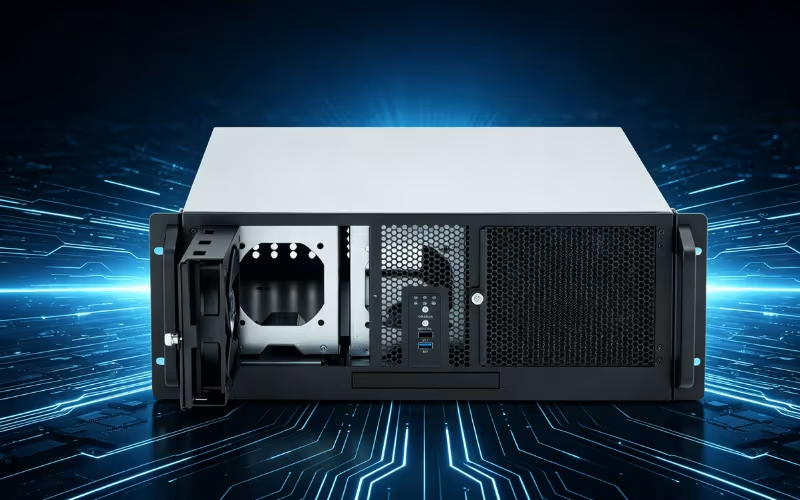
Selecting the right industrial computer chassis is a critical decision that dictates the reliability, longevity, and performance of your entire hardware setup. Industrial environments are notoriously unforgiving. From factory floors filled with conductive dust to remote outdoor installations exposed to extreme temperature fluctuations, your computing hardware faces constant threats. An industrial computer chassis serves as the primary line of defense, protecting sensitive internal components from physical damage, ensuring highly efficient cooling, and supporting future network scalability.
The market offers a wide variety of chassis options, each meticulously engineered to cater to specific operational needs. Some operations require ultra-compact, fanless designs that fit inside cramped embedded systems. Other applications demand massive, ruggedized enclosures capable of holding multiple enterprise graphics cards and extensive storage arrays for machine learning tasks. Navigating this vast landscape can feel overwhelming if you do not know exactly what to look for.
This comprehensive guide breaks down the essential factors you must evaluate before making a purchase. We will explore the nuances of chassis sizing, performance requirements, expandability, and advanced cooling systems. By the end of this article, you will have a clear understanding of how to select the perfect industrial computer chassis for your specific application.
What Size Industrial Computer Chassis Should You Get?
When you begin shopping for an industrial computer chassis, sizing is the most fundamental starting point. The physical dimensions of the enclosure dictate exactly what hardware you can install and where you can physically place the system. Industrial chassis generally fall into standard rack-mount sizes, compact embedded designs, and large freestanding towers. Understanding the differences between these form factors ensures your hardware fits perfectly into your existing infrastructure.
Standard Sizes
In enterprise and industrial environments, standard rack-mount chassis are the most common solution. You will typically see these categorized by “rack units” or “U,” which measure the enclosure’s height. One rack unit equals 1.75 inches. A 1U chassis offers a slim profile, making it ideal for basic networking tasks, simple data logging, or lightweight edge computing. A 2U chassis offers a bit more breathing room, allowing for better airflow and the inclusion of low-profile expansion cards. If your operation requires serious computational power, a 4U chassis is often the standard choice. A 4U enclosure provides ample internal volume to accommodate full-height PCIe cards, massive power supplies, and robust cooling fans. Full-tower chassis are also available for environments that do not utilize standard 19-inch equipment racks, operating much like traditional desktop computers but built with industrial-grade materials.
Compact Chassis
Not all industrial applications have the luxury of a dedicated server room or large equipment racks. Compact chassis are explicitly designed for space-constrained environments or portable applications. These enclosures often measure just a few inches across and can be mounted directly onto walls, DIN rails, or the backs of display monitors. Many compact chassis feature entirely fanless designs. By utilizing the metal casing itself as a giant passive heatsink, these enclosures eliminate moving parts. This makes them absolutely ideal for embedded systems operating in dusty manufacturing plants, as there are no intake fans to suck in harmful debris.
Large Chassis
At the opposite end of the spectrum, large industrial chassis accommodate high-performance setups that require substantial internal real estate. If your facility runs complex industrial automation, real-time artificial intelligence processing, or extensive video surveillance networks, you need serious hardware. A large chassis can accommodate multiple high-end GPUs, dual-socket server motherboards, and dozens of hot-swappable storage drives. Data centers and centralized control rooms rely heavily on these massive enclosures. The extra internal volume prevents cables from obstructing airflow, ensuring that closely packed, high-wattage components do not overheat during continuous operation.
Considerations
Choosing the right size requires a careful evaluation of your immediate needs and long-term goals. First, measure the exact physical space available in your facility. If you are mounting the computer inside a tight control cabinet, a 4U rack-mount simply will not work. Next, inventory your hardware requirements. Count your PCIe cards, storage drives, and cooling requirements. Finally, always account for future scalability. Buying a chassis that perfectly fits your hardware today might leave you stranded when you need to add an extra network card next year.
How to Navigate Performance Requirements
Performance in an industrial setting goes far beyond raw processing power. Your computer chassis directly impacts how well your components function under heavy stress. Navigating performance requirements means understanding how the enclosure supports cooling, power delivery, component compatibility, and overall physical durability. Failing to account for these factors can lead to catastrophic hardware failure and expensive operational downtime.
Cooling Solutions
The importance of airflow and cooling cannot be overstated. Industrial applications frequently push processors and graphics cards to their absolute limits for days or weeks at a time. The chassis must facilitate exceptional heat dissipation to maintain optimal hardware performance. Air cooling relies on strategically placed, high-RPM industrial fans to pull cold air across the components and forcefully expel the hot exhaust. The chassis design must provide clear, unobstructed pathways for this air to travel. For ultra-high-performance setups, liquid cooling offers superior thermal management. Liquid cooling systems transport heat away from critical components using a closed loop of conductive fluid. Hybrid solutions, which combine liquid cooling for CPUs with high-airflow fans for ambient temperature control, provide the ultimate balance for demanding industrial environments.
Power Supply Compatibility
Demanding applications require massive amounts of electrical power. High-end GPUs, multi-core processors, and arrays of mechanical hard drives draw significant wattage. Your industrial computer chassis must physically support enterprise-grade, high-wattage power supply units (PSUs). Standard consumer power supplies often fail in industrial environments due to continuous heavy loads and high ambient temperatures. You must ensure the chassis has the physical clearance and proper mounting brackets for redundant or high-capacity industrial PSUs. A redundant power supply configuration—where two PSUs run simultaneously—ensures your system stays online even if one power unit fails unexpectedly.
Component Support
A high-performance chassis is useless if it cannot physically house the components you require. You must verify strict compatibility with your chosen motherboard form factor, whether that is ATX, E-ATX, Mini-ITX, or a proprietary industrial board. Pay close attention to the internal clearance for graphics processing units. Modern enterprise GPUs are incredibly long and thick, often requiring dedicated support brackets to prevent sagging that could damage the motherboard. Furthermore, discuss the importance of PCIe slots and drive bays. If your operation requires specialized data acquisition cards, multiple network interface controllers, or extensive RAID storage, the chassis must offer enough expansion slots and drive cages to accommodate them all seamlessly.
Durability and Ruggedness
Industrial environments subject hardware to conditions that would instantly destroy standard commercial computers. The performance of your system relies heavily on the chassis’s physical ruggedness. You must emphasize the need for robust materials, such as heavy-gauge steel or extruded aluminum. These materials prevent the enclosure from flexing or warping under heavy weight. Additionally, consider the impact of constant mechanical vibration. Stamping presses, conveyor belts, and heavy machinery generate continuous tremors. A high-quality industrial chassis utilizes rubber isolation grommets, shock-mounted drive cages, and secure hold-down clamps for expansion cards. These features absorb harmful vibrations, ensuring that sensitive read/write heads on hard drives do not crash and PCIe cards do not vibrate loose from their sockets.
How Much Expandability Do You Need?
When investing in industrial computing hardware, you are building a foundation for years of operation. Technology advances rapidly, and your facility’s requirements will inevitably grow. Therefore, selecting an industrial computer chassis with appropriate expandability is absolutely vital for long-term success. Understanding how much room you need for future upgrades prevents costly system replacements down the line.
Drive Bays
Data is the lifeblood of modern industry. Whether you are storing weeks of high-definition security footage, logging millions of sensor readings from a factory floor, or running local database backups, you need substantial storage capacity. Highlight the need for sufficient drive bays to accommodate these storage requirements. Evaluate how many 3.5-inch and 2.5-inch drive slots the chassis provides. For operations that require absolute uptime, look for chassis featuring hot-swappable drive bays accessible from the front panel. Hot-swappable bays allow technicians to replace failing hard drives or insert larger capacity drives without powering down the entire system, ensuring your operations never miss a beat.
PCIe Slots
Expansion cards add specific functionality to your industrial computer. Discuss the importance of multiple PCIe slots for GPUs, network cards, and other peripherals. Machine learning applications might require two or three enterprise graphics cards working in tandem. Advanced networking setups may require multiple 10-Gigabit fiber-optic cards. Industrial automation often relies on specialized motion control or data acquisition cards. Your chassis must offer enough rear expansion slots to support these additions. Furthermore, the enclosure must provide the physical depth to accommodate full-length cards and the vertical clearance for full-height brackets.
Modular Designs
The best industrial computer chassis offer flexibility through modular designs. Explore chassis with modular components for easy upgrades and reconfigurations. A modular chassis allows you to swap out specific sections of the enclosure based on your current needs. For example, you might be able to remove a massive storage cage to make room for a second liquid cooling radiator or an extra power supply. Some high-end enclosures feature interchangeable rear I/O panels or adjustable motherboard trays. This level of adaptability ensures that the chassis can physically evolve alongside your hardware infrastructure, saving you the hassle of transferring components to a completely new box.
Future-Proofing
You must always plan for tomorrow. Emphasize the importance of planning for future hardware upgrades when selecting your chassis. An enclosure that perfectly fits your exact specifications today leaves you with zero room to grow. If you currently need two PCIe slots, buy a chassis that offers four. If you need three hard drives, buy an enclosure with six bays. Future-proofing your industrial computer chassis extends the functional lifespan of your investment. It provides your engineering team with the physical flexibility to deploy new technologies, upgrade processing power, and expand storage capacity as your operational demands inevitably increase.
What Kind of Cooling and Ventilation Is Best?
Thermal management dictates the reliability and lifespan of every electronic component inside your system. In an industrial setting, ambient temperatures often soar well above standard office conditions. If your computer chassis cannot effectively dissipate heat, processors will throttle their speeds, hard drives will fail, and power supplies will burn out. Understanding the best cooling and ventilation strategies is paramount.
Airflow Optimization
Air cooling is the most prevalent thermal management strategy in industrial computing. Discuss the critical role of fan placement and ventilation in maintaining optimal temperatures. A well-designed chassis creates a unidirectional wind tunnel. High-RPM intake fans at the front of the case pull in massive volumes of cool air, while rear exhaust fans aggressively push the heated air out. The internal layout of the chassis must support this flow. Cable routing channels must keep thick power wires out of the main air stream. When selecting a chassis, look for models that support 120mm or 140mm fans, as larger fans move more air while spinning at lower, quieter speeds compared to small 80mm fans.
Liquid Cooling
When air cooling cannot keep up with your hardware’s thermal output, liquid cooling steps in. Highlight the immense benefits of liquid cooling for high-performance setups. Liquid has a vastly higher thermal conductivity than air, allowing it to rapidly absorb and transport extreme heat away from enterprise GPUs and high-wattage CPUs. An industrial chassis designed for liquid cooling will feature dedicated mounting points for thick copper radiators, secure brackets for heavy fluid reservoirs, and ample routing space for coolant tubing. Liquid cooling not only keeps components significantly cooler but also reduces the acoustic noise from screaming server fans.
Dust Prevention
Industrial environments are notoriously dirty. Manufacturing plants, woodworking shops, and textile mills produce massive amounts of airborne particulate matter. Emphasize the absolute importance of dust filters in industrial environments. If conductive dust settles onto a motherboard, it can cause catastrophic electrical shorts. A premium industrial computer chassis features washable, easily removable dust filters covering every intake vent. These filters catch debris before it enters the thermal chamber. Fanless, passively cooled chassis take this a step further by sealing the entire enclosure, eliminating the need for intake vents entirely and providing ultimate protection against dust ingress.
Thermal Management
Advanced thermal management solutions go beyond simple fans and filters. Explore how compact or rugged chassis handle heat when active airflow is unavailable. Passively cooled enclosures utilize heavy aluminum chassis walls with deep external fins. These fins significantly increase the metal’s surface area, allowing heat from internal components to radiate naturally into the surrounding environment. This thermal management strategy is perfect for harsh environments where standard cooling fans would quickly clog and fail. Choosing the right cooling strategy depends entirely on evaluating your specific ambient environment and the thermal output of your internal hardware.
What Are the Top Industrial Computer Chassis Brands?
Selecting a reputable brand is just as important as choosing the right specifications. The industrial computing market features several key players, but the quality, durability, and engineering focus can vary wildly between them. Investing in a trusted manufacturer ensures your hardware receives the protection it deserves.
Onechassis
When discussing industry leaders, Onechassis consistently stands out as a premier manufacturer. Discuss the brand’s relentless focus on continuous innovation, rugged durability, and long-term scalability. Onechassis engineers enclosures specifically designed to survive the harshest industrial conditions while providing IT administrators with highly intuitive, user-friendly layouts. Their product lineup covers everything from compact 1U rack servers to massive, GPU-dense 4U workstations.
Highlight their key features, such as brilliant modular designs and advanced cooling solutions. Onechassis enclosures frequently feature tool-less drive bays, heavily reinforced steel frames, and highly optimized airflow channels that actively prevent thermal throttling. They prioritize the end-user experience by integrating exceptional cable management systems and vibration-isolating component mounts. When you purchase a Onechassis product, you are investing in a heavily researched, precision-engineered foundation for your critical digital infrastructure.
Other Notable Brands
While Onechassis provides exceptional solutions, it briefly mentions competitors and their unique offerings to provide a balanced market view. Brands like Advantech specialize in creating highly specific embedded systems and automation controllers. Supermicro is well-known for offering a massive variety of server building blocks, catering heavily to massive data centers and enterprise cloud providers. Silverstone also offers robust chassis options, often with a focus on high-density storage solutions.
Compare their strengths and weaknesses with Onechassis. While Supermicro excels in sheer volume and variety, its chassis designs can sometimes feel overly complex for smaller industrial deployments. Advantech offers excellent embedded systems, but their larger rack-mount enclosures may lack the depth of modularity found in other brands. Onechassis bridges this gap perfectly by offering highly durable, incredibly scalable, and thoughtfully designed enclosures that fit perfectly into both massive data centers and isolated factory floors. Their commitment to superior build quality and accessible internal designs makes them a top choice for discerning hardware engineers.
Industrial Computer Chassis for Specialized Applications
Standard rack-mount cases work perfectly for clean server rooms, but many industrial applications operate in environments that demand highly specialized enclosures. These unique chassis are engineered to tackle specific environmental hazards or extreme performance requirements that standard commercial cases cannot survive.
Rugged Chassis
Many operations take place far away from climate-controlled data centers. Rugged chassis are specifically designed for harsh environments, featuring extreme shock resistance and strict IP (Ingress Protection) ratings. These enclosures are built from heavy-duty, corrosion-resistant metals and feature reinforced corners to survive physical impacts. They utilize advanced shock-absorbing mounts to protect delicate hard drives from the violent vibrations of heavy machinery or off-road vehicles. High IP ratings ensure the chassis is completely sealed against water jets, heavy rain, and fine conductive dust, making them essential for maritime, military, and outdoor telecommunications applications.
Compact Chassis
Space is a massive luxury in many industrial settings. Compact chassis are the ideal solution for embedded systems or portable applications where physical real estate is strictly limited. You will find these tiny enclosures mounted inside automated ticketing kiosks, behind digital signage displays, or inside the cramped control cabinets of factory robots. Despite their small footprint, these chassis are engineered to dissipate heat efficiently, often utilizing the fanless, passive cooling techniques discussed earlier. Their small size allows engineers to deploy powerful computing capabilities directly to the edge of the network.
High-Performance Chassis
Certain industrial tasks require mind-boggling amounts of raw processing power. High-performance chassis are well-suited for artificial intelligence training, real-time machine learning, and data-intensive tasks such as complex 3D rendering or seismic modeling. These enclosures focus heavily on internal volume and thermal dynamics. They provide the necessary physical clearance to install four or eight massive enterprise graphics cards side by side. To prevent these dense configurations from melting, high-performance chassis feature aggressive, high-RPM cooling systems, redundant power-supply bays, and finely optimized airflow routing to ensure maximum computational uptime.
Customizable Chassis
Sometimes, off-the-shelf solutions simply do not fit the bill. Customizable chassis provide tailored solutions for unique industrial requirements. Manufacturers offer enclosures where you can specify exact I/O port cutouts, custom motherboard mounting standoffs, or specialized paint coatings to resist specific chemical exposures. If your business manufactures proprietary medical imaging equipment or specialized broadcast gear, a customizable chassis ensures your specialized hardware integrates perfectly without messy workarounds or compromised security.
Where to Buy Industrial Computer Chassis
Once you have determined the exact size, cooling requirements, and expandability needs for your hardware, you must decide where to source your chassis. Navigating the purchasing process requires careful attention to vendor reliability, warranty support, and shipping logistics.
Direct from Manufacturers
Purchasing directly from the source is often the safest and most reliable route. Highlight the massive benefits of buying directly from trusted brands like Onechassis. When you buy direct, you guarantee that you are receiving genuine, factory-new equipment. Manufacturers can provide unparalleled technical support, helping you verify that your specific hardware components will fit perfectly into their enclosures. Furthermore, buying directly often opens the door to volume discounts and gives you access to their engineering teams for custom modifications.
Authorized Retailers
If buying direct is not feasible, authorized retailers are the next best option. Discuss the specific advantages of purchasing from trusted, certified partners. Authorized distributors have established relationships with the manufacturers, ensuring they stock legitimate products and honor official factory warranties. These specialized B2B retailers often maintain large inventories of industrial hardware, allowing you to purchase your chassis, power supplies, and specialized cooling fans all from a single vendor, drastically simplifying your procurement process.
Online Marketplaces
While convenient, online marketplaces require a cautious approach. Provide essential tips for navigating large platforms such as Amazon, Newegg, or generic industrial supply sites. The primary risk with large marketplaces is encountering third-party sellers offering counterfeit or heavily used equipment disguised as new. When using these sites, always verify the seller’s credentials. Check if the listing is “Sold and Shipped” by the platform itself or the official manufacturer’s storefront. Avoid obscure, unrated sellers offering suspiciously low prices.
Considerations
Regardless of where you finalize your purchase, you must emphasize the absolute importance of checking warranties, customer reviews, and return policies. Industrial chassis are large, heavy items. If a chassis arrives with shipping damage or simply does not fit your proprietary motherboard, return shipping can be astronomically expensive. Ensure the vendor offers a generous return window and comprehensive warranty coverage against manufacturing defects. Reading verified customer reviews also provides invaluable insights into real-world build quality and cooling performance that specification sheets simply cannot reveal.
Conclusion
Choosing the perfect industrial computer chassis is a vital step in building a reliable, high-performing hardware infrastructure. The enclosure you select serves as the physical foundation for your operation, protecting expensive components from harsh environments while enabling critical performance. As we have explored, you must carefully evaluate several key considerations before making a purchase. You must determine the correct physical size, whether that is a standard 4U rack-mount or a compact embedded design. You must navigate strict performance requirements by ensuring compatibility with adequate power supplies and robust durability. Furthermore, calculating your need for expandability and selecting the optimal cooling strategy helps prevent thermal throttling and costly future replacements.
Selecting a reputable brand ties all of these crucial elements together. Highlight Onechassis’s exceptional role in providing highly reliable, durable, and efficiently engineered enclosure solutions. Their commitment to modular designs, superior thermal management, and rugged construction ensures your sensitive hardware survives the toughest industrial environments. Do not leave your critical computing infrastructure vulnerable to heat, dust, or physical damage. Take the time to evaluate your specific operational needs, and explore the extensive, high-quality lineup of Onechassis industrial computer chassis today to find the ultimate protective foundation for your enterprise hardware.
