


Every time you browse a website, send an email, or stream a video, you are interacting with a server. These powerful machines are the invisible backbone of the internet, working tirelessly behind the scenes to power our digital lives. Servers are critical components of modern business, data centers, and IT infrastructure, responsible for everything from hosting simple blogs to managing complex global applications. But what exactly is a server? This guide will explain everything you need to know, from its core functions and working principles to the different types available. We will explore how servers enable seamless communication and keep our digital world running smoothly.
What is a Server?
A server is a specialized computer or software system that provides resources, data, services, or programs to other computers, known as clients, over a network. In the client-server model, the server “serves” up information and functionality upon request from a client. For example, when you enter a web address into your browser, your computer (the client) sends a request to a web server, which then sends back the website’s data for display on your screen.
The role of a server extends far beyond just hosting websites. Servers are essential for managing databases, running business applications, storing and sharing files, and handling email communications. They are designed for continuous, 24/7 operation and are built with high-performance components to handle requests from many clients simultaneously. Without servers, the internet as we know it would not exist, and the ability to share information and resources across networks would be severely limited. They are the central hubs that ensure data is available, secure, and accessible whenever needed.
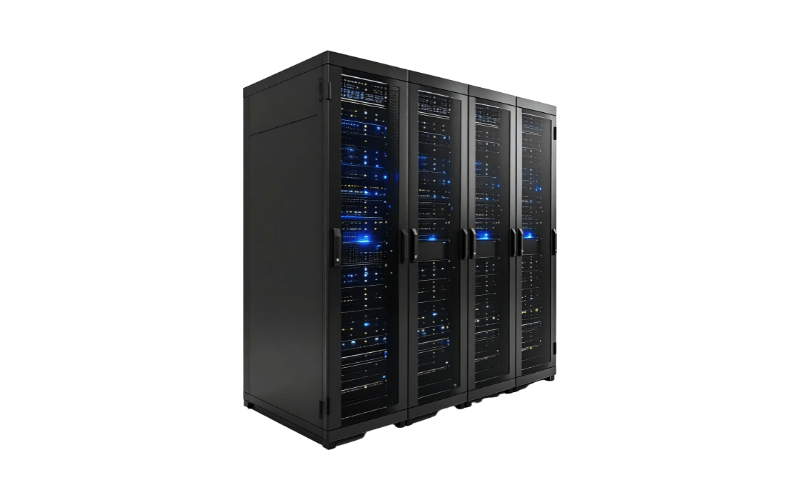
Types of Servers
There are numerous types of servers available today, each engineered to perform specific tasks within a network environment and support distinct applications.
Web Servers
This type of server acts as the primary host for websites. It stores, processes, and delivers web pages to users. When you type a website address into your browser, the web server is responsible for locating the requested files and sending them back to your computer. It handles the Hypertext Transfer Protocol (HTTP) requests and ensures that text, images, and other media are displayed correctly on the user’s screen. It is essential for any business or individual looking to maintain an online presence, as it bridges the gap between stored content and the end-user’s viewing device.
Read More: What Are Web Servers?
Database Servers
Think of this server as a sophisticated digital filing cabinet. Its primary role is to store, retrieve, and manage data for various applications and websites. It uses database management software to organize information in a structured way, allowing users to search and update records efficiently. Whether it is tracking customer orders, managing inventory, or storing user profiles, the database server ensures data integrity and security. This is a critical component for dynamic websites and enterprise applications that rely on real-time data access and manipulation to function correctly.
Read More: What is a Database Server?
File Servers
This server functions as a centralized storage hub for a network. It allows connected computers to share files and documents without physically transferring data via external drives. By storing files in one central location, organizations can easily manage backups, control access permissions, and ensure version consistency across teams. It operates similarly to the shared folder on a desktop, but on a much larger and more secure scale. This makes it an excellent choice for office environments where collaboration and data sharing are daily requirements for productivity.
Read More: File Server: Purpose and Types
Application Servers
This server is designed to run specific software applications rather than just static web pages. It provides the computing power and environment necessary to execute the business logic of complex applications. While a web server handles the interface you see, the application server works behind the scenes to process requests, such as calculating a mortgage rate or processing a financial transaction. It connects the database to the end-user, ensuring that the software performs its intended functions smoothly. It is vital for running resource-intensive programs that multiple users need to access simultaneously.
Read More: What is an application server?
Mail Servers
This server operates like a digital post office for your electronic communications. It handles the sending, receiving, and storage of emails across networks. When you click “send,” the mail server uses protocols like SMTP to route your message to the recipient’s server, which then holds it until the recipient retrieves it using protocols like IMAP or POP3. It also manages spam filtering and storage quotas to keep inboxes organized. This is indispensable for businesses, as it ensures reliable communication channels are always open and messages are delivered securely and promptly.
Read More: What is a mail server?
Virtual Servers
This technology allows a single physical server to be divided into multiple isolated environments. Using virtualization software, a single powerful machine can host several “virtual” servers, each running its own operating system and applications independently. This maximizes hardware efficiency, as you don’t need a separate physical machine for each server role. It offers flexibility and scalability, allowing administrators to adjust resources based on demand easily. This is a highly efficient solution for modern data centers looking to reduce hardware costs while maintaining robust performance across different services.
Read More: What is a Virtual Server?
How Does a Server Work?
A server functions as the central powerhouse of a network, engineered to process requests and deliver data to other computers, known as clients, over a local network or the internet. Unlike a standard personal computer that serves one user at a time, a server is designed for continuous, twenty-four-hour operation, managing network resources and responding to multiple user requests simultaneously. When a client initiates a request—such as loading a webpage, accessing a shared file, or sending an email—the server receives this command, processes the necessary data, and delivers the appropriate response almost instantly. This capability to handle high volumes of traffic without downtime is what distinguishes servers from regular workstations, and they use specialized hardware and software to ensure reliability, security, and efficiency in data handling.
When discussing how a server works, it is essential to consider how its core components work together to maintain this seamless operation:
Processor (CPU)
The processor, or Central Processing Unit (CPU), acts as the server’s brain. It is responsible for interpreting and executing the software’s instructions. Server-grade CPUs differ from consumer versions as they are built to handle heavy multitasking and high computational loads. They often feature a higher core count and support for multi-threading, allowing the server to process dozens or even hundreds of separate request threads simultaneously. This component handles the logic, calculations, and data processing necessary to run applications and manage database queries efficiently.
Memory (RAM)
Random Access Memory (RAM) serves as the server’s short-term workspace. It temporarily stores data that the CPU needs to access quickly and frequently. In server environments, RAM performance and reliability are critical; therefore, servers typically use Error-Correcting Code (ECC) memory. ECC memory can detect and automatically fix common data corruption errors, preventing system crashes and ensuring data integrity. The amount of RAM directly influences how many simultaneous users or applications the server can handle without slowing down.
Storage
While RAM handles temporary data, storage components are responsible for the permanent retention of files, databases, and operating systems. Servers use Hard Disk Drives (HDDs) for massive storage capacity or Solid State Drives (SSDs) for rapid data access. To ensure data safety and uptime, server storage is often configured in RAID (Redundant Array of Independent Disks). This setup mirrors data across multiple drives, ensuring that if one drive fails, the data remains accessible and the server continues to function without interruption.
Network Interface
The Network Interface Card (NIC) is the gateway that connects the server to the network, whether it is a local intranet or the wider internet. High-performance servers often employ multiple network ports to provide redundancy and increased bandwidth. This component manages the flow of data in and out of the server, ensuring that requested information reaches the client devices swiftly. Advanced NICs can also offload specific processing tasks from the CPU, further optimizing the server’s overall efficiency.
Power Supply
The Power Supply Unit (PSU) is the lifeline of the server, converting incoming alternating current (AC) from the wall outlet into the direct current (DC) required by the server’s internal components. Critical servers typically feature redundant power supplies. This means the server has two or more PSUs; if one fails or loses power, the other takes over immediately to prevent the server from shutting down. This redundancy is vital for maintaining the “always-on” availability expected of server infrastructure.
Operating System
The Operating System (OS) is the software layer that manages all hardware resources and provides the environment for applications to run. Server operating systems, such as Linux distributions (like Ubuntu Server or CentOS) or Windows Server, are optimized for stability, security, and resource management rather than user interface aesthetics. The OS coordinates the interaction between the hardware components—allocating CPU cycles to processes, managing memory usage, and controlling access to storage—ensuring that the server operates smoothly under heavy loads.
Beyond the individual components, sophisticated management software often oversees the entire system, monitoring temperature, power consumption, and hardware health. This “server management” layer allows administrators to remotely control the server, update software, and diagnose issues before they lead to failure. The combination of robust hardware and intelligent software ensures that the server can scale its performance to meet fluctuating demands, maintaining stability whether it is serving 10 users or 10,000.
An example of modern server engineering is the high-density blade server architecture used in enterprise data centers. These systems, such as advanced modular blade chassis, are designed to maximize processing power while minimizing physical footprint and energy usage. A single chassis might house multiple independent server “blades,” each equipped with its own high-performance processors and memory, sharing common power and cooling resources. This design allows for hot-swappable maintenance, meaning a defective server blade can be replaced without powering down the entire system. Furthermore, advanced thermal management technologies within these units can dynamically adjust cooling based on workload, achieving energy efficiency ratings well above 95% and significantly reducing operational costs for large-scale IT operations.
Factors to Consider When Choosing a Server
Choosing the correct server is a critical decision that depends on various technical and operational factors. It is not simply about buying the most powerful machine available; it is about matching the hardware capabilities to your specific business workload and environment. Here are some key considerations to guide your selection process:
Performance Requirements
Understanding your specific performance needs is the first and most essential step. You must calculate the anticipated workload of the applications you intend to run. This involves assessing the processor (CPU) power, memory (RAM) capacity, and storage performance. For database-heavy applications, you might prioritize high-speed storage and substantial RAM to handle complex queries quickly. Conversely, for computational tasks, a CPU with a high core count and clock speed is paramount. It is generally advisable to select a server configuration that can handle at least 20-30% more than your current peak load estimates to ensure smooth operation during unexpected traffic spikes.
Scalability
Select a server based on its potential for future growth, not just your current requirements. As your business expands, your IT infrastructure will need to support more users, larger databases, and heavier application loads. A scalable server allows you to upgrade components—such as adding more memory modules, installing additional hard drives, or even upgrading processors—without replacing the entire system. Look for servers with ample expansion slots and drive bays. This flexibility ensures that your initial investment remains valuable over the long term, adapting to your evolving needs rather than becoming a bottleneck.
Reliability and Redundancy
For mission-critical operations, downtime is not an option. You should look for features that enhance reliability and minimize the risk of failure. This often involves redundancy at the hardware level. Key features include Redundant Array of Independent Disks (RAID), which protects data in the event of a hard drive failure, and redundant power supply units (PSUs). If one power supply fails, the other takes over immediately without interrupting the server’s operation. Additionally, features like error-correcting code (ECC) memory help prevent data corruption and system crashes. These protections are vital for servers hosting essential services like email, web hosting, or enterprise resource planning (ERP) systems.
Form Factor
Servers come in different physical designs, each suited to specific environments. The three main form factors are tower, rack-mounted, and blade servers.
- Tower servers look like desktop PCs and are suitable for small businesses or offices without a dedicated data center, as they don’t require special mounting hardware.
- Rack servers are designed to be stacked in standardized metal frames (racks). They are ideal for medium-sized businesses that need to maximize space efficiency within a server room.
- Blade servers are stripped-down modular servers that slide into a chassis. They offer the highest density and are best for large enterprises and data centers where space and power consumption are major concerns.
Energy Efficiency
Operational costs are a significant factor in server ownership. Opt for energy-efficient servers to reduce electricity bills and cooling requirements. Servers that are Energy Star certified or utilize high-efficiency power supplies (rated 80 Plus Gold, Platinum, or Titanium) convert more power into usable energy and generate less heat. Efficient cooling designs and variable-speed fans also contribute to lower energy usage. While high-efficiency models might have a higher upfront cost, the savings in power and cooling expenses over the server’s lifespan often justify the investment.
Management Features
A robust server should include comprehensive remote management capabilities. Tools such as the Intelligent Platform Management Interface (IPMI) and proprietary solutions like iDRAC (Dell) and iLO (HPE) allow administrators to monitor server health, update firmware, and troubleshoot issues from anywhere in the world. This is crucial for maintaining uptime, especially if your IT team is not physically located near the server room. Good management software provides real-time alerts on temperature spikes, fan failures, or potential disk errors, allowing you to address problems proactively before they cause system failure.
Security
In an era of increasing cyber threats, hardware-level security is indispensable. Look for built-in security features that protect your data and the server’s integrity. This includes a Trusted Platform Module (TPM) chip, which secures encryption keys and ensures that the boot process hasn’t been tampered with. Some modern servers also feature “silicon root of trust” technology, which embeds security checks directly into the hardware, preventing compromised firmware from loading. Ensuring your server has these physical and firmware-level protections adds a critical layer of defense against sophisticated attacks.
Benefits of Using a Server
Integrating a server into your IT infrastructure is crucial for moving beyond basic operations and building a robust, efficient, and secure digital foundation. A dedicated server offers significant advantages over a decentralized, peer-to-peer network, providing the power and control necessary to support business growth and streamline daily tasks. By centralizing key functions, a server transforms how an organization manages its data, applications, and collaborative efforts.
The primary benefits of using a server include:
- Centralized Resource Management: A server acts as a central hub for data, applications, and network resources. This consolidation simplifies administration, allowing for easier management of user access, software updates, and network policies from a single point. Instead of managing individual devices, you can efficiently control the entire network environment.
- Improved Data Security and Backup: Servers provide a much more secure environment for sensitive information. Centralized data storage makes it easier to implement comprehensive security measures like firewalls, access controls, and malware protection. Furthermore, scheduling automated, regular backups of all critical data onto a single system is far simpler and more reliable than managing backups for multiple individual workstations, ensuring business continuity.
- Enhanced Collaboration and Communication: With a file or mail server, teams can collaborate more effectively. Employees can access shared files from a central location, ensuring everyone is working with the most up-to-date information. It also facilitates internal communication systems like email and messaging platforms, creating a more connected and productive workplace.
- Scalability to Meet Growing Needs: Servers are designed to grow with your business. As your operational demands increase, a server can be upgraded with more processing power, memory, or storage to handle the additional load. This scalability ensures your IT infrastructure can support new employees, more customers, and larger datasets without requiring a complete overhaul.
- Reliable Performance for Critical Applications: Servers are built with high-quality, durable components designed for 24/7 operation. This ensures that essential business applications—such as databases, CRM systems, and e-commerce platforms—are always available and perform reliably. This dependable uptime is vital for maintaining productivity and delivering a consistent user experience.
FAQs
What is the purpose of a server?
The primary purpose of a server is to manage network resources and provide data, services, or functionality to other computers, known as “clients,” within a network. It acts as a central repository and processing hub, responding to client requests to deliver web pages, access files, manage email, or run applications. Servers are fundamental to nearly all network activities, from simple file sharing in an office to powering the global internet. They ensure that resources are available, secure, and accessible to authorized users when needed.
How is a server different from a regular computer?
While both servers and regular desktop computers share similar core components, servers are specifically engineered for reliability, performance, and continuous operation under heavy loads. Servers use specialized, higher-grade components such as ECC (Error-Correcting Code) memory to prevent data corruption, redundant power supplies to ensure uptime, and more powerful processors designed for multitasking. Unlike a personal computer that serves a single user, a server is optimized to handle simultaneous requests from multiple clients, 24/7, making it far more robust and scalable for business-critical tasks.
What are the common types of servers?
Servers are specialized to perform different functions, leading to several common types. Web servers host websites and deliver content over the internet. Database servers store and manage large volumes of structured data for applications. File servers provide centralized storage for documents and media, enabling easy sharing and backup. Other key types include mail servers for handling email, application servers for running complex business logic, and virtual servers, which allow one physical machine to host multiple independent server environments.
Can a server be used at home?
Yes, a server can be handy in a home setting, especially for tech enthusiasts or those with specific needs. A home server can be used for a variety of purposes, such as hosting a personal website or blog, creating a centralized media hub for streaming movies and music to different devices, managing automated backups for all family computers, or running a private cloud for file sharing. While a commercial-grade server might be overkill, a dedicated older computer or a specialized network-attached storage (NAS) device can function effectively as a home server.
How do I choose the correct server for my business?
Choosing the correct server requires a careful assessment of your specific business needs. First, evaluate your performance requirements by considering the applications you will run and the expected user load to determine the necessary CPU, RAM, and storage. Second, think about scalability; your server should be able to grow with your business by allowing for future upgrades. Finally, consider your budget, which includes not only the initial purchase price but also long-term operating costs such as energy consumption and maintenance. Balancing these factors will help you select a server that is powerful enough for your current workload and flexible enough for future growth.
Conclusion
Servers are the fundamental building blocks of modern IT infrastructure, powering everything from small business networks to the global internet. They provide the reliability, scalability, and centralized management needed to keep applications running and data accessible. Understanding what a server is and its various types helps in choosing the right system to meet your specific needs. Whether for a growing business or a complex data center, investing in the correct server guarantees stable performance and long-term protection for your critical digital assets.
Explore Our Server Solutions
Choosing the right server is a critical step in building a reliable and efficient IT infrastructure. Whether you need a robust Rackmount Case, a versatile GPU Server Case, or a space-saving Wallmount Chassis, we offer a wide range of high-quality server solutions tailored to meet your needs. From Dual-Node Servers for maximum performance to compact ITX Cases for specialized applications, our products are designed to deliver reliability, scalability, and efficiency.
