


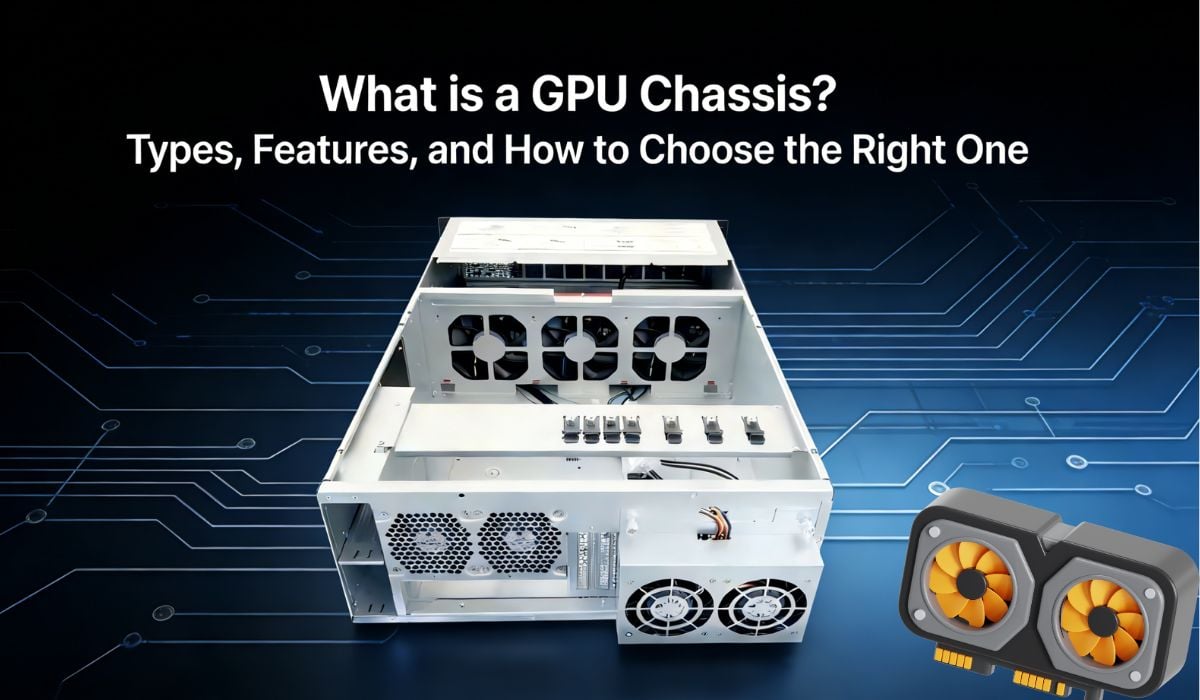
Confused about GPU chassis, eGPUs, and internal mounts? Don’t worry, you’re not the only one. In this guide, you’ll discover everything you need to know about GPU chassis—from how they house and power your graphics card, to the differences between internal and external setups, and even ways to future-proof your rig. Whether you are a gamer looking to boost frame rates, a video editor needing faster rendering times, or an AI researcher training complex models, understanding the hardware that holds your graphics processing unit is crucial. The right chassis doesn’t just hold a card; it ensures optimal performance, sufficient cooling, and adequate power delivery. By the end of this article, you’ll have a clear understanding of the types available, the features that matter, and how to select the perfect enclosure for your specific needs, ensuring your system runs smoothly for years to come.
What is a GPU Chassis?
A GPU chassis is a piece of hardware designed to house, power, and protect a Graphics Processing Unit (GPU) within a computing environment. These specialized enclosures provide the necessary structural support and electrical interfaces—typically PCIe slots—to allow the graphics card to communicate with the rest of the system, forming the visual backbone of gaming PCs, workstations, and servers.
Every dedicated gaming desktop has some form of internal GPU mounting, but you can also use external GPU enclosures (eGPUs) to expand the graphical capabilities of devices like laptops or mini PCs.
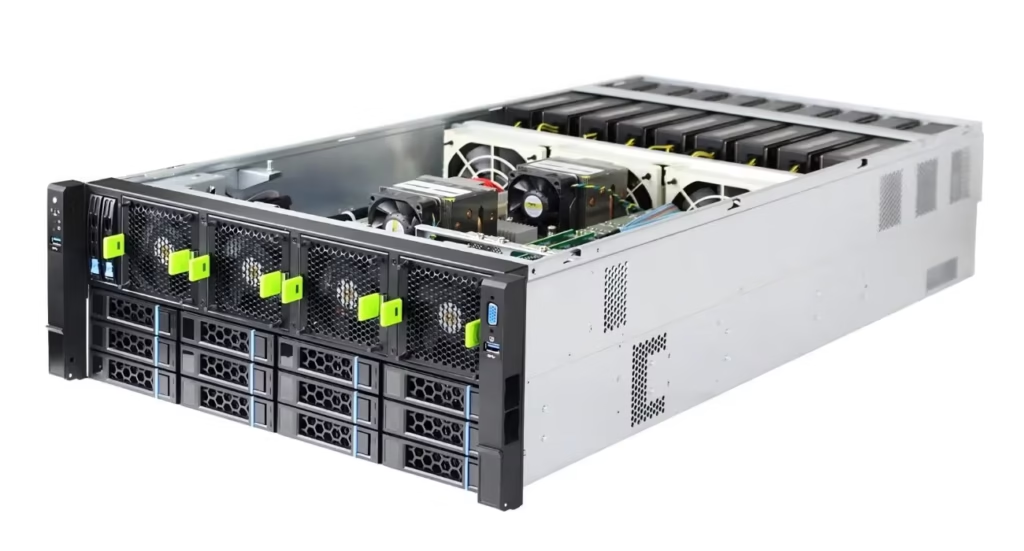
Related Products: GPU Server Chassis
Internal vs external GPU chassis: what’s the difference?
Traditionally, there are two primary categories for housing graphics hardware: Internal GPU Chassis (standard PC cases) and External GPU Chassis (eGPU enclosures).
Internal GPU Chassis
Internal GPU chassis setups are located within the main computer case and integrate seamlessly with the motherboard and power supply unit (PSU). They are integral to the desktop build, providing the most direct, high-bandwidth connection for the operating system, games, and heavy-duty applications. Because they connect directly to the motherboard’s PCIe x16 slot without intermediary cables or controllers, they offer the highest possible data transfer speeds and lowest latency.
External GPU Chassis
External GPU chassis, on the other hand, are separate from the computer’s internal system. They connect via Thunderbolt 3, Thunderbolt 4, or proprietary interfaces and provide additional graphical horsepower for your device, transforming a thin ultrabook into a gaming powerhouse.
External GPU chassis are commonly used for:
- Boosting gaming performance on non-gaming laptops
- Accelerating professional rendering tasks on portable devices
- Adding multiple GPUs to a system for AI or machine learning tasks
- Docking stations that provide graphics, plus extra USB ports and charging
Primary Features of a GPU Chassis
Computers rely on specific features within a chassis to maintain peak performance: effective cooling, robust power delivery, and physical compatibility.
Cooling systems, often comprising intake and exhaust fans and optimized airflow channels, are critical components that dissipate the massive heat generated by modern graphics cards. Think of it as the “respiratory system” of the computer. It constantly cycles in fresh, cool air and pushes out hot, stagnant air to prevent thermal throttling. However, a poorly designed chassis with restricted airflow can cause the GPU to overheat, reducing clock speeds and potentially shortening the hardware’s lifespan.
In contrast, the power supply unit (PSU) within the chassis is the “heart” that supplies power to the card. It converts AC power from your wall outlet into the clean DC power required by the GPU’s sensitive electronics. High-end GPUs can draw up to 450 watts, necessitating a chassis with a high-wattage PSU and the correct 8-pin or 12VHPWR connectors. If the power supply is insufficient or unstable, the system may crash under load. Examples of premium chassis features also include modular drive bays, sound-dampening materials, and tool-less installation mechanisms that make building and upgrading easier.
The key difference between a basic box and a high-performance chassis lies in thermal management and power headroom. A basic chassis might trap heat and limit power, while a high-performance one actively manages temperatures and delivers stable energy even during peak loads.
Types of GPU Chassis
Air-cooled, liquid-cooled, and modular chassis each have unique characteristics, performance capabilities, and ideal use cases.
Air-Cooled GPU Chassis
An air-cooled GPU chassis is the traditional type of enclosure that relies on standard case fans to move air across the GPU’s heatsink. These are the most common form factors found in both desktop towers and entry-level eGPU enclosures.
Advantages of Air-Cooled Chassis
- Cost-effective: Generally cheaper to manufacture and purchase compared to liquid-cooled variants, making them economical for most users.
- Simplicity: Fewer moving parts mean less maintenance and a straightforward installation process for beginners.
- Reliability: With no risk of leaks or pump failures, air cooling is incredibly reliable for long-term usage without intervention.
Disadvantages of Air-Cooled Chassis
- Noise: To maintain low temperatures, fans often need to spin at high RPMs, generating significant noise.
- Thermal Limits: In highly compact chassis, air cooling may struggle to dissipate heat from top-tier, power-hungry GPUs.
- Dust Accumulation: High airflow naturally pulls in more dust, so regular cleaning is required to maintain performance.
Liquid-Cooled GPU Chassis
Liquid-cooled chassis are newer, more advanced enclosures. They have become the preferred format for enthusiast builds and high-end workstation setups where thermal performance is paramount.
Advantages of Liquid-Cooled Chassis
- Superior Cooling: Water transfers heat much more efficiently than air, keeping GPU temperatures significantly lower under load.
- Acoustics: Because the radiator fans don’t need to spin as fast to achieve the same cooling effect, the system runs much quieter.
- Aesthetics: These chassis often feature sleek designs with tubing and RGB lighting that appeal to gamers and showcase builders.
Disadvantages of Liquid-Cooled Chassis
- Cost: Significantly more expensive due to the pump, radiator, tubing, and coolant required for the loop.
- Complexity: Installation is more difficult, and there is a non-zero risk of leaks, which could damage expensive components.
- Maintenance: Over time, coolant levels may drop, or pumps may wear out, requiring more attention than air coolers.
Modular GPU Chassis
Modular chassis represent a flexible approach, allowing users to swap panels, mounting orientations, and internal layouts.
Advantages of Modular Chassis
- Flexibility: Users can reconfigure the case to fit different GPU sizes or switch between vertical and horizontal mounting.
- Future-proofing: As GPU sizes increase, modular cases can often be adjusted to accommodate larger cards without needing a full replacement.
Disadvantages of Modular Chassis
- Assembly Time: The initial build process can be time-consuming due to the number of configurable parts.
- Price: The engineering required for modularity often results in a higher price tag than standard fixed-layout cases.
How to Choose the Right GPU Chassis
Simply put, a GPU chassis protects and powers your investment. For a gamer or professional, this includes ensuring your expensive graphics card fits physically, receives enough power, and stays cool. Beyond that, the connectivity options—such as Thunderbolt 3 for external docks or PCIe generation support for internal cases—determine the bandwidth available to the card. The capacity of a chassis is often measured in “slots” (e.g., 2-slot, 3-slot cards) and maximum GPU length in millimeters (mm).
This is different from simply buying a “big box,” a common mistake; a large case with a solid front panel might have poor airflow, suffocating the GPU inside. Your computer needs specific airflow dynamics to operate smoothly and allow you to push high frame rates or render 4K video without the system sounding like a jet engine. Airflow is known as thermal management, while PSU wattage falls under power stability.
A GPU chassis is a foundational component that houses your graphics engine for the long term. Whenever you upgrade a graphics card, you must ensure it is compatible with your chassis. This essentially makes a GPU chassis a bit like a garage for your high-performance vehicle—it needs to be the right size and have the right tools to keep the car running.
The Future of GPU Chassis: Cloud Gaming and Virtual GPUs
The arrival of cloud gaming and virtual GPUs addressed the limitations and costs of physical hardware, offering a flexible, accessible alternative. Rendering a game in the cloud means processing it on a remote server, where it won’t take up any space or generate heat in your local room.
Services like NVIDIA GeForce Now, for example, allow users to play high-fidelity games on low-end hardware by streaming the video feed over the internet. This eliminates the need for bulky physical GPU chassis and expensive graphics cards, providing a high-end experience on a budget.
Free yourself from hardware constraints
Play Cyberpunk 2077, render 3D scenes, and more—cloud computing keeps your local desk setup clean and minimal.
Try cloud solutions
With features like instant access to the latest hardware, cross-device compatibility, and zero maintenance, you can ensure your gaming experience is always top-tier without the hassle of building a PC.
Cloud gaming can be enjoyed without taking up physical desk space and allows for gaming on tablets, phones, and old laptops. Unlike external GPU chassis, which require expensive Thunderbolt cables and a dedicated power outlet, cloud gaming is accessible from almost any device with a screen and Wi-Fi.
Using virtual GPUs means processing power is handled in a temperature-controlled data center, reducing noise and electricity bills in your home compared to running a 4090 locally. Virtualization provides a versatile solution for occasional gamers or professionals who only need burst performance, freeing up budget and eliminating the depreciation risks associated with buying physical hardware.
So why continue relying on massive, expensive GPU chassis to power your pixels when there’s a streaming solution? Try cloud gaming today and elevate your entertainment experience with efficient, remote processing power.
Conclusion
The choice between an internal chassis, an external eGPU, or even a cloud solution often comes down to the user’s specific lifestyle:
- Performance and Latency: Choose a high-airflow internal chassis if you need the absolute best performance, zero latency, and the highest frame rates for competitive gaming.
- Portability and Versatility: Opt for an external GPU chassis if you need to travel with a lightweight laptop but still want to game or render video when you return to your desk.
- Convenience and Cost: Consider cloud gaming if you have a reliable internet connection and want to avoid the high upfront costs of hardware.
In many modern setups, users leverage a mix—a powerful desktop at home for the main “battlestation” and a lightweight laptop for travel. This hybrid approach maximizes both raw power and mobile freedom. Whatever you choose, ensuring your GPU is housed correctly is the first step toward a superior computing experience.
