


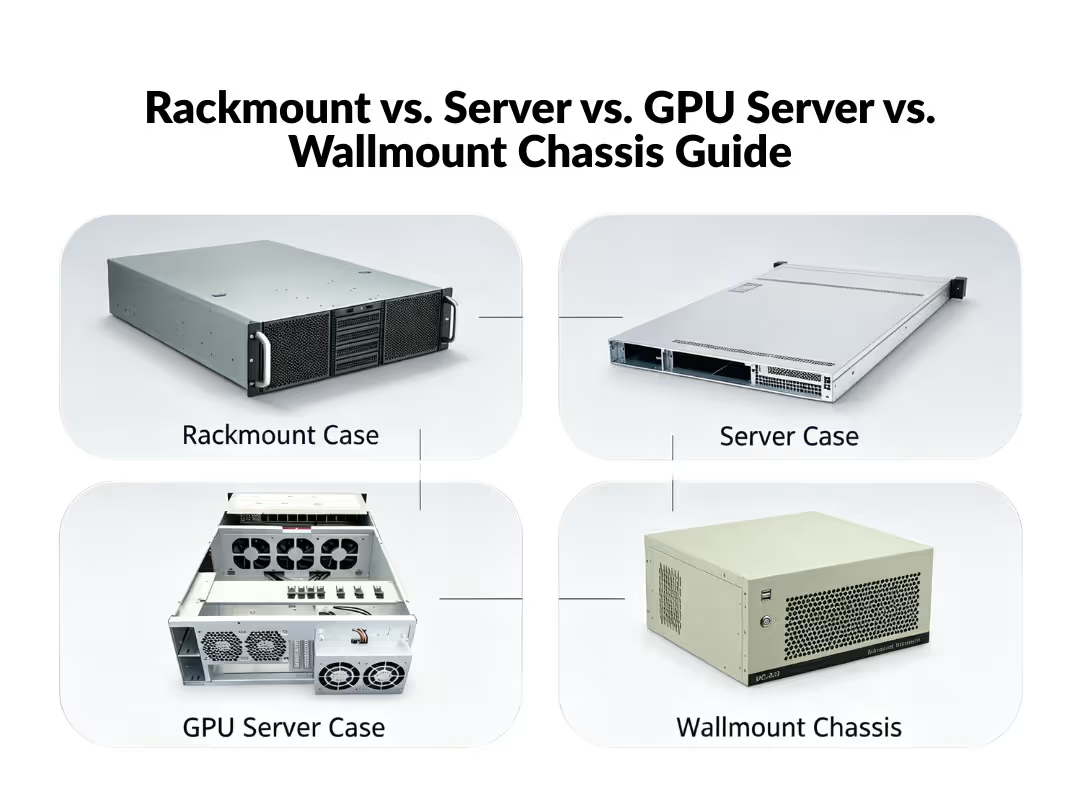
The right chassis is decided by workload, not budget. Rackmount chassis suit data center density, GPU server cases handle multi-GPU thermal and power loads, standalone server cases fit SMB and home lab setups, and wallmount chassis solve space-constrained closets. Match cooling capacity, expansion room, and power delivery to the workload before comparing brands or price.
Buying a chassis on price or brand familiarity is how infrastructure debt gets built. Cooling headroom, PCIe clearance, and power delivery are locked in the moment a chassis is purchased. Everything installed afterward — a single-GPU inference box or a sixteen-drive storage array — operates within those limits for the life of the deployment.
This guide breaks down the decisions that actually determine whether a chassis performs under real load: how to judge cooling and power adequacy, how expansion tradeoffs work, and which category fits which deployment.
What Separates Rackmount, Server, GPU Server, and Wallmount Chassis?
Before you compare specs and prices, it helps to know what each chassis type does—and who it’s really for. Think of it as picking the right box for the right job.
What Is a Rackmount Case?
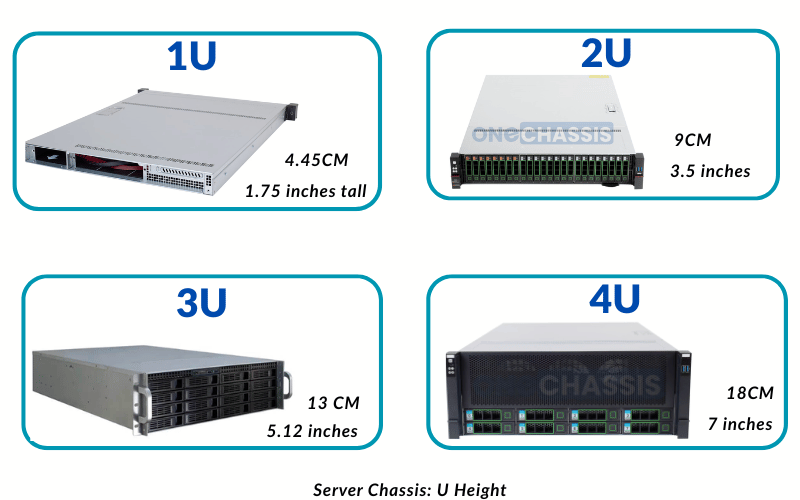
A rackmount case is the all-purpose choice. It slides into a standard 19-inch rack and comes in different heights (measured in “U,” like 1U or 4U). Because it fits so many different builds — servers, storage, networking gear — it’s the flexible, do-a-bit-of-everything option. If you’re not sure exactly what you’ll run inside it, this is usually your safe starting point.
What Is a Server Case?
A server case is the specialist. It looks similar to a rackmount case, but it’s built for one job: running servers around the clock. That means better cooling to handle the heat, sturdier room for hard drives, and support for backup power so things keep running if one power supply fails. Rule of thumb: pick a rackmount case for general use, and a server case when reliability and nonstop uptime matter most.
What Is a GPU Server Case?
A GPU server case is the heavy lifter. It’s designed to hold several powerful graphics cards (GPUs) at once — the kind of horsepower needed for AI, machine learning, and video rendering. To manage all that power and heat, it offers extra room for cards, stronger power support, and serious cooling. Choose this when your work demands serious processing muscle.
What Is a Wallmount Chassis?
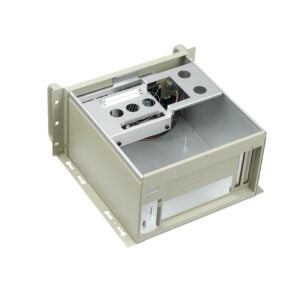
A wallmount chassis is the space-saver. Instead of sitting in a floor rack, it mounts right on a wall. That makes it perfect for tight spots — like a shop’s back office, a branch location, or an edge site — where there’s no room for a full rack. Pick this when space is your biggest limitation.
Server Chassis Comparison: 10 Key Differences
The table below outlines the core distinctions between rackmount cases, server cases, GPU server cases, and wallmount chassis.
|
Attribute |
Rackmount Case |
Server Case |
GPU Server Case |
Wallmount Chassis |
|---|---|---|---|---|
|
Typical Height |
1U–4U |
1U–4U |
4U–10U |
N/A (wall-mounted) |
|
Primary Use |
General rack integration |
Dedicated compute/storage |
AI training, rendering, inference |
Edge/branch deployment |
|
Motherboard Support |
Standard ATX/mATX |
Server-grade ATX/EATX |
Multi-GPU server boards |
Compact/Mini-ITX |
|
GPU Capacity |
Limited (1–2 slots) |
Moderate (2–4 slots) |
High (4–10+ GPUs) |
Minimal to none |
|
Cooling Type |
Standard airflow |
High-airflow, redundant fans |
Air or liquid-cooled |
Passive or low-noise fans |
|
Power Supply |
Single or dual PSU |
Redundant PSU support |
High-wattage, multi-rail PSU |
Compact single PSU |
|
Storage Bays |
Moderate (4–8 bays) |
High (8–24+ bays) |
Moderate, GPU-prioritized |
Low (2–4 bays) |
|
Rack Requirement |
Standard 19″ rack |
Standard 19″ rack |
Standard 19″ rack (deep) |
Wall bracket, no rack |
|
Noise Level |
Moderate |
Moderate to high |
High (especially air-cooled) |
Low |
|
Typical Buyer |
Integrators, general IT |
Data centers, hosting providers |
AI labs, research, hyperscalers |
Retail, branch offices, telecom |
Form factor sets the thermal and expansion ceiling before CPU choice, RAM capacity, or storage configuration enter the conversation. Buyers who spec components first and pick a chassis last routinely discover their configuration doesn’t physically fit.
What Are the Advantages of Each Chassis Type?
Why Choose a Rackmount Case?
Rackmount cases offer flexibility above all else. Because they support standard motherboard layouts and common component sizes, they’re easy to source, configure, and service across multiple client projects. For integrators managing varied deployments, a single rackmount family can cover multiple use cases — simplifying inventory planning and cutting sourcing overhead.
Why Choose a Server Case?
Server cases prioritize reliability and density. Redundant power supplies and hot-swappable drive bays reduce downtime risk, a critical factor for hosting providers and enterprises running always-on workloads. The reinforced internal layout also supports higher storage capacity than a general rackmount case, making server cases the natural fit for data centers and enterprise infrastructure.
Why Choose a GPU Server Case?
GPU server cases solve a problem standard chassis can’t: sustained thermal management under heavy parallel compute loads. A Liquid-Cooled GPU Server Case allows denser GPU packing without the thermal throttling that affects air-cooled builds at full utilization for extended periods. For AI training clusters, that means faster job completion and lower per-GPU operating cost — the decision criterion that matters most to AI labs and hyperscale buyers weighing total cost of ownership.
Why Choose a Wallmount Chassis?
Wallmount chassis solve a real estate problem, not a performance one. When there’s no server room or spare rack space, wall-mounted hardware keeps equipment secure, ventilated, and out of the way. A compact model like the OCWH300G-Y suits retail chains, branch offices, and edge nodes where a full rack deployment isn’t feasible or cost-effective.
What Actually Determines Whether a Chassis Performs
Category gets you into the right neighborhood. It doesn’t guarantee the chassis will hold up under the workload you assign it. Three factors decide that: cooling, expansion, and power. Get these right, and a chassis performs for the life of the deployment. Get them wrong, and you’ll manage throttling, downtime, or premature replacement.
Cooling: Match Airflow to the Workload, Not the Label
How a chassis moves air determines what it can safely run.
Rackmount and GPU server cases use front-to-back airflow, driven by blower or static-pressure fans that push air through dense component layouts. This is what makes them viable for data center density and sustained compute. GPU server cases depend specifically on static-pressure fans, because standard case fans can’t force enough air through the tight clearances between multiple cards. For AI training or large-scale inference — where GPUs run near full utilization for hours or days — that static pressure is the difference between thermal stability and a rack that throttles under its own heat.
Standalone server and wallmount chassis typically rely on passive or ambient cooling. That’s perfectly adequate for an SMB file server, a light virtualization host, or an edge box tucked into a telecom cabinet. It breaks down under sustained load. The practical threshold is straightforward: any deployment running more than two GPUs, or holding CPU utilization above roughly 65% for extended periods, rules out ambient cooling entirely. Below that line, it holds up fine. Above it, you need forced airflow.
Expansion: The Chassis Caps Your Ceiling, Not the Motherboard
PCIe slot count, drive bay count, and backplane type — SAS, SATA, or NVMe — set the hard limit on future scaling. The motherboard’s theoretical support is irrelevant if the chassis can’t physically house the cards or drives. A chassis with four PCIe slots limits you to four cards, no matter what the board can address.
GPU server cases make this tradeoff explicit: they sacrifice drive bays for PCIe clearance. A case built for four or more full-length GPUs typically carries fewer hot-swap bays than an equivalent rackmount chassis optimized for storage. This is where the workload has to drive the decision. An AI training cluster needs GPU clearance far more than local storage. An SMB database or hosting server needs the reverse — dense, redundant drive bays it can grow into. Decide which side of that tradeoff your deployment lives on before you compare models, because you can’t add slots later.
Power: The Spec Everyone Underestimates
Redundant PSU support and wattage headroom come standard on rackmount and GPU server chassis. They’re rare on standalone and wallmount units — and that gap is the single most common source of GPU server instability.
An undersized PSU under multi-GPU load causes throttling, unexpected shutdowns, and hardware degradation that compounds over time. The fix is simple and non-negotiable: calculate total wattage draw at full GPU load, then add at least 20% headroom before selecting a PSU. For any high-uptime deployment — a database server, hosting infrastructure, or a training rig that can’t tolerate a mid-job failure — redundant PSUs aren’t optional either. They keep the system running when a single unit fails.
Skipping this step is the most expensive mistake on this list, precisely because it surfaces after deployment rather than before.
Category narrows your options, but cooling, expansion, and power decide whether the chassis you choose actually survives the job. Map each factor to your workload — data center density, SMB uptime, AI thermal load, or edge space constraints — before you commit to a specific model.
Recommended Chassis Models by Category
The options below are organized by use case and form factor. Match the tier to your workload intensity and available space.
Rackmount Cases (1U–4U)
- 1U Rackmount Case — compact networking and light compute
- 2U Rackmount Case — balanced storage and expansion
- 3U Rackmount Case — added expansion headroom
- 4U Rackmount Case — maximum flexibility for mixed-use builds
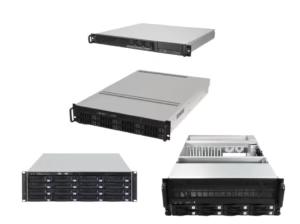
Server Chassis (1U–4U)
- 1U Server Chassis — high-density hosting compute
- 2U Server Chassis — redundant PSU support with expanded bays
- 3U Server Chassis — mid-tier storage and airflow balance
- 4U Server Chassis — storage-optimized for enterprise workloads
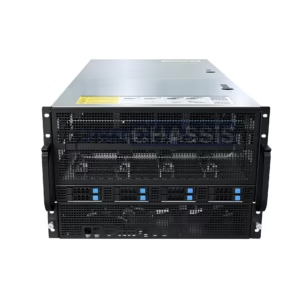
GPU Server Cases (4U–10U)
Grouped by density tier so you can self-select by GPU count and cooling need.
Entry to mid-density (4U–6U):
- 4U GPU Server Case — 4–8 GPUs with high-airflow cooling
- 5U GPU Server Case — added thermal and slot headroom
- 6U GPU Server Case — mid-density multi-GPU builds
High-density (7U–8U):
- 7U GPU Server Case (OCG7900B-8H8-L) — 8-GPU high-airflow configuration
- 7U GPU Server Case (OCG7900A-8H8-L) — alternate 8-GPU layout
- 8U GPU Server Case (OCG5800-8H4-L) — 8-GPU AI training density
- 8U GPU Server Case (OCG4760Y-8H8-H) — high-clearance 8-GPU build
- 8U GPU Server Case (OCG700-W) — wide-format 8U configuration
Maximum-density and liquid-cooled (9U–10U):
- 9U GPU Server Case — extended multi-GPU capacity
- 10U GPU Server Case (OCG9800-10H4-L) — hyperscale GPU density
- 10U GPU Server Case (OCG7870-10H4-R) — rear-access 10U layout
- Liquid-Cooled GPU Server Case — sustained full-load performance for research and hyperscale clusters
Wallmount Chassis
Compact Mini-ITX (office, retail, light edge):
- OCWH300G-Y — compact Mini-ITX build
- Available in two color variants: OCWH510B-Y in black and OCWH510G-Y in grey
Rugged SGCC (industrial, telecom, harsh environments):
Need an even smaller footprint? Consider the ITX Case range. For high-density compute in a shared chassis, the Dual Node Server category is worth a look.
What Value-Added Services Should B2B Buyers Look For?
Chassis selection is only half the sourcing decision. For system integrators and brand owners, the manufacturing partner behind the enclosure matters just as much as the enclosure itself. Look for a supplier that backs every order with:
- OEM/ODM support: Custom branding, sheet metal modifications, and tailored configurations that let you launch a product line without designing from scratch. Learn more about OEM/ODM services.
- A 3-year warranty: Extended coverage on chassis and components reduces long-term liability and builds trust with your own end customers.
- Reliable global logistics: Compliance-ready shipping and packaging standards so builds aren’t delayed by sourcing bottlenecks.
- Clear sourcing answers: Predictable lead times and transparent policies. For common ordering and customization questions, check the FAQ.
These services matter most at scale. A single warranty claim, missed lead time, or shipping delay can cascade into missed client deadlines.
Buying Mistakes and Objections Worth Addressing First
“A standard PC case works fine as a server.” It lacks hot-swap bays, redundant power, and rack compatibility. That’s a manageable risk for a home lab experiment, but not for any deployment where downtime carries a real cost.
“Rackmount chassis are too loud for office use.” Noise comes from fan speed curves and chassis size, not the rack form factor itself. A wallmount chassis or an acoustic-dampened server case solves this without sacrificing the reliability of dedicated server hardware.
“GPU server chassis cost too much.” This framing isolates chassis cost from what it protects. A chassis that throttles a GPU cluster costing tens of thousands of dollars isn’t a savings — it’s a bottleneck with a price tag attached.
Decision Checklist
Run through these questions before committing to a purchase:
- What’s the primary workload: storage, general compute, GPU training, or networking?
- How many GPUs or expansion cards need PCIe clearance now, and in two years?
- Is rack space available, or does the deployment require wall-mounted or standalone hardware?
- Does the workload demand active cooling, or is ambient sufficient?
- Does this deployment require redundant power?
- Does the budget account for the PSU and cooling upgrades the workload will eventually need?
- How much scaling room exists before a full chassis replacement becomes necessary?
This list is the final filter before purchase, not a recap of a decision already made elsewhere.
Technical FAQ
Can a rackmount chassis run a GPU server workload?
Only if it has sufficient PCIe clearance, static-pressure cooling, and adequate PSU wattage for the GPU load. Standard rackmount chassis built for storage or general compute often lack the airflow design multi-GPU setups require, so confirm model-specific GPU support before assuming compatibility.
What size wallmount chassis fits a small office?
Most small offices need a 2U to 6U wallmount chassis, depending on the number of network switches, patch panels, and servers being housed. Measure the equipment stack first, then add at least 1U of headroom for future additions and cable management.
How many PCIe slots does a GPU server case typically offer?
GPU server cases typically provide 4 to 8 PCIe slots, depending on chassis size and GPU form factor. Full-length, double-width GPUs consume more physical slot space than the raw slot count implies, so usable GPU capacity is often lower than advertised.
What’s the difference between a rackmount case and a server case?
A rackmount case is a general-purpose enclosure that fits standard racks and supports common motherboard sizes. A server case is purpose-built for dedicated server workloads, with reinforced drive bays, redundant power supply support, and airflow optimized for continuous operation.
Do GPU server cases require liquid cooling?
No. GPU server cases come in both air-cooled and liquid-cooled configurations. Liquid cooling becomes advantageous in high-density builds (8U–10U) running sustained, full-utilization workloads like AI training, where air cooling alone may struggle to maintain thermal stability.
Can a wallmount chassis replace a rack deployment?
A wallmount chassis suits smaller compute needs at sites without rack infrastructure, such as branch offices or retail locations. It isn’t a substitute for a full rack when you need higher compute density or extensive storage.
How do I know if I need a 4U or 8U GPU server case?
GPU count and cooling requirements decide this. A 4U GPU server case typically supports 4–8 GPUs with air cooling, suitable for moderate inference or training. An 8U or 10U configuration supports higher density and suits large-scale AI training or research clusters, especially when paired with liquid cooling.
What warranty length is standard for server chassis in B2B orders?
A 3-year warranty is a common standard for B2B chassis orders, covering manufacturing defects and component failure. Buyers sourcing at scale should confirm warranty terms directly with their manufacturing partner before finalizing an order.
Build the Right Foundation for Your Deployment
Chassis selection sets the ceiling for what your build can achieve. A rackmount case gives you flexibility for general infrastructure. A server case delivers the reliability dedicated workloads demand. A GPU server case unlocks the thermal headroom AI and rendering workloads require. A wallmount chassis solves the real estate problem when a rack isn’t an option.
Before finalizing your next build, map the deployment environment, workload intensity, and scaling plans against the categories above. Getting this decision right upfront saves the cost, delay, and rework of retrofitting a build that was never designed for its actual workload.
Ready to source your next enclosure? Browse the full GPU Server Case range, or contact our team to discuss OEM/ODM customization and bulk pricing.
