


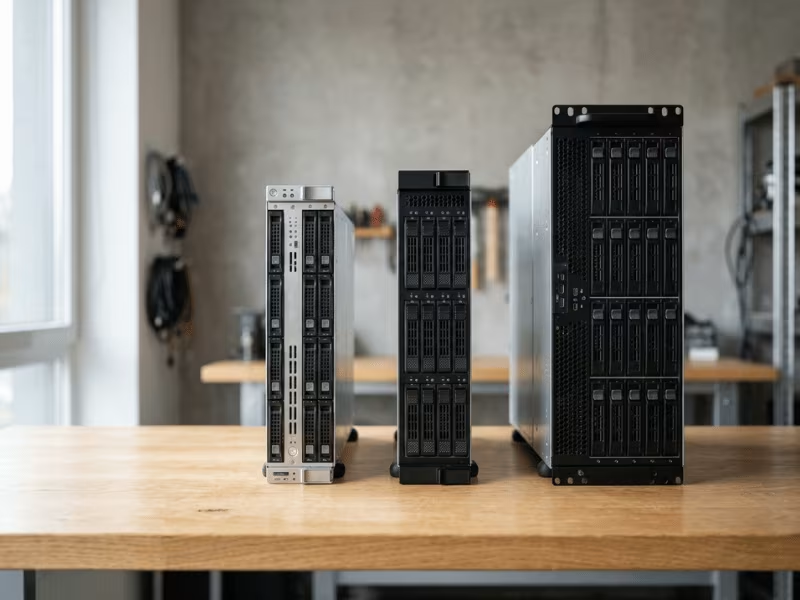
Picking a barebone server is rarely the hard part. Building it out is straightforward. The real challenge is choosing the right size before you commit.
I have set up plenty of racks where the wrong form factor caused headaches later. A 1U looked fine on paper, then ran hot and left no room to grow. A 4U got bought “just to be safe,” then wasted space and power it never touched.
Here is what many people miss: 1U, 2U, and 4U are not just about height. The size you pick shapes your thermal headroom, expansion slots, drive bays, GPU support, noise levels, serviceability, and lifetime cost.
So this guide skips the fluff. I will walk you through how each size behaves in the real world and help you match 1U, 2U, or 4U to your workload and deployment plan.
What Is a Barebone Server?
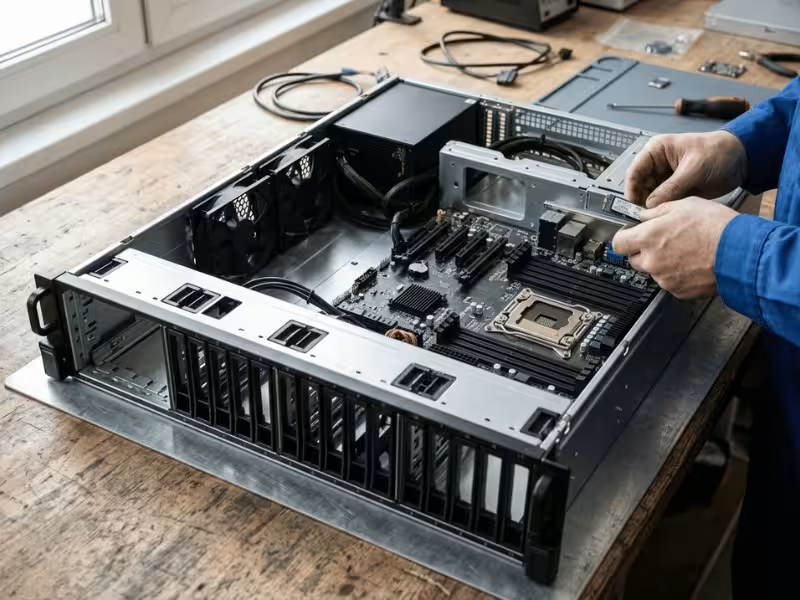
Think of a barebone server as a semi-finished platform. It gives you the foundation, then hands the rest of the build to you.
A barebone ships with the parts that are hard to change later: the chassis, the motherboard, the power supply, and the cooling framework. Everything else stays open.
That means no CPU, no RAM, no storage drives, and no operating system. You pick those components yourself and slot them in to match the job.
So why start with a bare platform instead of buying a complete server?
The biggest reason is control. You choose the exact processor, memory capacity, and drives your workload needs, without paying for parts you would rather swap out.
Cost plays a role too. A prebuilt system bundles components at a fixed spec, and you pay for the whole package. With a barebone, you spend on what matters to you and skip the rest.
Flexibility is the third draw. Maybe you already have RAM and SSDs on hand. Maybe you want a specific CPU generation for a certain task. A barebone lets you use what you have and build toward what you need.
The chassis, board, PSU, and airflow design already work together as one system. You handle the parts that change with your workload. That balance is what makes barebones popular with builders who want a tuned machine, not a one-size-fits-all box.
1U vs 2U vs 4U: The Differences That Actually Matter
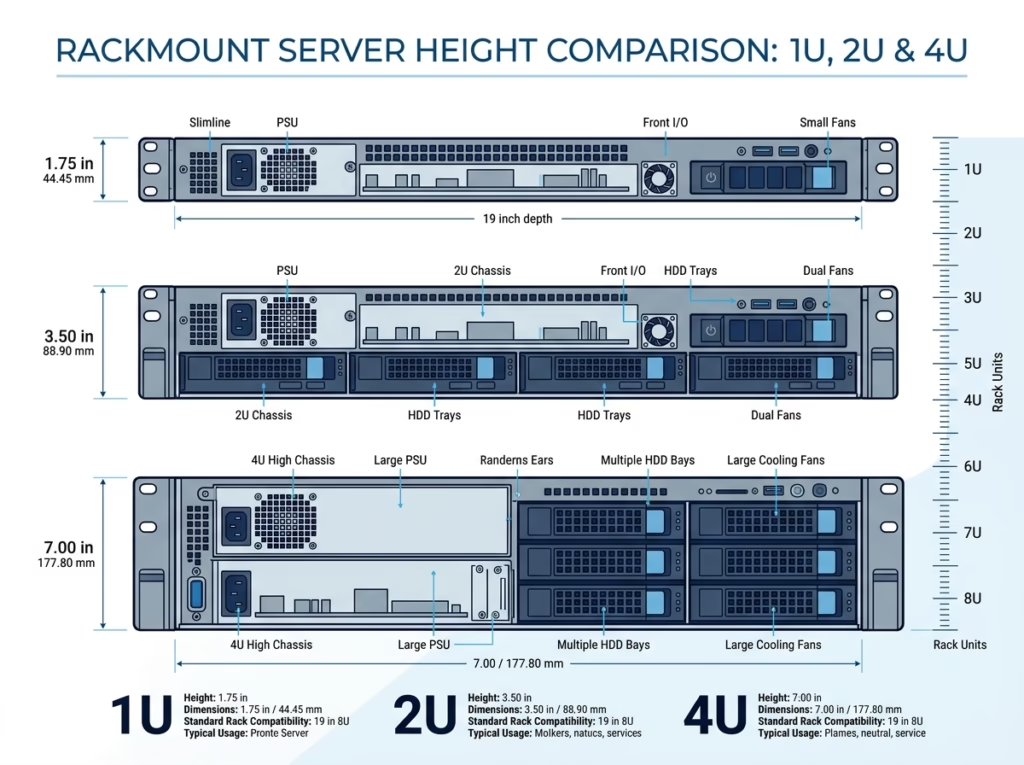
Now that you know what a barebone gives you, the next question is which size fits. And the gap between 1U, 2U, and 4U goes far beyond how tall the box sits in the rack.
Here is a quick side-by-side to frame the differences.
|
Factor |
1U |
2U |
4U |
|---|---|---|---|
|
Physical height |
~1.75 in (44 mm) |
~3.5 in (89 mm) |
~7 in (178 mm) |
|
Typical CPU/GPU support |
Low-profile CPUs, limited or no GPU |
Dual CPUs, 1–3 GPUs |
Dual CPUs, 4–8+ GPUs |
|
Drive capacity |
Few bays, mostly 2.5″ |
Moderate, mixed 2.5″/3.5″ |
High, many 3.5″ bays |
|
PCIe expansion room |
Tight, riser-dependent |
Reasonable, several slots |
Generous, full-height cards |
|
Cooling headroom |
Minimal |
Balanced |
Ample |
|
Noise level |
Loud (small, fast fans) |
Moderate |
Quieter (larger, slower fans) |
|
Best-fit workloads |
Density, web, edge nodes |
Virtualization, databases, mixed loads |
AI, storage, HPC |
The table shows the specs. What matters is what those specs do to your day-to-day operation.
Height controls airflow. A 1U squeezes small fans that spin fast and hot, so it fights to cool high-TDP CPUs. A 4U fits larger, slower fans that move more air with less noise and more thermal margin.
Height also controls what you can add later. More space means more PCIe slots, more drive bays, and room for GPUs. A tight chassis locks you into today’s config.
And it shapes service work. A roomy box is easier to open, wire, and upgrade. A packed 1U tests your patience every time you touch it.
So size is really a trade between density, growth, heat, and how much hands-on maintenance you want to sign up for.
When a 1U Barebone Server Makes Sense
A 1U is not the safe default, and it is not the compromise pick. It is a specialist. Choose it when density and simplicity matter more than room to grow.
Here is the honest way to think about it.
The Jobs Where 1U Shines
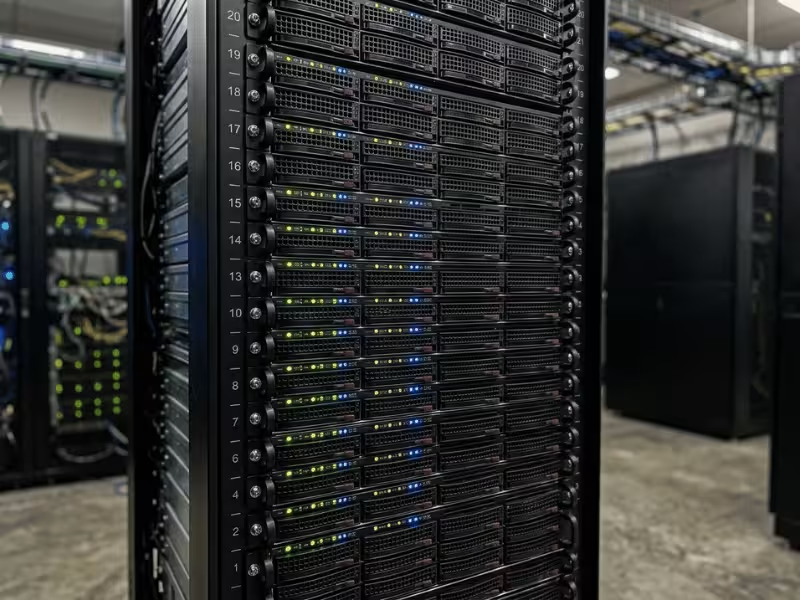
A 1U earns its place when you want to pack the most compute into the fewest rack units. In a colocation cage where you pay by the U, that math adds up fast. A well-built 1U server chassis turns that density into real savings over time.
It suits workloads that stay lean. Think web and application servers, reverse proxies, DNS, load balancers, and small API backends. None of these ask for heavy local storage or a stack of GPUs.
It also makes a great edge or branch node. A single 1U in a remote closet handles caching, routing, or light processing without hogging space.
And it fits management and jump nodes well. These boxes do quiet, steady work and rarely need expansion.
Where 1U Fights Back
The trade-off is space, and space touches everything.
Cooling is the first wall you hit. A small chassis means small fans spinning fast and loud. High-TDP CPUs push that airflow to its limit, so you often cap your processor choice lower than you would like.
Expansion is the second wall. You get a slot or two, usually riser-dependent, and full-height GPU cards rarely fit. If your roadmap includes accelerators, a 1U will box you in.
Storage is the third. A handful of 2.5″ bays covers a boot pair and modest capacity. It will not carry a storage-heavy role.
Ask Yourself First
Before you commit to 1U, run through these questions:
- Is my workload light on GPUs, PCIe cards, and local drives?
- Do I care more about rack density than future expansion?
- Can I live with louder fans and a tighter thermal ceiling?
- Will this box do roughly the same job in two years?
If you answered yes across the board, a 1U is a smart, efficient choice. If you hesitated on expansion or heat, keep reading, because 2U probably fits you better.
When a 2U Barebone Server Is the Best Fit
If 1U is the specialist, 2U is the workhorse. It sits in the sweet spot between density and capability, which is exactly why so many buyers land here and never look back.
Let me explain why this size rarely disappoints.
It Balances the Things That Usually Fight Each Other
In a server, cooling, expansion, and storage all compete for the same space. A 1U forces you to sacrifice two of them. A 4U gives you all three, but often more than you need.
A 2U threads the needle. It hands you enough headroom on every front without pushing you into oversized, overpriced territory.
That balance is the whole story. You are not maxing out any single dimension, and that is the point.
Cooler, Quieter, More Forgiving
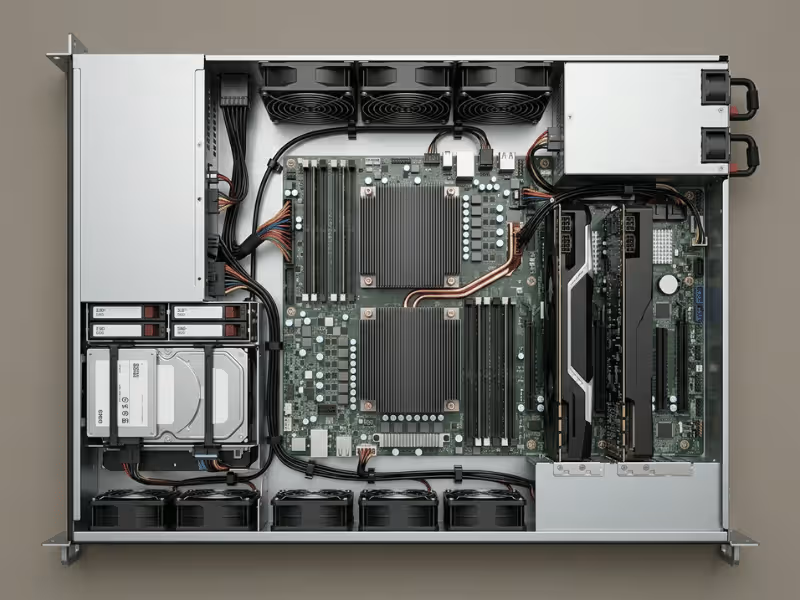
The extra height changes how the box breathes. A 2U server chassis fits taller heatsinks and larger fans that spin slower to move the same air. You get more thermal margin and less noise at the same time.
That margin matters. It lets you run higher-TDP dual CPUs without sitting on the edge of your cooling limit. When a workload spikes, the box has room to absorb it instead of throttling.
Room to Add What You Actually Need
This is where 2U pulls ahead of 1U in daily use.
You get several full-height, full-length PCIe slots. That means real space for a 25G or 100G NIC, a proper RAID or HBA card, and one to three GPUs for inference or acceleration.
Drive bays open up too. A 2U carries a healthy mix of 2.5″ and 3.5″ bays, enough for a fast boot pair plus meaningful local capacity. You can build a solid virtualization host or a mid-scale storage node without reaching for a bigger chassis.
The Workloads It Handles Without Complaint
I reach for a 2U when someone is not sure what they need yet. It covers the widest range of jobs:
- Virtualization hosts that need cores, memory, and mixed storage
- Databases that want fast drives and steady thermals
- Mid-scale storage with a comfortable bay count
- General AI and inference using one or a few GPUs
- Mixed or growing workloads where requirements shift over time
Here is the practical point. When your needs are broad, uncertain, or likely to change, a 2U protects you from guessing wrong. It gives you room to adapt without paying for capacity you will never touch.
That is why 2U is the default-safe pick. It rarely leaves you stuck, and it rarely leaves you with regret.
When a 4U Barebone Server Is Worth It
A 4U is not the “premium” tier, no matter how it looks in the rack. It is a purpose-built platform for jobs that a smaller chassis simply cannot handle.
The value here is not size for its own sake. It unlocks room for high power draw, deep expansion, and serious storage density.
What All That Space Actually Buys You
The extra height changes what you can pack in and how hard you can push it.
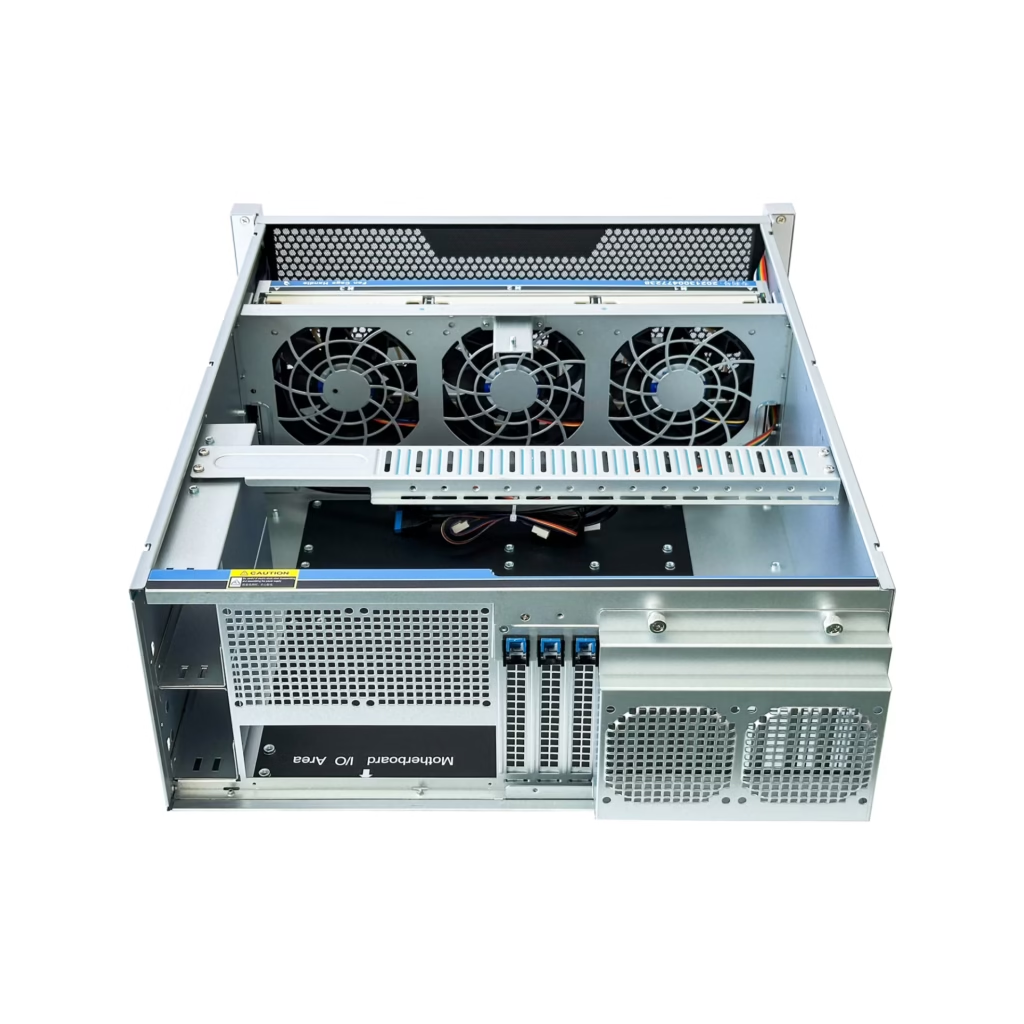
You get room for four to eight or more GPUs, plus the airflow to keep them fed. Large, slow-spinning fans move a lot of air, so the box stays cool under sustained heavy load without screaming.
Expansion opens wide. Full-height, full-length PCIe cards fit without a fight, and you get plenty of slots for accelerators, high-speed NICs, and multiple RAID or HBA controllers at once.
Storage scales too. A 4U can carry a wall of 3.5″ bays, which makes it a natural home for capacity-heavy roles.
The Workloads That Earn a 4U
This is where the chassis pays for itself:
- AI training with multiple GPUs running for hours or days
- GPU-heavy inference that outgrows what a 2U can cool
- Video processing and transcoding with several accelerator cards
- Storage servers that need dozens of drives in one box
- HPC tasks that lean on dense compute and wide I/O
If your work lives in this list, a smaller box will only hold you back. For multi-GPU builds, a purpose-designed 4U GPU server case gives those cards the power and airflow they demand.
When 4U Becomes Overkill
Here is the honest flip side. Most workloads do not need this much room.
A web host, a small virtualization cluster, a database node, or an edge deployment will never touch a 4U’s ceiling. You would pay for GPU slots, drive bays, and power capacity that sit empty.
That empty capacity is not free. A 4U eats more rack units, draws more power, and costs more upfront than a 2U doing the same modest job.
So do not reach for 4U because it feels like the safe, high-end choice. Reach for it when your workload genuinely demands the power, the slots, or the drives. Match the box to the job, and a 4U stops being expensive and starts being exactly right.
How to Choose the Right Barebone Server Size
By now you have seen how each size behaves. So let me hand you the framework I use to steer a buyer toward the right one. Run your workload through these five questions, and the answer usually reveals itself.
Compute Density
Ask one thing first: are you fitting more machines into fewer rack units, or doing more work inside a single box?
If you pay by the U or run out of rack space, density wins. A row of 1U nodes gives you the most compute per slot. That suits scale-out setups where many small servers share the load.
If you would rather consolidate power into one strong machine, lean toward 2U or 4U. Fewer boxes mean fewer things to manage, and a dual-CPU 2U often replaces several thin 1U nodes.
Storage Requirements
Storage decides more than people expect, so be blunt about what you need.
If you only need a boot pair and a little local capacity, almost any size works. Do not size up for storage you will never fill.
But if the box holds databases, media, backups, or a storage pool, count your drives. A 1U runs out of bays fast. A 2U carries a comfortable mix of 2.5″ and 3.5″ drives. A 4U holds a wall of them.
The rule is simple. Match the chassis to the drive count you need in two years, not just today.
Expansion and Accelerator Plans
This is where I see the most regret. People buy tight, then need a card that will not fit.
Walk through what you plan to add:
- GPUs for inference, training, or transcoding
- 25G or 100G NICs for high-speed networking
- RAID or HBA controllers for storage
- Any full-height PCIe card at all
A 1U gives you a slot or two, often riser-bound, and rarely fits a full GPU. A 2U opens up several real slots and handles one to three GPUs. A 4U swallows four to eight without a fight.
If accelerators are on your roadmap, don’t squeeze them into a chassis that blocks them.
Match the Box to Where It Lives
Where you deploy the server should shape your choice as much as the specs.
In a data center or a proper server room, noise barely matters. Cooling and airflow are handled, so a loud 1U or a dense 4U both fit fine.
In an office, a lab, or a home rack, noise and heat become daily problems. A 1U with small screaming fans wears on you fast. A 2U or 4U runs larger, slower fans that stay quieter and cooler.
Power draw follows the same logic. A packed 4U pulls serious wattage. Confirm your circuits and cooling can carry it before you commit.
Leave Room for Where You Are Headed
The last question is the one buyers skip: where will your needs be in 12 to 24 months?
If your workload stays flat, size for today and save the money. A 1U or a modest 2U does the job.
If you expect growth — more users, more data, or heavier compute — buy a little ahead. A 2U with open slots and empty bays absorbs that growth without a forklift upgrade.
Here is the trap to dodge. Buying too small forces an early, costly replacement. Buying too big wastes power and space you never use. Aim for the size that fits today and flexes for tomorrow.
Putting It Together
Run all five answers side by side, and a pattern shows up.
Lean 1U when density rules and the workload stays light. Lean 2U when you want balance and a little room to grow. Lean 4U when heavy compute, deep storage, or many accelerators drive the decision.
The best pick is never the biggest. It is the one that matches your workload, your space, and your next two years.
Quick Recommendations by Use Case
You have the framework. Now let me shortcut it. The table below maps common workloads to the size I would steer you toward, and the trap to avoid with each.
|
Use Case |
Recommended Size |
Why |
What to Watch Out For |
|---|---|---|---|
|
Web hosting / lightweight services |
1U |
High density, low resource draw, cheap to run at scale |
Tight thermal ceiling and few slots if the role grows |
|
Virtualization for SMB |
2U |
Cores, memory, and mixed storage in one balanced box |
Undersizing RAM and drive bays for future VMs |
|
Database server |
2U |
Fast drives plus steady thermals under sustained load |
Skimping on cooling headroom and NVMe bay count |
|
Storage-heavy deployment |
4U |
A wall of 3.5″ bays and room for HBA controllers |
Overbuying compute you will never use on a storage box |
|
GPU inference or AI workloads |
2U or 4U |
Real PCIe space and airflow for accelerators |
Cramming GPUs into a chassis that cannot cool them |
|
Home lab / test lab |
2U |
Quieter fans, room to experiment, easy to service |
1U fan noise wearing you down in a living space |
|
Edge deployment / branch office |
1U |
Small footprint, low power, fits a shallow closet |
No local room to expand once it ships to a remote site |
Find Your Row, Then Sanity-Check It
Most buyers fit one of these lines cleanly. Find yours and start there.
But do not stop at the recommendation. Read the “watch out” column too, because that is where good picks go wrong.
A few patterns repeat.
If your workload sits at 1U but you feel unsure about growth, jump to 2U. The extra height buys you slots and cooling for almost no added rack cost.
If you land on GPU or AI, let the GPU count decide. One or two cards live happily in a 2U. Four or more need a 4U to breathe.
If storage drives your choice, count drives, not cores. A packed 4U with modest CPUs beats an overpowered box with nowhere to put disks.
And if this box runs in a room where people sit, weigh noise as a real factor. A screaming 1U is fine in a data center and miserable in an office.
Match the row to your job, respect the caveat, and you will land on the right size the first time.
Common Buying Mistakes to Avoid
I have watched smart buyers pick the wrong box for the same handful of reasons. Here are the mistakes that come back to bite people most often.
Reading the rack units and stopping there. A size tells you height, not heat. A 1U might fit your budget and your rack math, then throttle the moment your CPU works hard. Always check the thermal headroom, not just the U count.
Buying for today’s config only. The box works fine on day one. Then you need one more NIC, a second GPU, or a few extra drives, and there is nowhere to put them. Look at your spec 18 months out, not just this week. An empty slot now saves a forklift upgrade later.
Underestimating local storage. People count cores carefully and guess at drives. Then the bays fill up and the box is stuck. Count the disks you will actually need, then pick a chassis that holds them with room to spare.
Wanting a GPU but buying tight. This one hurts the most. Someone knows an accelerator is coming, then squeezes into a 1U that cannot fit a full card or cool it. If a GPU sits anywhere on your roadmap, buy the space for it now. Retrofitting airflow is not a thing.
Treating 4U as the “premium” pick. A 4U is not a better server. It is a bigger one, built for heavy compute, deep storage, or many accelerators. Buy it for a web host and you pay for empty slots, extra rack units, and power you never draw. Bigger is not an upgrade. It is a mismatch.
The thread running through all five is simple. Match the box to the job, then leave a little room to grow. Skip either half, and you end up buying twice.
Final Thoughts
Picking between 1U, 2U, and 4U comes down to one question: what does your workload actually need?
Reach for 1U when density rules. If you pay by the rack unit and your jobs stay light, it packs the most compute into the least space.
Reach for 2U when you want balance. It handles most general-purpose work, gives you room to grow, and rarely leaves you stuck.
Reach for 4U when the job demands muscle. Heavy compute, deep storage, or a stack of GPUs all need the space only a 4U provides.
Here is the point to hold onto. The best server is not the biggest one. It is the one that fits your workload, your space, and where you are headed next.
Size it to the job, leave a little room to grow, and you will get it right the first time.
FAQ
What are barebone servers and rackmount barebones?
Barebone servers are partially assembled systems that include a chassis, power supply, and motherboard but require you to add components like CPU, memory, storage, and GPUs; rackmount barebones are designed to fit standardized rack units such as 1u rackmount server or 2u rackmount and often support hot-swappable drive bays, redundant power supplies, and specific expansion slots for scalable deployment in data centers.
Can I build a barebone AMD system with AMD EPYC 7003 or dual AMD EPYC 9005 SP5?
Yes, many barebone AMD models support single AMD EPYC or dual-socket SP5 configurations; some chassis and motherboards explicitly state support for AMD EPYC 7003 and AMD EPYC™ 9005 single-processor or dual AMD EPYC 9005 SP5 setups, enabling high core counts and memory capacity for HPC, virtualization, and dense compute tasks.
How do CPU and processor choices like Intel® Xeon® Scalable or AMD affect barebone servers?
Processor selection determines platform features: Intel® Xeon® Scalable (including 3rd gen Intel Xeon Scalable) and AMD EPYC families offer different core counts, PCIe lanes, memory channels, and chipset compatibility; choose based on workload—Intel may suit certain OEM-certified stacks while AMD EPYC often provides higher PCIe and memory scalability for PCIe gen5 GPUs and large DDR5 ECC configurations.
What memory options are supported—DDR5, DDR4, LRDIMM, RDIMM, or 24x DIMM configurations?
Barebone systems vary: newer models support up to 24x DDR5 ECC DIMMs for maximum bandwidth and capacity, while others accept DDR4 with LRDIMM or RDIMM modules; check the motherboard spec for supported memory types and capacities—systems supporting 24 dimm or 24x ddr5 ecc provide exceptional memory density for in-memory databases and virtualization.
Do barebone servers support GPUs, PCIe 5.0, and pcie gen5 gpus for acceleration?
Many modern barebones include multiple expansion slots and pcie® 5.0 slots or pcie 4.0 depending on platform; models with pcie 5.0 x16 or 5.0 slots can host pcie gen5 gpus or dual-slot GPU cards, enabling GPU server builds for AI, ML, and HPC—verify cooling, power (for example 400w or 2000w redundant psu requirements), and slot clearance for dual-slot gpu installations.
Are there rackmount options like 1U, 2U, 3U, or 4U server chassis from vendors like Supermicro, ASUS, Gigabyte, MSI, or ASRock Rack?
Yes, vendors such as Supermicro, ASUS servers, Gigabyte, MSI, and ASRock Rack offer rackmount server barebone models in 1u rackmount server, 2u rackmount server, 3u, and 4u form factors (for example 4u8g-turin2 4u); each form factor balances compute density, cooling, and expansion slots—ASRock Rack 1U2S-B650 targets specific AM5 or Intel platforms, while Supermicro and Gigabyte have enterprise-grade options with redundant titanium redundant psu and extensive drive bays.
How important are storage options like M.2 slots, NVMe (4 NVMe), and hot-swappable drives in a barebone?
Storage flexibility is crucial: many barebones provide multiple m.2 slots, support for 4 NVMe drives, and front-access hot-swappable bays for enterprise storage needs; choose a chassis that exposes the required m.2 slots or NVMe backplanes, and ensure the motherboard or OCP 3.0 slot supports required PCIe lanes for maximum throughput.
What power and redundancy features should I look for—redundant power supplies, 80-plus, rpsu 1u, or 2000w redundant PSU?
For production and high-availability servers, look for redundant power supplies (1+1 or N+1) rated with high efficiency (80-plus, titanium) and capacity to meet GPU and CPU power draw (some systems list 400w or up to 2000w redundant psu); rpsu 1u and hot-swappable PSUs enable quick serviceability in rack environments and are essential for minimizing downtime in mission-critical deployments.
Can barebone servers be used for HPC and scalable deployments with features like OCP 3.0, expansion slots, and support for many GPUs?
Yes, barebone servers are often used for HPC and scalable clusters: look for chassis that support multiple expansion slots, pcie 5.0 x16 lanes, pcie gen5 gpus, and frameworks like OCP 3.0 for optimized airflow and density; combined with scalable CPUs (AMD EPYC 7003/9005 or Intel Xeon Scalable), high memory counts, and robust power options, barebones form the backbone of scalable GPU server and HPC installations.
