


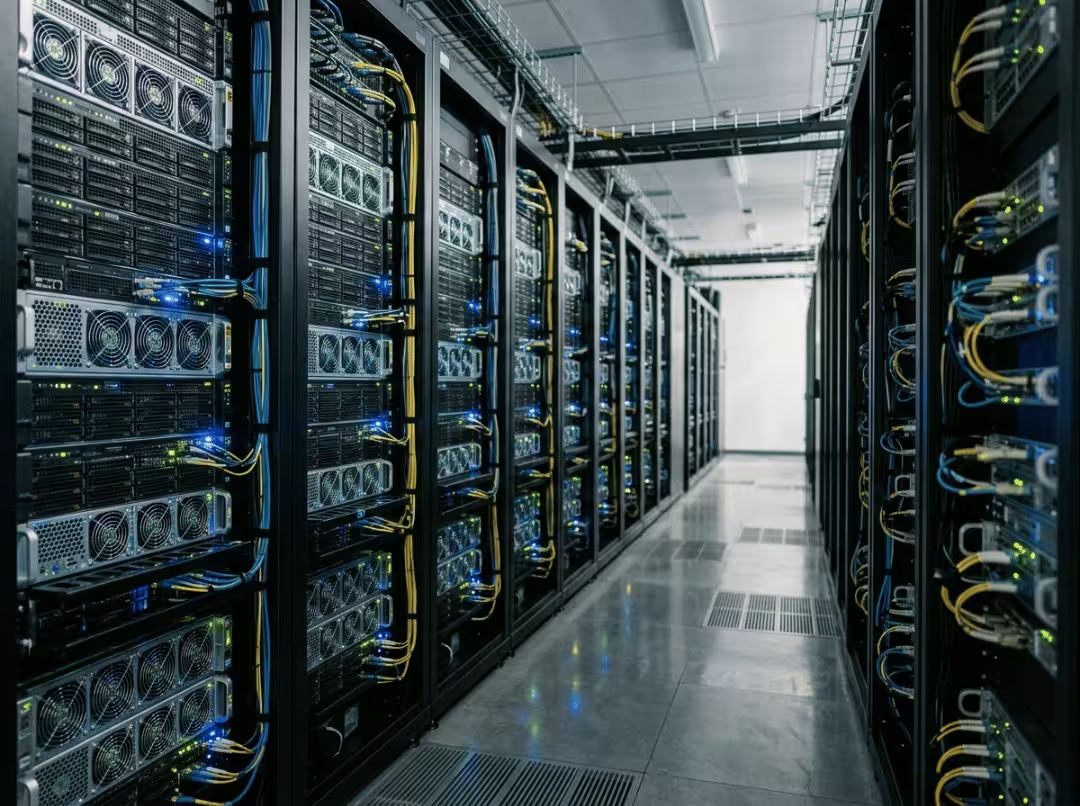
When leadership says “run AI in-house,” most teams don’t know what that means at the hardware level—and that’s where budgets get wasted. An AI server is not a beefier version of a regular server. It’s a different class of machine, and choosing the wrong one leaves you with either idle hardware or a project that never gets off the ground.
This article covers what an AI server actually is, how it differs from a standard server, what’s inside the chassis, and how to decide whether to buy, rent, or go hybrid. The thread running through all of it is this: most teams should rent cloud GPUs first, validate the workload, and only then decide whether owning hardware makes financial sense.
What Is an AI Server?
An AI server is a machine built to run AI workloads—training and inference—using specialized accelerators, usually GPUs, rather than relying on CPUs alone.
A regular server juggles many concurrent tasks: web requests, database queries, file serving. An AI server does something narrower and far more compute-intensive—it pushes massive parallel math through accelerators as fast as the hardware allows. The scope is narrower; the resource demands are not.
You’ll encounter them in several forms. A single-node GPU workstation under a desk. A 4- or 8-GPU rack server in a data center. A cluster of interconnected nodes training a large model together. A compact edge box running inference on a factory floor. Same underlying concept, very different packaging depending on environment and workload.
How an AI Server Differs from a Regular Server
Most bad AI hardware purchases start with one assumption: that an AI server is just a stronger regular server. It isn’t. The design priorities are different at every layer, and treating one like the other is how teams end up with expensive machines that underperform.
Compute: CPU-centric vs. accelerator-centric
A regular server is built around the CPU—a small number of powerful cores optimized for sequential tasks. An AI server flips that. The GPU does the heavy lifting through massively parallel processing: thousands of smaller cores crunching math simultaneously. The CPU doesn’t disappear, but its job shrinks to coordination—feeding data to the accelerators, scheduling work, managing I/O. In an AI server, the GPU is the machine. Everything else exists to keep it busy.
Memory and bandwidth: capacity isn’t enough
AI workloads are bandwidth-hungry in a way most enterprise applications simply aren’t. Data-center GPUs use high-bandwidth memory (HBM) designed to move large volumes of data at speed. System RAM sits behind that, keeping the pipeline full.
The part buyers consistently miss: bandwidth—not total capacity—is usually the real bottleneck. You can have plenty of memory and still starve your GPUs if the data can’t move fast enough. A machine that looks well-specced on paper can crawl in production because the pipes feeding the accelerators are too narrow to keep them occupied.
Storage and interconnect: keeping accelerators fed
Fast local NVMe storage matters more than most buyers expect. Training datasets are large, checkpoints happen often, and slow storage turns into GPU idle time faster than the spec sheet suggests.
Interconnect is where scaling succeeds or fails. For multi-GPU and multi-node setups, high-speed, low-latency links between accelerators aren’t optional—they’re the reason the cluster works at all. InfiniBand and RoCE Ethernet handle node-to-node communication; NVLink handles GPU-to-GPU traffic inside a single machine. When training across many GPUs, those accelerators are in near-constant communication. A slow interconnect means GPUs spend more time waiting than working, and adding more GPUs makes the congestion worse, not better.
Power and cooling: a step-change, not an upgrade
A regular server might draw a few hundred watts. A dense GPU server can pull several kilowatts per node. That gap forces decisions a standard server never demands: rack power budgets, PDU capacity, and a real choice between air and liquid cooling.
At high GPU density, air cooling often can’t keep up. Liquid cooling stops being a premium option and becomes a hard requirement. The facility has to be ready for both the electrical load and the sustained heat output before a single GPU goes into the rack. Teams that discover this after ordering hardware tend to have expensive delays.
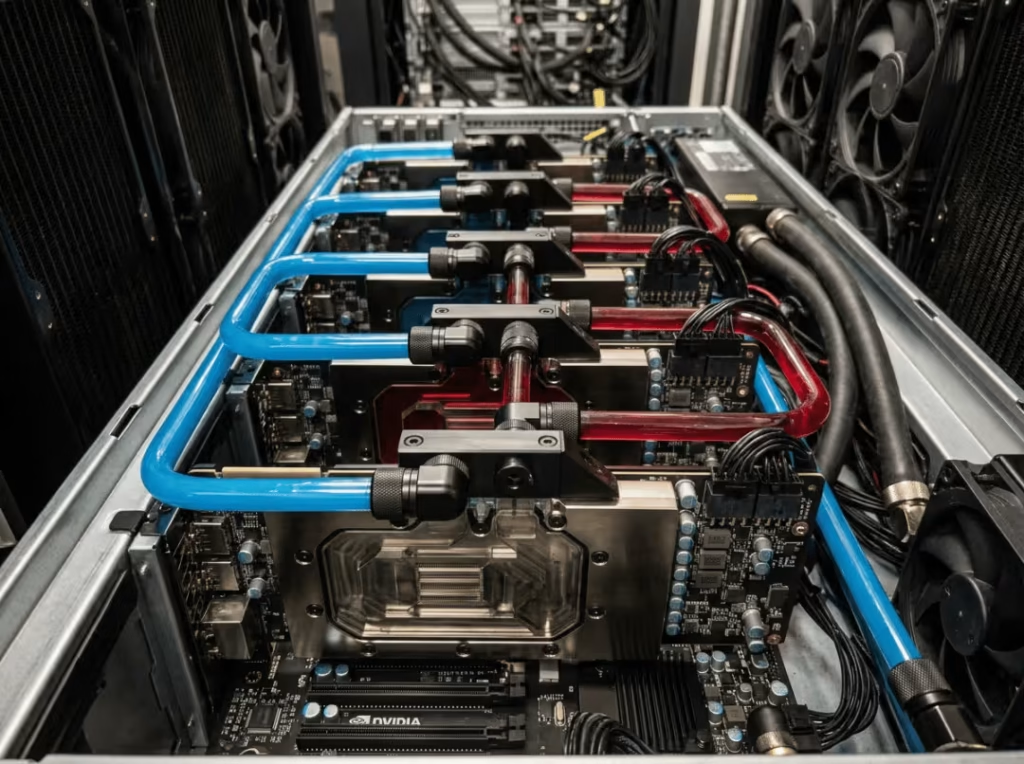
The gap between a regular server and an AI server isn’t incremental. It’s a different class of machine with different facility requirements.
|
Attribute |
Regular Server |
AI Server |
|---|---|---|
|
Compute focus |
CPU-centric, sequential tasks |
Accelerator-centric, massively parallel |
|
Primary workhorse |
CPU |
GPU (CPU coordinates) |
|
Memory priority |
Capacity for concurrent tasks |
High bandwidth (HBM) plus large system RAM |
|
Storage |
Standard SSD/HDD tiers |
Fast NVMe for hot data and checkpoints |
|
Networking |
Standard Ethernet |
InfiniBand or high-speed Ethernet (RoCE), NVLink |
|
Power draw |
A few hundred watts |
Several kilowatts per node |
|
Cooling |
Air cooling |
Air or liquid, often liquid at density |
What’s Inside an AI Server
Here’s what actually matters in the chassis—and why each component pulls its weight.
GPU accelerators are the centerpiece. Configurations run from 1–2 GPUs up to 8 or more per node. Data-center GPUs differ meaningfully from consumer cards: more VRAM, ECC memory protection, and the interconnect support that serious workloads require. VRAM per GPU directly caps the model size you can run. Too little, and large models don’t fit—there’s no workaround.
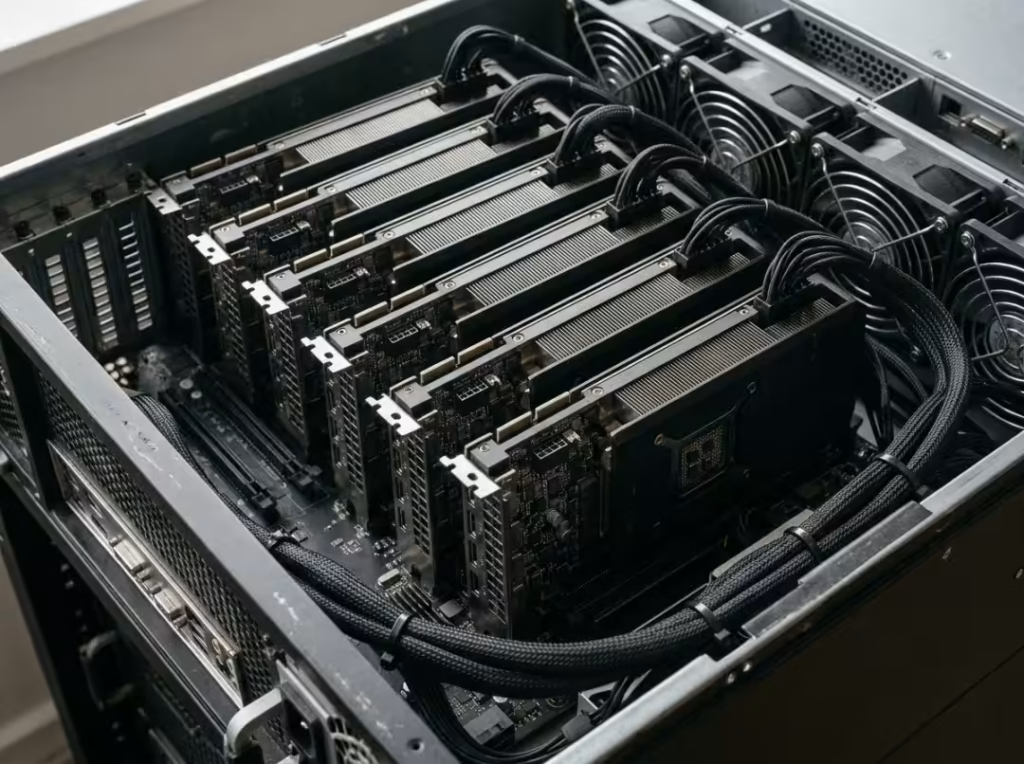
The CPU handles data preprocessing, orchestration, and feeding the GPUs. Under-spec it, and you create a bottleneck that idles expensive accelerators. A misconfigured or underpowered CPU can quietly waste far more in GPU capacity than it saves in purchase price—it’s one of the more common and avoidable mistakes in AI server builds.
System RAM should be sized relative to total GPU memory—generous enough that the data pipeline never stutters. The same starvation problem that affects slow storage shows up here when RAM is too tight.
Storage means fast NVMe SSDs for active datasets and checkpoints, backed by higher-capacity tiers for data at rest. I/O speed close to the accelerators keeps training runs from stalling mid-run.
Networking covers NICs and InfiniBand or high-speed Ethernet adapters. For anything beyond a single machine, the choice of interconnect defines cluster performance more than almost any other component.
Form factors shape the trade-offs. Towers suit single-workstation use. Rackmount units maximize density and serviceability in a data center environment. Edge appliances trade raw compute for compact, ruggedized builds that survive outside a controlled server room. For GPU-intensive rack builds, GPU server cases are designed specifically around the density and thermal demands these configurations create.
Types of AI Servers by Workload
The configuration follows the job. The three main workload types produce significantly different hardware requirements.
- Training servers maximize GPU density, interconnect speed, and memory. Training a model can run for days or weeks at a high, sustained intensity, so these machines prioritize parallel throughput and fast GPU-to-GPU communication above all else. They’re the most demanding and most expensive category, and also the one where poor interconnect choices hurt most visibly.
- Inference servers run trained models against real requests. The priorities shift toward throughput, latency, and cost per query—often with fewer or lighter-weight accelerators than a training setup requires. Inference is where a model earns its keep daily, so efficiency per dollar matters more than peak compute.
- Edge AI servers are compact, power-constrained, and typically ruggedized. They run inference close to the data source—on a factory floor, in a retail location, or at a remote site with no nearby data center. The goal is reliable operation in a demanding environment, not maximum performance.
Identify your workload before looking at specs. A training cluster and an edge inference appliance are barely the same species, and spec-shopping before you’ve settled that question leads to mismatched hardware.
What Businesses Actually Use AI Servers For
The use cases cluster around a few consistent patterns. A company fine-tunes an internal LLM on proprietary data, keeping sensitive information out of third-party systems. A manufacturer runs computer vision for quality control, catching defects on the line faster than manual inspection ever could. A retailer builds demand forecasting to keep inventory balanced without overordering. Others run recommendation systems, process large volumes of documents, or perform speech recognition on call recordings.
The adoption path is consistent across industries. Most organizations start with cloud experiments—cheap, fast, low commitment—then bring workloads in-house once usage becomes steady and predictable. That’s the point where the economics of ownership and the argument for data control converge. Rent first, prove the workload, then decide. It works because it forces validation before capital commitment.
On-Premises AI Server vs. Cloud GPU
This is the decision with the largest financial consequences, and the one where most teams go wrong—usually by choosing too early or by underestimating what they’re comparing.
Buying means high upfront cost but predictable long-term economics and full control over hardware and data. Renting cloud GPU capacity means low upfront cost, instant scale, and no facilities burden—but costs compound with heavy, steady use. An always-on cloud GPU running continuously for a year can cost more than buying equivalent hardware outright. That crossover point arrives faster than most teams expect, especially once usage stabilizes.
When cloud wins
Cloud is the right call when demand is spiky or uncertain. If you’re still experimenting, haven’t measured real usage yet, or need access to the latest accelerators without a capital outlay, renting keeps you flexible and honest about what you actually need. It’s also the clear choice when you have a small or nonexistent infrastructure team—you pay for what you use and let someone else handle power, cooling, and hardware failures.
When on-premises wins
On-prem makes sense when utilization is steady and high. If GPUs run most of the time, ownership beats renting on pure economic grounds. It also becomes the stronger option when strict data residency, privacy, or compliance requirements make cloud a non-starter. Some data can’t leave the building, and that constraint settles the question regardless of the cost math.
What buyers underestimate
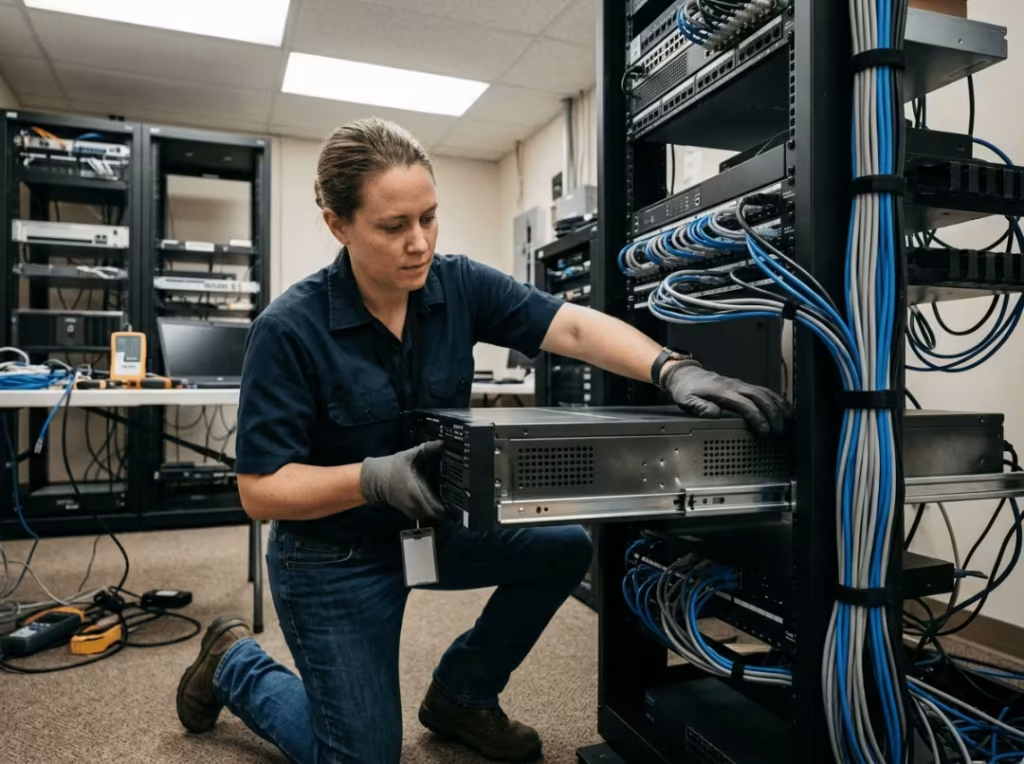
Both sides carry hidden costs that don’t show up in the initial comparison. On-prem buyers forget facilities, power, cooling, physical space, maintenance, and ongoing staffing. The hardware purchase price is only the beginning. Cloud buyers underestimate how fast an always-on bill grows—what felt cheap during a two-week experiment becomes a significant monthly line item when the same workload runs continuously. Neither side is inherently cheaper; the workload pattern determines which one is.
The five questions that resolve most cases
- Utilization: Will the hardware run most of the time, or sit idle between bursts?
- Predictability: Is the workload steady, or does demand swing unpredictably?
- Data sensitivity: Does your data have to stay on-premises?
- Expertise: Can your team run and maintain the hardware, or would you need outside help?
- Time horizon: Are you planning for years or for a short, uncertain window?
High utilization, predictable workloads, sensitive data, in-house expertise, and a long horizon all push toward buying. The opposite of each pushes toward renting.

Hybrid is often the right answer
Most mature setups aren’t purely one or the other. They own hardware for steady baseline workloads and burst to cloud for peaks and experimentation. That combination typically delivers the best economics and flexibility—predictable costs on work you always run, elastic capacity when you need more.
For most teams, the right starting move is still to rent, measure real usage, and buy only once the workload proves itself. Committing capital before you have utilization data is how mistakes get expensive.
Do You Actually Need an AI Server?
Work through these in order. The goal is honest self-assessment, not a post-hoc justification for a purchase you’ve already mentally made.
- Is your usage steady, or are you still experimenting? Sporadic, exploratory work belongs on the cloud. If you don’t yet know what normal usage looks like, you’re not ready to own hardware. Steady, daily use changes that calculus significantly.
- Does your data have to stay in-house? Strict residency, privacy, or compliance requirements can justify on-prem hardware regardless of the economics. Some data can’t leave the building, and that’s a real constraint, not a preference.
- Are your cloud GPU bills climbing predictably? Rising, stable spend is the clearest signal that ownership may now be cheaper. A large, reliable monthly bill warrants a serious TCO comparison against buying—not a gut feeling, an actual number.
- Do you have—or can you access—the expertise to operate it? Managed platforms and integrators lower this bar considerably, but someone still has to keep the hardware healthy, patched, and cooled. It’s an ongoing operational commitment, not a one-time setup.
- What’s your time horizon? A longer horizon lets you amortize the capital investment across more years of use. A short or uncertain one makes renting the more defensible choice.
You likely benefit from owning when usage is steady, data must stay on-premises, cloud costs are rising predictably, and workloads are known quantities. You likely don’t need one yet when you’re still proving the concept or usage remains sporadic. Most teams start in the second camp, and that’s the right sequence—not a failure of ambition.
If You’re Evaluating One, Check These Specs First
When you’re ready to talk to a vendor, bring this list. Each item earns its place.
- GPU count and type — matched to your workload (training vs. inference) and the model sizes you need to run. Don’t guess; know your largest model before the conversation starts.
- GPU and system memory — sized to your largest model and dataset, with room to grow. Memory that’s tight on day one will be a problem within months.
- Storage — NVMe capacity and throughput for active datasets and checkpoints, not just raw terabytes. Read speed under load matters.
- Networking — interconnect type and speed, especially for multi-GPU or multi-node configurations. This is where cluster performance lives or dies.
- Power — total draw versus available rack and circuit capacity. Confirm this before anything ships; surprises here are expensive.
- Cooling — air or liquid, based on what your facility can actually support. High-density GPU configurations frequently need liquid cooling. Purpose-built liquid-cooled GPU server cases address this at the chassis level, thereby simplifying thermal planning considerably.
- Software stack — driver, framework, orchestration, and support compatibility with your existing tools. Driver and framework issues are where many deployments lose unexpected time.
- Total cost of ownership — hardware plus power, cooling, space, maintenance, and staffing over the expected lifespan.
TCO, not purchase price, is the number that should drive the decision. A machine that looks affordable upfront can cost significantly more over three or four years once you add power, cooling, and support—and a higher-priced machine built for the workload often ends up cheaper by the same measure.
Common Misconceptions
“Can’t I just use a gaming PC?” For light experimentation, occasionally. For sustained work, no. Consumer hardware brings limited VRAM, no ECC memory to catch errors during long runs, no server-grade interconnects, and cooling that degrades under continuous load. It handles casual use until it doesn’t, usually at an inconvenient moment.
“Won’t it be obsolete in a year?” Hardware generations move quickly, but well-chosen hardware serves real workloads for several years. The answer isn’t to fear obsolescence—it’s to model realistic lifespan into your TCO from the start and plan refresh cycles accordingly.
“We don’t have AI infrastructure talent.” A legitimate concern, not a disqualifier. Managed platforms, systems integrators, and simpler single-node configurations all lower the operational barrier. Running one well-configured server doesn’t require a full infrastructure team; it requires someone who can follow good documentation and knows when to call for support.
Frequently Asked Questions
How much does an AI server cost?
It varies widely by GPU count and configuration. A single-GPU workstation sits at the low end; a dense multi-GPU rack server runs into six figures. Purchase price matters less than total cost of ownership across the expected lifespan—factor in power, cooling, and staffing before comparing numbers.
Can I build my own AI server?
For single-node setups, yes—many teams do. Once you need multiple GPUs, high-speed interconnects, and serious cooling, working with a systems integrator usually saves more time and money than a custom build avoids. The complexity compounds quickly.
What’s the difference between an AI server and a supercomputer?
An AI server is typically a single node or small cluster optimized for AI workloads. A supercomputer is a massive interconnected system built for extreme-scale scientific computing. Many modern supercomputers are, effectively, large clusters of purpose-built AI servers—the line between them has blurred considerably in recent years.
Do I need InfiniBand, or is high-speed Ethernet enough?
For a single node, high-speed Ethernet is usually sufficient. For large multi-node training with constant GPU-to-GPU communication, InfiniBand’s lower latency frequently justifies the added cost. High-speed Ethernet with RoCE closes that gap for many workloads, but not all—the right answer depends on your specific training scale and communication patterns.
How long does an AI server stay useful before it needs replacing?
Well-chosen hardware typically serves useful workloads for several years. It won’t stay cutting-edge, but it can handle real production work long after newer hardware arrives. Build realistic lifespan into the TCO calculation; don’t assume obsolescence happens faster than it does.
What’s the difference between an AI training server and an AI inference server?
A training server maximizes GPU density and interconnect speed for intensive, long-running model-building jobs. An inference server optimizes for throughput, latency, and cost per query when serving a trained model—typically with fewer or lighter accelerators and a very different performance profile.
Start with the Workload, Not the Hardware
Define the workload first. Evaluate it against a buy-versus-rent framework. Let total cost of ownership—not headline specs or vendor enthusiasm—make the final call.
The concrete next step: write down your top one or two AI workloads, estimate expected utilization over the next six months, and run a rough TCO comparison between renting cloud GPU instances and buying matched on-premises hardware. High, steady utilization? Price the hardware using the spec list above. Uncertain utilization? Rent first and revisit in a quarter with real numbers in hand.
From there, get into how your GPUs will communicate at scale—interconnect choices matter more than most buyers realize until they’ve seen a cluster bottleneck firsthand—and bring a vendor into the conversation to validate a configuration against your actual workload, not a hypothetical one.
