


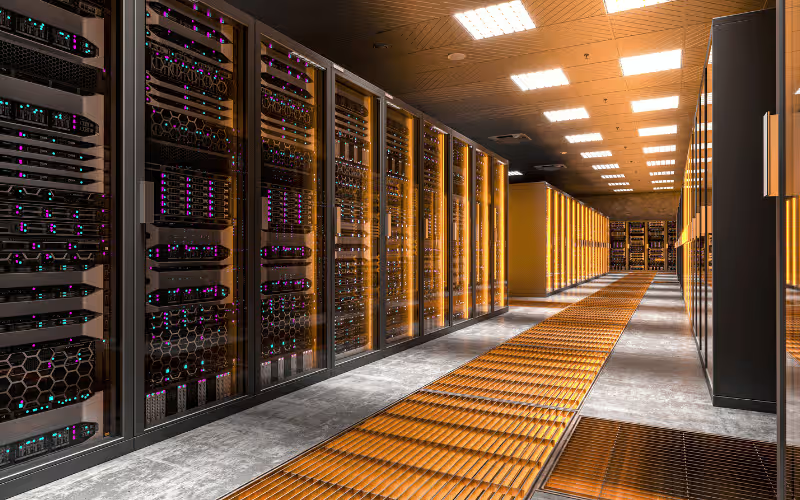
Every digital interaction relies on robust hardware operating quietly in the background. Servers power businesses, data centers, and the applications we use daily. They store critical databases, host bustling websites, and process massive workloads for artificial intelligence. Without a reliable server infrastructure, digital operations would simply grind to a halt.
However, choosing the right server is rarely a straightforward process. The hardware market is flooded with complex specifications, diverse form factors, and highly specific features. Understanding what makes a good server is essential to making an informed decision that supports your business goals. You must evaluate processing power, memory capacity, storage speed, and security standards to find the perfect match for your specific workloads.
This comprehensive guide breaks down everything you need to know to select the ideal hardware. We will explore the different types of servers available, the performance metrics you must consider, and the top brands dominating the market. We will also dive into critical factors like cooling, power management, and advanced security protocols. By the end of this article, you will have the knowledge needed to build a resilient and highly efficient server infrastructure.
Who Is Your Server Provider?
Selecting a reliable server provider is just as critical as choosing the hardware itself. Your provider dictates the quality of the physical machines, the reliability of the network connection, and the level of technical support you receive when things go wrong. A strong provider acts as a true partner, offering comprehensive maintenance, regular hardware updates, and guaranteed service level agreements (SLAs) that protect your business from extended downtime.
When establishing your infrastructure, you must decide between renting servers from a provider or purchasing and owning your own hardware. Renting a server—often through dedicated hosting or cloud providers—shifts the burden of maintenance away from your internal team. The provider handles hardware failures, replaces dead hard drives, and manages the physical cooling of the data center. This model transforms a massive capital expense into a predictable monthly operating expense. On the other hand, owning your own hardware gives you absolute control over your environment. You can customize every component, implement highly specific security measures, and physically secure the machine on your own premises.
If you decide to work with a provider, you must ensure their offerings are fully compatible with your existing infrastructure. Research their track record extensively. Evaluate their customer support response times, their data center locations, and their data redundancy policies. Look for providers that offer robust documentation and transparent communication regarding network outages. A provider with a history of poor communication or slow hardware replacement can severely damage your business operations. Take the time to read independent reviews and consult with IT professionals before signing a long-term contract.
What Kind of Server Do You Need?
The server market offers several distinct form factors, each engineered to solve specific operational challenges. Understanding the physical and architectural differences between these server types is crucial to building an efficient network.
Single Server
A single server, often built in a traditional tower form factor, looks very similar to a standard desktop computer. These machines are ideal for small businesses, remote branch offices, or specific isolated applications. Because they do not require a specialized mounting rack, you can place a tower server under a desk or in a small supply closet. However, you must pay close attention to placement and cooling. Tower servers require adequate open space around them to pull in cool air and exhaust heat. If you lock a tower server inside an unventilated cabinet, it will quickly overheat and fail.
Rack Servers
Rack servers are the undisputed standard for data centers and scalable enterprise setups. Manufacturers design these servers to slide seamlessly into standardized 19-inch metal racks. They are categorized by rack units (U), with 1U and 2U sizes being the most common. Their highly compact design allows IT administrators to house dozens of servers in a single vertical rack, maximizing the use of expensive data center floor space. Rack servers are highly scalable; if you need more processing power, you simply slide another server into an empty slot in the rack and connect it to the network switch.
Blade Servers
When you need extreme computational density, blade servers are the ultimate solution. Designed for high-density environments with strictly limited space, blade servers strip away individual power supplies and cooling fans. Instead, multiple ultra-thin “blades” slide into a massive, unified chassis. This central chassis provides shared power, cooling, and networking connections for all the blades. This modular design makes them incredibly energy efficient and allows for massive processing power in a fraction of the space required by traditional rack servers.
Cloud Servers
For many modern businesses, physical hardware is no longer necessary. Cloud servers provide virtualized computing resources hosted in massive, off-site data centers. The primary benefits of cloud-based solutions are unparalleled scalability and ultimate flexibility. You can spin up a new server in minutes, adjust your processing power based on seasonal web traffic, and only pay for the exact resources you consume. Cloud servers eliminate the need for physical hardware maintenance, making them highly attractive for agile startups and large enterprises alike.
Alternatives to a New Server
Purchasing a brand-new physical server requires a significant financial investment. Before you allocate a massive budget for new hardware, you should explore several highly effective alternatives that can improve your network performance while saving money.
Server Upgrades
Sometimes, an aging server simply needs a minor boost to handle modern workloads. Instead of replacing the entire machine, consider upgrading your existing hardware. Adding more RAM can instantly improve your server’s ability to handle multiple applications simultaneously. Swapping out slow, mechanical hard disk drives for blazing-fast solid-state drives (SSDs) will drastically reduce data retrieval times. In some cases, you can even upgrade the CPU to a faster model within the same processor family, injecting new life into an older chassis for a fraction of the cost of a new system.
Virtualization
Most physical servers run at a fraction of their total computational capacity. Virtualization allows you to maximize the efficiency of your existing servers by running multiple virtual machines (VMs) on a single physical host. By installing a hypervisor, you can slice a single powerful server into four or five smaller virtual servers, each running its own independent operating system. This consolidates your hardware footprint, reduces your physical power consumption, and maximizes your return on investment.
Colocation Services
If managing physical infrastructure is draining your resources, colocation services offer a brilliant middle ground. Instead of building your own server room, you rent space in a professional, third-party data center to house your existing server hardware. The colocation provider supplies the necessary power, enterprise-grade cooling, and high-speed internet connectivity. You retain full ownership and control of your servers, but you benefit from the facility’s robust physical security and massive bandwidth.
Cloud Migration
Finally, moving your workloads entirely to the cloud provides ultimate flexibility and significant cost savings. Cloud migration allows you to retire aging physical hardware completely. By shifting your applications, databases, and file storage to platforms like AWS, Microsoft Azure, or Google Cloud, you convert rigid capital expenditures into flexible operational expenses. The cloud provider handles all hardware maintenance, ensuring your infrastructure is always up to date.
What Performance Do You Need?
A good server must meet the exact performance requirements of your specific workloads. Buying a cheap server will lead to frustrating bottlenecks, while over-provisioning hardware wastes valuable capital. You must carefully evaluate four critical performance metrics before making a decision.
Processor (CPU)
The Central Processing Unit (CPU) acts as the brain of your server. You must evaluate the core count and the clock speed. Core count dictates how many simultaneous tasks the server can handle. If you run a massive database or a heavily virtualized environment, you need a CPU with a high core count to manage dozens of concurrent requests. Clock speed, measured in gigahertz (GHz), dictates how fast each individual core can process instructions. Applications that require intense, single-threaded mathematical calculations—like financial modeling software—benefit heavily from high clock speeds.
Memory (RAM)
Random Access Memory (RAM) provides the short-term workspace for your server’s processor. You must install sufficient RAM to handle your applications and heavy multitasking. If a server runs out of RAM, it begins using the storage drive as virtual memory, which grinds performance to an absolute halt. Database servers, in-memory caching applications, and large virtual machine hosts require massive amounts of RAM to function correctly. Always buy a server with empty memory slots so you can easily add more RAM in the future.
Storage
Storage dictates both the capacity and the responsiveness of your data. Hard Disk Drives (HDDs) use spinning magnetic platters. They offer massive storage capacities at a very low price, making them ideal for long-term file archiving. Solid State Drives (SSDs) use flash memory, making them exponentially faster than HDDs. SSDs are mandatory for operating systems, active databases, and high-traffic web servers. Additionally, you must utilize RAID (Redundant Array of Independent Disks) configurations. RAID links multiple drives together to improve read/write performance and provide critical data redundancy in case a single drive physically fails.
Network Speed
A server with a blazing-fast CPU and massive amounts of RAM is useless if it cannot transmit data efficiently. High-speed network interfaces are absolutely critical for modern data transfer. A standard Gigabit connection is no longer sufficient for enterprise workloads. Look for servers equipped with 10-Gigabit or even 25-Gigabit Ethernet ports. High network speed prevents bottlenecks during massive data backups, high-definition video streaming, and rapid database synchronization.
Server Standards Explained
The server industry utilizes a complex vocabulary of technical jargon and rigid standards. Understanding these terms is essential for building a compliant and highly functional infrastructure.
Form Factors
As discussed earlier, form factors dictate the physical shape and size of the hardware. The rack-mounted standard is the most universal, utilizing cabinets that are 19 inches wide. Tower servers stand independently, while blade servers slide into proprietary, high-density enclosures. Choosing the correct form factor ensures your new hardware will physically fit into your existing server room environment.
Operating Systems
The Operating System (OS) manages the hardware and provides a platform for your applications. Linux distributions—like Ubuntu, Debian, or Red Hat—are incredibly popular for web servers and databases due to their stability, security, and open-source nature. Windows Server is heavily utilized in corporate environments that rely on Microsoft Active Directory, Exchange, and specific enterprise software. VMware offers specialized operating systems built entirely around managing virtual machines.
Virtualization Standards
Virtualization relies on software called a hypervisor, which sits between the physical hardware and the virtual operating systems. VMware ESXi is the industry standard for enterprise virtualization, offering incredibly robust management tools and high availability features. Microsoft Hyper-V is deeply integrated into Windows Server, making it a natural choice for Microsoft-heavy environments. Understanding these standards ensures your virtual machines run smoothly and securely.
Security Standards
Depending on your industry, your server must comply with strict legal and security standards. The General Data Protection Regulation (GDPR) in Europe and the Health Insurance Portability and Accountability Act (HIPAA) in the United States require strict data handling procedures. Your server must support advanced encryption protocols at the hardware level to ensure that sensitive personal information remains completely secure against unauthorized access.
Cooling and Power Requirements
Servers consume massive amounts of electricity and generate an astonishing amount of heat. Managing your power and cooling infrastructure is just as important as selecting the right CPU.
Cooling Solutions
Air cooling is the traditional standard. Powerful, high-RPM fans pull cold air across the internal components and forcefully exhaust the heat. This requires careful cable management to ensure airflow remains unobstructed. For high-density servers running advanced artificial intelligence workloads, liquid cooling is becoming highly prevalent. Liquid cooling uses thermally conductive fluids to pull heat directly away from the processors, offering vastly superior thermal management for extreme computing environments.
Power Supply
Power interruptions cause devastating data loss. Your server must feature redundant power supplies. By utilizing dual power supply units (PSUs), the server remains fully operational even if one power unit fails or a circuit breaker trips. Furthermore, you must connect your servers to Uninterruptible Power Supply (UPS) systems. A UPS provides immediate battery backup during a total power outage, giving your servers enough time to shut down gracefully without corrupting sensitive databases.
Energy Efficiency
Data centers consume a massive percentage of global electricity. You must prioritize energy-efficient servers for long-term cost savings and environmental sustainability. Look for hardware equipped with 80 PLUS Platinum or Titanium certified power supplies. These highly efficient units waste less electricity as heat, which simultaneously lowers your power bill and reduces the strain on your facility’s air conditioning systems.
What Are the Top Server Brands?
Investing in a reputable brand ensures you receive high-quality hardware and reliable technical support. Several major players dominate the enterprise server market.
Dell EMC
Dell EMC is globally renowned for producing incredibly reliable and highly scalable servers. Their PowerEdge line covers everything from small tower servers to massive multi-node rack systems. Dell is highly praised for its iDRAC remote management software, which allows IT administrators to deeply monitor and configure servers from anywhere in the world.
Hewlett Packard Enterprise (HPE)
HPE focuses heavily on continuous innovation and brilliant modular designs. Their ProLiant server family is a staple in corporate data centers. HPE integrates advanced artificial intelligence into their management tools, using predictive analytics to identify failing hardware components before they actually crash. Their modular architecture allows businesses to scale their computing power with exceptional ease.
Lenovo
Lenovo has carved out a massive presence by offering highly cost-effective solutions without sacrificing quality. Their ThinkSystem servers are incredibly popular for small to medium-sized businesses looking for powerful hardware on a strict budget. Lenovo also excels in the high-performance computing space, offering servers explicitly optimized for heavy database workloads and complex analytics.
Supermicro
Supermicro takes a slightly different approach, specializing in highly customizable, high-performance servers. Instead of selling rigid, pre-configured models, Supermicro uses a building-block approach that allows data centers to construct exactly the server they need. They are a massive favorite among cloud providers and companies building specialized artificial intelligence clusters.
Server Security Standards
A compromised server can destroy a business overnight. You must implement aggressive security standards at every level of your infrastructure to protect your proprietary data from malicious attacks.
Encryption
Data encryption scrambles your sensitive information into an unreadable format. You must utilize strong encryption protocols both at rest (when data sits on the hard drives) and in transit (when data travels across the network). Hardware-level encryption ensures that even if a thief physically steals a hard drive from your data center, they cannot read the files without the cryptographic key.
Access Control
Limiting who can interact with your server is the foundation of network security. You must enforce multi-factor authentication (MFA) for all administrative logins. Furthermore, implement strict role-based access control (RBAC). A junior developer should not have the same administrative privileges as the senior network architect. By granting users only the exact permissions they need to perform their jobs, you drastically limit the damage a compromised account can cause.
Firmware Updates
Hackers constantly search for vulnerabilities in server hardware. Manufacturers regularly release firmware updates to patch these security holes. You must establish a strict routine for keeping your server’s BIOS, hard drive controllers, and network interfaces completely up to date. Ignoring firmware updates leaves your system wide open to known zero-day exploits.
Backup Solutions
No security system is entirely flawless. Regular backups are your ultimate safety net against ransomware attacks, accidental deletions, and catastrophic hardware failures. You must configure automated backups that store encrypted copies of your data on separate, isolated hardware or in a secure cloud environment. A robust backup strategy guarantees you can restore your operations quickly when disaster strikes.
Server Management Tools
Managing a fleet of enterprise servers manually is an impossible task. IT teams rely on advanced software tools to monitor performance, automate routine tasks, and troubleshoot issues remotely.
Monitoring Tools
You cannot fix a problem you cannot see. Performance monitoring tools like Nagios, SolarWinds, or Zabbix provide a constant, real-time overview of your server’s health. These tools track CPU utilization, memory consumption, disk space, and network latency. If a hard drive is close to failing or a processor hits 100% capacity, the monitoring software instantly sends an alert to the IT team, allowing them to resolve the issue before users experience downtime.
Automation
Routine server maintenance consumes valuable man-hours. Automation tools like Ansible, Puppet, and Chef allow administrators to manage their infrastructure as code. Instead of manually configuring software on fifty different servers, an engineer writes a single script. The automation tool then deploys the exact same configuration across the entire fleet simultaneously, ensuring perfect consistency and eliminating human error.
Remote Management
When a server crashes and refuses to boot into the operating system, remote management tools are a lifesaver. Technologies like Dell’s iDRAC or HPE’s iLO provide out-of-band management. This means the management chip has its own dedicated network connection. Administrators can remotely access the server’s BIOS, mount virtual installation media, and fully reboot a frozen machine from a laptop hundreds of miles away.
Device Prioritization and QoS
In a busy network, not all data traffic is created equal. A video conference call with a major client requires immediate, uninterrupted data flow, while a routine background file backup can easily wait a few milliseconds.
Bandwidth Allocation
Quality of Service (QoS) protocols ensure that critical applications get strict priority over the network. By configuring QoS rules on your network switches and server interfaces, you guarantee that time-sensitive traffic—like Voice over IP (VoIP) communications or real-time database transactions—receives dedicated bandwidth. If the network becomes congested, the QoS system automatically throttles less important traffic, ensuring your critical business operations remain perfectly smooth and responsive.
Load Balancing
A single server can quickly become overwhelmed by a sudden spike in web traffic. Load balancing solves this problem by distributing incoming workloads evenly across a cluster of multiple servers. If one server is operating at maximum capacity, the load balancer intelligently redirects new user requests to a server with available resources. This prevents bottlenecks, minimizes loading times, and ensures your applications remain highly available even during massive traffic surges.
Common Server Terms, Explained
The server industry relies on a dense array of technical acronyms. Understanding these common terms will help you communicate effectively with vendors and IT professionals.
RAID
RAID stands for Redundant Array of Independent Disks. It is a technology that combines multiple physical hard drives into a single logical unit. Depending on the RAID level you choose, this technology provides vital data redundancy. If one hard drive physically dies, the RAID controller uses the data stored on the surviving drives to rebuild the lost information, preventing catastrophic data loss.
Hypervisor
A hypervisor is the foundational software that makes virtualization possible. It sits directly on top of the physical server hardware and allocates CPU cores, memory, and storage to multiple virtual machines. The hypervisor completely isolates these virtual machines from one another, ensuring that a crash in one environment does not affect the others.
Bare-Metal Server
A bare-metal server is a physical machine dedicated entirely to a single tenant. Unlike virtualized environments that share hardware resources among multiple users, a bare-metal server provides maximum, uncompromised performance. Because there is no hypervisor layer taking up processing power, bare-metal servers are ideal for extremely heavy, data-intensive workloads that require absolute maximum hardware speed.
Final Takeaways
Selecting the perfect server requires a deep, comprehensive understanding of your exact operational requirements. As we have explored in this guide, there is no one-size-fits-all solution. You must carefully balance raw performance metrics like CPU core counts and RAM capacity against the physical realities of cooling, power consumption, and available rack space. Evaluating the scalability of different form factors—from simple towers to dense blade enclosures—ensures your hardware can grow smoothly alongside your business.
Furthermore, implementing rigorous security standards and utilizing advanced remote management tools protects your sensitive data and drastically reduces frustrating network downtime. Whether you choose to invest in a premium Dell EMC rack server, build a customized Supermicro cluster, or migrate your workloads entirely to a virtualized cloud environment, your infrastructure must align perfectly with your long-term technological strategy.
Take the time to thoroughly analyze your daily workloads, consult with your IT administrators, and carefully compare the offerings of top-tier hardware providers. By deeply understanding your specific needs before making a decision, you guarantee a solid return on your investment. Do not settle for inadequate hardware that throttles your productivity. Explore the wide variety of server options tailored to your specific requirements, and build a robust, highly resilient digital foundation for your business today.
