


Confused about rack-mount, tower, and blade servers? Don’t worry, you’re not the only one. In this guide, you’ll discover everything you need to know about server chassis—from how they protect critical components and ensure optimal performance, to the key differences between form factors, and how to choose the right one for your business needs. Whether you are a small business owner setting up your first server or an IT manager scaling a data center, understanding the foundation of your server infrastructure is essential. The right chassis is more than just a case; it’s a critical element for cooling, power management, and scalability. By the end of this article, you will have a clear understanding of the types available, the most important features, and how to select the perfect enclosure for your application.
What is a Server Chassis?
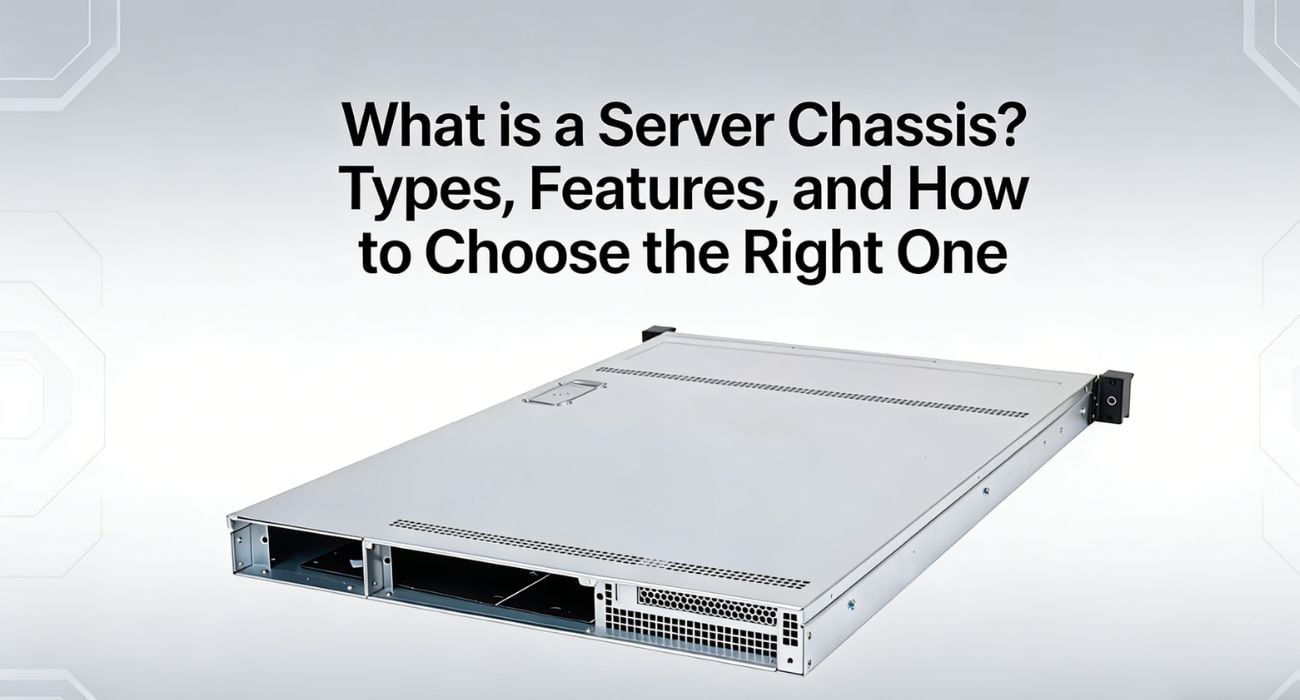
A server chassis is the physical enclosure that houses a server’s components, including the motherboard, CPUs, memory (RAM), storage drives (HDDs/SSDs), and power supply units. Its purpose is to provide structural support, protect sensitive electronics from physical damage and environmental factors, and facilitate cooling for all the internal components. The chassis is a foundational piece of hardware that dictates the server’s form factor, physical footprint, and scalability, forming the backbone of any IT infrastructure, from small office networks to large-scale data centers.
The importance of a well-designed server chassis is critical for performance and reliability. It directs airflow over heat-generating components such as processors and memory modules, preventing overheating and ensuring stable, continuous operation. A proper chassis also allows for organized cable management and provides easy access to components for maintenance and upgrades, which is essential for minimizing downtime and simplifying administration.
There are several different types of server chassis, each designed for specific environments and use cases. The most common form factors are rack-mounted chassis, designed for high-density data centers; tower chassis, which resemble standard desktop PCs and are ideal for smaller businesses; and blade chassis, which offer maximum density and efficiency for enterprise-level applications.
Rack-Mount vs Tower Server Chassis: What’s the Difference?
The two most common server form factors are rack-mount and tower, each with distinct designs and ideal use cases.
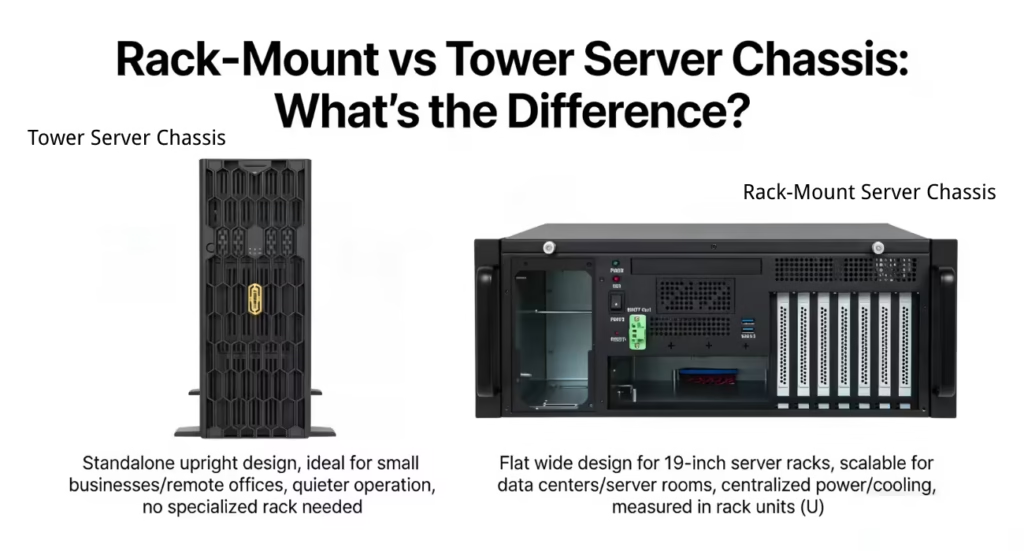
A rack-mount server chassis is a flat, wide enclosure designed to be installed in a standard 19-inch server rack, a standardized frame for mounting multiple electronic equipment modules. These chassis are measured in rack units (U), with 1U being 1.75 inches in height. They are the go-to choice for data centers and server rooms where space is critical, allowing dozens of servers to be stacked vertically in a single, organized cabinet with shared power and cooling.
A tower server chassis, on the other hand, is a standalone, upright enclosure that resembles a traditional desktop computer tower. These servers are designed to be placed on a floor or a desk and do not require a specialized rack for installation. They are often used in small businesses, remote offices, or environments that only need one or two servers and lack a dedicated server room. They are generally quieter than rack-mount servers, making them suitable for office environments.
The comparison boils down to scalability versus simplicity. Rack-mount chassis are built for high-density environments and large-scale deployments, offering superior scalability and centralized management, but they require more supporting infrastructure. Tower chassis are simple, cost-effective, and easy to deploy for smaller-scale needs, but they take up more floor space per server and are less efficient to scale as an organization grows.
Types of Server Chassis
Rack-mount, tower, and blade chassis each have unique characteristics, performance capabilities, and ideal use cases for different IT environments.
Rack-Mount Server Chassis
A rack-mount chassis is designed to be installed in a standardized server rack, providing a space-efficient way to deploy multiple servers in a data center. These chassis are typically 1U, 2U, or 4U in height, allowing IT administrators to stack hardware vertically.
Advantages: Rack-mount servers are excellent for scalability and density. They allow for hundreds of servers to be housed in a small footprint, with centralized cable management, power, and cooling, making them ideal for growing businesses and large enterprises.
Disadvantages: The initial investment can be high, as it requires a server rack, a dedicated server room with proper cooling, and often involves a more complex setup and maintenance process.
Tower Server Chassis
A tower server chassis is a standalone unit with a desktop PC-like design. It stands upright and does not require a special rack, making it easy to deploy in an office or small business environment.
Advantages: Tower servers are generally more affordable and simpler to set up than their rack-mount counterparts. They are also typically quieter, making them suitable for environments without a dedicated, soundproofed server room.
Disadvantages: They are not space-efficient and become cumbersome to manage as you add more servers. Their scalability is limited, and they lack the high-density benefits of rack-mounted systems.
Blade Server Chassis
A blade server chassis is a modular enclosure that houses multiple thin, “blade” servers. Each blade is a self-contained server with its own processors, memory, and storage, but they share power and cooling resources within the main chassis.
Advantages: Blade systems offer the highest possible compute density and are extremely energy-efficient because they share resources. They simplify cabling and management, making them perfect for large-scale enterprise applications and high-performance computing (HPC).
Disadvantages: The upfront cost for the chassis and blades is very high. They represent a proprietary ecosystem that locks you into a single vendor, and maintenance can be complex.
Key Features of a Server Chassis
Simply put, a server chassis is the skeleton and skin of your server, providing the essential framework for all components to function together reliably. This includes its cooling system, which is paramount for server health. A well-designed chassis manages airflow with precision, using an array of high-speed, hot-swappable fans to create pressurized zones that force cool air over CPUs, RAM, and storage drives. In high-density systems, this may be supplemented with liquid cooling solutions to manage the intense heat generated by top-tier processors.
Just as critical is the power supply system. Enterprise-grade server chassis features redundant, hot-swappable power supply units (PSUs). This means that if one PSU fails, another instantly takes over without interruption, ensuring business continuity. These PSUs are also highly efficient, often rated at Platinum or Titanium, to minimize electricity consumption and reduce operational costs over the server’s lifespan. This level of reliability is non-negotiable for mission-critical applications.
Beyond power and cooling, expandability, durability, and compatibility are defining features. A server chassis is built from heavy-gauge steel for durability and designed for serviceability, with features such as toolless drive sleds and easy-access panels. It must offer sufficient expansion slots for adding network cards or other peripherals and ensure compatibility with various motherboard form factors (e.g., ATX, E-ATX) and server components. This makes the chassis a long-term investment that supports the server through multiple upgrade cycles.
How to Choose the Right Server Chassis
The process of selecting the right server chassis begins with a clear understanding of your workload requirements. Are you deploying a web server that needs moderate processing power but high network throughput? Are you building a database server that demands fast storage access and ample memory? Or are you setting up a virtualization host that requires a high core count and maximum RAM capacity? Different workloads place different demands on a server’s resources, and your chassis choice must accommodate the necessary components, cooling, and I/O for your specific application.
Next, you must evaluate your budget and the total cost of ownership (TCO). A simple tower server may have a low initial purchase price, making it attractive for a small business. However, a rack-mount or blade system, while more expensive upfront, could lead to lower TCO over time by reducing costs related to physical space, power consumption, and cooling in large-scale deployments. Always consider the long-term operational expenses, not just the initial hardware cost, when making your decision.
Finally, consider scalability and future-proofing your investment. Your business needs are likely to grow, and your server infrastructure should be able to grow with you. Choose a chassis that not only meets your current needs but also provides a clear path for expansion. This might mean selecting a rack-mount chassis for a small business that anticipates growth or choosing a tower chassis with plenty of empty drive bays and PCIe slots for future upgrades. Planning for the future today prevents costly replacements tomorrow.
The Future of Server Chassis: Trends and Innovations
The future of the server chassis is being radically reshaped by the demand for more compute power and greater energy efficiency, pushing the industry beyond traditional air cooling. One of the most significant trends is the rise of liquid immersion cooling. This innovative method involves completely submerging server components or entire chassis in a thermally conductive, non-electric dielectric fluid. This fluid directly absorbs heat from components, offering vastly superior thermal efficiency compared to air and enabling unprecedented server density while dramatically reducing energy used for cooling.
In parallel, modular chassis designs are gaining traction, moving away from one-size-fits-all solutions. As workloads become more specialized, modular, and composable, infrastructure allows data centers to build servers tailored to specific tasks. A chassis might be configured with a high-density storage configuration for a data analytics workload one day and reconfigured with GPU accelerator modules for an AI workload the next. This flexibility maximizes hardware utilization and prevents overprovisioning, making infrastructure more agile and cost-effective.
Furthermore, the role of the server chassis is expanding to the network edge. With the growth of IoT and real-time applications, there is an increasing need for powerful compute capabilities outside traditional data centers. This has led to the development of ruggedized, compact, and secure edge server chassis. These are designed to withstand harsh environmental conditions, operate on limited power, and include physical security features, delivering robust server capabilities for locations such as factory floors, retail stores, and remote communication hubs.
Conclusion
The decision between a rack-mount, tower, or blade server chassis ultimately depends on your organization’s specific needs regarding space, scalability, and budget.
- For large-scale deployments and data centers: Choose a rack-mount or blade chassis to maximize compute density, streamline management, and optimize your physical footprint.
- For small businesses and standalone applications, opt for a tower chassis if you need a cost-effective, easy-to-deploy solution that doesn’t require a dedicated server room.
- For future growth and flexibility, consider a modular chassis that lets you adapt your infrastructure as your workloads and performance requirements evolve.
In many IT strategies, a hybrid approach is common, utilizing powerful rack or blade servers in a central data center while deploying tower or edge servers in remote offices. This model balances centralized control with distributed capability. No matter the scale of your operation, selecting the right server chassis is a foundational step that directly affects your system’s reliability, performance, and scalability, ensuring your IT infrastructure can support your business goals now and in the future.
