


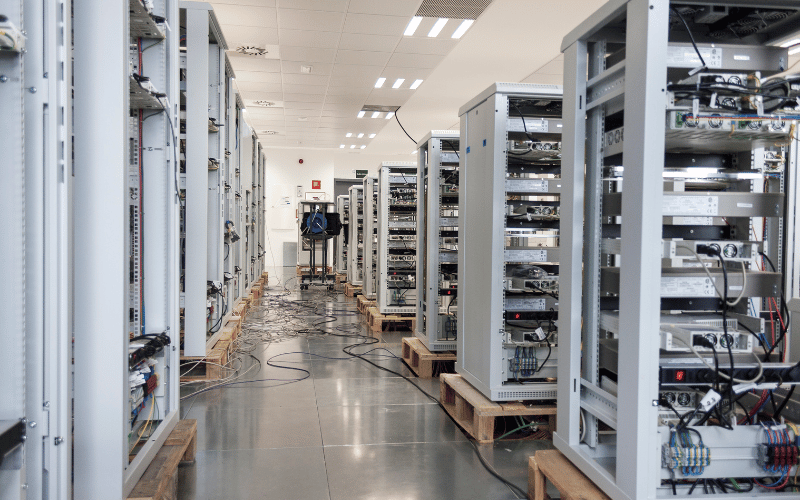
Building a data center? Don’t overlook the critical components that ensure efficiency and reliability. Without the right equipment, even the most well-designed facility can face downtime, inefficiencies, and costly disruptions.
Proper planning and equipment selection form the backbone of a successful data center. From power management to cooling systems, every piece of equipment plays a specific role in maintaining uptime and protecting valuable data. Skipping key components or choosing the wrong ones can lead to performance bottlenecks, overheating, or even catastrophic failures.
This guide highlights the seven essential equipment categories every data center needs. Whether you’re setting up a new facility or upgrading an existing one, these recommendations will help you create a reliable, efficient, and future-ready data center. Let’s dive into the must-have components that keep your operations running smoothly.
1. Core IT Infrastructure
A data center’s core IT infrastructure is its beating heart, ensuring seamless operations and efficient data processing. Each component plays a distinct role, working together to create a robust and scalable environment. Let’s break down the key elements of networking, compute, and storage systems that form the foundation of any reliable data center.
Networking Equipment
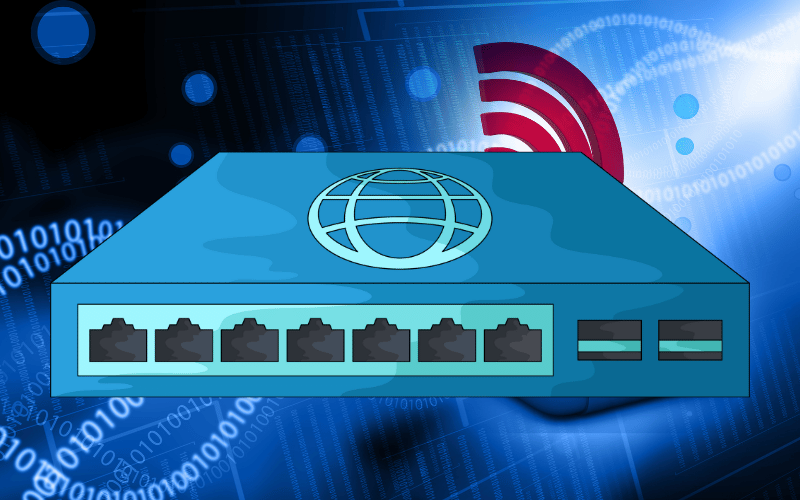
Networking equipment acts as the circulatory system of your data center, ensuring data flows smoothly and efficiently between systems and users.
- Switches: Switches manage the flow of data within the data center, connecting servers and other devices. For example, Top-of-Rack (ToR) switches sit at the top of server racks to minimize cabling and reduce latency, while End-of-Row (EoR) switches centralize connections for multiple racks, offering a more consolidated approach. Choose based on your data center’s size and traffic patterns.
- Routers: Routers connect your data center to external networks, ensuring secure and efficient communication with the outside world. For instance, a high-performance router can handle large volumes of traffic while maintaining low latency, which is critical for GPU-intensive workloads.
- Load Balancers: Load balancers distribute incoming traffic across multiple servers to prevent overload and ensure high availability. For example, in a GPU server environment, load balancers can allocate computational tasks evenly, optimizing performance and avoiding bottlenecks during peak usage.
Compute Systems
Compute systems are the workhorses of your data center, handling everything from basic processing to complex AI workloads.
- Servers: Choose the right server type based on your workload. Rack-mounted servers are versatile and space-efficient, blade servers offer high-density computing in a compact form, and high-density servers maximize performance per square foot. For GPU-intensive tasks, ensure your servers support the necessary power and cooling requirements for GPU server chassis.
- Virtualization Capabilities: Leverage virtualization to scale your compute resources efficiently. For example, virtual machines (VMs) allow you to run multiple workloads on a single physical server, reducing hardware costs and improving resource utilization.
Storage Systems
Storage systems are the backbone of your data center, ensuring data is accessible, secure, and scalable.
- SAN vs. NAS: Choose between Storage Area Networks (SAN) and Network Attached Storage (NAS) based on your needs. SAN provides high-speed, block-level storage for mission-critical applications, while NAS offers file-level storage that’s easier to manage and ideal for general-purpose use. For example, use SAN for database workloads and NAS for file sharing.
- SSD vs. HDD: Consider performance and cost when selecting storage drives. Solid-State Drives (SSDs) deliver faster read/write speeds, making them ideal for high-performance applications like AI training on GPU servers. Hard Disk Drives (HDDs), on the other hand, offer higher storage capacity at a lower cost, making them suitable for archival and backup purposes.
By carefully selecting and optimizing these core IT infrastructure components, you can build a data center that meets your performance, scalability, and reliability needs. In the next section, we’ll explore advanced strategies to enhance operational efficiency and future-proof your setup.
2. Power Management Systems
Power management systems are the lifeline of your data center, ensuring uninterrupted operations even during power disruptions. Without a reliable power strategy, your servers—and the critical workloads they handle—are at risk of downtime, data loss, and hardware damage. Let’s dive into the essential components of a robust power management system and how to optimize them for your GPU server chassis environment.

Uninterruptible Power Supplies (UPS)
A UPS acts as your first line of defense against power outages, providing immediate backup power to keep your systems running.
- Immediate Backup Power: A UPS bridges the gap between a power outage and the activation of your backup generators. For example, in a GPU server chassis environment, where even a few seconds of downtime can disrupt AI training or rendering tasks, a UPS ensures continuous operation until a more stable power source takes over.
- Redundancy Strategies: Implement redundancy strategies to avoid single points of failure. An N+1 configuration adds one extra UPS unit as a backup, while a 2N setup duplicates the entire power system for maximum reliability. For instance, if your data center requires 10 UPS units to operate, an N+1 strategy would include 11 units, while 2N would require 20. Choose based on your uptime requirements and budget.
Generators
Generators provide long-term power during extended outages, ensuring your data center remains operational even in prolonged emergencies.
- Long-Term Power Supply: Generators kick in once the UPS has stabilized the initial power loss. For example, a diesel generator can power your GPU server chassis for hours or even days, depending on the fuel supply, allowing you to maintain critical operations.
- Fuel Types and Automatic Transfer Switches: Select a generator fuel type that aligns with your operational needs. Diesel is reliable and widely available, while natural gas offers cleaner emissions. Equip your system with an automatic transfer switch (ATS) to ensure a seamless transition from utility power to generator power. For instance, an ATS can detect a power outage and activate the generator within seconds, minimizing downtime.
Power Distribution Units (PDUs)
PDUs distribute power efficiently across your server racks, ensuring every component receives the energy it needs to function optimally.
- Efficient Power Distribution: Use rack-mounted or floor-mounted PDUs to deliver power to your GPU server chassis and other equipment. For example, a high-density PDU can support multiple servers in a single rack, reducing the need for excessive cabling.
- Advanced Features: Invest in PDUs with features like metering and remote monitoring. Metered PDUs enable you to track power usage at the outlet level, allowing you to identify inefficiencies and optimize energy consumption. Remote monitoring enables you to manage power distribution from anywhere, ensuring quick responses to potential issues.
By integrating these power management components into your data center, you create a resilient infrastructure that can handle both routine operations and unexpected disruptions. In the next section, we’ll explore cooling systems and their role in maintaining optimal performance for your GPU server chassis.
3. Cooling and Environmental Control
Cooling and environmental control are the unsung heroes of a reliable data center. Without proper temperature and humidity management, even the most advanced GPU server chassis can overheat, leading to performance degradation or hardware failure. Let’s explore the critical components of an effective cooling strategy and how to monitor your environment for optimal performance.
Cooling Systems
Cooling systems are the backbone of environmental control, ensuring your servers operate within safe temperature and humidity ranges.
- CRAC Units: Computer Room Air Conditioning (CRAC) units are purpose-built to maintain the ideal temperature and humidity levels in your data center. For example, a CRAC unit can maintain a steady 22°C (72°F) temperature in your GPU server chassis while keeping the relative humidity at 50% to prevent condensation or static buildup. Position CRAC units strategically to ensure even airflow across all racks.
- Hot/Cold Aisle Containment: Implement hot/cold aisle containment to improve cooling efficiency. Arrange server racks so that the fronts (cold aisles) face each other, and the backs (hot aisles) do the same. Use containment barriers to separate the hot and cold airflows, preventing mixing and reducing the workload on your cooling systems. For instance, in a GPU-intensive environment, this setup can lower energy costs while maintaining consistent cooling for high-performance servers.
Environmental Monitoring
Monitoring your data center environment is just as important as the cooling systems themselves. Sensors and alert systems provide real-time insights, allowing you to address issues before they escalate.
- Sensors for Temperature, Humidity, and Airflow: Deploy sensors throughout your data center to track critical environmental factors. For example, place temperature sensors at the top, middle, and bottom of each rack to identify hotspots. Use humidity sensors to ensure levels stay within the recommended range (40–60%) and airflow sensors to verify that cooling systems are functioning properly.
- Alert Systems for Real-Time Issue Detection: Equip your monitoring system with real-time alerts to notify you of any anomalies. For instance, if a temperature sensor detects a spike in heat near a GPU server chassis, the system can send an immediate alert via email or SMS, allowing you to take corrective action before hardware is damaged.
By combining efficient cooling systems with robust environmental monitoring, you can create a stable and efficient data center environment. In the next section, we’ll discuss security measures to protect your data center from physical and operational threats.
4. Physical Structure and Security
The physical structure and security of your data center form the foundation of a reliable and protected environment for your GPU server chassis. Without proper organization and safeguards, even the most advanced IT infrastructure can fall victim to inefficiencies, damage, or unauthorized access. Let’s break down the essential components of a secure and well-structured data center.

Server Racks and Cabinets
Server racks and cabinets are more than just storage—they are the backbone of your data center’s organization and efficiency.
- Organize and Secure IT Equipment: Use server racks and cabinets to house your GPU server chassis and other IT equipment securely. For example, a well-organized rack ensures proper airflow, reduces cable clutter, and makes maintenance tasks more efficient.
- Key Features to Consider: Look for racks with the right U-space (rack unit) capacity to fit your equipment. For instance, a 42U rack can accommodate multiple servers while leaving room for power distribution units (PDUs) and cable management. Check the weight capacity to ensure the rack can support heavy GPU server chassis, and prioritize models with built-in cable management systems to keep cables tidy and accessible.
Fire Suppression Systems
Fire suppression systems are critical for protecting your data center from one of the most devastating threats—fire.
- Non-Water-Based Options: Avoid water-based systems that can damage sensitive IT equipment. Instead, opt for clean agent systems, such as FM-200 or Novec 1230, which extinguish fires without leaving residue. For example, these systems can quickly suppress a fire in a server rack without harming your GPU server chassis or other electronics.
- Early Detection and Safety Protocols: Pair fire suppression systems with early detection mechanisms like smoke and heat sensors. For instance, a Very Early Smoke Detection Apparatus (VESDA) can identify potential fire risks before they escalate, giving you time to act. Establish clear safety protocols, such as evacuation plans and regular fire drills, to ensure your team knows how to respond in an emergency.
Access Control
Access control measures protect your data center from unauthorized entry, safeguarding both physical equipment and sensitive data.
- Biometric Scanners and Key Cards: Implement biometric scanners, such as fingerprint or retina scanners, to restrict access to authorized personnel only. Combine these with key card systems to log entry and exit times, creating an audit trail for accountability. For example, a dual-factor system requiring both a biometric scan and a key card swipe adds an extra layer of security.
- Surveillance Cameras: Install surveillance cameras at all entry points and within the data center to monitor activity. Use cameras with high-resolution capabilities and remote access features, allowing you to review footage in real time or during audits. For instance, strategically placed cameras can deter unauthorized access and provide evidence in case of a security breach.
By focusing on server organization, fire safety, and access control, you create a secure and efficient physical environment for your GPU server chassis and other critical equipment. In the next section, we’ll explore operational security measures to complement these physical safeguards.
5. Cable Management
Cable management is the unsung hero of a well-functioning data center. Properly organized cabling not only ensures efficient operations but also prevents airflow blockages, reduces maintenance time, and minimizes the risk of accidental disconnections. Let’s explore the key aspects of structured cabling and the tools that make cable management a breeze.
Structured Cabling
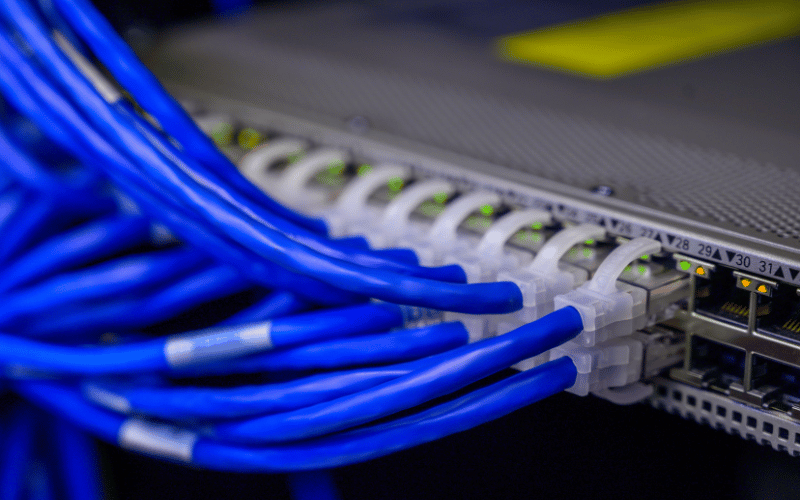
Structured cabling is the backbone of your data center’s connectivity, ensuring reliable communication between servers, storage, and networking equipment.
- Fiber Optic and Copper Cables: Choose the right type of cabling based on your data center’s needs. Fiber optic cables are ideal for high-speed, long-distance connections, making them perfect for linking GPU server chassis in different racks or even across facilities. Copper cables, such as Cat 6, 6A, or 7, are more cost-effective for shorter distances and can handle most data center workloads. For example, Cat 6A cables support speeds up to 10 Gbps, which is sufficient for many GPU-intensive applications.
- Organized Cabling Improves Airflow and Maintenance: Properly routed cables prevent airflow blockages, ensuring your cooling systems can operate efficiently. For instance, neatly bundled cables in the rear of a rack allow cold air to flow freely to your GPU server chassis, reducing the risk of overheating. Additionally, organized cabling makes it easier to identify and replace faulty connections during maintenance, saving valuable time.
Cable Management Tools
The right tools can transform a tangled mess of cables into a clean, efficient setup that’s easy to manage and troubleshoot.
- Patch Panels: Use patch panels to centralize and organize cable connections. For example, a patch panel allows you to connect multiple servers to a switch without running long cables directly, simplifying cable routing and reducing clutter.
- Cable Trays and Zip Ties: Install cable trays above or below racks to route cables neatly and keep them off the floor. Use zip ties or Velcro straps to bundle cables together, ensuring they stay organized and don’t obstruct airflow. For instance, grouping power cables separately from data cables can reduce electromagnetic interference and improve performance.
- Color-Coded Cables: Implement a color-coding system to identify cable types and their functions quickly. For example, use blue cables for network connections, red for power, and yellow for storage links. This simple practice can save hours during troubleshooting or upgrades, especially in a large data center with hundreds of connections.
By investing in structured cabling and practical cable management tools, you create a data center environment that’s not only efficient but also easier to maintain and scale. In the next section, we’ll discuss monitoring and management systems to keep your operations running smoothly.
6. Monitoring and Management Tools
Monitoring and management tools are the eyes and brain of your data center, providing you with the visibility and control necessary to ensure smooth operations. Without these tools, even the most advanced GPU server chassis can fall victim to inefficiencies, downtime, or unnoticed issues. Let’s explore the essential tools that keep your data center running like a well-oiled machine.
DCIM Software
Data Center Infrastructure Management (DCIM) software serves as your command center, providing a centralized platform to monitor and manage your physical assets.
- Centralized Platform for Monitoring Physical Assets: DCIM software consolidates data from various systems, giving you a single dashboard to oversee your data center. For example, you can monitor the status of your GPU server chassis, track power consumption, and check cooling performance—all in one place. This holistic view helps you make informed decisions and quickly address potential issues.
- Tracks Power Usage, Temperature, and Inventory: Use DCIM tools to track critical metrics like power usage effectiveness (PUE), temperature, and asset inventory. For instance, if a specific rack housing GPU servers shows higher-than-average power consumption, the software can alert you to investigate potential inefficiencies or hardware issues. Additionally, inventory tracking ensures you always know the location and status of your equipment, streamlining maintenance and upgrades.
Network Monitoring Tools
Network monitoring tools are your first line of defense against performance bottlenecks and connectivity issues, ensuring your data center operates at peak efficiency.
- Analyze Traffic and Identify Bottlenecks: These tools provide real-time insights into network traffic, helping you identify and resolve bottlenecks before they impact performance. For example, suppose a GPU server chassis handling AI workloads experiences slow data transfer rates. In that case, network monitoring tools can pinpoint the source of the issue, such as a congested switch or failing cable.
- Ensure Uptime and Performance: Network monitoring tools also track uptime and performance metrics, ensuring your data center meets service level agreements (SLAs). For instance, by setting up automated alerts, you can receive notifications about potential issues, such as packet loss or latency spikes, allowing you to take immediate action and prevent downtime.
By leveraging DCIM software and network monitoring tools, you gain the visibility and control needed to optimize your data center’s performance and reliability. In the next section, we’ll explore disaster recovery strategies to safeguard your operations against unexpected events.
7. Backup and Disaster Recovery Systems
Backup and disaster recovery systems serve as your safety net, ensuring that your data center can recover from unexpected events with minimal disruption. Whether it’s a hardware failure, cyberattack, or natural disaster, these systems protect your data and keep your operations running. Let’s dive into the essential components of a robust backup and disaster recovery strategy.
Backup Solutions
Backup solutions are the cornerstone of data protection, safeguarding your critical information against loss, corruption, or other threats.
- Tape Libraries and Disk-Based Appliances: Select the optimal backup medium based on your data center’s specific needs. Tape libraries, while often considered old-school, remain a reliable and cost-effective option for long-term data storage. For example, they’re ideal for archiving large datasets that don’t require frequent access. On the other hand, disk-based appliances offer faster backup and recovery times, making them ideal for mission-critical applications, such as GPU-intensive workloads. For instance, a disk-based backup system can quickly restore data needed for AI training or rendering tasks, minimizing downtime.
- Protect Against Data Loss and Support Recovery: Implement a regular backup schedule to ensure your data is always up-to-date. Utilize incremental or differential backups to conserve storage space and minimize backup times. For example, an incremental backup system only saves changes made since the last backup, allowing you to recover data efficiently without duplicating unnecessary files.
Disaster Recovery Plans
A disaster recovery plan is your roadmap for minimizing downtime and restoring operations during emergencies.
- Strategies for Minimizing Downtime During Emergencies: Develop a comprehensive disaster recovery plan that includes failover systems, data replication, and recovery time objectives (RTOs). For example, set up a secondary data center or cloud-based failover system to take over operations if your primary site goes offline. Data replication ensures that your GPU server chassis and other critical systems have up-to-date copies of essential files, reducing recovery times.
- Testing and Updating the Plan: Regularly test your disaster recovery plan to identify weaknesses and ensure it works as intended. For instance, simulate a power outage or cyberattack to evaluate how quickly your team can restore operations. Update the plan as your data center grows or new technologies are introduced, ensuring it remains effective and relevant.
By combining reliable backup solutions with a well-thought-out disaster recovery plan, you can protect your data center from the unexpected and ensure business continuity. With these systems in place, your GPU server chassis and other critical infrastructure will remain resilient, no matter what challenges arise.
Conclusion
Selecting the right equipment is crucial for building a reliable and efficient data center. Every component, from GPU server chassis to cooling systems and backup solutions, plays a vital role in ensuring seamless operations and long-term success. Prioritize thorough planning and invest in high-quality components that meet your specific needs. Remember, a well-equipped data center serves as the backbone of any successful IT operation, empowering your business to thrive in today’s demanding digital landscape.
